




-1.webp)


.webp)
-1.webp)
%20(1).webp)




-1-1.webp)
.png)
.webp)
-1-1.webp)
.webp)




-1.webp)
-1.webp)


-1-1.webp)


-2.webp)
-2-1.png)

-1-1.webp)
-1-1.webp)
-1-1.png)






.png)
-2.svg)
If your team plans to store Protected Health Information (PHI) in HubSpot and requires a Business Associate Agreement (BAA), you must purchase Enterprise tier hubs. BAA support is not available on Free, Starter, or Professional plans. If your team only uses HubSpot for non-clinical business development and marketing without storing PHI, you can use Professional or Starter tiers.
HubSpot for Healthcare Sales Growth and CRM
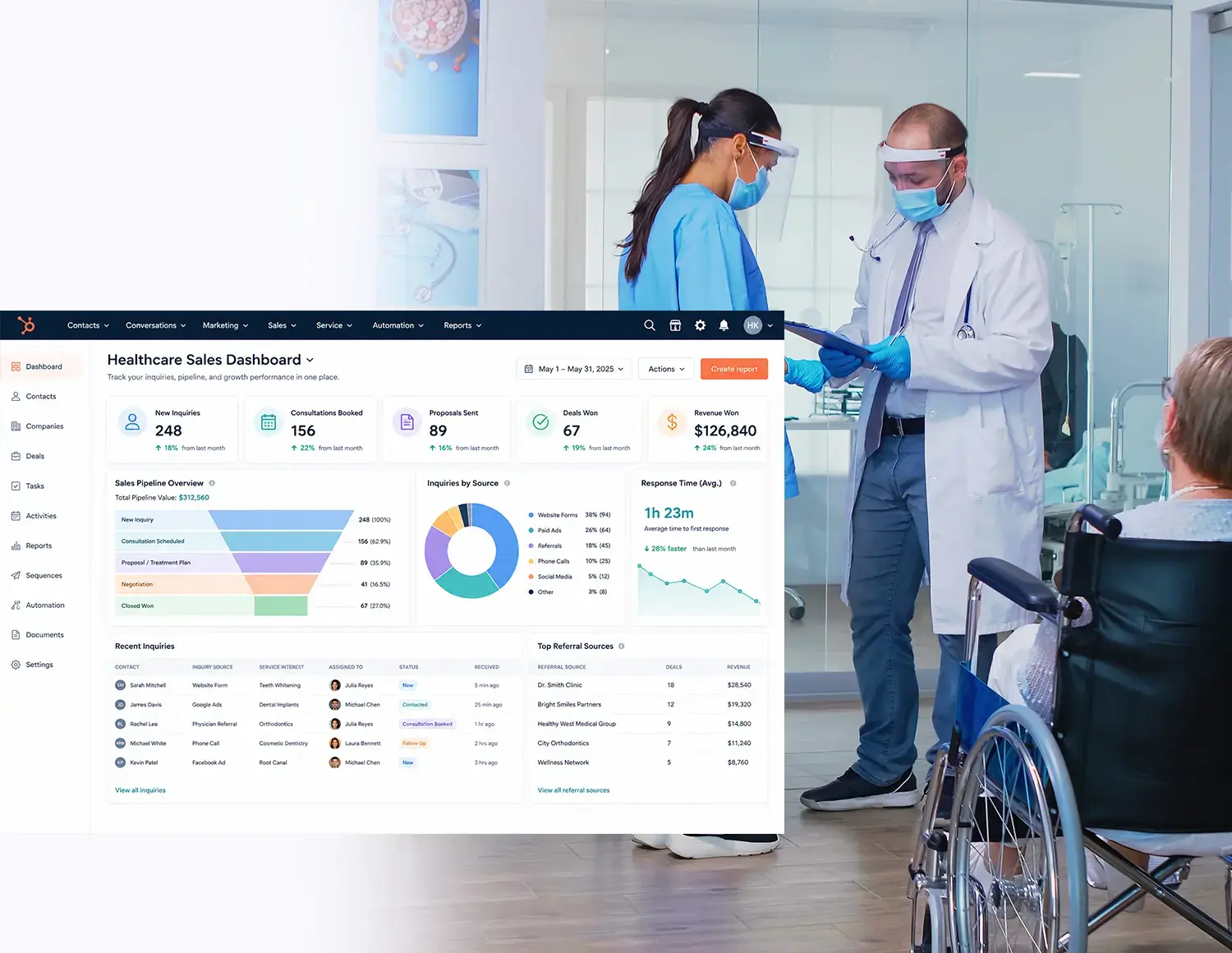
Healthcare businesses need a reliable way to capture inquiries, follow up faster, manage sales conversations, and understand which channels create real opportunities. HubXpert helps healthcare teams configure HubSpot Sales around their patient acquisition, referral, consultation, and business development workflows so they can build a clearer and more consistent growth system.
Teams that leveled up their development with HubXpert

-1.svg)
-1.svg)
.svg)
-1.svg)


The reason
Why Healthcare Businesses Need More Than a Traditional CRM
Healthcare businesses do not just need a place to store contacts. They need a system that helps them respond to inquiries, manage consultations, follow up with prospects, track referral relationships, and see which sales activities are creating revenue opportunities across locations, services, and teams.


Missed Patient Inquiries
Inquiries arrive from websites, ads, calls, referrals, and social channels. Slow response reduces bookings and hides which channels actually work.

Unclear Sales Pipeline
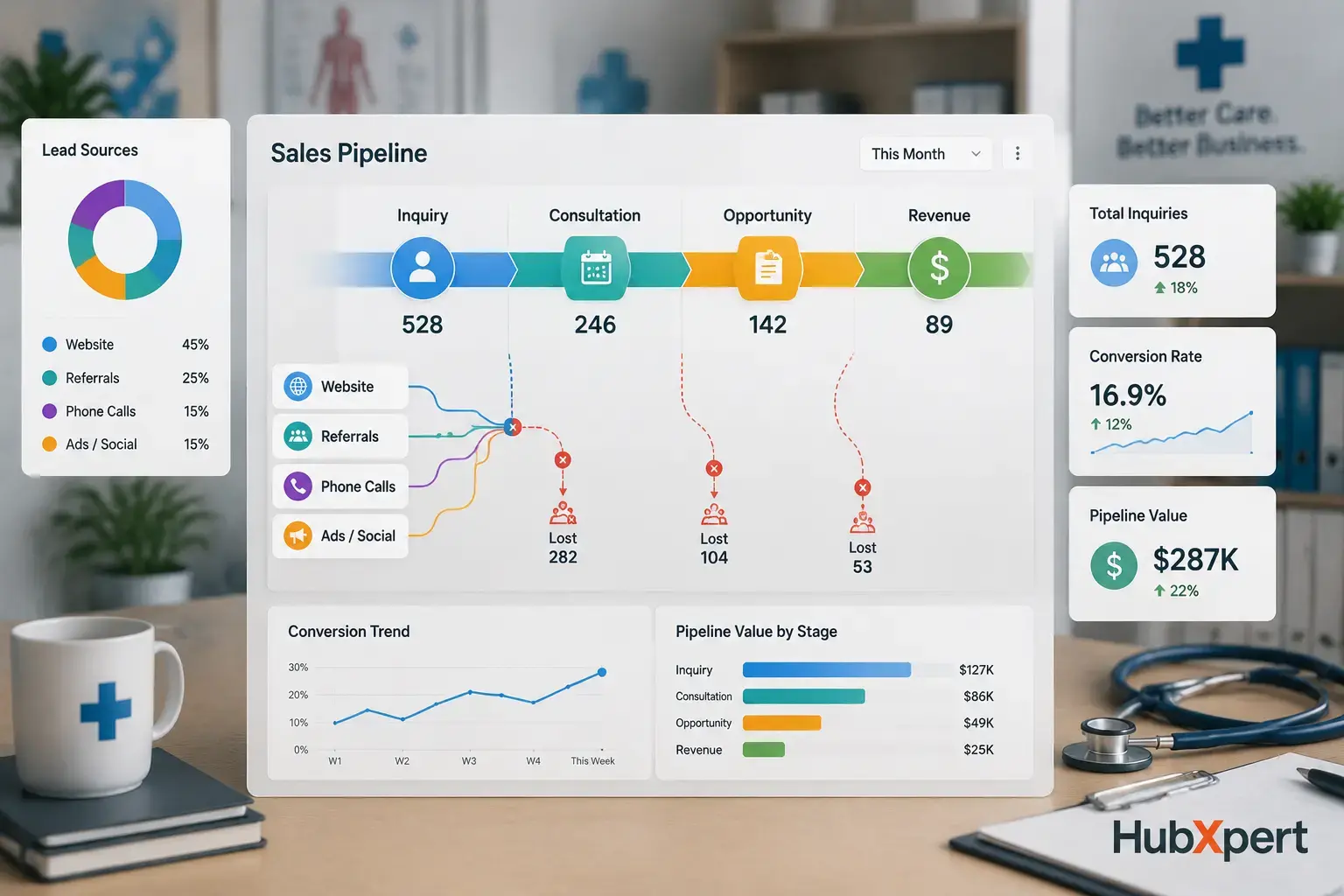
Firms know inquiry volume but not how many become consultations, treatment plans, or demos. Without a clear pipeline, forecasting growth is guesswork.
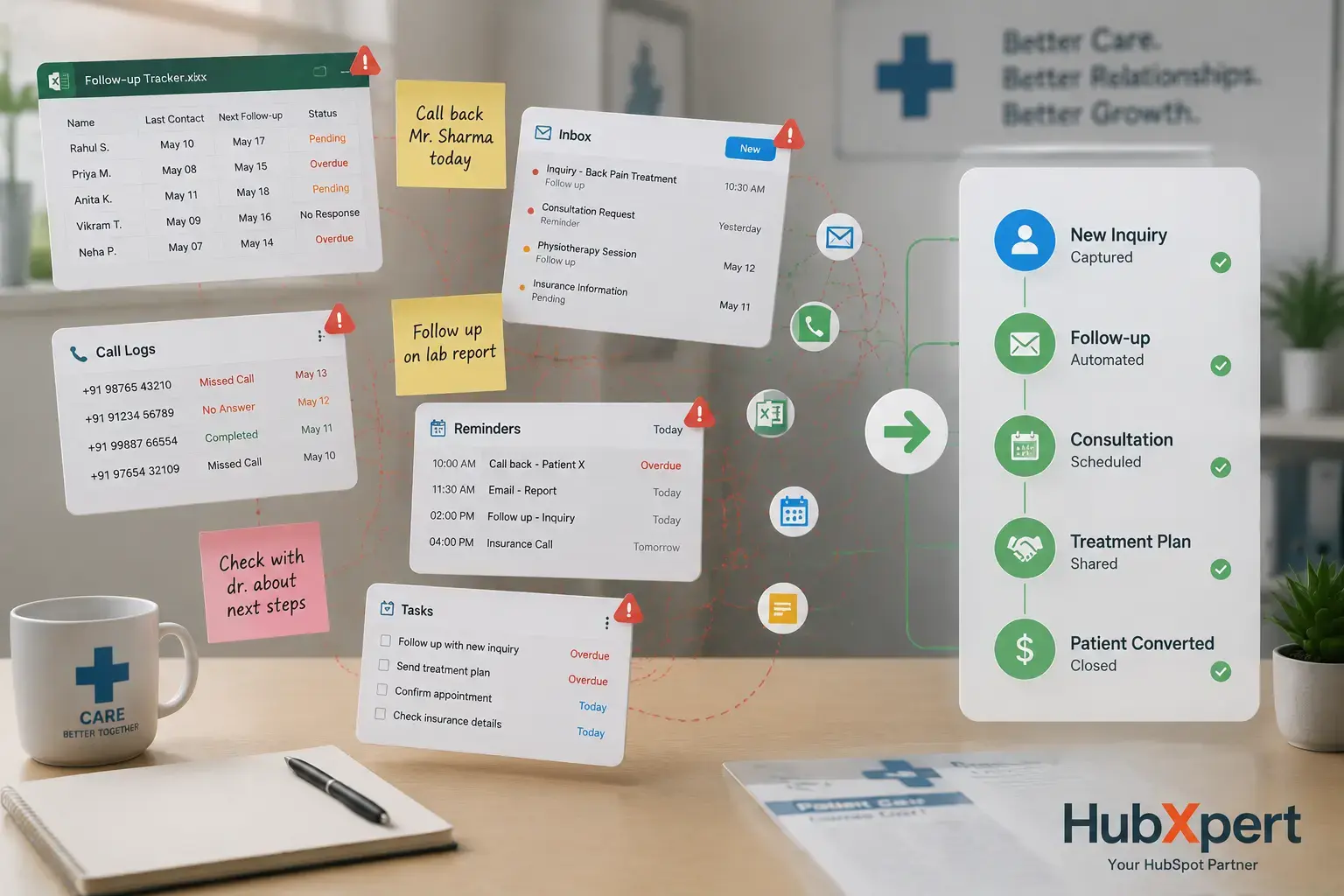

Manual Follow-Up
Follow-up depends on memory, spreadsheets, and scattered reminders, creating inconsistent communication after calls, consultations, and referrals.
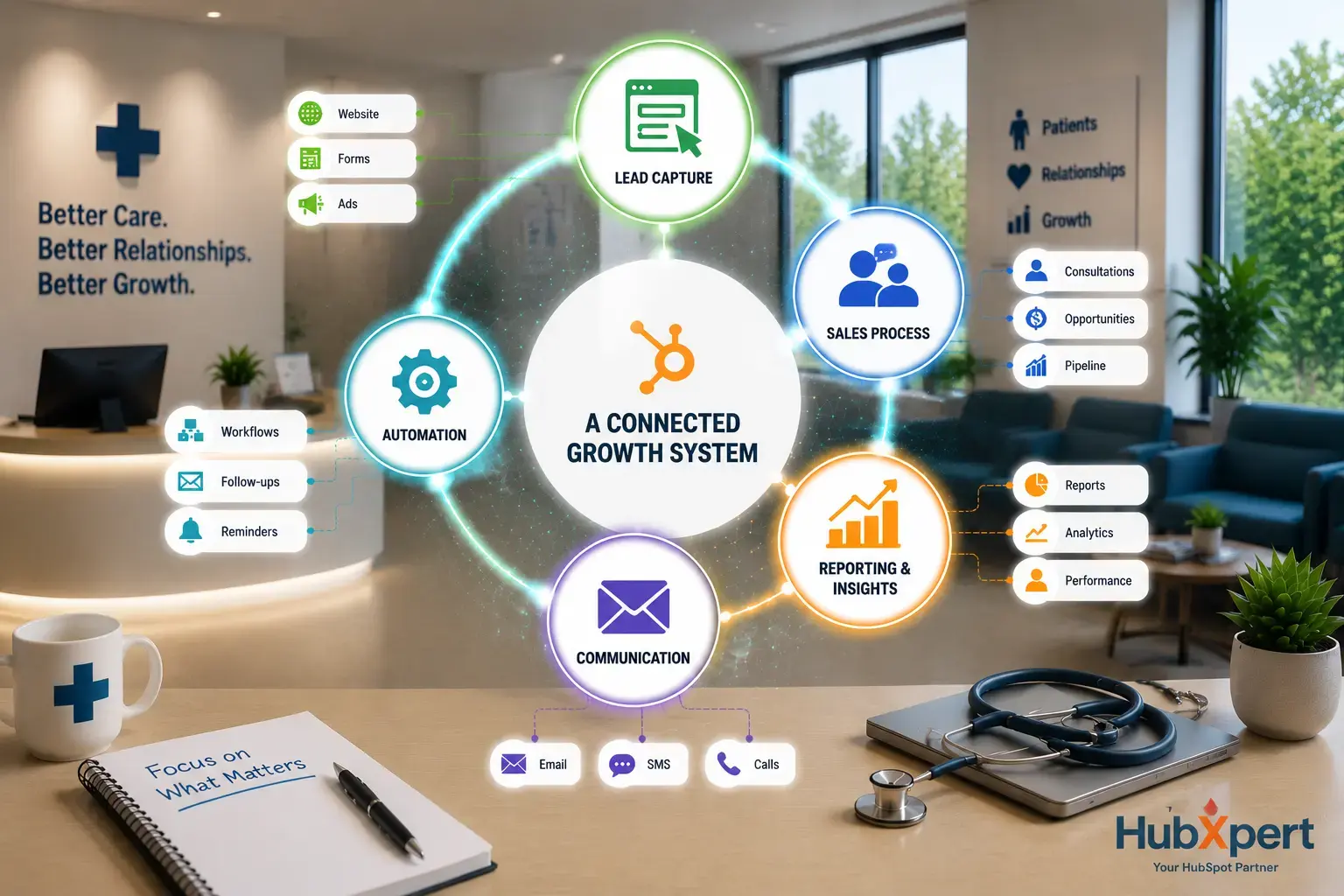

A Connected Growth System
HubSpot connects lead capture, follow-up, pipeline, and reporting in one system. HubXpert configures it so growth workflows stay clear, not generic.
about hubspot
What Is HubSpot for Healthcare?
HubSpot for healthcare is a configurable CRM and sales platform that helps healthcare businesses manage inquiries, consultations, referral relationships, follow-up tasks, and revenue opportunities. It works best when HubSpot is structured around the organization’s services, sales process, data needs, and connected healthcare tools.
-
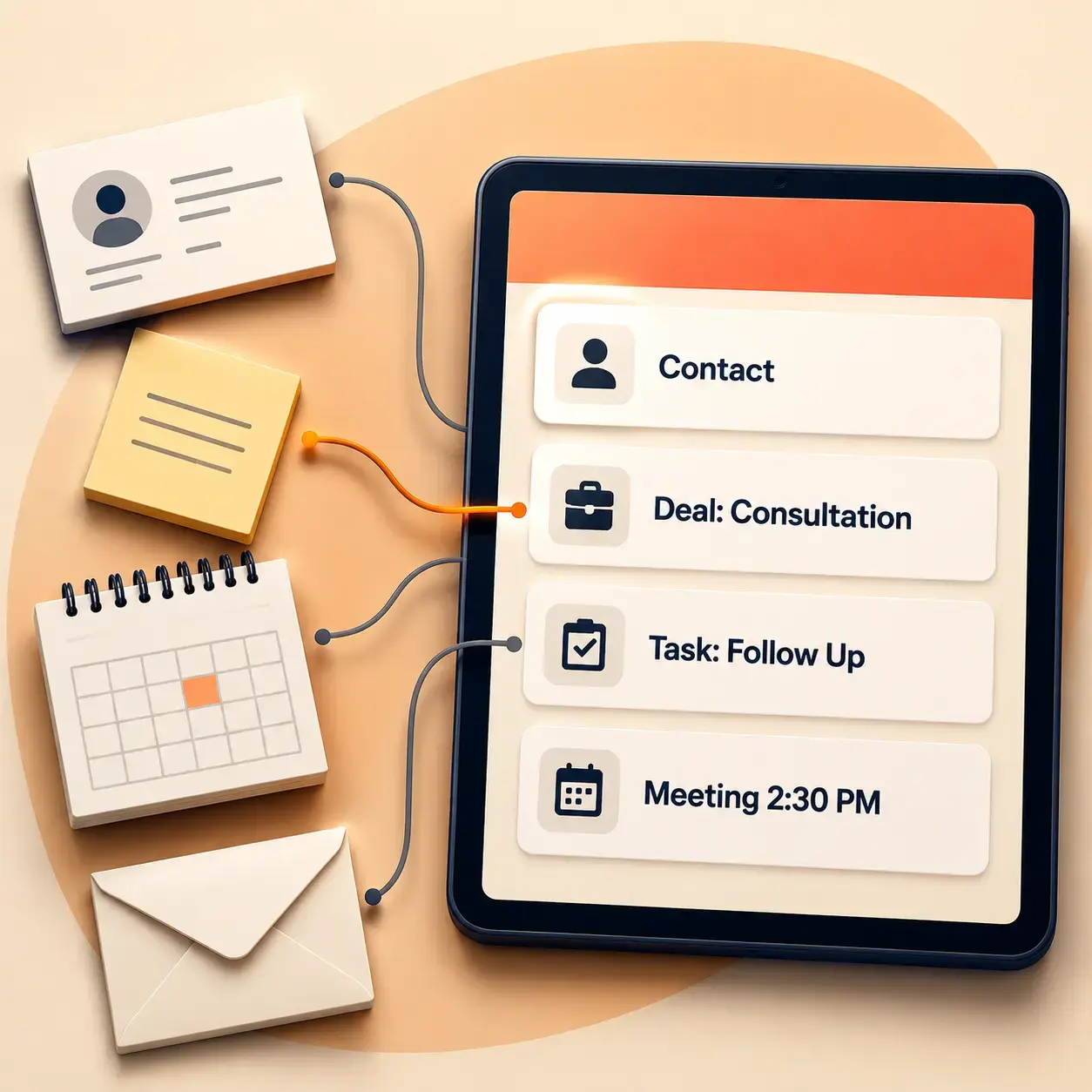
A Connected Sales Workspace
HubSpot gives healthcare teams one place to manage contacts, companies, deals, activities, notes, emails, meetings, and tasks. This helps owners, sales teams, intake coordinators, and business development teams see where each opportunity stands.
-
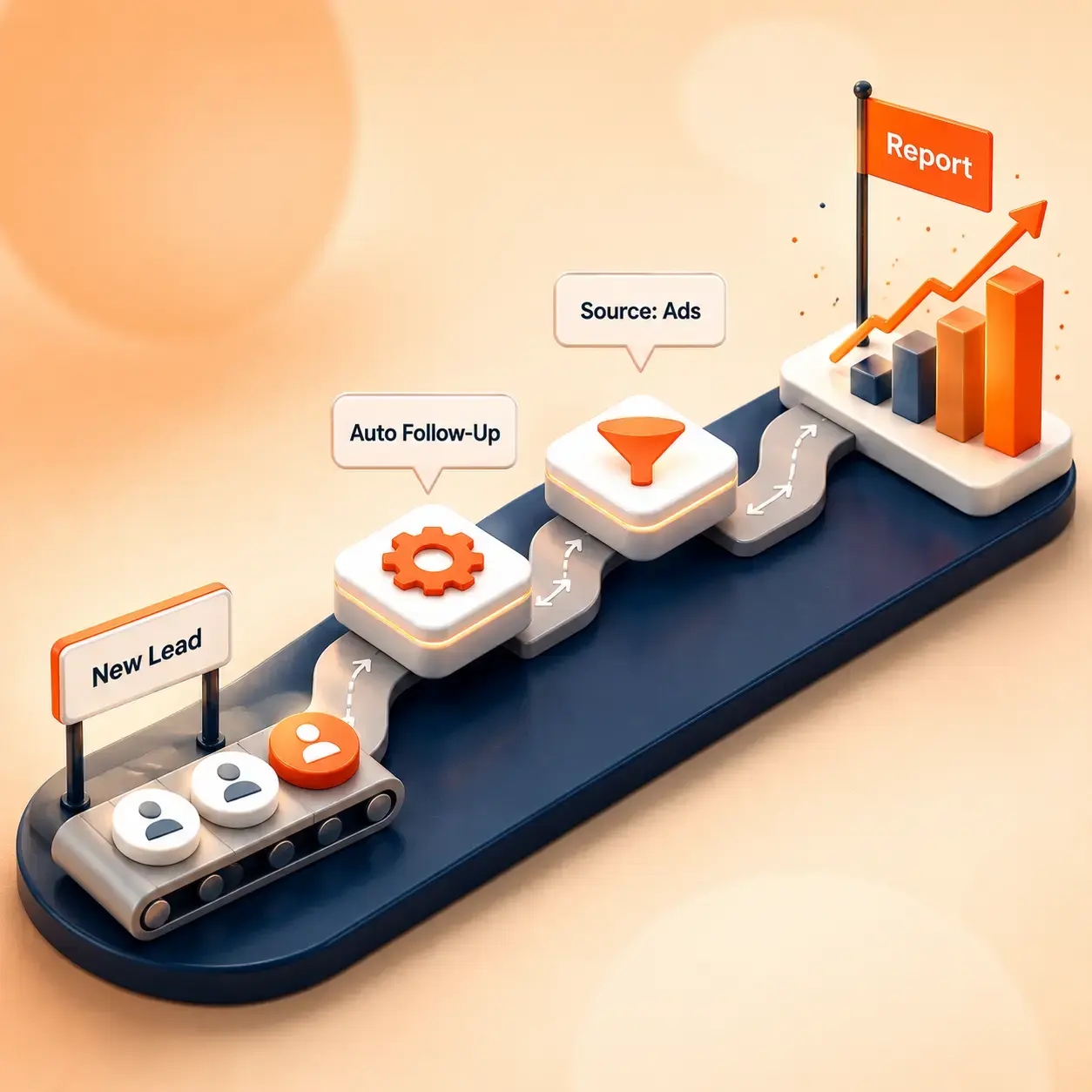
Built for Growth Workflows
Healthcare businesses can use HubSpot to organize sales pipelines, automate follow-up, segment contacts, track lead sources, and report on growth activity. The exact setup depends on the selected HubSpot hub, tier, data structure, and implementation plan.
-

Configured Around Healthcare Needs
HubSpot should be configured around each healthcare business model, not treated as a generic CRM. HubXpert can help map sales workflows, migration needs, integrations, user permissions, reporting views, and automation rules before the system goes live.
BENEFITS
Key Benefits of HubSpot for Healthcare
Healthcare businesses often lose sales opportunities because inquiries, follow-up, referrals, and reporting live in different places. A properly configured HubSpot setup helps teams manage growth activity with more structure, consistency, and visibility.
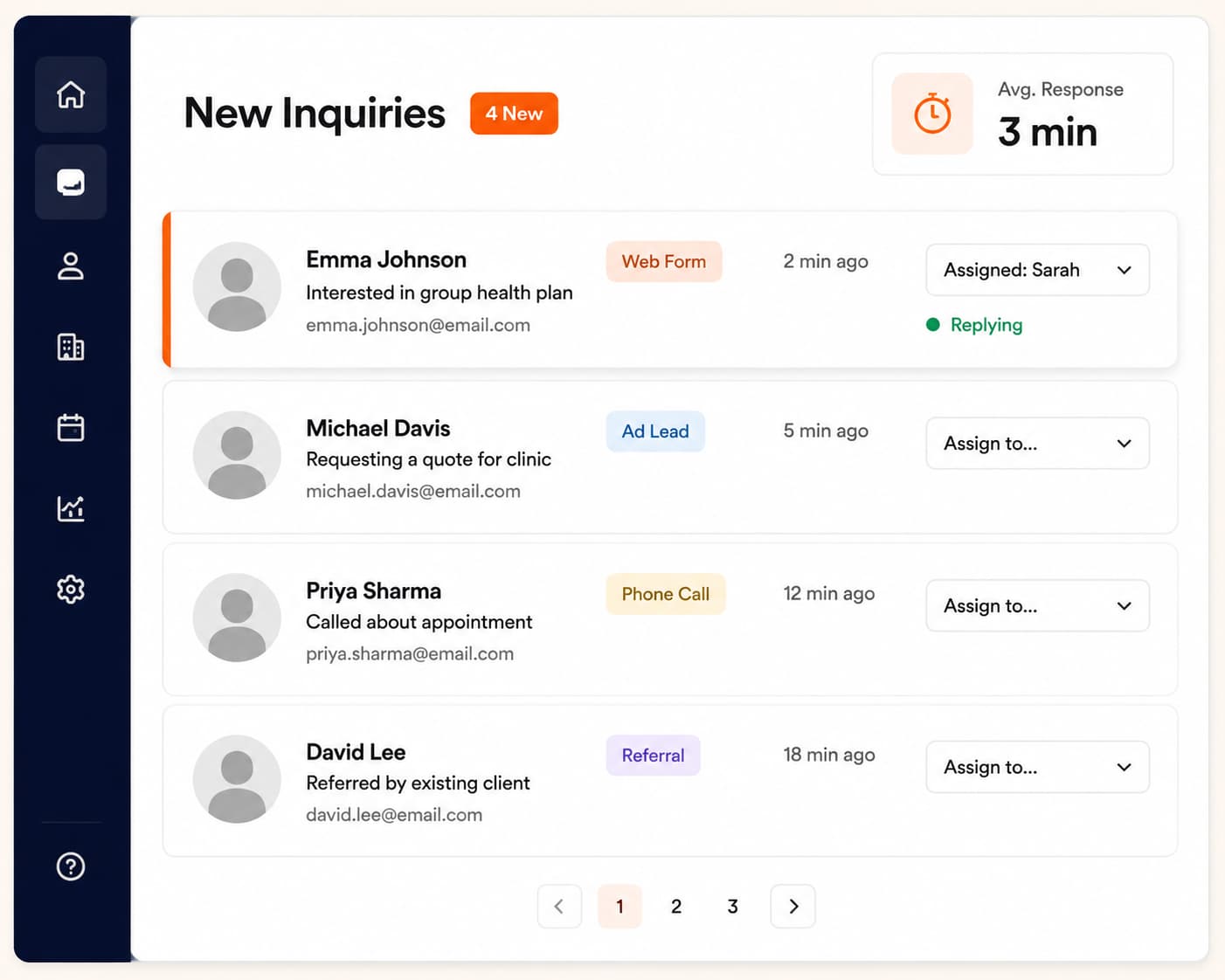

Faster Inquiry Response
Get new inquiries to the right person before they go cold.

Instant lead routing:
Website forms, ad leads, calls, and referrals are sent straight to the right team member.
Faster first response:
Reduce the time between an inquiry coming in and someone replying.
Fewer missed opportunities:
No inquiry sits unassigned or gets overlooked.
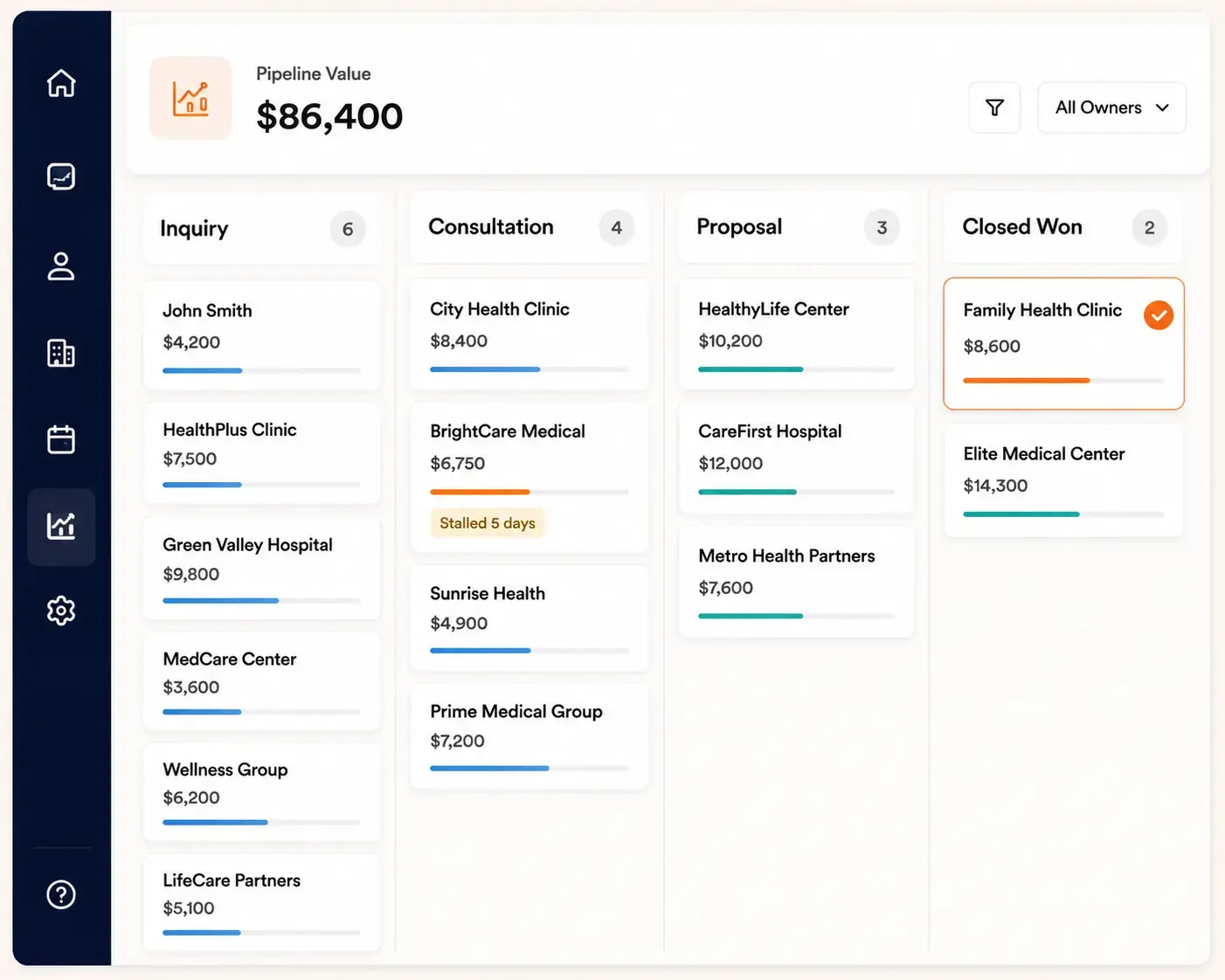
Clearer Sales Pipeline
See exactly where every opportunity stands.
Full visibility from inquiry to close:
Track each opportunity through consultation, proposal, treatment plan, or device demo.
Know what's moving forward:
Owners can see active opportunities at a glance.
Spot deals that need attention:
Identify opportunities that have stalled before they're lost.
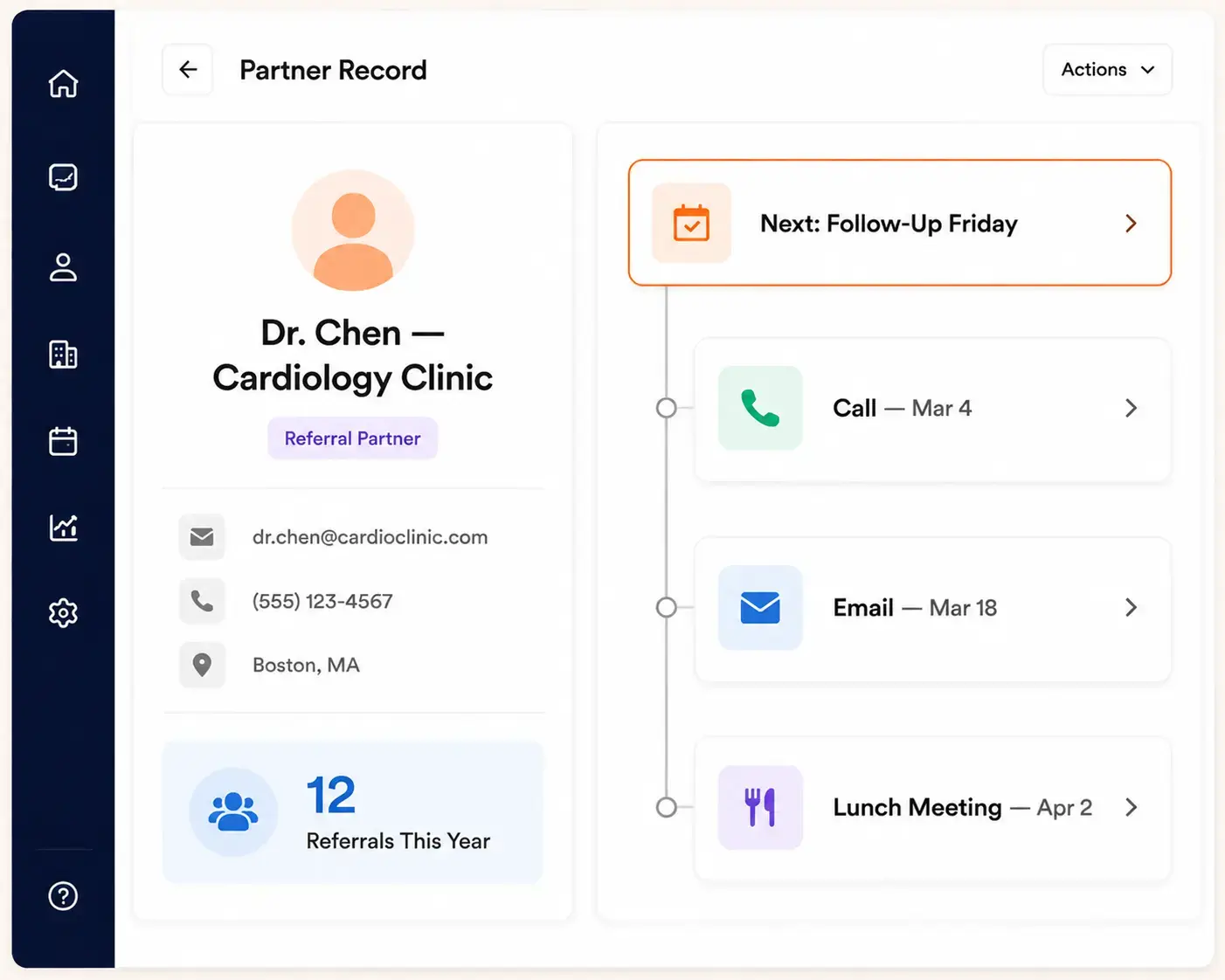
Better Referral Management
Keep referral relationships organized and easy to maintain
Organized referral sources:
Physicians, clinics, agencies, and partners are tracked in one place.
Referral outreach tasks:
Follow-up with referral partners is assigned and tracked, not left to memory.
Complete follow-up history:
See past outreach and touchpoints with every partner.
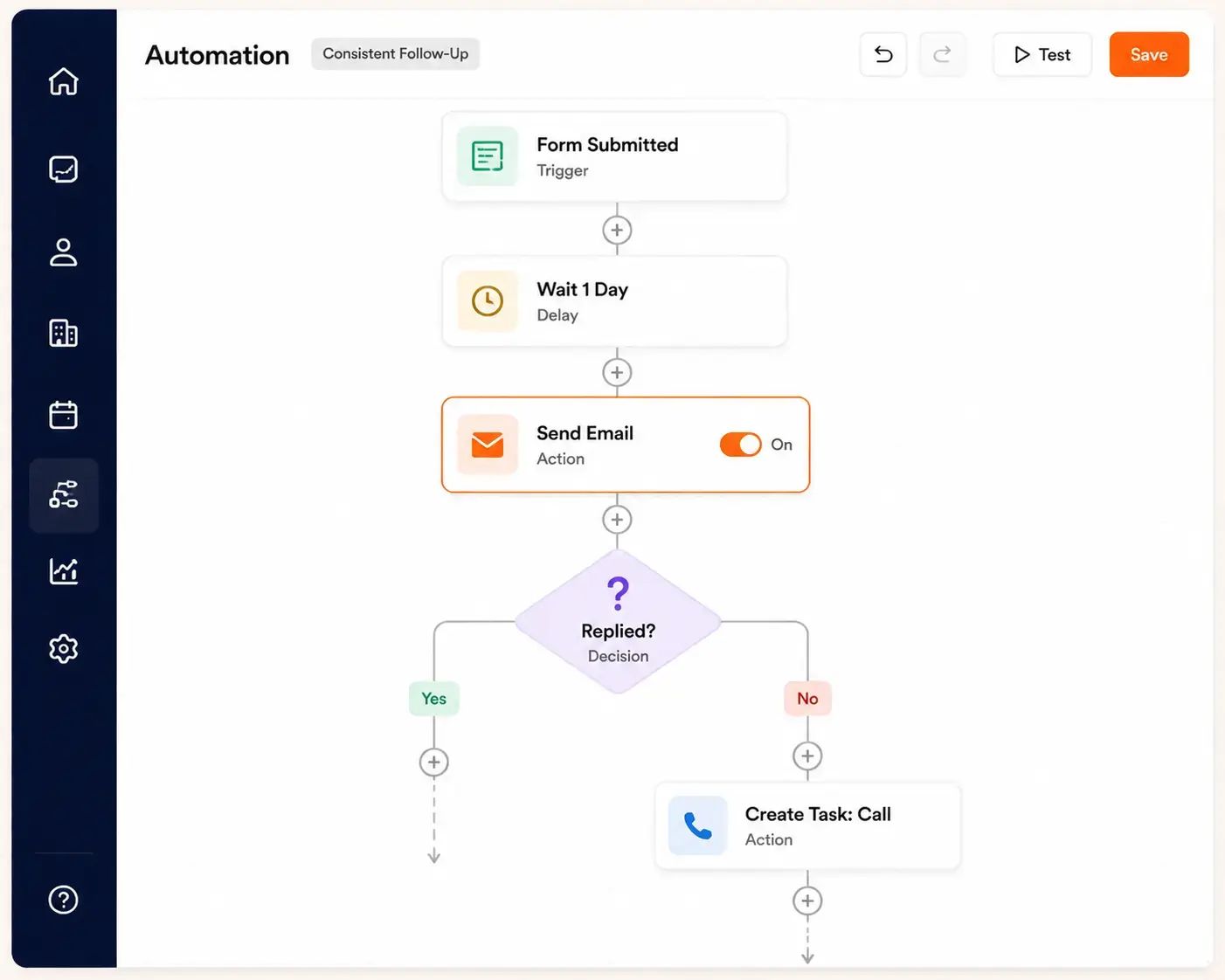
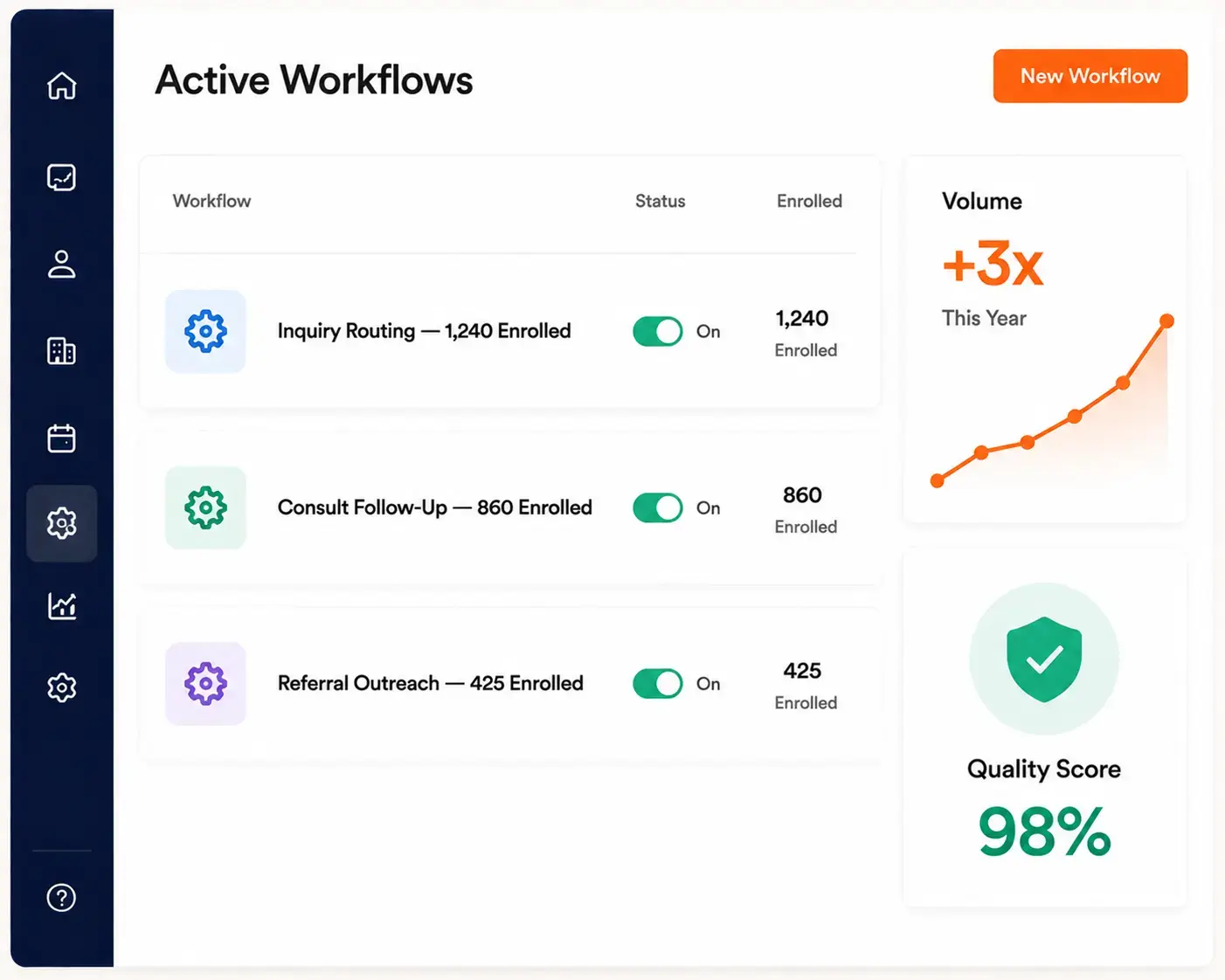
Consistent Follow-Up
Keep every conversation moving without manual reminders.
Configurable reminders:
Set reminders after form submissions, missed calls, or consultations.
Automated sequences:
Keep communication going after demos or referral introductions.
Workflow-driven next steps:
Let workflows trigger the next action automatically.
Workflow-driven next steps:
Let workflows trigger the next action automatically.

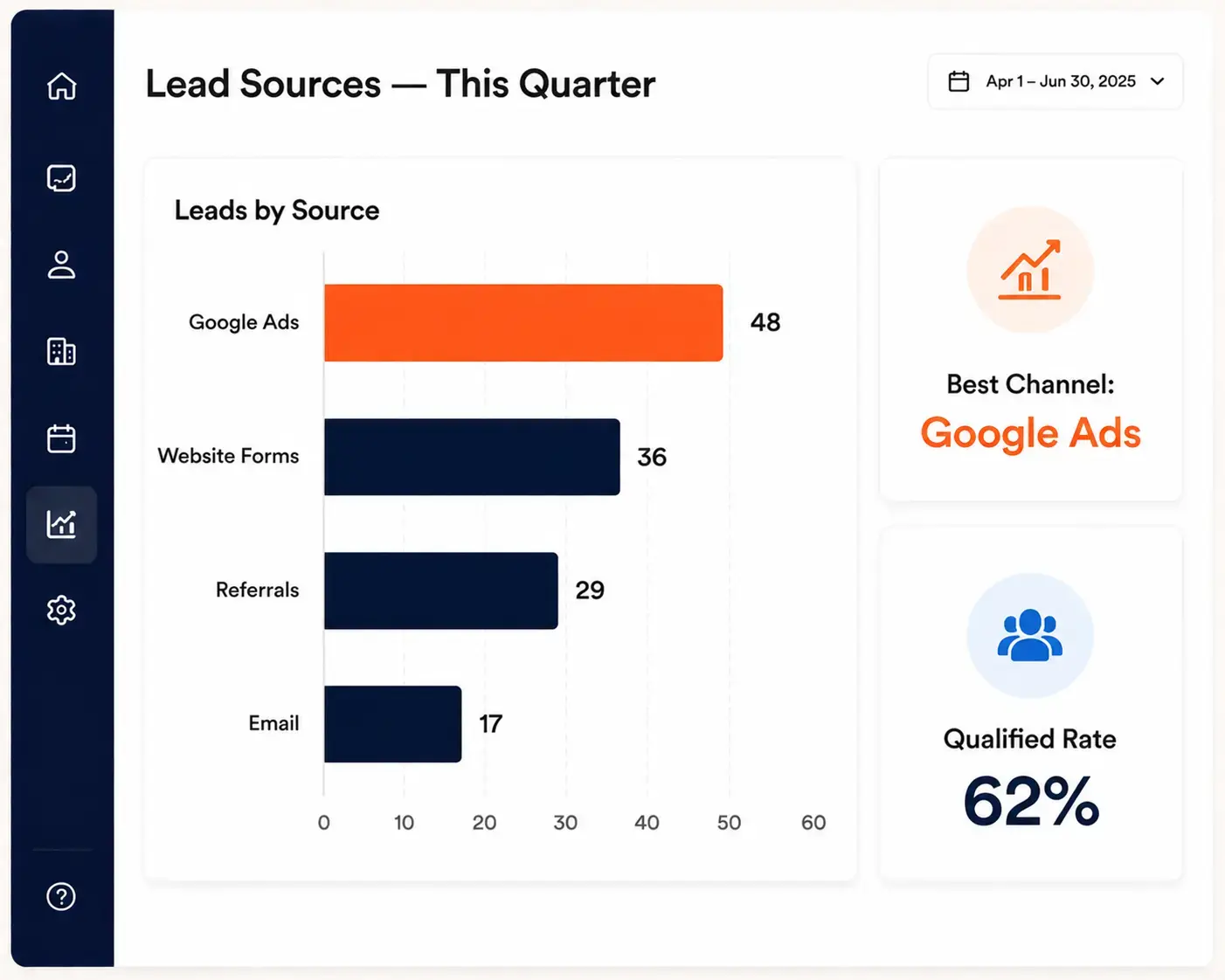
Improved Lead Attribution
Understand which channels bring in real business.
Connected marketing and sales data:
Link campaigns, landing pages, forms, and ads to actual outcomes.
Clear channel performance:
See which sources produce the most qualified opportunities.
.svg)
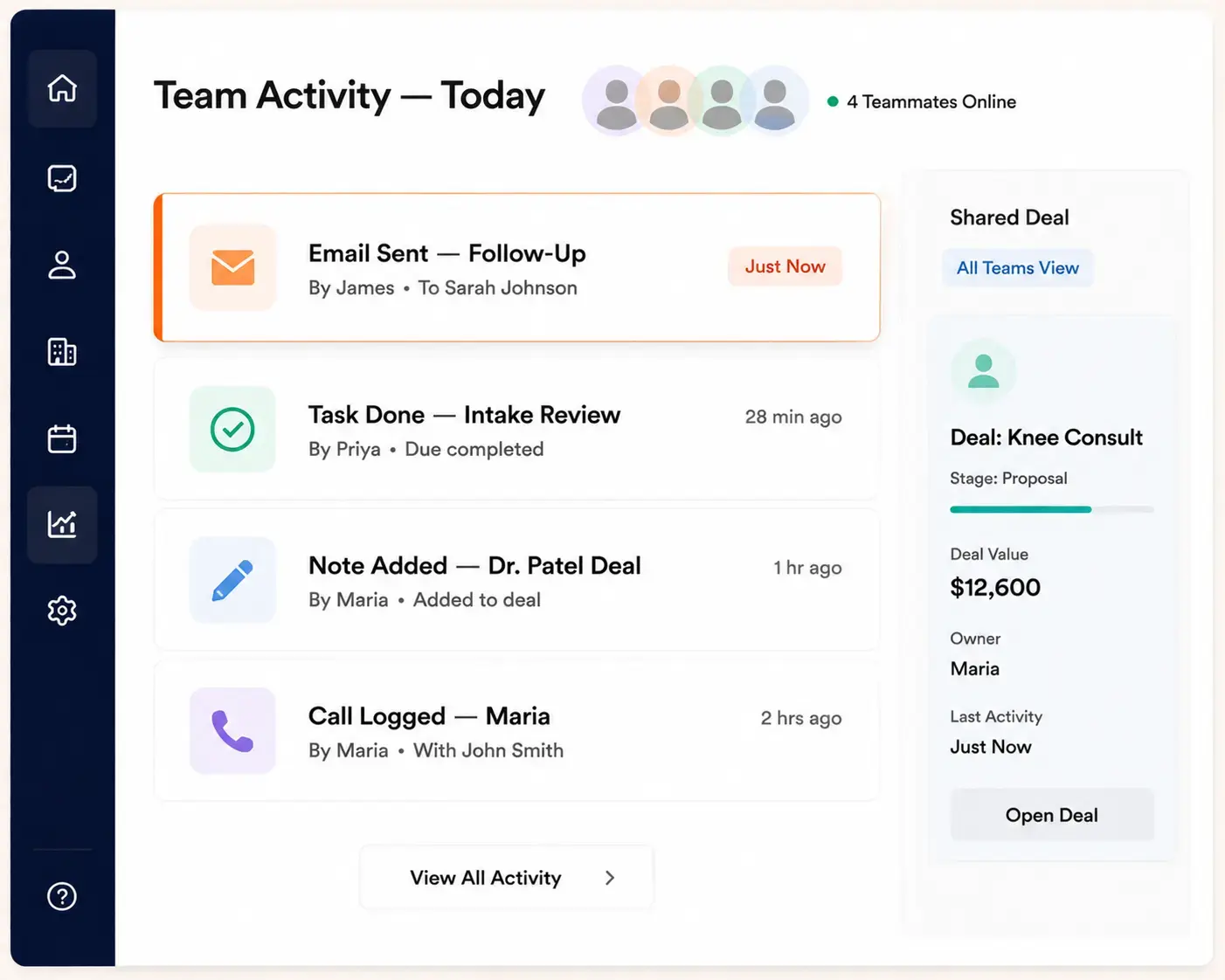
Stronger Team Visibility
Give every team member the same up-to-date picture.
Shared contact and pipeline view:
Owners, managers, sales, and intake staff see the same information.
Visible conversations and tasks:
Calls, messages, and tasks are tracked in one place.
Aligned teams:
Everyone works from the same data instead of separate notes or spreadsheets.

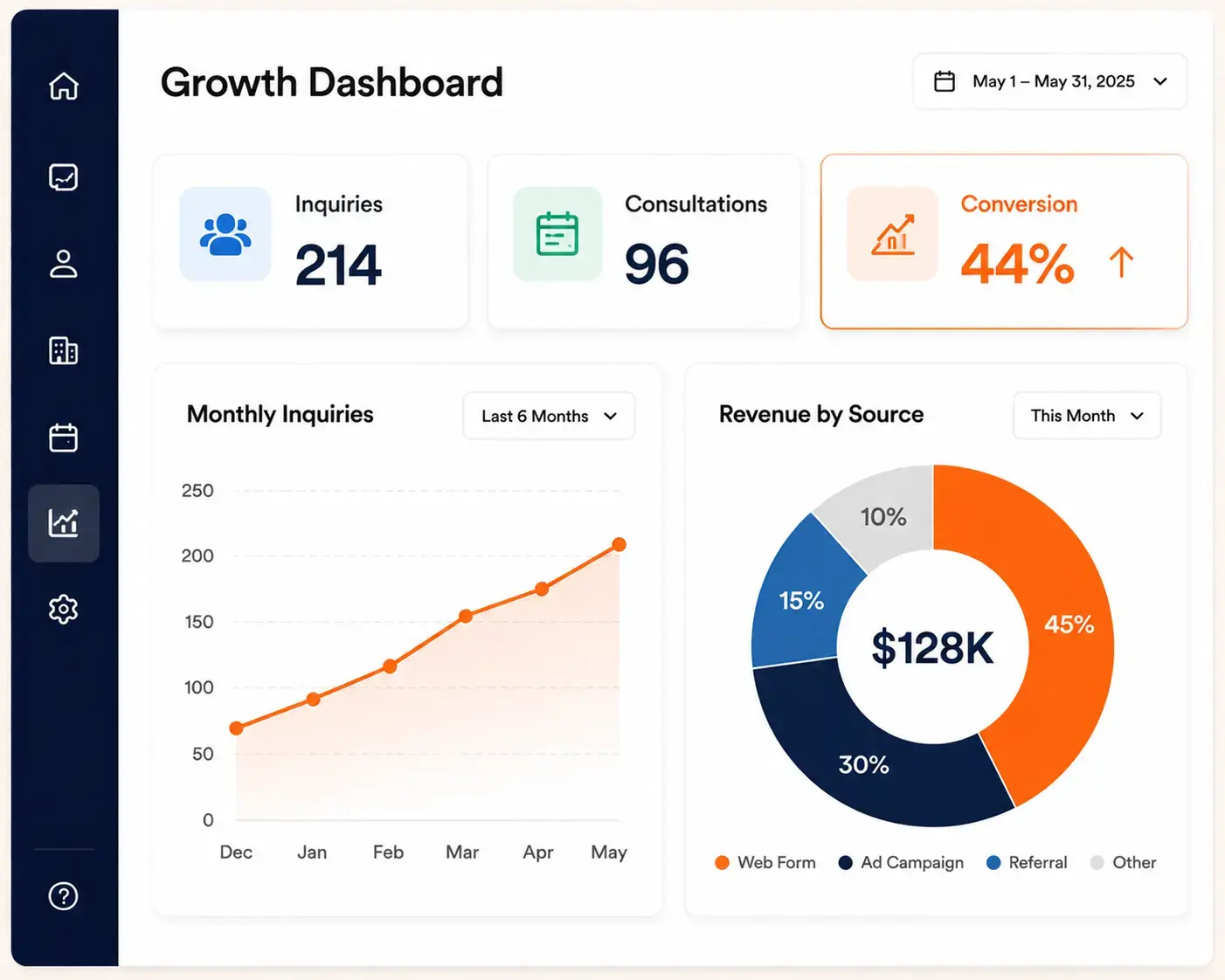
More Useful Reporting
Replace scattered spreadsheets with real dashboards.
Dashboards built around your business:
Track inquiries, consultations, and conversion rates in one view.
Revenue and referral insight:
See which opportunities and referral sources drive revenue.
Follow-up performance tracking:
Measure how consistently and quickly your team responds.

Scalable Sales Operations
Grow without losing control of follow-up quality.
Repeatable sales processes:
Set up workflows that work the same way as volume increases.
Supports growth:
Add new services, locations, or team members without rebuilding your system.
Consistent quality at scale:
Maintain the same follow-up standards even as inquiry volume rises.


More consultation booked
WHAT WE DO?
HubSpot Solutions for Different Healthcare Business Types
Healthcare is not one business model. HubSpot can support many types of healthcare organizations when the CRM structure, sales pipeline, follow-up process, and reporting are configured around how that business actually generates revenue.

Plastic and Cosmetic Surgery
Track consultations, procedure interests, lead sources, quotes, follow-up tasks, and financing conversations so teams can manage high-intent inquiries with a clearer sales process.

Mental Health and Wellness
Manage inquiries, referral relationships, intake follow-up, program interest, and appointment-related communication while keeping sensitive clinical details in the proper healthcare systems.

Telehealth and Telemedicine
Organize digital inquiries, onboarding steps, demo requests, partner conversations, and patient acquisition campaigns across online channels, sales teams, and service teams.

Ophthalmology and Vision Care
Support LASIK inquiries, eyewear leads, referral follow-up, consultation booking, and campaign reporting for practices that need better visibility into demand generation.

Healthcare Technology and SaaS
Use HubSpot to manage B2B healthcare sales pipelines, demos, onboarding tasks, account communication, partner relationships, and revenue reporting across sales and marketing teams.

Medical Devices and Wearables
Track distributors, providers, clinics, demos, sample requests, follow-up tasks, and sales opportunities in a structured pipeline that supports longer healthcare buying cycles.
Features


Core HubSpot Features Healthcare Teams Actually Use
Healthcare teams get the most value from HubSpot when features are tied to daily sales, intake, referral, and follow-up workflows. The right setup helps teams manage revenue activity without turning the CRM into a complicated system nobody wants to use.
Contact Management
Keep prospects, patients, referral partners, providers, distributors, and business accounts organized with properties that match the healthcare organization’s sales and relationship process.
Sales Pipelines
Build pipelines for consultations, demos, treatment plan discussions, referral opportunities, device sales, enrollment, or account expansion depending on the healthcare business model.
Forms and Landing Pages
Capture inquiries from service pages, ad campaigns, referral campaigns, event promotions, or downloadable resources and route them into the right follow-up process.
Email and Sequences
Support structured outreach after inquiries, consultations, demos, events, referral introductions, or missed conversations with email tools that depend on the selected HubSpot tier.
Workflow Automation
Automate internal tasks, lead routing, reminders, lifecycle updates, and basic follow-up steps so small healthcare teams can reduce manual work without losing control.
integration
Healthcare Software Integrations for HubSpot
Healthcare businesses often rely on scheduling tools, EHR systems, practice management software, payment tools, call tracking platforms, and marketing systems. HubSpot can connect with many tools through native integrations, marketplace apps, middleware, or custom integration work depending on the software, data needs, and compliance requirements.

Act! CRM
Planning an Act! CRM to HubSpot migration? We ensure accurate data transfer, automation rebuilding, and CRM optimization..

ActiveCampaign
Planning an ActiveCampaign to HubSpot migration? We ensure accurate data transfer and automation rebuilding..

Adobe Experience Manager
Planning an Adobe Experience Manager to HubSpot CMS migration? We ensure seamless content migration and optimization..

Agile CRM
Planning an Agile CRM to HubSpot migration? We ensure accurate data transfer and CRM optimization support..

Apollo.io
Migrate from Apollo.io to HubSpot Sales Hub with Sequences, engagement history, Apollo data hygiene, intent signals, Plays, and Chrome extension workflows preserved.

BigCommerce
Migrate customer, order, and product data from BigCommerce or BigCommerce Enterprise into HubSpot.

Bitrix24
Planning a Bitrix24 to HubSpot migration? We ensure accurate data transfer, automation rebuilding, and CRM optimization..

Brevo
Planning a Brevo to HubSpot migration? We ensure accurate data transfer, automation rebuilding, and CRM optimization..

Campaign Monitor
Planning a Campaign Monitor to HubSpot migration? We ensure accurate data transfer and automation rebuilding..

Close CRM
Planning a Close CRM to HubSpot migration? We ensure accurate data transfer, workflow rebuilding, and CRM optimization..

Constant Contact
Planning a Constant Contact to HubSpot migration? We ensure accurate data transfer and automation rebuilding..

Contentful
Planning a Contentful to HubSpot CMS migration? We ensure accurate content mapping and CMS optimization support..

ConvertKit
Planning a ConvertKit to HubSpot migration? We ensure accurate data transfer and CRM optimization support..

Copper CRM
Planning a Copper CRM to HubSpot migration? We ensure accurate data transfer, automation rebuilding, and CRM optimization..

CSV Files
Migrate CSV exports from any legacy system to HubSpot CRM with field mapping, encoding fixes, deduplication, and validation.

Custom CRM
Planning a custom CRM to HubSpot migration? We ensure accurate data mapping, workflow rebuilding, and CRM optimization..

Drift
Transfer from Drift to HubSpot Service Hub with live chat migration, workflow setup, and customer support optimization..

Drip
Planning a Drip to HubSpot migration? We ensure accurate data transfer and automation rebuilding..

Drupal
Planning a Drupal to HubSpot CMS migration? We ensure accurate content transfer and CMS optimization support..

Eloqua
Planning an Eloqua to HubSpot migration? We ensure accurate data transfer, campaign rebuilding, and CRM optimization..

FileMaker Pro
Migrate from FileMaker Pro (Claris) to HubSpot CRM with Layouts, scripts, Container fields, and the relationships graph translated into HubSpot's modern data model.

Freshdesk
Planning a Freshdesk to HubSpot Service Hub migration? We ensure accurate data transfer and support automation setup..

Freshsales
Planning a Freshsales to HubSpot migration? We ensure accurate data transfer, workflow rebuilding, and CRM optimization..

GetResponse
Planning a GetResponse to HubSpot migration? We ensure accurate data transfer, automation rebuilding, and CRM optimization..

Ghost
Planning a Ghost to HubSpot CMS migration? We ensure accurate blog migration and SEO optimization support..

GoHighLevel
Planning a GoHighLevel to HubSpot migration? We ensure accurate data transfer and CRM optimization support..

Google Sheets
Migrate from Google Sheets to HubSpot CRM with deduplication, field mapping, Apps Script translation, and ImportRange dependencies replaced by a relational system.

Gorgias
Move from Gorgias to HubSpot Service Hub with accurate ticket transfer, automation rebuilding, and inbox optimization..

Groove by Clari
Migrate from Groove by Clari to HubSpot Sales Hub Sequences with full Flow continuity, Spaces, Playbooks, and Salesforce-native data preserved.

Help Scout
Upgrade from Help Scout to HubSpot Service Hub with ticket migration, automation rebuilding, and reporting configuration..

HubSpot Agency Client Handoff
Transfer a HubSpot portal from your agency tenant to your client cleanly.

HubSpot Sandbox to Production
Promote tested HubSpot configuration and data from a Standard Sandbox or Development Sandbox into production.

Insightly
Planning an Insightly to HubSpot migration? We ensure accurate data transfer, automation rebuilding, and CRM optimization..

Intercom
Planning an Intercom to HubSpot Service Hub migration? We ensure seamless conversation and workflow migration support..

Jira Service Management
Migrate Jira Service Management to HubSpot Service Hub with ticket syncing, workflow setup, and service automation support..

Joomla
Planning a Joomla to HubSpot CMS migration? We ensure accurate content transfer, template rebuilding, and SEO optimization..

Kayako
Switch from Kayako to HubSpot Service Hub with ticket migration, automation rebuilding, and inbox setup support..

Keap
Planning a Keap to HubSpot migration? We ensure accurate data transfer, automation rebuilding, and CRM optimization..

Klaviyo
Planning a Klaviyo to HubSpot migration? We ensure accurate data transfer, automation rebuilding, and CRM optimization..

Legacy ERP Data
Migrate customer, account, and contact master data from SAP, Oracle EBS, JD Edwards, or Sage ERP into HubSpot CRM with structured ETL, master data reconciliation, and IT-friendly extraction.

LinkedIn Sales Navigator
Migrate LinkedIn Sales Navigator workflows into HubSpot Sales Hub Sequences with Lead Lists, Account Lists, InMail history, SNAP integration, Smart Links, and TeamLink continuity preserved.

LiveAgent
Switch from LiveAgent to HubSpot Service Hub with support data migration, workflow rebuilding, and CRM configuration..
%20-%20HubXpert%20Migration%20Logo.png)
Magento (Adobe Commerce)
Migrate customer, order, and product data from Magento Open Source or Adobe Commerce into HubSpot.

Mailchimp
Planning a Mailchimp to HubSpot migration? We ensure accurate data transfer, automation rebuilding, and CRM optimization..

Marketo
Planning a Marketo to HubSpot migration? We ensure accurate data transfer, workflow rebuilding, and CRM optimization..

Merging Two HubSpot Portals
Consolidate two HubSpot portals into a single source of truth after a merger or acquisition.

Microsoft Access
Migrate from Microsoft Access (.accdb / .mdb) to HubSpot CRM with tables, queries, Access forms, and VBA modules translated.

Microsoft Dynamics 365
Planning a Dynamics 365 to HubSpot migration? We ensure accurate data transfer, automation rebuilding, and CRM optimization..

Microsoft Excel
Migrate from Excel spreadsheets to HubSpot CRM with deduplication, field mapping, formula translation, and pivot reports rebuilt as dashboards.

Monday CRM
Planning a Monday CRM to HubSpot migration? We ensure accurate data transfer and CRM optimization support..

NetSuite CRM
Planning a NetSuite CRM to HubSpot migration? We ensure accurate data transfer and CRM optimization support..

Nutshell
Planning a Nutshell to HubSpot migration? We ensure accurate data transfer, workflow rebuilding, and CRM optimization..

Odoo CRM
Planning an Odoo CRM to HubSpot migration? We ensure accurate data transfer, automation rebuilding, and CRM optimization..

Omnisend
Planning an Omnisend to HubSpot migration? We ensure accurate data transfer, automation rebuilding, and CRM optimization..

Ontraport
Planning an Ontraport to HubSpot migration? We ensure accurate data transfer and CRM optimization support..

Outreach
Move from Outreach to HubSpot Sales Hub with sequence migration, workflow rebuilding, pipeline setup, and reporting support..

Pardot
Planning a Pardot to HubSpot migration? We ensure accurate data transfer, workflow rebuilding, and CRM optimization..

Pipedrive
Planning a Pipedrive to HubSpot migration? We ensure accurate data transfer, pipeline rebuilding, and CRM optimization..

PrestaShop
Migrate customer, order, and product data from PrestaShop into HubSpot.

Re:amaze
Migrate from Re:amaze to HubSpot Service Hub with seamless ticket transfer, workflow setup, and support optimization..
Salesforce
Planning a Salesforce to HubSpot migration? We ensure accurate data transfer, automation rebuilding, and CRM optimization..
Salesforce Marketing Cloud
Planning a Salesforce Marketing Cloud to HubSpot migration? We ensure accurate data transfer and automation rebuilding..

Salesloft
Switch from Salesloft to HubSpot Sales Hub with our expert sales automation migration, sequence setup, and CRM optimization support..

SAP CRM
Planning an SAP CRM to HubSpot migration? We ensure accurate data transfer, automation rebuilding, and CRM optimization..

ServiceNow
Move from ServiceNow to HubSpot Service Hub with ticket migration, automation rebuilding, and reporting setup support..

SharpSpring
Planning a SharpSpring to HubSpot migration? We ensure accurate data transfer, automation rebuilding, and CRM optimization..

Shopify
Migrate customer, order, and product data from Shopify (or Shopify Plus) into HubSpot.

Sitecore
Planning a Sitecore to HubSpot CMS migration? We ensure accurate content transfer and CMS optimization support..

Splitting One Portal into Regional Portals
Split one HubSpot portal into multiple - by geography, business unit, or brand.

Squarespace
Planning a Squarespace to HubSpot CMS migration? We ensure accurate content transfer and CMS optimization support..

Streak
Planning a Streak to HubSpot migration? We ensure accurate data transfer, workflow rebuilding, and CRM optimization..

SugarCRM
Planning a SugarCRM to HubSpot migration? We ensure accurate data transfer, workflow rebuilding, and CRM optimization..

Webflow
Planning a Webflow to HubSpot CMS migration? We ensure accurate design transfer, CMS rebuilding, and SEO optimization..

Wix
Planning a Wix to HubSpot CMS migration? We ensure accurate content transfer and SEO optimization support..

WooCommerce
Migrate customer, order, and product data from WooCommerce on WordPress into HubSpot.

WordPress
Planning a WordPress to HubSpot CMS migration? We ensure accurate content transfer, template rebuilding, and SEO optimization..

Zendesk
Planning a Zendesk to HubSpot Service Hub migration? We ensure accurate ticket transfer and workflow optimization..

Zoho CRM
Planning a Zoho CRM to HubSpot migration? We ensure accurate data transfer, workflow rebuilding, and CRM optimization..

Zoho Desk
Planning a Zoho Desk to HubSpot Service Hub migration? We have experts to ensure accurate ticket transfer and CRM optimization..

ZoomInfo
Migrate from ZoomInfo Engage to HubSpot Sales Hub Sequences with full ZoomInfo data integration, Intent signals, Chorus conversation intelligence, WorkflowOS, and Copilot continuity.
Workflow & triggers
Example Healthcare Workflows We Can Automate
Healthcare teams often spend too much time on repetitive follow-up, manual reminders, lead routing, and status updates. HubSpot automation can support these workflows when rules, permissions, data fields, and connected tools are planned carefully.

New Inquiry Routing
Automatically assign new website, ad, referral, or call inquiries to the right team member based on service interest, location, source, or business unit.
Consultation Follow-Up
Trigger reminders, tasks, and follow-up emails after consultations, demos, assessments, or treatment plan discussions so opportunities do not sit untouched.
Referral Partner Outreach
Create repeatable outreach tasks and follow-up sequences for physicians, clinics, employers, agencies, distributors, or partner organizations that send qualified opportunities.
Missed Call Recovery
Create tasks or alerts when a tracked call is missed so the team can respond quickly and reduce lost sales opportunities.
Re-Engagement Campaigns
Segment past inquiries, inactive contacts, old opportunities, or previous patients so teams can run timely campaigns based on service interest or lifecycle stage.
Sales Activity Reporting
Update dashboards when tasks, calls, meetings, emails, deals, and lifecycle stages change so managers can see where follow-up is strong or weak.
AI & DATA SAFETY
Safe AI Use for Healthcare Sales Workflows
HubSpot's AI drafts content, transcribes calls, and scores leads. Healthcare teams get the time savings while keeping PHI out of every tool.
1

Drafting Non-Clinical Content
HubSpot AI generates marketing copy, email templates, and landing page text from prompts, speeding up content production. Keep PHI and patient details out of prompts; use it for general business content only.
2
Sales Call Analysis
Conversation Intelligence, in Sales Hub Professional and Enterprise, records and transcribes sales and scheduling calls so managers can coach on communication and pipeline progression, not clinical details.
3
Lead Prioritization
Predictive lead scoring analyzes non-sensitive signals like email opens, form fills, and page views to flag consultation-ready prospects, using behavioral data rather than clinical patient information.
COMPLIANCE
HIPAA, Sensitive Data, and Security Considerations
Healthcare organizations need a clear strategy for managing sensitive data across HubSpot and connected healthcare systems. We help define where PHI should reside, establish security and access policies, identify BAA requirements, and set integration boundaries before any migration or automation begins.
Sensitive Data Management
Business Associate Agreement (BAA) Requirements
Third-Party Integration Security
PHI Access & Governance

-2.webp)
Why HubXpert
Why Choose HubXpert for Healthcare HubSpot Implementation
Healthcare businesses need more than a basic HubSpot setup. They need a sales system that reflects how inquiries, consultations, referrals, follow-up, and revenue opportunities actually move through the business.
-1.svg)
Healthcare Workflow Mapping
HubXpert helps map your sales, intake, referral, and follow-up process before building anything inside HubSpot. This helps prevent messy pipelines, unclear ownership, and automations that do not match daily operations.
Sales-Focused HubSpot Setup
We configure HubSpot around the activities that support growth, including lead capture, pipeline stages, deal tracking, follow-up tasks, sales reporting, and team visibility. The setup stays focused on practical sales outcomes.
Integration Planning
Healthcare businesses often use multiple systems for scheduling, clinical records, billing, communication, and marketing. HubXpert helps identify what should connect to HubSpot, what should stay separate, and where custom or middleware integration may be needed.
Team Training and Adoption
A CRM only works when the team uses it consistently. HubXpert helps healthcare teams understand their pipelines, contact records, tasks, reports, and follow-up process so the system becomes part of daily work.
Certified Expertise You Can Trust
HubXpert is a HubSpot Platinum Solutions Partner with Triple Accreditation, meaning we have proven, top-tier expertise across Sales, Marketing, and Service.
process
Our Healthcare HubSpot Implementation Process
A strong healthcare HubSpot setup starts with understanding how the business sells, follows up, reports, and grows. HubXpert uses a structured implementation process so the CRM supports real workflows instead of becoming another disconnected tool.
Step 1.
Discovery and Workflow Review
We review your current sales process, inquiry sources, referral channels, team roles, software stack, reporting needs, and growth goals. This helps define what HubSpot should manage and what should remain in your healthcare systems.

Step 2.
CRM Architecture Planning
We plan contact properties, lifecycle stages, deal pipelines, lead statuses, task ownership, lists, and reporting views around your healthcare business model. This creates a cleaner foundation before migration, automation, or integrations begin.

Step 3.
HubSpot Configuration
We configure the HubSpot setup around lead capture, pipeline management, sales follow-up, referral tracking, dashboards, and user permissions. The configuration may vary based on your selected HubSpot hub, tier, and connected tools.

Step 4.
Migration and Integrations
We help move the right data into HubSpot and plan integrations with scheduling, marketing, call tracking, EHR, practice management, or other systems where appropriate. Data structure and compliance boundaries are reviewed before connection work begins.

Step 5.
Training and Optimization
We train your team on daily CRM use, follow-up tasks, pipeline updates, reporting, and workflow expectations. After launch, HubXpert can help refine automation, dashboards, fields, and sales processes as your healthcare business grows.

Hubspot HUBS
Recommended HubSpot Hubs
for Healthcare
Healthcare businesses do not always need every HubSpot product at once. The right HubSpot setup depends on your sales process, marketing channels, team size, data needs, reporting goals, and the systems you already use.
Sales Hub
Sales Hub is usually the core starting point for healthcare businesses focused on generating more sales. It supports pipelines, tasks, meetings, email tracking, sequences, deal management, and sales reporting depending on the selected tier.
Marketing Hub
Marketing Hub can support healthcare lead generation through landing pages, forms, email campaigns, lists, campaign tracking, and marketing reporting. It is useful when your growth depends on ads, content, events, or nurture campaigns.
Service Hub
Service Hub can help teams manage customer or patient-facing requests, support tickets, knowledge resources, and follow-up after a sale or consultation. The fit depends on how your team handles ongoing communication.
Content Hub
Content Hub can support website content, landing pages, blog content, resource pages, and conversion paths. It may be useful for healthcare businesses that rely on education, SEO, or campaign-specific pages.
Data Hub
Data Hub can help with data sync, data quality, automation support, and operations workflows. It is most useful when healthcare teams need cleaner data across HubSpot and connected systems.
CHALLENGES
Common Healthcare Sales Problems We Solve
Most healthcare businesses do not struggle because they lack demand. They struggle because inquiries, sales conversations, referral activity, and follow-up are scattered across too many tools, people, and manual processes.

No Clear Lead Source
Without proper tracking, healthcare businesses cannot see which campaigns, services, locations, or referral partners create qualified opportunities. HubSpot reporting can connect lead sources to pipeline activity.
Slow Consultation Follow-Up
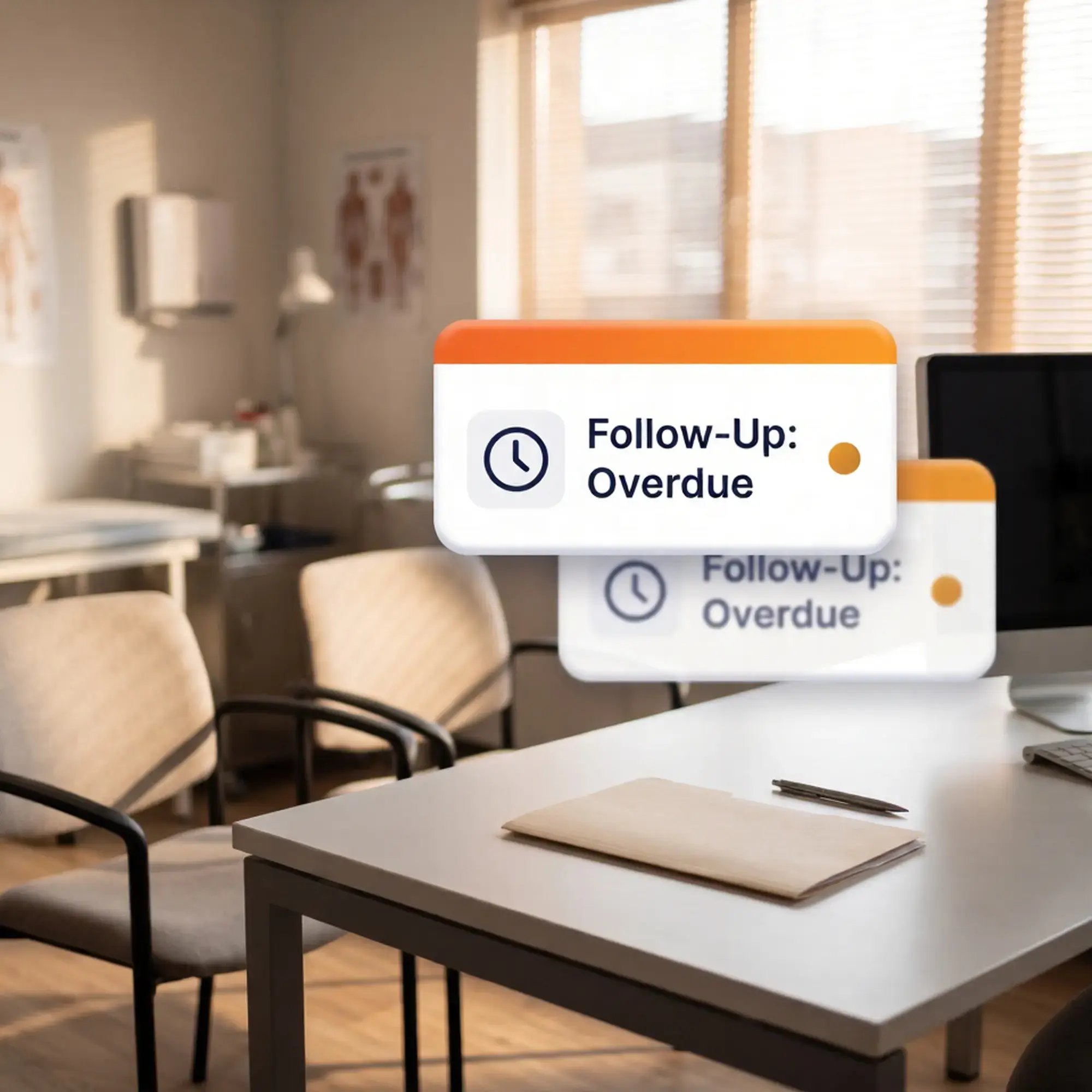
Sales opportunities often stall after consultations, assessments, demos, or treatment plan discussions. HubSpot can create follow-up tasks, reminders, and sequences so the next step is clear.

Weak Referral Tracking
Referral relationships are hard to manage in spreadsheets. HubSpot can organize partner contacts, outreach history, deal activity, and follow-up tasks so business development teams stay consistent.
Disconnected Team Activity
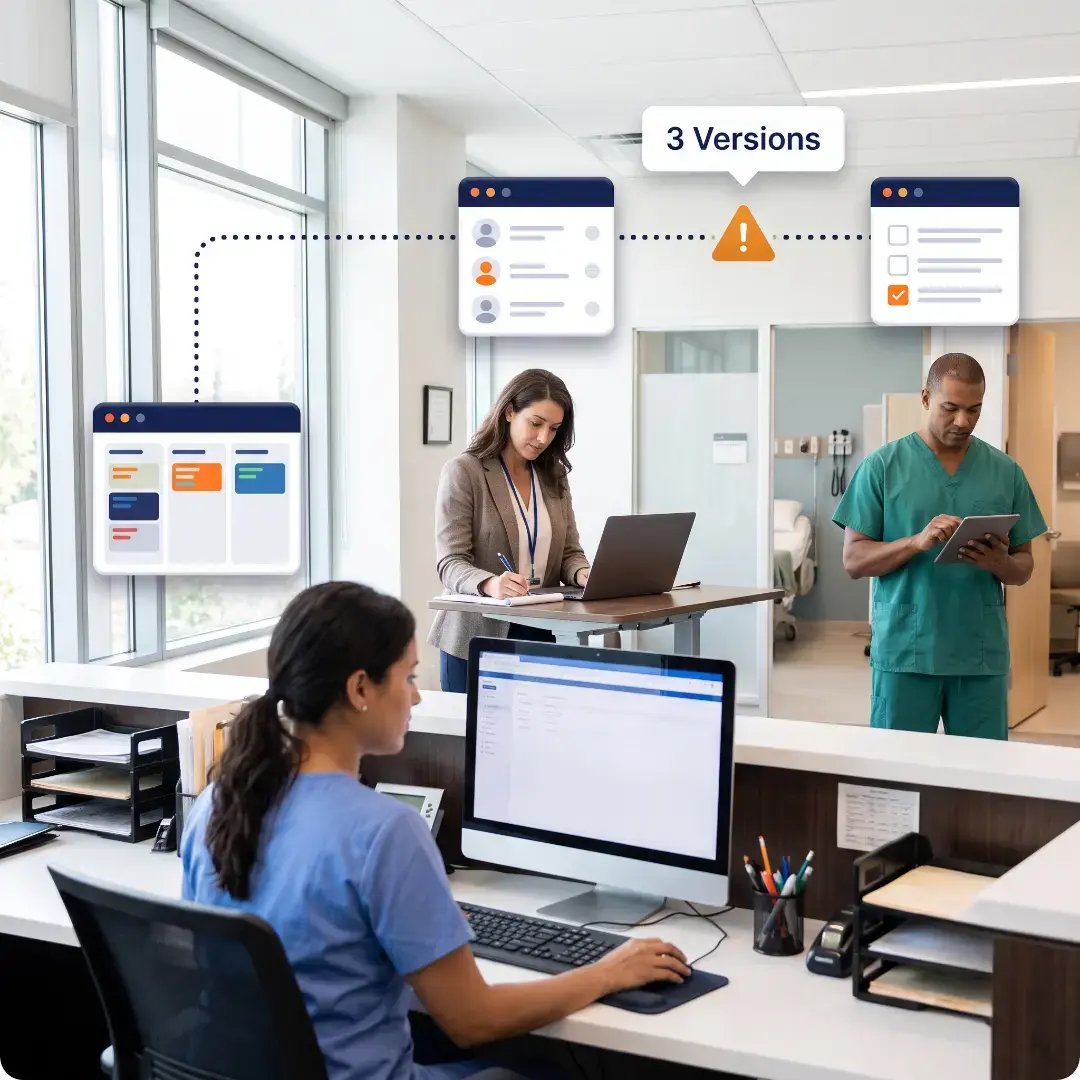
Owners, sales teams, intake staff, and managers often work from different views of the same opportunity. HubSpot gives teams a shared CRM record for communication, tasks, notes, and pipeline status.

Limited Sales Reporting
Healthcare leaders need to know what is working, not just how many leads came in. HubSpot dashboards can show inquiry volume, pipeline movement, follow-up activity, conversion rates, and revenue opportunities.
ROI & REPORTING
Measuring
ROI and Proving
Value to Leadership
Executives need clear dashboards data to justify software spend. HubSpot connects marketing, sales, and service data into that prove ROI.
.svg)
Patient Acquisition Cost
Connect ad spend to closed deals to calculate true cost per patient. Leadership sees which campaigns and referral sources cost the least, and reallocates budget accordingly.
-Apr-27-2026-11-21-26-6998-AM.svg)
Referral Revenue Attribution
Track which referring physicians, clinics, or partners generate the most closed deals, proving the value of business development and partner relationship investment.
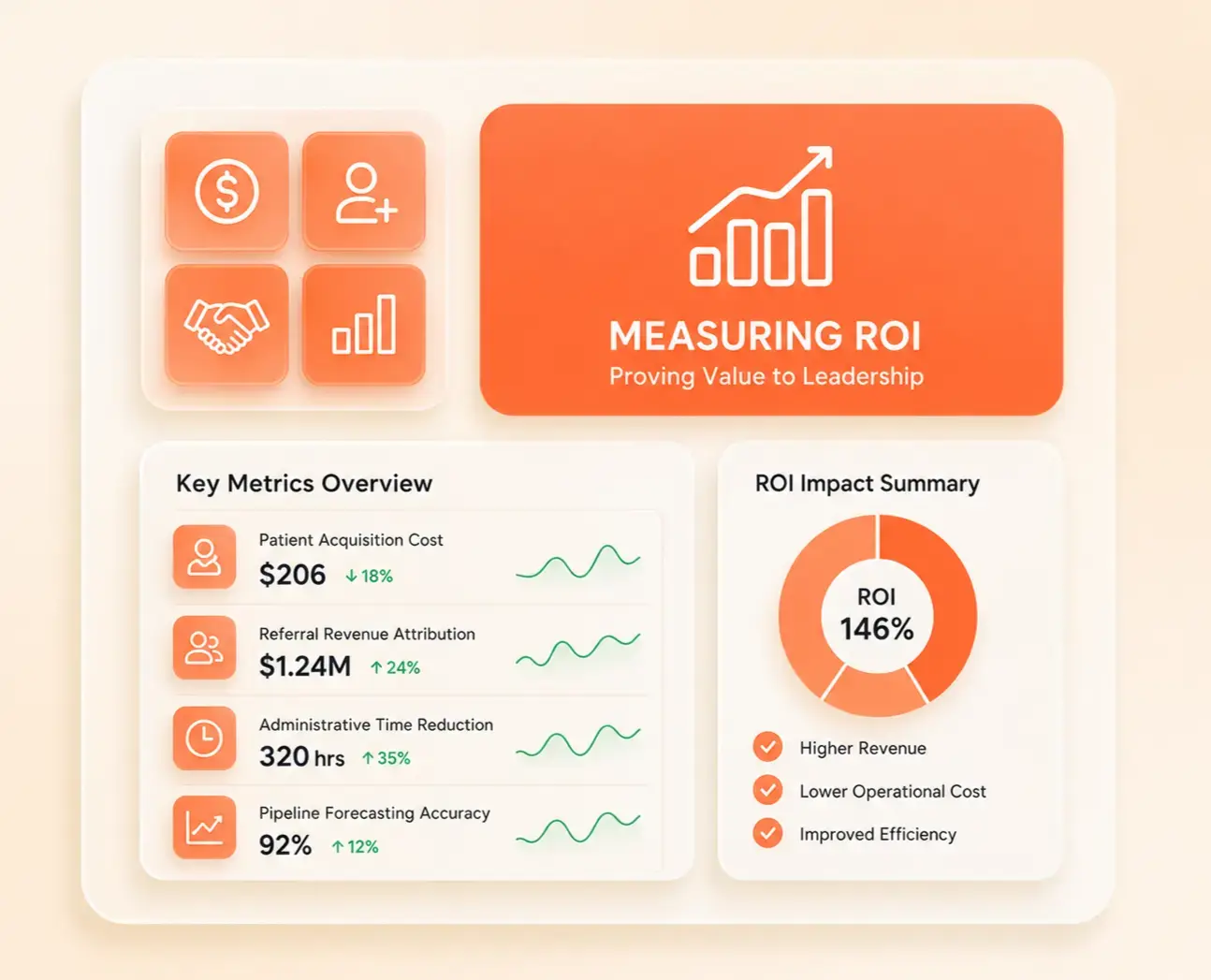

Administrative Time Reduction
HubSpot workflows log activity automatically, so leadership can quantify hours saved on lead routing, reminders, and data entry, and see the resulting drop in operational cost.

Pipeline Forecasting Accuracy
Deal stage reporting projects revenue from consultations, treatment plans, and demos in real time, replacing scattered spreadsheets with forecasts grounded in real sales activity.
Case studies
Our Featured Works
A curated selection of HubSpot implementations and digital marketing campaigns that moved the needle for our clients.
.png)



.png)
bOOK CONSULTATION
Build a Better Healthcare Sales System With HubSpot
Your healthcare business needs more than a CRM that stores contacts. HubXpert helps you configure HubSpot Sales around your inquiry sources, consultation process, referral relationships, follow-up tasks, reporting needs, and connected tools so your team can manage growth with more clarity and consistency.