HubSpot Onboarding Services: Live in 30 Days, Not 90

HubSpot onboarding configures your portal for day-one use, covering users, pipelines, data, automations, dashboards, and role-based training. Rather than building the tools, We build the entire revenue engine for you and your team, waive the onboarding fees ($1,500-$7,000), and get you live in 30 days, not 90.

Desktop Integration Card
Container (4) (1)

99.9% Sync Uptime Guaranteed

Zero Failed Launches

50+ Portals Set Up Right

Zero Rework After Go-Live

Triple HubSpot Accredited

50+ Systems Connected

99.9% Sync Uptime Guaranteed

Zero Failed Launches

50+ Portals Set Up Right

Zero Rework After Go-Live

Triple HubSpot Accredited

50+ Systems Connected

99.9% Sync Uptime Guaranteed

Zero Failed Launches

50+ Portals Set Up Right

Zero Rework After Go-Live

Triple HubSpot Accredited

50+ Systems Connected

99.9% Sync Uptime Guaranteed

Zero Failed Launches

50+ Portals Set Up Right

Zero Rework After Go-Live

Triple HubSpot Accredited

50+ Systems Connected

DEFINITION

What Is HubSpot Onboarding?

HubSpot onboarding is the process of configuring your HubSpot portal and moving your business processes into it, so your team can work from HubSpot rather than around it. It covers account and user setup, CRM architecture, properties and pipelines, data migration and cleanup, workflow automation, integrations, reporting dashboards, governance and role-based training.


The timeline depends on which Hubs you use, the complexity of your processes, data migration and integration requirements.

ACCREDITED

We’re HubSpot Onboarding Accredited

Speed and structure are our specialty. As an accredited HubSpot Onboarding partner, we map your process first, then build the portal, automations, and training around it, not a template stretched to fit, and not homework left for your team.

Hero Image
the problem

Why HubSpot Onboarding Fails?

About 70% of CRM rollouts miss their goals, and most failures are operational, not technical. It happens in the first 90 days, when the portal gets built on HubSpot’s defaults instead of your process.

icon-Sep-14-2026-03-41-04-0161-PM

Nobody Mapped How You Actually Sell

You bought software to move your revenue process into it. When that process is never written down, HubSpot gets built the way it ships, and your team is asked to fit around it.

icon-Sep-14-2026-03-41-04-0161-PM

Your Process Bent to Fit the Tool

HubSpot gets set up the way HubSpot ships, not the way you sell. Reps end up working around the system instead of inside it.

icon-Sep-14-2026-03-41-04-0161-PM

Numbers You Can’t Actually Trust

The dashboards technically work, but you still can’t make a call from them, so you end up asking your reps for the forecast anyway.

icon-Sep-14-2026-03-41-04-0161-PM

Not Built for What Comes Next

A portal built for today’s headcount breaks at tomorrow’s. Onboarding done right accounts for how the business scales, not just how it runs today.

icon-Sep-14-2026-03-41-04-0161-PM

Paying for Professional, Running on Starter

Workflows, sequences, lead scoring, and custom reporting are already yours. If nobody was trained on why it was built that way, it stays switched off.

WHO IS IT FOR

Where are You Starting from?

Onboarding looks different depending on where you’re starting. Find yours below.

1

First-time HubSpot buyers

Choosing HubSpot for the first time. The portal needs to be built right before anyone logs in. Talk to us before you sign.

  • Check icon-Sep-14-2026-03-43-10-9644-PM Hubs and tiers picked before signing
  • Check icon-Sep-14-2026-03-43-10-9644-PM Onboarding fee waived, up to $6,000
  • Check icon (1) Portal built around the real process from day one
2

Switching from another CRM

Coming from Salesforce, Zoho, Pipedrive, Dynamics, or a spreadsheet. The data matters as much as the build.

  • Check icon-Sep-14-2026-03-43-10-9644-PM Contacts, deals, and activity history migrated as part of the build
  • Check icon-Sep-14-2026-03-43-10-9644-PM One project, one team, one timeline
  • Check icon-Sep-14-2026-03-43-10-9644-PM Old system stays live until data is validated
3

A stalled DIY setup

Someone on the team tried to set it up alongside their real job. It got halfway done, then stopped.

  • Check icon-Sep-14-2026-03-43-10-9644-PM Audit first, to see what’s usable
  • Check icon-Sep-14-2026-03-43-10-9644-PM Working parts stay, nothing rebuilt just to pad the invoice
  • Check icon-Sep-14-2026-03-43-10-9644-PM Picks up from where it stalled
4

Onboarding that never got finished

Someone set it up, handed over the login, and left.

  • Check icon-Sep-14-2026-03-43-10-9644-PM Honest audit of what works and what needs fixing
  • Check icon-Sep-14-2026-03-43-10-9644-PM Billed hourly against an agreed estimate
  • Check icon-Sep-14-2026-03-43-10-9644-PM No rebuild just because a different team built it
5

Adding more hubs to what’s running

Sales are already live. Marketing or Service is coming next.

  • Check icon Lifecycle stages and handoffs mapped across every hub in use
  • Check icon Shared reporting instead of one dashboard per team
  • Check icon Existing setup stays intact

WHAT YOU GET

What Results You can Expect

We don’t consider onboarding finished when HubSpot is configured. We consider it finished when your team is ready to use it. Here’s what’s in place when we hand it over.

One place where your CRM data actually lives

Contacts, companies, deals, and tickets connected in one place, organized around how your business runs, so no one checks a spreadsheet to confirm what’s happening.

Reporting your teams can actually use

Dashboards built per role, so managers see the numbers they own. No spreadsheets to consolidate, no manual reporting at month end.

Your full lead journey, running end to end

From first touch through qualification, assignment, and conversion, tracked end to end, so you can see which sources actually drive revenue.

The whole customer journey, not just the close

Your CRM stays useful after the deal closes, covering onboarding, service, renewals, and upsell, so teams have context at every stage.

Automations that remove manual work

Lead routing, lifecycle updates, internal notifications, task creation, follow-ups and handoffs between teams. The admin work your team is doing by hand today stops being their job.

Your team knows exactly what happens next

Reps know how to move a deal, service knows how to raise and escalate a ticket, and training is built around how each team actually works.

The knowledge stays with your business

Documented processes, role-based training, and recorded sessions mean the knowledge stays in the business, not locked in one admin’s head.

WHAT WE DO

Types of HubSpot Onboarding Services We Offer

Our onboarding engagement includes a comprehensive implementation process designed to help you launch quickly while building a scalable CRM system. Scope depends on which hubs you run, so start with the ones your team uses and add the rest later.

1

Marketing Hub Onboarding

This process supports businesses needing HubSpot marketing hub onboarding to run advanced marketing campaigns to Revenue Attribution set up.

  • Marketing automation workflows
  • Lead capture forms and landing pages
  • Email marketing setup
  • Campaign and keyword strategy
  • Lead scoring configuration
  • Campaign tracking and reporting
  • Marketing analytics dashboards

2

Sales Hub Onboarding

Perfect for companies requiring HubSpot Sales Enterprise onboarding.

  • Deal pipeline configuration
  • Lead routing and assignment rules
  • Task automation and sequences
  • Sales forecasting dashboards
  • Custom deal properties and stages
  • CRM reporting setup
3

Service Hub Onboarding

Built for teams that need support, ticketing, and customer experience running on day one.

  • Ticket pipelines and automation
  • SLA setup and management
  • Knowledge base build-out
  • Live chat and help desk configuration
  • Customer portal setup
  • Feedback surveys (NPS, CSAT, CES)
4

Data Hub Onboarding

Our HubSpot Data Hub onboarding helps businesses unify their data and automate internal processes.

  • Data synchronization across tools
  • CRM data automation
  • Custom workflow automation
  • Data quality management
  • Integration with external systems
5

Content Hub Onboarding

For businesses building or migrating their website and content strategy onto HubSpot.

  • Website and CMS theme setup
  • Templates, landing pages, and blog setup
  • Website migration
  • On-page and technical SEO setup
  • Membership and gated content setup
YOUR OPTIONS

HubSpot’s Onboarding vs HubXpert’s Onboarding vs DIY

Group-Sep-15-2026-10-15-35-7805-AM HubXpert HubSpot DIY
Who does the actual work Accredited team, scoped upfront Often one person, no scope doc AI writes it, no scope or review process
Team certification & accountability Certified with real-life HubSpot integration skills Depends on the person Not certified, no accountability if it’s wrong
Integration recommendations Only recommends if there is visible business impact by investing in integrations Not ensured Not evaluated, builds whatever’s prompted
Pipeline, property & lifecycle stage setup 100% Ensured Not Ensured Not ensured, often targets deprecated endpoints or outdated auth patterns
Email domain & deliverability (SPF/DKIM/DMARC) Done for you Guidance only Self-setup from HubSpot documentation
Workflow & automation build Done for you (where the tier supports it) Not included below Pro Self-built, if tier supports it
Custom dashboards & reporting Done for you Not included Self-built from default templates
Team training (live, role-based) Live sessions + recordings + playbook Limited/self-serve resources Self-serve resources only
Timeline to go-live 30 days (Starter), fixed timeline 90-day approx guided program, self-paced 6-9 months on average
Dedicated point of contact Same person/team throughout project Rotating support/specialist None, ad hoc coverage
Post-launch support Go-live support window included Not included None, self-troubleshooting
Fixing a messy/existing portal Available (Custom hourly) Not offered Not available
Feature availability Same as HubSpot, we don’t oversell what your tier can’t do HubSpot subscription limits apply HubSpot subscription limits apply

Feature availability is set by your HubSpot subscription tier, regardless of who does the onboarding.

OUR PROCESS

Our HubSpot Onboarding Process

We map your revenue process first, agree the plan with you in writing, then build it in phases so your team is working in HubSpot before the project is finished. Starter builds typically take 2-3 weeks, Professional 4-8 weeks, and Enterprise 8-12 weeks. We confirm your exact timeline after scoping.
Step 1.

Discovery & Process Mapping

We start with how your business actually works, not with HubSpot. We map your revenue process end to end and draw it out, so you can see it before we build it.
  • Check icon Lead sources through to closed and retained, mapped as it runs today
  • Check icon Handoffs between marketing, sales and service made explicit
  • Check icon Goals, success criteria, stakeholders and data requirements
Group
Step 2.

Solution Blueprint & Approval

We turn the map into a written plan: what gets built, what does not, and what it will take. You review and approve it before any work starts in your portal.
  • Check icon CRM architecture, pipelines, lifecycle stages and data model
  • Check icon Scope, phases and timeline agreed in writing
  • Check icon Nothing gets built until you have signed off on the plan
Illustration-Sep-14-2026-12-15-50-0730-PM
Step 3.

CRM Foundation Build

The data layer goes in first. Properties, pipelines and lifecycle stages built to the approved model, so everything after this has something solid to sit on.
  • Check icon Account defaults, users, permissions, branding and tracking code
  • Check icon Custom properties, pipelines, lifecycle stages and associations
  • Check icon Email domain and deliverability setup
Illustration-3
Step 4.

Migration, Integration & Automation

With the foundation in place, we bring your data across, connect your other systems, and automate the manual work. We build what your process needs and nothing else, because a portal nobody can navigate is the most common thing we get called in to clean up.
  • Check icon Data migration from your previous CRM, with cleanup and field mapping
  • Check icon Native, marketplace and custom integrations
  • Check icon Lifecycle workflows, lead routing and internal handoffs
Illustration-Sep-14-2026-12-23-09-0172-PM
Step 5.

Reporting, Training & Launch

Dashboards get built per role, we train each team on the part of the system they own, then we take you live.
  • Check icon Role-based dashboards and attribution reporting
  • Check icon Live training by role, plus recordings and an onboarding playbook
  • Check icon Data validated before sign-off and a monitored go-live
Illustration-Sep-14-2026-12-24-50-0391-PM
Step 6.

Post-Onboarding Support

We stay on after go-live. The first weeks in a new portal are when the gaps show up, questions your team did not think to ask during training and edge cases nobody hit in testing. That is when you want us reachable, not gone.
  • Check icon Included support window after launch, with a 30 day adoption review
  • Check icon Fixes and adjustments as your team starts using the system for real
  • Check icon Ongoing admin, optimisation and new build work available if you want it, with no obligation to take it
g1
PACKAGES

HubSpot Onboarding Cost & Packages

Starter Onboarding

$2,000+ /project

Timeline: 2 – 3 weeks

  • We start with a kickoff and discovery call to set up to 3 clear goals for the onboarding. From there we configure your portal: account defaults, branding, tracking code, and Google Analytics connection, plus user seats and basic permissions for a small team.
  • We connect your email sending domain with SPF, DKIM, and DMARC configured and email health checked, then connect inboxes, calendar/meetings, and social and ad accounts as applicable. Your existing contacts, companies, and deals are imported with basic cleanup and field mapping.
  • We set up lifecycle stages and lead status, along with up to 2 deal pipelines with stages and core custom properties.
  • You get basic forms, 1-2 email templates, 1-2 lists or segments, and a basic live chat setup (Service Starter), plus 3-4 starter dashboards with default reports.
  • Your team gets 1 role-based training session, a recording, and a short playbook to reference afterward, plus 1-2 weeks of go-live support once the portal is live.

Professional Onboarding

$3,000+ /project

Timeline: 4 – 6 weeks

  • Includes every deliverable from Starter Onboarding (kickoff, portal setup, connections, data import, CRM structure, training, and go-live support) as its foundation, plus the additions below for teams needing deeper process alignment and automation.
  • We run a post-kickoff process-mapping workshop, then build a full custom property architecture including buyer persona properties. Multiple pipelines are configured, deal plus ticket/lead, each with required properties by stage, along with a criteria-based lead scoring model.
  • Sales gets sequences, templates, and a meetings/quotes/product library. Where applicable, Service gets ticket automation, SLAs, a knowledge base, feedback surveys, and a customer portal.
  • We connect standard native or App Marketplace integrations, and build custom dashboards and reports role-based for marketing, sales, and service, plus consulting support on migrating or importing data from your prior CRM.
  • Your team receives 2-3 role-based training sessions with recordings and an onboarding playbook, backed by 2-4 weeks of go-live support and a 30-day adoption review.

Enterprise Onboarding

$6,000+ /project

Timeline: 6 – 8 weeks

  • Includes every deliverable from Professional Hub Onboarding (process workshop, CRM architecture, marketing/sales/service setup, integrations, reporting, migration support, and training) as its foundation, plus the additions below for complex, multi-team, or multi-brand rollouts.
  • Before any build starts, we run a solution architecture and data-model design session. From there we build custom objects, custom object pipelines, and their associations, tailored to how your business actually organizes its data.
  • We configure advanced permissions, hierarchical teams, partitioning, and field-level permissions, plus business units and multiple brand domains if you operate more than one brand.
  • Reporting is built out with custom datasets, a custom report builder, and predictive lead scoring.
  • This includes advanced automation with programmable, custom-coded workflow actions (via Data Hub), data quality automation, and webhooks. We also scope complex or custom integrations and multi-team routing.
  • We manage the rollout as a multi-stakeholder project with a deployment readiness plan, deliver documentation for internal training, run multiple role-based training sessions, and back the launch with extended go-live support plus 30/60/90-day reviews.

Custom Onboarding

$40 /hour

Timeline: Scoped per request

  • If you only want to onboard some of the parts of any hub.
  • If you’re not sure initially where to start. So we can implement it based on priority.
  • If a previous onboarding was left half-built and needs auditing before anything else.
HUBSPOT FEES

HubSpot’s Onboarding Fee, Waived

HubSpot charges a mandatory, one-time onboarding fee on Professional and Enterprise tiers, from $1,500 for Sales Hub Pro and $3,000 for Marketing Hub Pro up to $7,000 for Marketing Hub Enterprise.
HubSpot’s Fee Through HubXpert
$1,500 Waived
$3,000 Waived
$6000 Waived
$3,500 each Waived

HubSpot authorizes Solutions Partners to waive this fee, up to $6,000 per client. When you buy through us, the fee line item is removed from your HubSpot contract and replaced with a done-for-you build.

HUBSPOT BREEZE

HubSpot Breeze Onboarding

Breeze is HubSpot’s built-in assistant and agent toolkit. As part of onboarding, we configure it against clean data and clear permissions, not just default settings, so your team can trust what it produces.

As part of your onboarding, we can help you:
  • Enable Breeze Assistant for your team

  • Set up Breeze Agents (Pro/Enterprise)

  • Connect Breeze to clean CRM data

  • Configure Breeze data-access permissions

  • Guide HubSpot Credit usage and budget

  • Plan a phased rollout with approval steps

CASE STUDIES

Our Featured Works

A curated selection of HubSpot onboarding and CRM implementation projects that got teams live, trained, and actually using the platform.

Leva Medical's patient lifecycle engine

A Fifth Avenue cosmetic surgery practice was running a 900-lead month on Post-it notes and spreadsheets. HubXpert rebuilt the sales and marketing lifecycle inside HubSpot, from first inquiry through repeat treatment.

Website screenshot

White Villas one-system guest experience

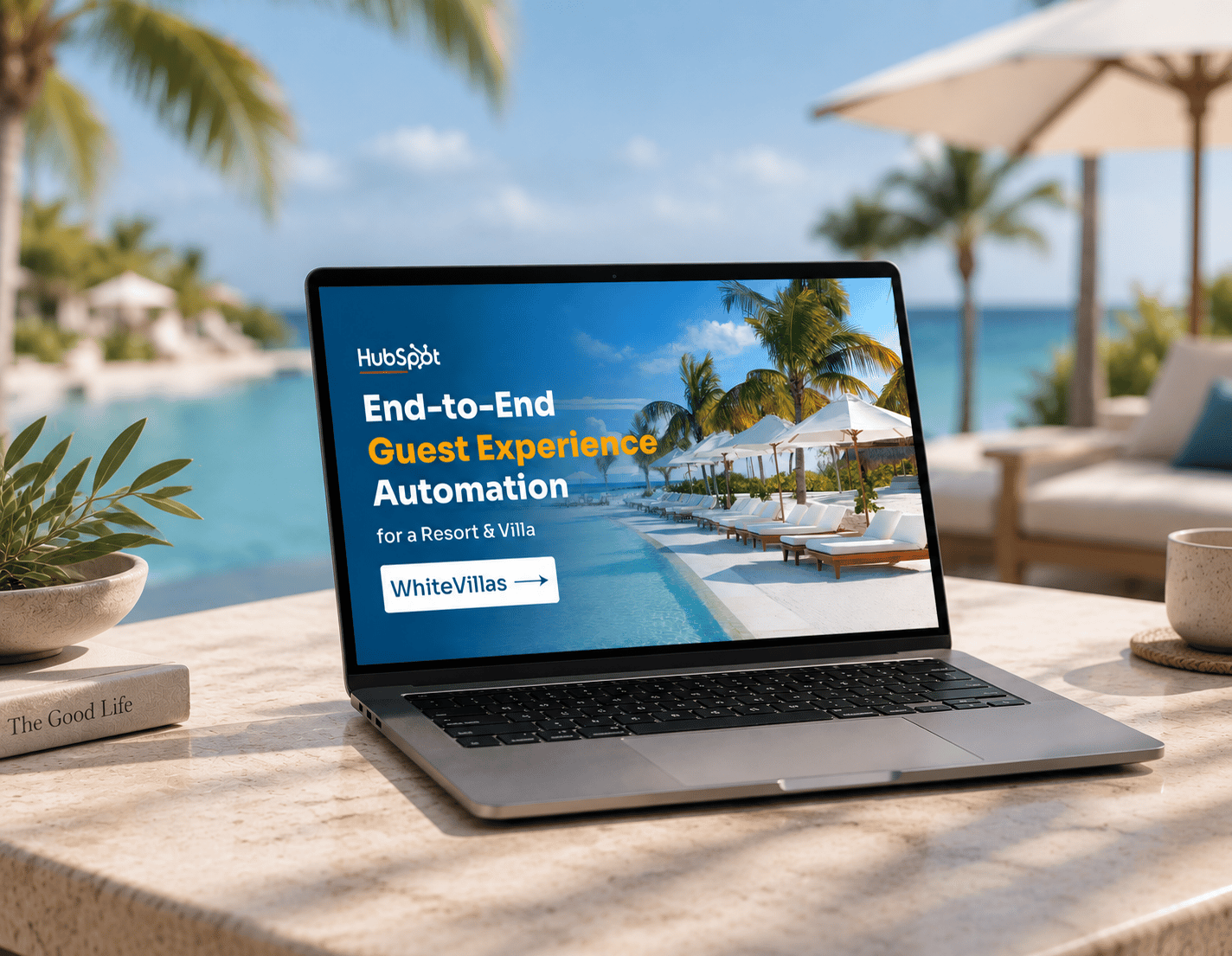
WhiteVillas ran guest communication, bookings, and marketing across Duve, Guesty, and separate marketing tools, with a website that could not answer a visitor in real time. HubXpert migrated everything into HubSpot, then built an AI-powered agent, live booking intelligence, and campaign reporting on top of that single system.

Website screenshot

StaffAsia's one-system answerto twenty-five brands

StaffAsia ran sales and support for 25 to 30 separate brands through six disconnected tools. HubXpert moved every brand into one HubSpot account, each kept apart from the others, and connected every channel behind it.

Website screenshot
OUR IMPACT

Why HubXpert is qualified?

We measure onboarding by what teams do in HubSpot after go-live, not by how many features got switched on. Here is what that has looked like across the portals we have built (as of 2026).

Group

178+

Users trained

Users trained

Our onboarding doesn't end with a configured portal. We've trained 178+ users across sales, marketing, service and operations teams, with role-based sessions focused on how they actually use HubSpot.

Group

9M+

CRM records migrated

CRM records migrated

We've migrated 9 Million+ CRM records from spreadsheets and other platforms into HubSpot, including data mapping, cleanup, deduplication and validation.

Group

5000+

Custom Sales Reports on HubSpot

Custom Sales Reports on HubSpot

We have built over 5,000 custom sales reports and dashboards, helping businesses gain clear insights into performance, pipeline health, and revenue forecasting.

FAQ’s

Questions You might Have

  • HubSpot onboarding services cover configuring your CRM, migrating your data, and training your team so HubSpot supports your actual sales, marketing, and service workflows from day one.

  • First-time HubSpot buyers, businesses migrating from another CRM, companies stuck with a half-built portal, and multi-hub organizations rolling out several hubs at once.
  • Account and user setup, CRM and pipeline configuration, data migration and cleanup, workflow automation, integrations with your existing tools, reporting dashboards, and role-based team training.
  • HubSpot onboarding and implementation are closely related, but they're not always the same thing. HubSpot's onboarding focuses on guidance and getting customers set up, while partner-led implementation can include actually building the CRM, automations, integrations, migration and reporting for you.
  • Not if you buy Professional or Enterprise directly. The fee is mandatory on those tiers. Onboarding through a certified partner waives the fee up to $6,000 and builds it for you.

  • It depends on tier and scope. Starter runs 2-3 weeks, Professional 4-6 weeks, and Enterprise 6-12 weeks. HubSpot’s direct onboarding is a 90-day program, so partner-led builds go live sooner.
  • A named specialist and project manager own your build end-to-end, the same people from kickoff to go-live. Every team member is HubSpot-certified, and nothing is outsourced without telling you first.
  • A Starter build is live in 2-3 weeks and Professional in 4-8 weeks, versus the 90-day direct program or 6-9 months of self-implementation. Properly onboarded teams adopt fully in about 2 months.
  • Everything in the tier you pick is included at the fixed price. Custom API integrations, complex CRM-to-CRM migrations, and post-launch optimization are scoped separately, with no surprise invoices.
  • One accountable owner and a point of contact from each team. Expect a few hours a week for kickoff, reviews, and testing. We build; you confirm the decisions only your business can make.
  • Yes. Many come to us after paying for onboarding elsewhere and getting a half-built portal. We audit what’s there, tell you what’s usable, and pick up from wherever you are.
  • You do, fully, throughout and after the engagement. Your HubSpot subscription and account are always yours; we’re building inside it, not holding it hostage.
  • We flag it as soon as we see it. If new requirements come up, we’ll tell you what they add to the timeline or cost before doing the work, so there are no surprise invoices.
  • No. Our packages are one-time engagements with a fixed scope and quote, with no ongoing retainer required. Custom hourly work is billed as used, with no minimum term.
  • No. The setup, automations, and reports live inside your HubSpot portal regardless of who onboarded you. HubSpot itself doesn’t allow mid-contract changes; they take effect at your renewal date.
Book consultation

Start Your HubSpot Onboarding with HubXpert

Whether you’re implementing HubSpot for the first time or upgrading to an enterprise configuration, our specialists will guide you through every stage of the onboarding process. Let’s build a HubSpot system that supports your marketing, sales, service, and operations teams.

Icon Takes 30 minutes
Icon Reply in 24 hrs -> Scoped quote -> Kickoff begins
Ratul-Rahman