-2.png)


-2.png)



.png)


.webp)

.png)










.png)







-1.webp)
-1.webp)



.webp)

-1-1.webp)



-2.webp)

-1-1.webp)

-2-1.png)

-1-1.webp)
-1-1.webp)
-1-1.png)





.png)
URL Structure Preservation
Every existing URL is mapped and redirected correctly so no page loses its authority or drops from search results.

We help you migrate your website to HubSpot while keeping your design, structure, and SEO intact. From pages and content to URLs and performance, everything is carefully mapped and transferred so your website continues to work exactly as expected.
.png)

.png)
.png)
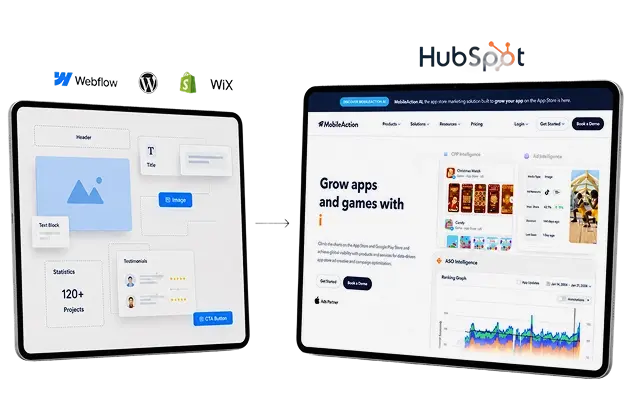
Teams that leveled up their development with HubXpert

-2.svg)


-2.svg)
-2.svg)
-1.svg)
Stop Managing Your Website.
Start Growing With It.
Many websites become difficult to manage over time. Small updates require developers, plugins create instability, and disconnected tools slow your team down.
Moving to HubSpot Content Hub gives you a website that is easier to manage, easier to scale, and fully connected with your content and marketing workflows.

.png)
.png)
WHY CONTENT HUB?
HubSpot Content Hub replaces disconnected tools with a scalable CMS, making your website easier to manage, update, and align with marketing efforts.


.png)
HubSpot makes it easy to create, edit, and manage website content using drag-and-drop editing and reusable modules.
.png)
.png)
Landing pages, forms, CTAs, and lead capture tools are built directly into the CMS, making your website easier to manage and optimize.

.png)
HubSpot includes built-in SEO tools, clean page management, and structured content organization to support search visibility.

.png)
A cleaner CMS structure helps improve website speed, stability, and overall usability across devices.

.png)
Your website activity connects directly with HubSpot, giving your team better visibility into lead behavior and engagement.
.png)
As your content, campaigns, and website structure grow, HubSpot keeps everything organized and manageable.

Launch landing pages, update website content, and publish campaigns quickly without waiting for development support.
Every form submission, CTA interaction, and page visit connects directly with HubSpot for better visibility and tracking.
URL mapping, metadata migration, redirects, and structured SEO handling help protect your rankings during migration.
-1.png)
Migration gives you the opportunity to simplify outdated structures, remove plugin dependency, and improve usability.
-1.png)
Marketing teams can manage content and campaigns directly inside HubSpot without relying on multiple systems.
Your website structure becomes easier to expand and manage as your business and content grow.
A website migration done wrong can cost you years of SEO progress overnight. Our migration process follows a structured, validated approach that protects your rankings, preserves your design, and ensures your site performs better - not worse - after launch.
Every existing URL is mapped and redirected correctly so no page loses its authority or drops from search results.
-1.png)
Your visual design, typography, spacing, and layouts are replicated precisely in HubSpot across desktop, tablet, and mobile.

-1.png)
Page titles, meta descriptions, heading structure, canonical tags, and alt text all carry over accurately to maintain your current rankings.
-1.png)
We run full QA testing, Core Web Vitals checks, and crawl validation after launch to confirm everything is working as expected before handover.
 Existing website structure reviewed
SEO elements identified carefully
Content hierarchy documented clearly
Migration scope planned properly
Existing website structure reviewed
SEO elements identified carefully
Content hierarchy documented clearly
Migration scope planned properly
 URLs mapped and structured
Redirect strategy prepared properly
Metadata documented accurately
Content migration prepared carefully
URLs mapped and structured
Redirect strategy prepared properly
Metadata documented accurately
Content migration prepared carefully
 Responsive layouts recreated accurately
HubSpot themes developed cleanly
Reusable modules structured properly
Website responsiveness validated fully
Responsive layouts recreated accurately
HubSpot themes developed cleanly
Reusable modules structured properly
Website responsiveness validated fully
 Website pages transferred correctly
Blog content migrated safely
Images and media organized
Internal links maintained properly
Website pages transferred correctly
Blog content migrated safely
Images and media organized
Internal links maintained properly
 301 redirects implemented correctly
Metadata transferred accurately
Canonical structure preserved fully
SEO validation completed carefully
301 redirects implemented correctly
Metadata transferred accurately
Canonical structure preserved fully
SEO validation completed carefully
 Website responsiveness tested fully
Forms and CTAs validated
Analytics and tracking reviewed
QA process completed carefully
Website responsiveness tested fully
Forms and CTAs validated
Analytics and tracking reviewed
QA process completed carefully
 Website launch managed safely
Post-launch issues monitored
SEO performance reviewed carefully
Ongoing optimization support provided
Website launch managed safely
Post-launch issues monitored
SEO performance reviewed carefully
Ongoing optimization support provided

Seamless migrations to HubSpot CMS with preserved content, SEO, and performance.


.png?width=452&height=326&name=Group%2020%20(1).png)
.png?width=157&height=40&name=Frame%202147211945%20(1).png)
.png?width=452&height=326&name=Group%2020%20(2).png)
Website migration can be complex if not handled properly. We address the key challenges upfront so your move to HubSpot stays smooth and reliable.
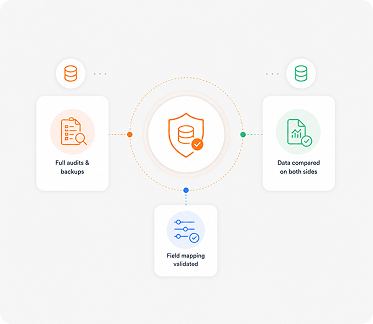
We preserve your rankings using redirects, metadata migration, and structured SEO validation.
.png?width=373&height=324&name=Rectangle%2034625310%20(1).png)
We rebuild your website inside HubSpot to match your existing design and layout accurately.
.png?width=373&height=324&name=Rectangle%2034625310%20(2).png)
We ensure all pages, media, and internal links are properly transferred and working.

We reconnect forms, analytics, and tracking so your data continues to flow correctly.
.png?width=373&height=324&name=Rectangle%2034625310%20(3).png)
We plan and execute the migration in a controlled way to avoid disruption.
We manage large or complex websites with proper mapping and structured rebuild.
The cost of migrating your website to HubSpot depends on your website size, complexity, and the level of customization required. We assess your current setup and provide a clear scope so you know exactly what to expect.

/Project
%201-Apr-22-2026-02-49-25-8600-PM.svg)
API or Zapier Integration for the two way sync.
No Advance data modification on the server.
No Server maintenance is here.

/Project
Get help with your tech stack with a fully customizable plan.
Integrate HubSpot Cards with any other API available techs.
Project Scoping would be required in the first stages.
A successful migration depends on how well your website is structured, rebuilt, and optimized inside HubSpot. That’s why having the right team behind the process makes a difference. As a certified HubSpot partner, we bring the experience needed to handle migrations with precision. We focus on keeping your website stable, functional, and ready for long-term growth, so you can move forward with confidence.