HubSpot Admin Support That Keeps Your Portal Healthy

Broken workflows, messy data, a team that has stopped trusting the CRM. Ongoing HubSpot administration, troubleshooting, and optimization keeps your portal reliable without a full-time hire. Monthly support starts at $1,500.

Desktop Integration Card
Container-Sep-17-2026-11-53-23-5355-AM

Same-Day Issue Response

500+ Workflows Maintained

2+ Specialists Per Account

Monthly Health Check Audits

Same-Day Issue Response

500+ Workflows Maintained

2+ Specialists Per Account

Monthly Health Check Audits

Same-Day Issue Response

500+ Workflows Maintained

2+ Specialists Per Account

Monthly Health Check Audits

Same-Day Issue Response

500+ Workflows Maintained

2+ Specialists Per Account

Monthly Health Check Audits

DEFINITION

What Is HubSpot Admin & Technical Support?

HubSpot admin and technical support means an ongoing service that keeps a portal you already built running the way it should. It covers CRM administration, workflow maintenance, user and permission management, data cleanup, reporting, and troubleshooting across Marketing, Sales, Service, Content, and Data Hub.


This is not an implementation project. It is the ongoing work that keeps an implementation from decaying once real users, real data, and real growth start putting pressure on it.

THE PROBLEM

Why Businesses Need Ongoing HubSpot Support?

HubSpot is powerful, but a portal does not stay healthy on its own. Most of the damage happens slowly, one small unmanaged change at a time, until the team stops trusting the data.

icon-Sep-14-2026-03-41-04-0161-PM

Broken Workflows and Automation Drift

Small configuration changes can quietly break lead routing, notifications, and customer-facing automation, sometimes for weeks before anyone notices.

icon-Sep-14-2026-03-41-04-0161-PM

Poor CRM Data Quality

Duplicate records, inconsistent properties, and stale data quietly erode reporting accuracy and automation performance.

icon-Sep-14-2026-03-41-04-0161-PM

No Dedicated Owner

Without someone accountable for the portal, updates, troubleshooting, and improvements fall to whoever has time, which usually means they do not happen at all.

icon-Sep-14-2026-03-41-04-0161-PM

Underused Features You Already Pay For

Many teams pay for Professional or Enterprise tiers and use a fraction of what is available, because nobody has the time to implement the rest.

WHO IT’S FOR

Who Actually Needs Ongoing HubSpot Support

Not every business is at the same stage with HubSpot. Here are the situations we see most often.

1

The Portal Nobody Has Touched Since Launch

HubSpot went live, everyone moved on to other priorities, and the workflows, properties, and pipelines still reflect decisions made in the first month.
2

The Team That Lost Its HubSpot Admin

The person who understood the portal left the company, and nobody left behind knows why half the workflows exist or what breaks if someone touches them.
3

Too Small to Hire, Too Complex to Coast

The business cannot justify a six-figure in-house admin, but the portal has grown well past what someone can manage between other jobs.
4

Growing Faster Than the Original Setup

Deal volume, headcount, and data have outgrown a portal built for a much smaller team, and processes that worked fine at 20 people are breaking at 80.
5

Marketing, Sales, and Service All Pulling on the Same Portal

Three teams share one HubSpot account with three different sets of priorities, and without one clear owner, someone’s workflow change quietly breaks someone else’s report.
WHAT YOU GET

What a Managed HubSpot Portal Gets You

A supported portal changes what your team spends time on, from firefighting to trusting the system enough to use it and its data every day.

  • Fewer broken workflows, fewer leads slipping through

  • Clean data leadership can trust and act on

  • One predictable cost instead of downtime and lost deals

  • No more scrambling to fix problems after they break

  • A real owner means paid-for features actually get used

WHAT WE DO

HubSpot Admin Services We Manage

Every HubSpot portal requires ongoing management to stay efficient. We work across Marketing, Sales, Service, Content, and Data Hub, since most of the problems we fix cross Hub lines anyway.

1

CRM Management & Optimization

Maintain a clean and structured CRM that supports your business operations.

  • Contact and company management
  • Property configuration
  • Data organization
  • CRM optimization
2

Workflow Management

Create and maintain automation that improves operational efficiency.

  • Workflow creation
  • Workflow troubleshooting
  • Automation updates
  • Process improvements
3

User Management & Permissions

Ensure your team has the right access and tools.

  • User setup
  • Permission management
  • Team configuration
  • Access control
4

Data Management & Cleanup

Keep your HubSpot database accurate and reliable.

  • Duplicate management
  • Data cleanup
  • Property updates
  • Database organization
5

Reporting & Dashboard Support

Create better visibility into your business performance.

  • Custom dashboards
  • Report creation
  • Data analysis
  • Performance tracking
6

HubSpot Troubleshooting

Resolve technical issues and keep your portal running smoothly.

  • Error investigation
  • Configuration fixes
  • Feature troubleshooting
  • Platform support
YOUR OPTIONS

Fractional Support vs Full-Time Hire vs No Owner

Group (1)-4 HubXpert (Fractional) Full-Time Hire No Dedicated Owner
Cost Scoped monthly retainer Salary plus benefits, year round Nothing budgeted, until something breaks
Coverage Team of specialists across CRM, automation, and integrations One person’s skill set and availability Whoever has time that week
Response when something breaks Scoped into the engagement Depends if they are online and available Sits in a queue behind other priorities
Continuity Documented processes, no single point of failure Knowledge leaves if they leave Nobody remembers why a workflow exists
Governance Regular portal health reviews Depends on their habits Drifts until an audit finds it
Best fit Growing teams that need expertise without a full salary line Large teams with enough volume to justify one role Rarely the right long-term answer
OUR PROCESS

How We Approach HubSpot Admin Support

We follow a structured support process to understand your portal, resolve issues, and continuously improve your HubSpot environment.
Step 1.

Portal Audit & Assessment

We review your current HubSpot setup and identify improvement opportunities.
  • Check icon Portal configuration
  • Check icon Existing workflows
  • Check icon Data structure
  • Check icon Current challenges
Group
Step 2.

Support Planning

We create a support approach based on your business requirements.
  • Check icon Priority areas
  • Check icon Required improvements
  • Check icon Support requirements
  • Check icon Optimization roadmap
Illustration-Sep-14-2026-12-15-50-0730-PM
Step 3.

Admin Management & Optimization

We handle ongoing HubSpot administration and improvements.
  • Check icon CRM updates
  • Check icon Workflow management
  • Check icon User management
  • Check icon Data maintenance
Illustration-3
Step 4.

Troubleshooting & Issue Resolution

We investigate problems and implement reliable solutions.
  • Check icon Technical troubleshooting
  • Check icon Configuration fixes
  • Check icon Workflow corrections
  • Check icon System improvements
Illustration copy 2
Step 5.

Continuous Improvement

We help your HubSpot portal evolve as your business grows.
  • Check icon Performance monitoring
  • Check icon Process optimization
  • Check icon Feature improvements
  • Check icon Strategic recommendations
Illustration-Sep-14-2026-12-24-50-0391-PM
PACKAGES

HubSpot Admin Support Cost & Packages

HubSpot Maintenance Support Basic

$1,500+ /month

Timeline: Monthly support engagement.

  • Kickoff/discovery call + HubSpot portal audit
  • CRM structure review and optimization recommendations
  • User management and permission updates
  • Property management and configuration support
  • Workflow monitoring and maintenance
  • Basic troubleshooting and issue resolution
  • Data quality checks and cleanup recommendations
  • Dashboard and reporting support
  • Monthly portal health review
  • Admin documentation and improvement recommendations

HubSpot Optimization Pro

$3,500+ /month

Timeline: Monthly support engagement.

  • Advanced workflow optimization and automation improvements
  • CRM architecture improvements
  • Pipeline and lifecycle stage optimization
  • Custom reporting and dashboard development
  • Data cleanup and management strategy
  • Integration troubleshooting
  • HubSpot feature implementation
  • Process improvement recommendations
  • Monthly optimization reviews
  • Priority technical support

Advance Growth

$7,000+ /month

Timeline: Monthly retainer. Minimum 3-month term. Strategy work needs a full quarter to show measurable results, and results in month one are not representative of the engagement.

  • Everything in HubSpot Optimization Pro, plus
  • A dedicated account manager working as fractional CMO (Marketing track) or fractional CTO (Technical track), scoped to your HubSpot environment
  • A written strategy document: 30/60/90 day marketing plan (Marketing track) or a technical roadmap covering CMS, integrations, and operations architecture (Technical track)
  • Execution of the chosen track’s priority initiatives, not strategy review alone
  • Weekly call with your dedicated account manager
  • Coordination across Marketing, Sales, Service, CMS, and Ops Hub where the chosen track requires it
  • Monthly reporting tied to track goals: pipeline and revenue metrics for Marketing, uptime and delivery metrics for Technical
  • Priority technical support carried over from Optimization Pro

Enterprise Growth

$10,000+ /month

Timeline: Monthly retainer. Minimum 3-month term. SEO and AEO programs take longer than paid channels to show measurable movement, typically 3 to 6 months for citation and ranking shifts to register.

  • Everything in Advance Growth/Technical Strategy, plus
  • A dedicated team, not a single account manager, covering strategy and implementation together
  • SEO and AEO (answer engine optimization) work: technical SEO, on-page optimization, structured data and schema markup, llms.txt setup, and content built to answer buyer questions directly for AI search surfaces including ChatGPT, Perplexity, and Google AI Overviews
  • Both Marketing and Technical tracks run at the same time, with more implementation hours than the Advance tier
  • Off-site authority work supporting SEO and AEO visibility
  • Bi-weekly strategy calls plus async support between calls
  • Quarterly business review with reporting built for leadership
  • Priority escalation across every hub

Dedicated HubSpot Support

Custom

Timeline: Based on support requirements.

  • Everything in HubSpot Optimization Pro, plus:
  • Dedicated HubSpot specialist support
  • Multi-hub administration
  • Advanced technical troubleshooting
  • Complex automation management
  • Strategic portal improvements
  • Custom solutions planning
  • Ongoing system optimization
  • Priority response and support management

HubSpot Admin Support on Demand

$45+ /hour

Timeline: Based on project requirements.

  • For businesses that need flexible HubSpot assistance.
  • Portal troubleshooting
  • Workflow updates
  • CRM configuration support
  • User and permission management
  • Reporting assistance
  • Data cleanup support
  • Feature setup guidance
  • Best-practice recommendations

WHY US

Why Choose HubXpert for HubSpot Support

A managed portal is only as good as the team behind it. Here is what makes ours different.

Experienced HubSpot Specialists

We help businesses manage complex HubSpot environments across CRM, automation, CMS, and integrations.

Enterprise-Level Experience

Our team has worked on large HubSpot implementations involving complex data structures, workflows, and integrations.

Technical + Strategic Expertise

We combine HubSpot knowledge with development expertise to solve both operational and technical challenges.

Long-Term Partnership

We do not just fix problems. We continuously improve your HubSpot system as your business evolves.

Case studies

Our Featured Works

A curated selection of HubSpot implementations and digital marketing campaigns that moved the needle for our clients.

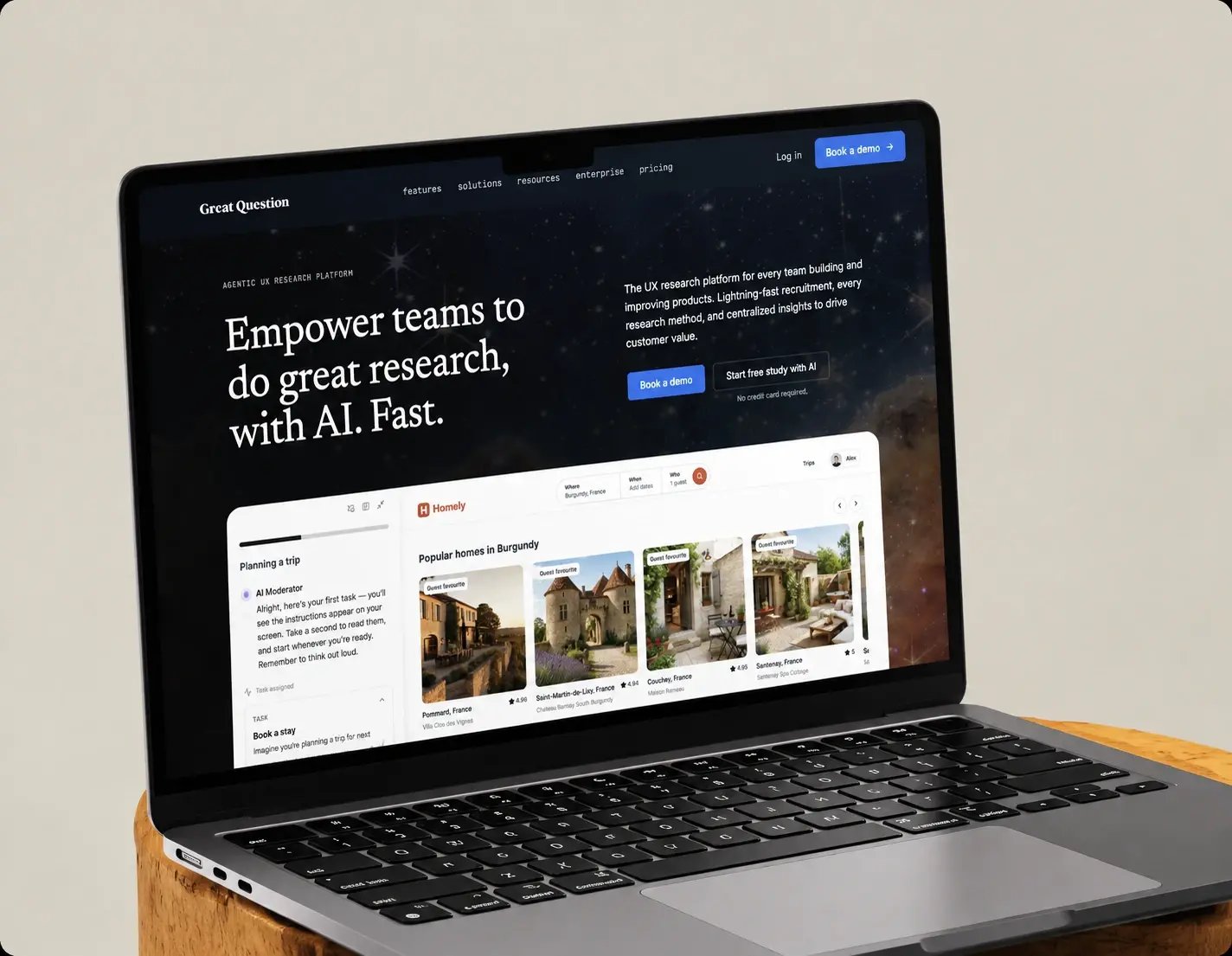
Great Question’s renewal pipeline build

Great Question was managing customer renewals without a structure to manage them in. Attribution was incomplete, segmentation was manual, and there was no reporting to show which accounts were at risk. HubXpert built a dedicated renewal pipeline alongside the sales pipelines, plus eight dashboards over the top.

Website screenshot

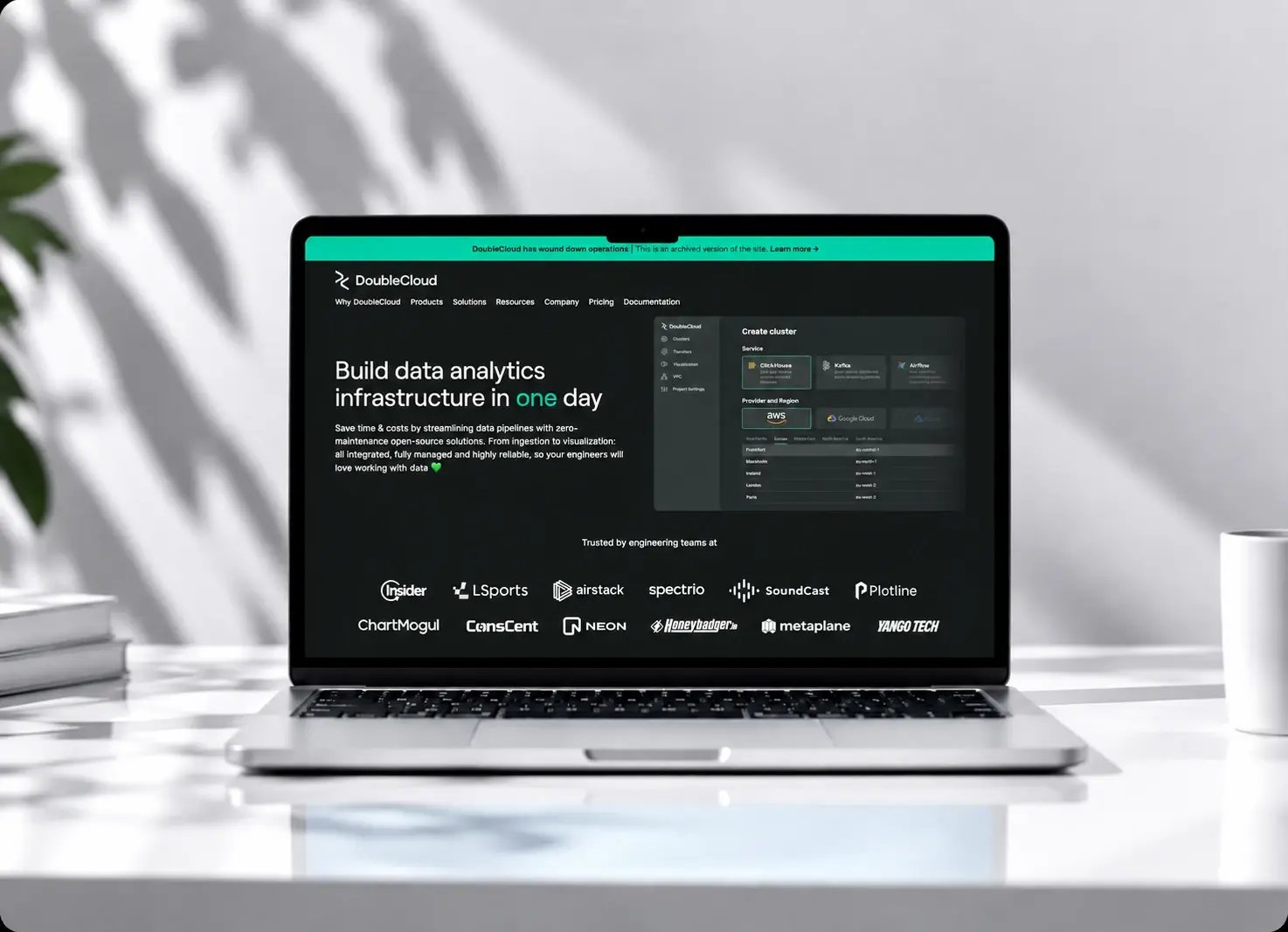
Double Cloud’s SaaS marketing system build

Double Cloud was scraping leads with nowhere to put them, had no segmentation across its customer base, and ran a stack of disconnected apps with no reporting over the top. HubXpert built the marketing system underneath it across all five HubSpot hubs, over six months.

Website screenshot

Vestaboard’s historical campaign data sync

Vestaboard wanted to trigger workflows on campaign performance and could not, because the properties those workflows needed did not exist and the history that would fill them was locked behind the HubSpot API. HubXpert retrieved it, mapped it to custom properties, and turned the workflows on. One week.

Website screenshot
OUR IMPACT

We Make It Work for Your Business

HubXpert provides ongoing HubSpot administration and technical support to help businesses maintain clean data, efficient workflows, and reliable reporting.

Group

500+

Workflows Built and Managed

Workflows Built and Managed

Group

5000+

Custom Reports Created

Custom Reports Created

FAQ’s

Questions You might Have

  • Start with the basics: duplicate contacts, outdated properties, and unused workflows. Then review pipelines, lists, and dashboards for consistency. Cleaning core areas first ensures data accuracy.

  • Fractional support provides part-time, on-demand admin expertise without a full-time hire. A fractional admin manages workflows, user permissions, data cleanup, reporting, and portal optimization.

  • Yes. That is what our monthly plans are built for: an ongoing admin who manages your portal, not a one-off project. You get a team instead of a single hire, and you can scale support up or down.

  • Yes, through on-demand hourly support and monthly plans. If a workflow breaks or a critical process stops working, we investigate and fix it rather than queuing it behind unrelated tickets.

  • Yes. Every engagement starts with a portal audit covering CRM structure, workflows, data quality, and reporting. You get a prioritized list of what to fix first, ranked by impact.

  • Monthly admin support starts at $1,500. Optimization-focused plans start at $3,500. Complex, multi-hub environments are quoted individually. On-demand hourly support is $45 and up.

  • Yes. This is most of what our Optimization Pro plan covers: workflow architecture, pipeline and lifecycle stage improvements, custom reporting, and integration troubleshooting on a live portal.

  • Yes, and Content Hub and Data Hub as well. Most of the problems we fix, broken handoffs, inconsistent data, workflows that silently stopped firing, cross Hub lines rather than staying inside one.

  • Many teams rely on a fractional admin, agency support, or a dedicated consultant. They handle daily maintenance, workflows, reporting, and troubleshooting while the internal team focuses on core work.

  • Regularly audit properties, workflows, lists, and dashboards. Document processes, enforce naming conventions, monitor automation performance, and schedule cleanups. Training keeps usage consistent.

  • Typical monthly support includes workflow updates, user and permission management, CRM properties, reporting, data cleanup, troubleshooting, and minor integrations to keep the portal aligned.

  • Consider your team’s time and productivity. If workflows break, reporting is inconsistent, or the portal feels chaotic, admin support saves time, reduces errors, and ensures HubSpot delivers value.

Book consultation

Ready to Optimize Your HubSpot Portal?

A successful HubSpot setup requires ongoing management and improvement. Keep your CRM organized, workflows efficient, and team operations running smoothly with expert HubSpot admin support.

Icon Takes 30 minutes
Icon Delivered by a certified HubSpot admin specialist
Group 3