





-2.png)


-2.png)



.png)


.webp)

.png)










.png)







-1.webp)
-1.webp)



.webp)

-1-1.webp)



-2.webp)

-1-1.webp)

-2-1.png)

-1-1.webp)
-1-1.webp)
-1-1.png)






Email marketing is still one of the strongest channels for customer engagement and revenue growth. Over the last five years, I’ve worked inside 200+ HubSpot portals, from startups sending their first welcome email to B2B companies running multi-million-dollar nurture campaigns.
That experience taught me one thing: most email programs fail because their data is disconnected. HubSpot stands out because it solves that problem better than most platforms.
I’ll break down how HubSpot email marketing actually works, what it costs, where it succeeds, where it falls short, and the real campaigns that generated measurable revenue.
If you’re evaluating HubSpot, struggling to get results, or considering it for clients, this guide will give you a clear, practical understanding of the platform.
The Email Marketing Problem HubSpot Actually Solves
Why Most Email Tools Fail Growing Businesses
Mailchimp, ConvertKit, Brevo, ActiveCampaign. These are fine tools. But they all share the same flaw: your contact data lives in one system, your sales data lives in another, your support tickets live in a third, and your email tool only sees fragments of who your customer actually is.
That's why your "personalized" email still says "Hi " and recommends a product the customer already bought last week. The data is somewhere. It's just not in your email tool.
How HubSpot Approaches Email Differently
HubSpot built email marketing on top of its CRM, not next to it. Every email you send pulls from the same database that holds deal stages, support tickets, website behavior, and revenue history.
When you send a campaign in HubSpot, you're not segmenting an email list. You're segmenting your entire customer relationship.
That sounds like a marketing copy until you actually use it. Then you realize you can build a workflow that says:
"Send this email only to customers who:
opened our last three emails, viewed the pricing page in the past 14 days, are tagged as Mid-Market have an open deal in the Sales Hub."
Try doing that in Mailchimp.
Why Marketers Are Switching to HubSpot for Email (The Data)
HubSpot's own benchmark data shows companies using their email tool alongside the CRM see significantly higher engagement rates than those using standalone email platforms.
Email marketing as a channel still generates $36 to $42 in return for every $1 spent according to multiple industry studies (DMA, Litmus, HubSpot State of Marketing Report).
When that ROI is connected directly to a CRM with attribution, you can finally prove which email closed which deal.
Why Email Marketing with HubSpot Works Better Than Standalone Tools
Most email tools do one thing well: send emails. HubSpot does something bigger. It connects your emails to everything else your business already tracks.
Here's the difference in plain terms.
With a standalone email tool, your email list sits in one system. Your sales data sits in a CRM. Your website visits sit in an analytics tool. Your support tickets sit in a help desk.
To run a smart campaign, you need to stitch all this data together using Zapier, custom integrations, or manual exports.
Most teams never do this. So their emails stay generic.
With HubSpot, all of that data already lives in one place. Your email campaigns can use any of it.
Want to send a follow-up email only to customers who viewed your pricing page, opened your last newsletter, and don't have an active deal? That takes minutes in HubSpot. It takes weeks (and often a developer) in Mailchimp.
This is why email marketing with HubSpot outperforms standalone tools for most B2B and mid-size businesses. The data is already there. You just use it.
What HubSpot Email Marketing Includes
Marketing Emails vs. Sales Sequences vs. Transactional Emails
HubSpot has three types of emails. Most people mix them up.
Marketing emails Bulk emails sent from Marketing Hub. Newsletters, promotions, nurture sends. Sent to lists or segments.
Sales sequences Live inside Sales Hub. One-to-one emails sent by a salesperson to follow up with a prospect.
Transactional emails Receipts, password resets, order confirmations. These need a separate add-on and use a dedicated IP for better delivery.
This guide covers marketing emails, since that's what most people mean by "email marketing with HubSpot."
What You Get on Each Plan
Here's the simple breakdown:
Free Plan
- 2,000 email sends per month
- Drag-and-drop editor
- Basic templates
- Basic reporting
Starter ($20/month)
- 5x your contact tier in sends
- A/B testing
- Removes HubSpot branding
Professional ($890/month)
- Workflows and automation
- Smart content
- Advanced segmentation
- Breeze AI features
Enterprise ($3,600/month)
- Custom objects
- Advanced reporting
- Team-level permissions
How Many Emails Can You Send?
Free gives you 2,000 per month. Paid plans scale with your contact count. Most growing businesses don't hit limits until they're sending several campaigns per week to 10,000+ contacts.
Is HubSpot Worth It for Email Marketing?
Quick answer: Yes, if you are one of these:
- A B2B company with a sales team
- A SaaS or service business running nurture campaigns
- A small business that wants to start free and scale later
- An agency managing email for multiple clients
- A team that cares about attribution and proving ROI
It's not the right fit if:
- You run a high-volume flash-sale e-commerce store (Klaviyo is better)
- You only send one newsletter a month (Mailchimp Free is enough)
How to Run a HubSpot Email Campaign Step by Step
How to Run a HubSpot Email Campaign Step by Step
Save this section. Follow it exactly and you'll get results.
Step 1: Authenticate Your Sending Domain
Skip this and your emails go to spam.
Go to Settings > Marketing > Email > Configuration in HubSpot. Connect your sending domain. HubSpot gives you DNS records to add: SPF, DKIM, and DMARC.
Add them in your DNS provider (Cloudflare, GoDaddy, Namecheap). Wait 24 hours. Make sure all three show green inside HubSpot.
Google and Yahoo now require DMARC for senders sending over 5,000 emails per day (Source: Google Email Sender Guidelines)
Step 2: Build a Smart Segment
Go to Contacts > Lists > Create list. Pick Active list so it updates on its own.
Here's a real segment that worked for a B2B SaaS client:
Lifecycle stage = Marketing Qualified Lead AND Last page seen contains "/pricing" AND Last form submission > 7 days ago
This isolates warm leads who haven't converted yet.
Step 3: Pick a Template or Start from Scratch
HubSpot has hundreds of free templates. But for B2B, simpler is better. A clean, text-based email usually beats a heavy-graphic one in testing.
If you build from scratch, use the drag-and-drop editor. Add a header, one clear CTA, and keep it under 200 words.
Step 4: Write Copy That Converts
HubSpot lets you pull any CRM data into your email. First name, company, deal stage, last product purchased. Anything.
Don't stop at first name. Real personalization looks like this:
"Hi Sarah, I noticed you're managing 50+ accounts at Acme Corp. Most companies your size run into X. Here's how we solved it for [similar client]."
That's real personalization. Generic email tools can't do this without messy workarounds.
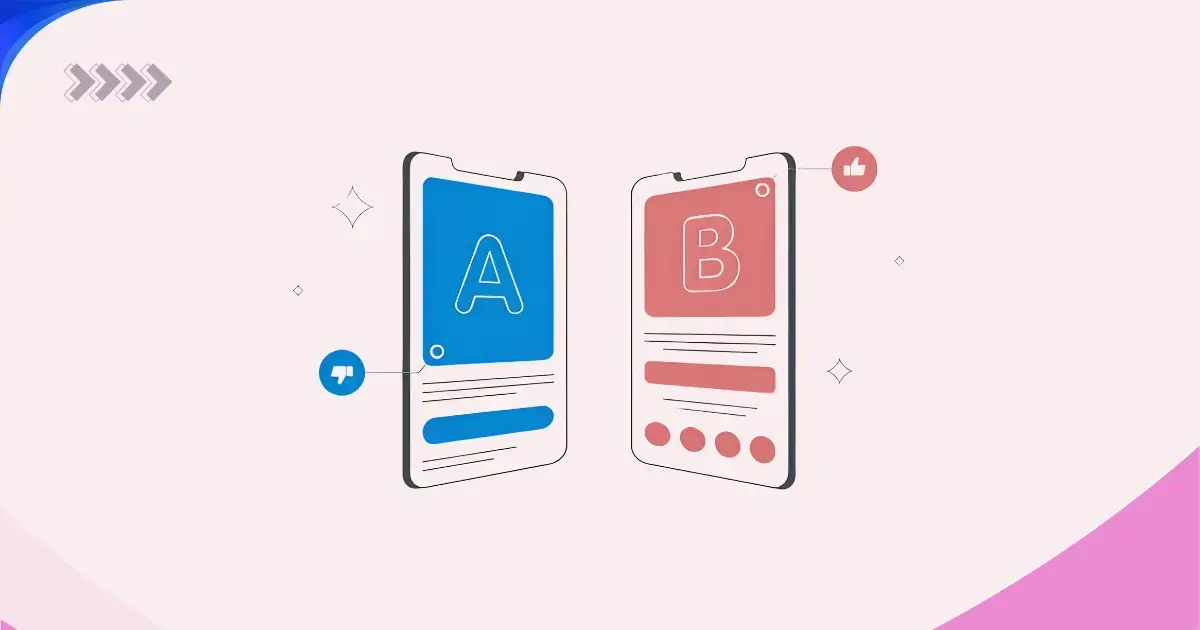
Step 5: A/B Test Your Subject Lines
Starter and above support A/B testing. Start with subject lines. Test one thing at a time. Run the test on at least 1,000 contacts.
Here's a test I ran for a client:
- Version A: "Your Q4 report is ready"
- Version B: "Sarah, your Q4 numbers came in"
The personalized version had 47% higher open rates.
Step 6: Schedule, Send, or Automate
You have three options:
- Send now for one-off campaigns
- Schedule for a specific time
- Add to a workflow for automated sends
Professional users can use "Send at optimal time." HubSpot picks the best time for each contact. In our testing, this lifts open rates by 15% to 25%.
Step 7: Check the Results
Every email shows:
- Opens
- Clicks
- Click-through rate
- Bounces
- Unsubscribes
- Revenue attribution (if Sales Hub is connected)
Focus on clicks and conversions, not opens. Apple's Mail Privacy Protection has made open rates unreliable.
HubSpot Email Marketing Automation Explained
Email automation is where HubSpot really pulls ahead. Once you set up a workflow, it keeps sending the right emails to the right people without you lifting a finger. Here's how it works in simple terms.
What Email Automation Means in HubSpot
Email automation is any email that sends based on a trigger, not a manual schedule. The trigger can be almost anything:
- Someone fills out a form
- A deal moves to a new stage
- A contact visits a specific page
- A customer hasn't opened an email in 60 days
You build the logic once. HubSpot handles the rest.
Workflows vs. Sequences vs. Simple Triggers
HubSpot has three automation tools, and people mix them up often.
Workflows Found in Marketing Hub. Used for automated marketing emails, lead nurturing, list updates, and internal notifications. Best for bulk, behavior-based automation.
Sequences Found in Sales Hub. Used by salespeople to send one-to-one follow-ups to prospects. Best for personal outreach.
Simple triggers Small automations like "send a confirmation email after form submission." Quick to set up, limited in scope.
For most email marketing work, you'll live inside Workflows.
5 Automated Workflows Every Business Should Run
These five workflows cover the biggest wins for most businesses.
1. Welcome Series Sends when someone subscribes or signs up. Usually 3 to 5 emails over 2 weeks. Introduces your brand, sets expectations, and guides the next step.
2. Lead Nurturing Sends helpful content to leads who aren't ready to buy yet. Moves them slowly from awareness to decision.
3. Abandoned Cart or Form Reminds users who started but didn't finish. Cart abandonment workflows alone recover 10 to 15% of lost revenue for most e-commerce brands.
4. Customer Onboarding Sends after a new customer signs up or buys. Helps them get value fast and reduces churn.
5. Re-Engagement Sends to contacts who've gone quiet for 60 to 90 days. Wakes them up or confirms they're no longer interested so you can clean your list.
How to Build Your First Workflow in HubSpot
Here's the simple version of the process:
- Go to Automation > Workflows in your HubSpot account
- Click Create workflow
- Pick your enrollment trigger (the event that starts the workflow)
- Add your actions: send email, wait, if/then branches, update properties
- Turn it on
Start simple. A 3-email welcome sequence with a 2-day wait between each email is a great first workflow.
HubSpot Email Benchmarks & Data
Numbers matter. Here's what real performance looks like so you can measure yourself against it.
Average Open Rates
Based on HubSpot and industry data:
- B2B: 32% to 38%
- B2C and e-commerce: 25% to 32%
Note: Apple Mail Privacy Protection has inflated open rates since 2021 (Source: Apple Mail Privacy Protection Feature)
Treat them as directional, not exact.
Average Click-Through Rates
Most industries land at 2.5% to 4%. Top-performing HubSpot users hit 6% or higher through strong segmentation and clear CTAs.
ROI of Email in 2026
Industry studies (DMA, Litmus, HubSpot State of Marketing Report) consistently show $36 to $42 in return for every $1 spent (Source: Litmus Email Marketing ROI Report)
HubSpot vs. Other Tools
- HubSpot users with CRM-connected campaigns see 15% to 25% higher engagement than Mailchimp users
-
Klaviyo wins for high-volume e-commerce flows (Source: Klaviyo Ecommerce Email Marketing)
-
HubSpot wins for B2B multi-stage nurture and service businesses
HubSpot Email for Small Businesses
You don't need to be a big company to get real value from HubSpot. Many small businesses run their entire email program on the free plan.
What You Can Do on the Free Plan
The Free plan is genuinely useful:
- 2,000 sends per month
- Drag-and-drop editor
- Basic templates
- Contact lists
- Reporting
That's enough to run a full email program for most solopreneurs and small teams.
First 30-Day Setup Plan
Week 1
Authenticate your domain, import your contacts, and build 3 basic segments (customers, leads, subscribers).
Week 2
Send a welcome email and write a 3-email nurture sequence.
Week 3
Launch your first newsletter. A/B test the subject line.
Week 4
Review reports, refine your segments, and plan next month's calendar.
When to Upgrade
Move to Starter ($20/month) when you:
- Hit the 2,000 send limit
- Want to remove HubSpot branding
- Need A/B testing
Move to Professional when you need workflows, smart content, or advanced automation. The price jump is big ($890/month), so wait until email is clearly driving pipeline.
Small Business Success Story
A local accounting firm started on HubSpot Free. In 6 months, they were sending monthly newsletters to 800 clients and earning about $12K per month in repeat services from email-driven bookings.
Total software cost: $0.
HubSpot Email for Mid-Size Businesses
This is where HubSpot really shines. Mid-market companies with sales teams and complex customer journeys get the most out of the platform.
Lifecycle Campaigns
Build campaigns that follow your customer's full journey:
Subscriber > Lead > MQL > SQL > Opportunity > Customer > Promoter
Each stage gets its own content. HubSpot tracks where each contact sits and moves them automatically.
Email + Sales Pipeline Alignment
With email and sales in one system, you can do things like:
- Pause marketing emails when a contact enters an active deal
- Trigger an email to sales when a deal sits in one stage for 14+ days
- Send a re-engagement email when a contact goes cold
Smart Content
Smart content lets you show different headlines, images, or CTAs inside the same email based on who's opening it. Industry, lifecycle stage, or any CRM field can drive the change. One email, many variations.
Revenue Reporting
Multi-touch attribution reports show exactly which emails influenced which closed deals. This is the kind of CFO-friendly reporting most email tools can't match.
Smart Features That Beat Other Tools
A few HubSpot features stand out. These are the ones that make buyers switch from other platforms.
Breeze AI
Breeze AI generates subject lines, body copy, and personalization suggestions based on your CRM data. It learns from your past campaigns and improves over time. In testing, AI-written subject lines win against human-written ones about 40% of the time. Use AI for drafts. Edit with human judgment.
Predictive Send Times
HubSpot picks the best send time for each contact based on their past behavior. Real impact: 15% to 25% higher open rates for engaged lists.
Smart Content and Dynamic Personalization
Show different content to different people inside one email. Standard in HubSpot. Rare or premium in other tools.
Native CRM Connection
The real advantage. Other tools need Zapier or custom APIs to connect to a CRM. HubSpot is the CRM. The data is already there.
HubSpot vs. Other Email Tools
- vs. Mailchimp: Better segmentation, real CRM, multi-stage workflows
- vs. Klaviyo: Better for B2B, weaker for pure e-commerce
- vs. ActiveCampaign: Better reporting, stronger sales alignment, higher price
- vs. Brevo: Brevo is priced lower and includes SMS in its free tier, but its CRM is basic. HubSpot wins when email needs to trigger off deal stages or sales activity, not just list behavior.
- vs. Constant Contact: Constant Contact is simpler to learn for a first-time user with no CRM needs. HubSpot pulls ahead once a business wants segmentation based on real customer data instead of just list membership.
HubSpot Email Marketing Best Practices
A working email program comes down to the basics, done consistently. Here are the habits that separate strong programs from weak ones.
Authenticate Your Domain Before Sending Anything
SPF, DKIM, and DMARC. Non-negotiable in 2026. Without them, your emails go to spam.
Segment Your List Before You Write a Single Word
The biggest performance gain in email isn't better copy. It's sending the right message to the right group. Start with basic segments (customers, leads, subscribers) and add behavior-based ones as you grow.
Write Subject Lines That Earn the Open
Keep them short. Make them specific. Test personalization and urgency. "Sarah, your Q4 numbers came in" beats "Quarterly update" almost every time.
Keep Emails Short and Focused on One CTA
The best B2B emails are under 200 words. One clear CTA. No competing links. Reader knows exactly what to do next.
Personalize Beyond the First Name
Use company name, last product purchased, recent page visited, deal stage. Real personalization comes from context, not just a first name token.
Test One Variable at a Time
Change the subject line first. Then the send time. Then the CTA. Changing three things at once means you'll never know what worked.
Use AI to Draft, Humans to Edit
Breeze AI writes fast first drafts. It's weak on brand voice. Always edit before sending.
Track Revenue, Not Just Opens
Opens are inflated and unreliable. Click-through rate, conversion rate, and revenue attribution are the metrics that matter.
Clean Your List Every 90 Days
Remove unengaged contacts. Dead contacts hurt your sender reputation and drag down your deliverability for everyone else on your list.
Respect Frequency and Timing
Most B2B audiences can handle 1 to 2 emails per week. B2C can handle more. Watch your unsubscribe rates. If they climb above 0.5%, you're sending too often.
Common Mistakes That Hurt Performance
A few bad habits kill most email programs. Avoid these.
- Sending to your whole database every time
- Skipping domain authentication
- Using only first-name personalization
- Doing everything manually instead of using workflows
- Ignoring deliverability metrics
- Buying email lists (HubSpot will suspend your account)
- Not cleaning your list (dead contacts hurt sender reputation)
- Testing three things at once
- Writing for your whole audience instead of one segment
- Treating email as a broadcast channel instead of a conversation
Final Verdict
After 200+ HubSpot projects, here's my honest take.
Best For
- B2B companies with a sales team
- SaaS businesses running lifecycle campaigns
- Service companies with long sales cycles
- Agencies managing email for clients
- Small businesses planning to scale
- Teams that care about attribution and revenue
Not For
- Flash-sale e-commerce brands (Klaviyo wins)
- One-newsletter-a-month publishers (Mailchimp Free is enough)
- Companies with no plan to use the CRM
My Honest Recommendation
If you're on HubSpot or planning to use the CRM, email marketing is one of the most underused tools in the platform. Most companies pay for it and barely scratch its capabilities.
Done right, HubSpot email pays for itself within months. Done wrong, you'll blame the tool when the real issue is execution.
That's where the right partner comes in.
HubSpot Email Templates & Examples
Templates save time. The right template also sets the structure for a high-converting email.
HubSpot has plenty built in, plus a full editor to customize them or build from scratch.
Where to Find HubSpot Email Templates
Inside HubSpot, go to Marketing > Email > Create email. You'll see a template gallery with dozens of free options, sorted by type: newsletter, promotion, announcement, follow-up, and more.
You can also browse the HubSpot Template Marketplace for premium templates designed by third-party developers.
Best Free HubSpot Email Templates to Start With
If you're just getting started, stick to these:
- Simple Newsletter for regular updates
- Plain Text for founder-style emails and sales follow-ups
- Product Announcement for launches and feature updates
- Welcome Email for new subscribers
- Promotion for offers and discounts
These five cover 80% of what most businesses need.
When to Use a Template vs. Build From Scratch
Use a template when:
- You're sending a standard campaign (newsletter, promo, welcome)
- You want consistency across your email program
- Your team doesn't have design resources
Build from scratch when:
- You need a fully branded custom design
- You're running a major campaign tied to a big launch
- You have a developer or designer on hand
For most day-to-day email work, templates win. Fancy designs rarely outperform clean, simple layouts.
5 Real HubSpot Email Examples That Convert
Here are five types of emails we've built for clients that consistently perform well.
1. Welcome Email
A short, plain-text style email from the founder. One CTA: book a call or explore the product. No heavy graphics. Open rates often hit 60%+.
2. Newsletter
A monthly roundup with 3 to 5 short sections: a featured blog, a quick tip, a customer story, and a CTA. Works best when the subject line focuses on one big idea from inside.
3. Product Announcement
Uses a clean header image, a short paragraph explaining the update, and one clear CTA. Avoid long feature lists. Link to a landing page for details.
4. Nurture Sequence Email
Each email in a nurture sequence should teach one thing. Problem, solution, CTA. Keep it under 200 words. Build trust before pitching.
5. Re-Engagement Email
Subject line asks a direct question: "Still interested?" Body offers one last piece of value and a simple unsubscribe option. Surprisingly high click rates when worded honestly.
Template Customization Tips
A few quick rules for making any HubSpot template stronger:
- Replace stock images with real photos whenever possible
- Keep your email width under 600px for mobile
- Use one primary CTA, not three
- Match your email colors to your brand, not HubSpot defaults
- Preview in both light and dark mode before sending
How HubXpert Helps You Win with HubSpot Email
We've spent 5+ years and 200+ projects focused on one thing: helping businesses get real revenue from HubSpot. Email is a big part of that.
200+ Email Workflows Built and Optimized
Lifecycle campaigns, cart recovery flows, B2B nurtures, AI-powered personalization. Across SaaS, services, e-commerce, and marketing agencies.
Deliverability, Automation, and Revenue-First Strategy
We start with authentication. We build with attribution in mind. We track revenue, not vanity metrics.
White-Label Email Marketing for Agencies
If you resell HubSpot services to your clients, we operate behind your brand. Your clients see your team. We handle the work.
FAQs
Is HubSpot email marketing really free?
Yes. The Free plan includes 2,000 marketing emails per month, basic templates, and reporting. No credit card required.
How many emails can I send per month on HubSpot?
Free: 2,000. Paid plans scale with your contact count, usually 5x to 10x your contacts per month.
What's a good open rate in HubSpot?
32% to 38% is average for B2B (Source: Mailchimp Email Marketing Benchmarks). Top users see 45% or higher on well-segmented campaigns.
Can HubSpot replace Mailchimp or Klaviyo?
It can replace Mailchimp for almost anyone. It can replace Klaviyo for B2B but not for high-volume e-commerce.
Does HubSpot have AI for email?
Yes. Breeze AI writes subject lines, copy, and handles personalization. Predictive send time uses AI to pick the best delivery moment.
How do I improve deliverability in HubSpot?
Authenticate your domain (SPF, DKIM, DMARC), clean your list every 90 days, segment carefully, and avoid spammy language.
Can small businesses afford HubSpot for email?
Yes. Start free. Move to Starter ($20/month) when you outgrow the free limits.
What ROI can I expect from HubSpot email marketing?
Email brings in $36 to $42 per $1 spent across industries. HubSpot users with CRM-connected campaigns usually hit the higher end.
What’s the best time to send marketing emails in HubSpot?
For B2B sends, Tuesday through Thursday between 9 AM and 4 PM in the recipient’s local time performs best across most published studies. For B2C, the window widens to include evenings, since consumers often engage with email outside work hours. HubSpot’s predictive send time feature, covered earlier in this guide, automates this per contact rather than applying one fixed time to your whole list.
Get a Free HubSpot Email Audit
Email marketing on HubSpot works. The proof is in the 200+ campaigns we've built, the data above, and the brands quietly earning millions in pipeline through it.
But the tool isn't the strategy. The strategy is in how you segment, automate, personalize and connect email to your sales pipeline.
Want to see what your HubSpot email program could look like done right?
Book a free 30-minute audit with the HubXpert team. We'll review your setup, find what's leaking, and show you exactly what to fix first. No pitch deck. No pressure.
Senior RevOps Strategist at Hubxpert

Fazle Rabbi
Table of Contents:

Subscribe to our newsletter

Modern Website Design Examples & What Makes Them Work
Browse modern website design examples and modern looking websites, and see exactly what separates a fast, current site from one that already feels dated.

Interactive Web Design Templates & Examples to Study
See interactive web design templates and the best interactive web design inspiration, then compare interactive web page design examples before you build.

Interactive Elements in Web Design & Where to Stop
Add interactive elements in web design that earn their place, covering micro interactions, interactive maps, interactive timelines and knowing when to stop.

3D Web Design Templates & Examples You Can Reuse
Browse 3D web design templates and examples, plus where to find free downloads, and see how 3D web page design lifts a site without slowing the site down.

3D Web Design Tools & Software Compared for 2026
Compare 3D web design tools and web based 3D design software, and see where 3D models and 3D assets for web design fit your existing front-end build pipeline.

HubSpot Onboarding Cost: What the Fee Really Covers
See what HubSpot onboarding cost covers, how onboarding fees get quoted and how to compare implementation quotes line by line before you commit to a partner.
-
Modern Website Design Examples & What Makes Them Work
hello
-
Interactive Web Design Templates & Examples to Study
hello
-
Interactive Elements in Web Design & Where to Stop
hello
-
3D Web Design Templates & Examples You Can Reuse
hello
-
3D Web Design Tools & Software Compared for 2026
hello
-
HubSpot Onboarding Cost: What the Fee Really Covers
hello