





-2.png)


-2.png)



.png)


.webp)

.png)










.png)







-1.webp)
-1.webp)



.webp)

-1-1.webp)



-2.webp)

-1-1.webp)

-2-1.png)

-1-1.webp)
-1-1.webp)
-1-1.png)







Imagine briefing a designer for a new interactive webpage. You share ten websites you like, but most turn out to be 3D experiences or art portfolios that don't fit your budget or business goals. Choosing a design based only on how it looks can lead to the wrong starting point.
A better approach is to study interactive web design examples based on what they help you achieve, such as engaging visitors, showcasing products, or generating leads. From there, you can choose a template that fits your needs and budget.
In this guide, you'll explore three types of interactive web design templates, 15 templates to consider, nine examples grouped by purpose, a comparison method, and a practical HubSpot build plan.
Which Interactive Web Design Templates Are Worth Starting From?
Start with the kind that matches where your page will live. There are three, and the roundups I reviewed rarely compare them, because each one sells its own tool.
|
Kind |
What you get |
Watch for |
|
Prototype templates |
Clickable designs you edit in a design tool |
A prototype shows behavior. It is not production code. |
|
Builder libraries |
Drag-and-drop components inside a paid no-code builder |
You build inside the vendor's tool, so moving later means rebuilding. |
|
CMS themes and modules |
Page templates and reusable modules inside your CMS |
Test each module's motion and keyboard behavior before you adopt it. |
Justinmind's roundup includes free prototypes you can download, such as an eco-florist site and a stepped newsletter form. (Source: "30+ interactive website designs you'll want to steal")
Ceros says its editor comes with templates for interactive content.
The third kind is the one a HubSpot team can own. Our library of reusable HubSpot modules is built for that: editors change the content, and the design stays intact.
What Makes the Best Interactive Web Design Worth Copying?
Ignore "wow" as a test. In my view, the best interactive web design does one job well and then gets out of the way. Use four questions instead. What job does it do for the visitor? Does it still make sense with motion off? Can your team maintain it? What does it cost to build?
Ceros's own takeaways touch the first two. It advises giving visitors a way to switch motion on and off, and making sure the site looks great with motion off. Vev's 2022 roundup adds that 3D sat outside most marketers' budgets. That is a four-year-old claim, so check current costs before you plan around it.
Awards are not a fifth test. A showcase site picks work for creativity, and I found no study linking an award to better conversion.
15 Best Interactive Web Design Templates You Can Use in 2027
I picked these 15 for three reasons: a listing you can check, one clear job, and a build editors can change without code. They run from free prototypes to HubSpot modules and themes. Five are HubXpert products, and I mark each one.
I did not install or benchmark any of them, so run the five comparison steps below before you commit. Listings change, so I cannot promise any of these will be available in 2027.
01. Online Florist Prototype
This free Justinmind prototype drops elements into place as the page loads, which draws the eye to key blocks. It suits a small shop or service page that needs a light first impression. Remember that a prototype is a design file, so a developer still has to build it.
02. Stepped Newsletter Form Prototype
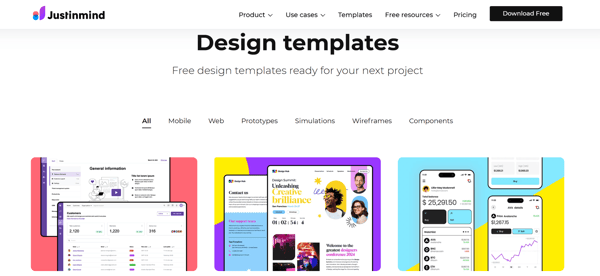
Justinmind's bookstore template splits a sign-up into steps, each revealed after the last, with a progress bar. Use the pattern for longer forms, such as quote or demo requests. A short form does not need steps, because extra steps add friction.
03. Design Summit Event Page Prototype
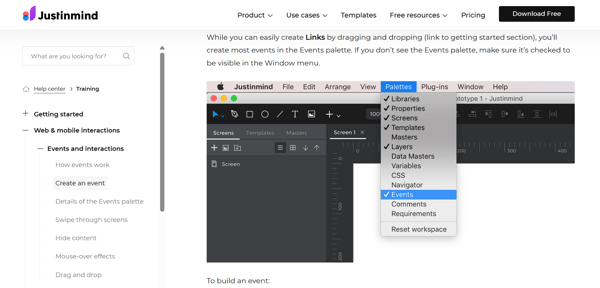
This Justinmind page pairs a bold headline with a countdown timer and a drop-in animation. It fits webinars and launches that have a date. Plan to swap the timer out once the date passes.
04. Responsive Site Prototype With Hover Color Shift
In this fourth Justinmind prototype, images shift from grayscale to full color on hover, and the page adds a parallax effect. It works for portfolio and case study grids. Touch screens have no hover, so design a tap state too.
05. Timeline With Scrolling Animation
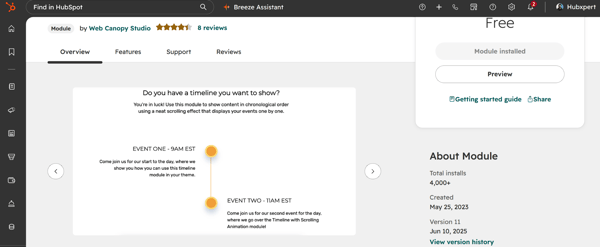
Web Canopy Studio's free HubSpot module offers several layouts, full control over timeline styles and as many items as you like. The marketplace shows more than 3,000 installs. Use it for a company history or a process. Test its motion with your system's reduced-motion setting on. (Source: "Website Functionality Modules")
06. A Timeline
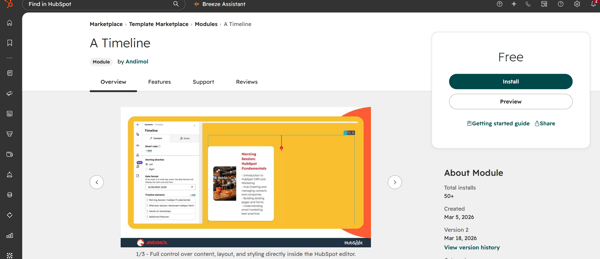
This vertical timeline module alternates cards left and right. Its center line grows as visitors scroll, and its listing says CSS scroll timelines do the work with no heavy JavaScript. It suits pages where load weight matters. Check browser support for CSS scroll timelines in the browsers your visitors use. (Source: "A Timeline")
07. FAQ Module
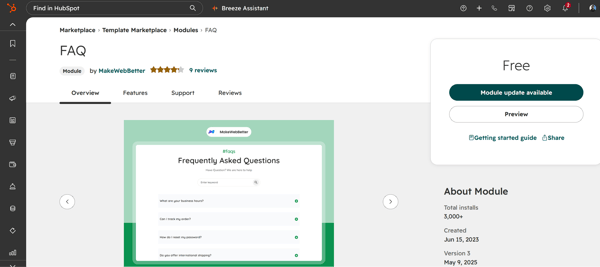
MakeWebBetter's free accordion has customizable colors and styles, plus a search box for finding questions or keywords, per the same marketplace page. It fits support-heavy pages. Keep every answer as real page text so search engines and screen readers can read it.
08. Fancy Flip Card
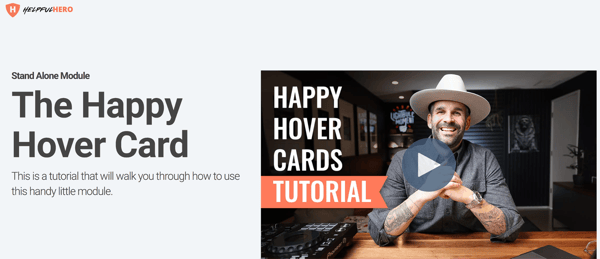
Helpful Hero's free module flips cards on hover or on click, with device-specific size options, per the same marketplace page. Use it for feature or team cards. Put nothing essential on the back, because some visitors will never flip the card.
09. Testimonials Slider
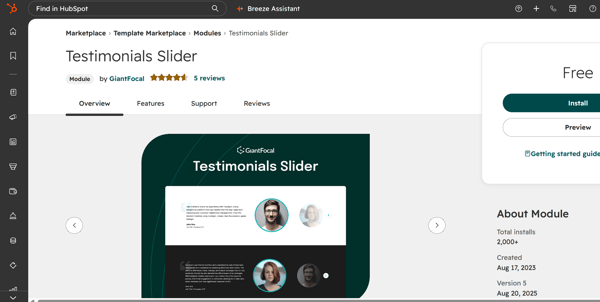
GiantFocal's free module offers fully customizable styles, unlimited testimonial items and a responsive layout, per the same marketplace page. It fits proof sections. Sliders hide content, so put your strongest quote first.
10. Video Gallery Slider (HubXpert)
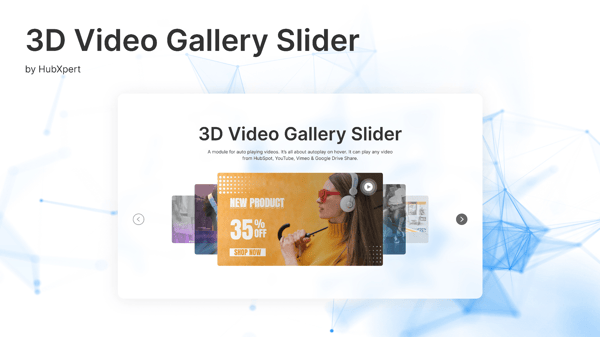
Our listing describes 3D slider effects, hover animations and clickable elements, with no code needed. It suits product demos and event highlights. Video is heavy, so load each clip only when a visitor asks for it. (Source: "Video Gallery Slider")
11. Price Comparison (HubXpert)
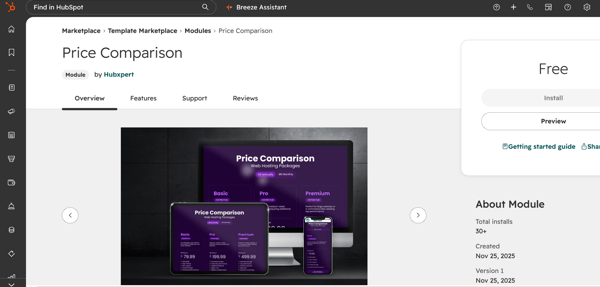
This module builds pricing plans with filterable billing cycles, discount badges and a "Most Popular" highlight, per its listing. It fits SaaS and service pricing pages. Keep the plan details readable as plain text too. (Source: "Price Comparison")
12. Dynamic Pricing Plan (HubXpert)
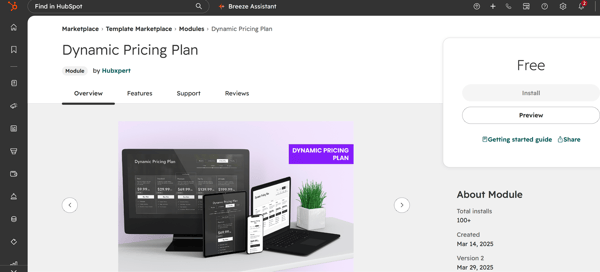
Visitors toggle plan length and user category, and each choice updates the pricing cards. Use it when price depends on seats or term. Set a sensible default view for visitors who never touch the toggle. (Source: "Dynamic Pricing Plan")
13. Pricing Calculator
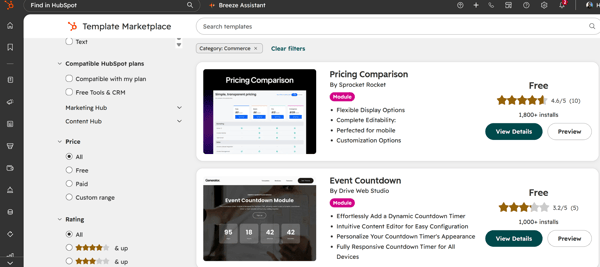
Helpful Hero's calculator lists custom price increments per package. That is all the listing summary says, so read the full listing before you use it. It suits quote-based services where visitors want a rough number. Show how the number is built. (Source: "Website Commerce Modules")
14. Agencia Plus Theme (HubXpert)
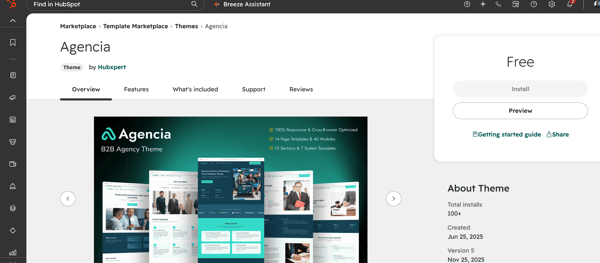
The base Agencia theme suits B2B firms, law firms, service businesses and real estate. Agencia Plus adds exclusive modules, premium templates and advanced customization. Choose a theme like this when you need many page types. Check that the modules you want are included. (Source: "Agencia")
15. PureForm Pro Theme (HubXpert)
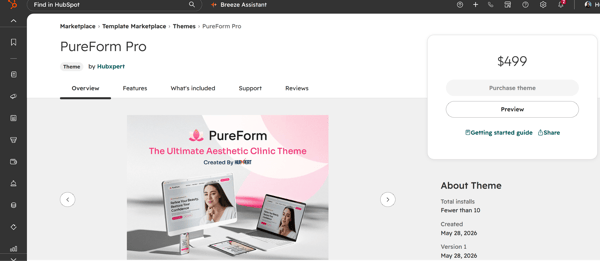
This theme is built for clinics, hospitals and medical centers. Its listing mentions service pages, care team profiles, health articles and online appointments. Ask your own counsel about privacy rules before you add appointment forms. (Source: "PureForm Pro")
Which Interactive Web Page Design Examples Are Worth Studying?
I grouped them by purpose instead of ranking them. Three sites appear in more than one of the roundups I read: Cyclemon, Bruno Simon's portfolio and Artificilia. That count is mine, from three lists, so treat it as a hint. These interactive web design examples are described from those roundups, not from my own testing.
Examples That Explain a Product
Stripe, per Ceros, runs a slow gradient ribbon and a live counter in its hero, then animates checkout flows and usage meters in place. Copy the idea that a preview should behave like the product. Skip the live counter unless you can feed it real data.
Nike's Reactor page, per Justinmind, lets a visitor pick a cushion shape, a running style and a color. It then shows an animated figure wearing that pair. Copy the pattern of three choices and one preview. Skip it for products with only one or two options.
NASA's solar system site, per Ceros, shows a 3D map. Visitors click a planet for a large view and scroll to zoom. Copy the idea of one interactive explainer inside an otherwise plain page.
To try real modules before you decide, open the live demos in the HubXpert module showcase.
Examples That Tell a Story
Cyclemon, per Ceros, uses one interactive element: parallax scrolling.
"Your site can be great with just one interactive element."
Ceros, 14 interactive website examples
Copy the discipline. Mixpanel, per Ceros, uses parallax to introduce its use cases, and Ceros advises a motion on and off switch. Copy the switch.
Telefónica's centenary site, per Justinmind, is an interactive timeline. Copy the idea where order matters, such as company history or a product roadmap.
Examples That Show Work
Bruno Simon's portfolio turns navigation into a game. Ceros says visitors drive a toy truck, and Justinmind says they steer with the arrow keys. Copy the idea for a portfolio. Skip it on any page where the goal is a sale.
Artificilia, per Vev and Justinmind, is a gallery. Pieces slide past horizontally, and a click magnifies one. Copy the click-to-zoom for product photos.
Dribbble, per Ceros, lets visitors hover a portfolio tile to save or like it without opening the full design. Copy the shortcut, and give touch screens a tap route.
What Does HubXpert's Own Interactive Work Look Like?
Imaginate Your Space is an interactive 3D project we list. Its case study describes custom 3D web development integrated into the HubSpot CMS. The services listed are concept, web design, web development, 3D design, WebGL and animation, and the page links to a live project.
Our work page also lists Lurian Interior, described as a luxury interior web experience, and Swept, designed for workforce management at cleaning businesses. Imaginate Your Space sits at the heavy end. For most pages, a module from a library is the better starting point.
How Do You Compare Examples Before You Build?
Study each of your interactive web design examples the same way:
-
Name its job in one sentence. If you cannot, skip it.
-
Turn on your system's reduced-motion setting and reload. Does it still make sense?
-
Use it with the keyboard only.
-
Open it on a phone, not only on your desktop.
-
Write down what it would cost to build and to keep.
Then sort your interactive web page design examples by effort. My judgment: click-to-zoom galleries and hover shortcuts are light. Scroll stories and timelines are medium. Configurators and 3D explorers are heavy, because they need data, modeling or custom code.
Where Should You Look for Interactive Web Design Inspiration?
Showcase sites are a good source of interactive web design inspiration. Justinmind credits Awwwards and One Page Love for several of its screenshots. Treat them as places to find patterns, not proof that a pattern converts.
Look closer to home too. Your competitors' sites show what buyers already expect. Your support inbox shows what buyers keep asking, and each repeated question is a candidate for a calculator, a size finder or an accordion.
How to Turn an Example Into a HubSpot Template?
Split the example into three parts: the theme for the look, the template for the layout, and the module for the interactive piece. HubSpot's developer docs call themes the top-level container, with templates below them and modules as page elements. Editors set field values in the page editor. (Source: "HubSpot CMS overview")
Our library tags some free modules as Website Interactivity, including Timeline Progress Scroll and Flex Hero Banner. For a custom pattern, such as a configurator, our UI/UX design team designs the interaction first and builds to WCAG 2.2 AA.
FAQs
What Is the Difference Between a Template, a Theme and a Module?
In HubSpot, a theme is the top-level container for a site's look. A template sets the layout of a page. A module is a reusable page element, such as a gallery or a calculator. Editors change a module's fields without touching code.
Are Free Interactive Web Design Templates Safe to Use?
Check three things first: the license, the date of the last update, and whether the template works with motion off and a keyboard. A free template with no updates can become a maintenance problem later.
How Many Examples Should I Collect Before Briefing a Designer?
I found no research on a number. Three to five works well when each one has a job you can state in one sentence. Ten links with no stated jobs give a designer little to act on.
Can I Use a Prototype Template as My Live Site?
Not as it is. A prototype shows how something should behave. A developer still has to build it in your CMS, with real content, speed work and accessibility checks.
Do Award-Winning Interactive Sites Convert Better?
I found no study that says so. Showcase sites judge creativity and craft. Test any pattern you copy against your own goal, such as form completions or demo requests.
What Should an Interactive Page Template Include?
A clear headline, one main interactive section, a plain-text version of what it shows, and one call to action. Add more only if each addition has a job.
Can HubSpot Run 3D or Interactive Experiences?
Yes. Our Imaginate Your Space case study describes custom 3D web development integrated into the HubSpot CMS. Heavy experiences like that need custom work, while lighter patterns can come from modules.
Should I Use a Template or Build Custom?
Use a template or module when the pattern is standard, such as an accordion, slider or timeline. Build custom when the interaction is the product itself, such as a configurator.
Final Thought
Pick one example, write its job in one sentence, then find the module or template that does that job. If you cannot name the job, skip the example.
Try this today: choose your two favorite sites from your last briefing, and run both through the five comparison steps. Then browse the projects on our work page and see which patterns fit your goal. HubXpert designs and builds interactive HubSpot sites with these checks in the process.
Founder & CEO @ Hubxpert. My goal is to make every company using HubSpot succeed in their marketing organisation and automation.

Ratul Rahman
Table of Contents:

Subscribe to our newsletter
Interactive Web Design Templates & Examples to Study
See interactive web design templates and the best interactive web design inspiration, then compare interactive web page design examples before you build.

Interactive Elements in Web Design & Where to Stop
Add interactive elements in web design that earn their place, covering micro interactions, interactive maps, interactive timelines and knowing when to stop.

3D Web Design Templates & Examples You Can Reuse
Browse 3D web design templates and examples, plus where to find free downloads, and see how 3D web page design lifts a site without slowing the site down.

3D Web Design Tools & Software Compared for 2026
Compare 3D web design tools and web based 3D design software, and see where 3D models and 3D assets for web design fit your existing front-end build pipeline.

HubSpot Onboarding Cost: What the Fee Really Covers
See what HubSpot onboarding cost covers, how onboarding fees get quoted and how to compare implementation quotes line by line before you commit to a partner.

HubSpot Enterprise Onboarding (What Changes by Tier)
See how HubSpot enterprise onboarding differs from Professional and Starter, covering advanced onboarding scope, admin training and what each tier includes.
-
Interactive Web Design Templates & Examples to Study
hello
-
Interactive Elements in Web Design & Where to Stop
hello
-
3D Web Design Templates & Examples You Can Reuse
hello
-
3D Web Design Tools & Software Compared for 2026
hello
-
HubSpot Onboarding Cost: What the Fee Really Covers
hello
-
HubSpot Enterprise Onboarding (What Changes by Tier)
hello