





-2.png)


-2.png)



.png)


.webp)

.png)










.png)







-1.webp)
-1.webp)



.webp)

-1-1.webp)



-2.webp)

-1-1.webp)

-2-1.png)

-1-1.webp)
-1-1.webp)
-1-1.png)







HubSpot handles the sales side of an MSP business well. Deals move through a pipeline, contacts stay organized, and reps know exactly where a prospect stands. IT services and MSP businesses run on a second system too.
Once a deal closes, that client's information has to survive a jump into a PSA and RMM stack that HubSpot was never built to know about on its own.
This is the exact spot where MSPs lose client data. Site details, admin credentials, and what was actually sold sit in a deal record that nobody on the service side ever opens. Here is what actually breaks, and how to fix it inside HubSpot.
What the Sales-to-Service Handoff Actually Is
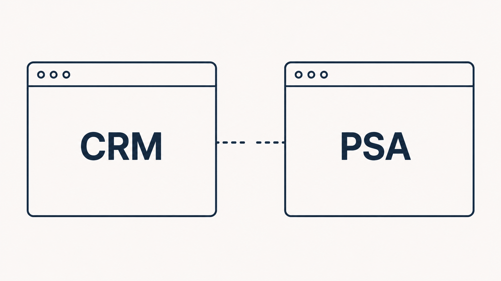
A sales-to-service handoff is the point where a signed deal stops being a sales record and starts being a service commitment. In most industries, that handoff stays inside one system, a CRM record simply changes owners inside the same platform.
MSPs rarely get that convenience. The deal lives in HubSpot. The work lives in a PSA like ConnectWise Manage or Autotask, often with an RMM like NinjaOne sitting behind it, a setup covered in more depth in Connecting Your PSA and RMM Stack to HubSpot Instead of Running Parallel Systems. Every handoff crosses that system boundary, and every boundary is a place data can get dropped, mistyped, or never copied over in the first place.
Picture the common version of this. A deal closes on a Friday. A technician shows up Monday for the first onboarding visit with a contact name and a signed agreement, nothing else. No site address details beyond a street name, no note on which firewall is already in place, no confirmation of who the actual technical contact is versus who signed the contract. The information existed. It just never left the sales rep's head or their private notes field.
What Client Data Actually Goes Missing
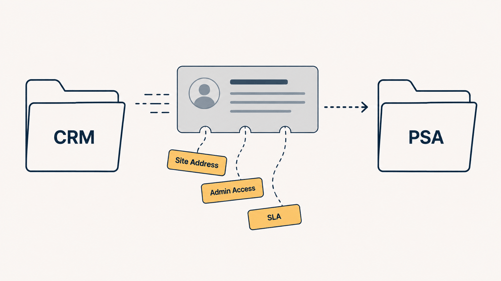
When a deal moves to closed won, the onboarding team typically inherits a contact name, a company name, and little else. For an MSP, that gap costs more than it does in most industries, because the missing fields are technical, not just relational.
A generic B2B company loses a stakeholder map. An MSP loses the information a technician needs before touching a client's network.
The Specific Fields MSPs Lose
|
Data point |
Why service delivery needs it |
|
Site and network details |
Techs need addresses, existing hardware, and ISP information before the first visit |
|
Admin credentials and MFA status |
Determines what access already exists and what needs to be reset on day one (Source: "Onboarding Managed IT Services: Your First 30 Days Explained") |
|
Technical contact vs billing contact |
Sales often captures only the signer, not the person who will actually call in tickets |
|
What was scoped vs what was sold |
Keeps delivery from guessing at the edges of the agreement |
|
SLA terms and response times |
Sets expectations before the first ticket, not after a missed one |
|
Renewal date |
A missed date pushes the next sales conversation back by months |
Why It Costs More Here Than in Generic SaaS
A broken handoff shows up as churn, technician time spent hunting for details instead of doing billable work, delayed onboarding that pushes back the first invoice milestone, and CRM data that stops matching what is actually being delivered (Source: "How to Fix a Broken Sales to Delivery Handoff Before Scale").
In an MSP, that wasted time is a technician's billable hour, not a marketer's admin task, so the cost lands directly on payroll. Multiply it across ten or twenty new clients a year and a handoff that leaks data quietly becomes one of the more expensive gaps in the business.
What a Structured Handoff Requires

A handoff worth relying on needs four things: a clear trigger, a named owner, a required set of fields, and a short review step before the ticket goes live. Skip any one of these and the process reverts to whatever the busiest person on the team happens to remember that day.
Only 47% of teams rate their own handoff process as excellent, and 43% describe it as effectively no process at all (Source: "10 B2B customer onboarding best practices to accelerate time-to-value"). For an MSP, "no real process" usually means a Slack message and a hope that nothing important got left out. The fix is not more effort from the sales rep. It is a system that does not let the deal move forward without the fields service delivery actually needs.
Building The Handoff Inside HubSpot
Trigger It on Closed Won
The handoff should not depend on anyone remembering to send a message. Build it as a workflow instead.
- Create a deal-based workflow that enrolls a deal the moment it reaches Closed Won.
- Set the workflow to create a ticket record in a dedicated onboarding pipeline.
- Use HubSpot's copy property value action to move relevant deal fields into the new ticket automatically (Source: "Solved: HubSpot Community - Auto-create a ticket based on deal stage").
- Assign the ticket with a rotate-to-owner action, or route it by service type to a specific onboarding lead.
- Confirm your subscription covers this. Ticket automation on deal stage sits behind Sales Hub Professional and Service Hub Professional.
Make the Required Fields Actually Required
The workflow only helps if the fields being copied actually have values in them. Add exit criteria to the Closed Won stage so a deal cannot advance until fields like site address, technical contact, and SLA tier are filled in.
This single change took one agency's CRM completion rate at handoff from 15% to 90%, with change orders dropping 60% as a direct result. Required fields feel restrictive to a rep mid-close. They are also the difference between a real handoff and a hopeful one.
Keep the required list short. Five or six fields that service delivery genuinely cannot start without will get filled in consistently. Fifteen fields will get skipped, ignored, or filled with placeholder text just to move the deal forward.
Keep the PSA in Sync After Handoff
A one-time field copy solves the moment of handoff. It does not solve what happens after. Data sync between HubSpot and a PSA can run bi-directional, HubSpot to app only, or app to HubSpot only, and HubSpot will suggest field matches, including custom properties, for a person to accept or clear.
For any field both systems can edit, set a conflict rule: most recent update wins, HubSpot always wins, or the PSA always wins, and apply that rule deliberately to anything that drives reporting, such as lifecycle stage (Source: "HubSpot data sync field mapping guide"). Leaving that rule on a default setting is how a technician's PSA update quietly gets overwritten by a stale HubSpot value a week later.
Where Native Sync Runs Out
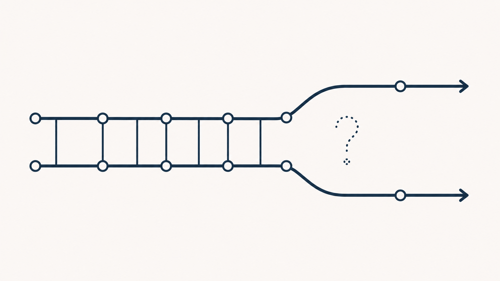
Contacts, companies, and deal-to-project sync generally work through native connectors for ConnectWise and Autotask without much setup. Custom objects and specific ticket workflow behavior are a different story.
Deep integration involving custom objects or particular ticket logic often needs middleware or a dedicated integration partner rather than the out-of-box connector. This is the same territory mapped out for MSPs evaluating HubSpot for IT Services & MSPs more broadly.
Know which category your handoff falls into before promising your team a fully automatic system. If the requirement is moving a contact and a company record over, native sync usually covers it. If the requirement is triggering a specific ticket workflow based on a custom deal property, budget for a middleware step or a partner who has built that exact connection before.
What to Check After You Fix It
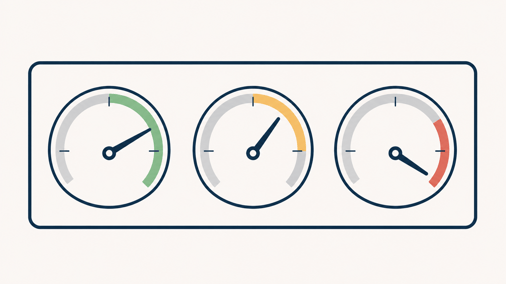
Three numbers tell you whether the new handoff is actually working. Field completion rate at the moment a deal reaches Closed Won. Time between Closed Won and the first onboarding ticket being created. And 90-day client churn, measured against the roughly 70% of all B2B churn that happens in that same window industry-wide (Source: "10 B2B customer onboarding best practices to accelerate time-to-value").
Build a simple dashboard around those three numbers and check it monthly, not quarterly. Handoff problems compound fast, and a quarter is long enough for a bad pattern to affect fifteen or twenty new clients before anyone notices. If completion rate climbs and the 90-day churn number does not move, the handoff was not the actual problem, and the search needs to go elsewhere in onboarding.
FAQs
What is a sales-to-service handoff for an MSP?
It is the point where a closed deal moves from the sales pipeline into service delivery, typically once the contract is signed and before onboarding begins.
What client data most often goes missing during handoff?
Site and network details, admin credentials, the actual technical contact, and the precise scope of what was sold are the most common gaps, since sales records rarely capture them in a structured way.
Can HubSpot automatically create a ticket when a deal closes?
Yes. A deal-based workflow can trigger on the Closed Won stage and create a ticket in an onboarding pipeline, copying relevant deal properties into it automatically (Source: "Solved: HubSpot Community - Auto-create a ticket based on deal stage").
Does HubSpot sync with ConnectWise and Autotask out of the box?
Native connectors handle contacts, companies, and deal-to-project sync reasonably well. Custom objects and specific ticket workflows usually need middleware or a dedicated integration partner.
What is the difference between one-way and two-way sync in HubSpot?
One-way sync moves data in a single direction, either into HubSpot or out to the connected app. Two-way sync keeps both systems updated and needs a conflict rule for any field both sides can edit.
How long should MSP client onboarding take after a deal closes?
There is no universal number, but the first 90 days carry the highest churn risk industry-wide, so the sooner onboarding starts with complete information, the less that window works against a business.
Senior RevOps Strategist at Hubxpert

Fazle Rabbi
Table of Contents:

Subscribe to our newsletter

Modern Web App Design & UI Patterns That Scale
See how modern web app design differs from a marketing site, covering modern web application design and modern web app UI design for dense data dashboards.

Modern Responsive Web Design Techniques for 2027
Apply modern responsive web design techniques in 2026. Review modern web design best practices and why responsive design still decides your conversions.

Modern Website Design Examples & What Makes Them Work
Browse modern website design examples and modern looking websites, and see exactly what separates a fast, current site from one that already feels dated.

Interactive Web Design Templates & Examples to Study
See interactive web design templates and the best interactive web design inspiration, then compare interactive web page design examples before you build.

Interactive Elements in Web Design & Where to Stop
Add interactive elements in web design that earn their place, covering micro interactions, interactive maps, interactive timelines and knowing when to stop.

3D Web Design Templates & Examples You Can Reuse
Browse 3D web design templates and examples, plus where to find free downloads, and see how 3D web page design lifts a site without slowing the site down.
-
Modern Web App Design & UI Patterns That Scale
hello
-
Modern Responsive Web Design Techniques for 2027
hello
-
Modern Website Design Examples & What Makes Them Work
hello
-
Interactive Web Design Templates & Examples to Study
hello
-
Interactive Elements in Web Design & Where to Stop
hello
-
3D Web Design Templates & Examples You Can Reuse
hello