





-2.png)


-2.png)



.png)


.webp)

.png)










.png)







-1.webp)
-1.webp)



.webp)

-1-1.webp)



-2.webp)

-1-1.webp)

-2-1.png)

-1-1.webp)
-1-1.webp)
-1-1.png)






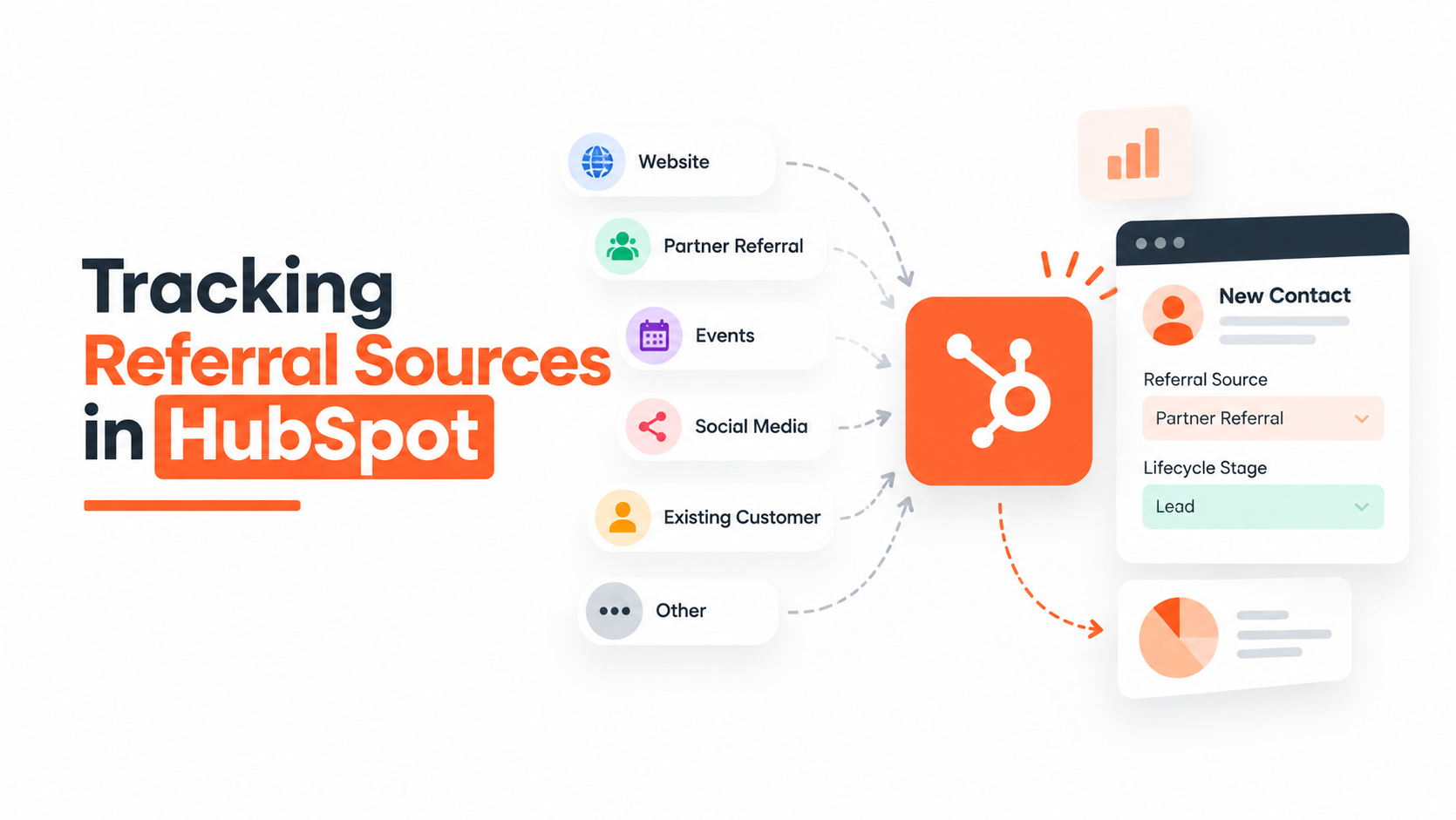
Every HubSpot admin who's run a referral program long enough has had this exact conversation: a rep closes a deal, everyone in the deal room knows it came through a partner introduction, and then someone opens the deal record and the Original Source field says "Organic Search." Nobody edited it wrong. HubSpot just isn't tracking what you think it's tracking.
That gap is where most of the frustration around partner and referral attribution actually lives. It's not that HubSpot can't do this. It's that the out-of-the-box properties were built to answer a narrower question than the one most sales and RevOps teams are actually asking.
Why Partner Referral Tracking Breaks in HubSpot

HubSpot's Original Source and Traffic Source properties are contact-first, not deal-first. A deal doesn't generate its own source value from scratch. It inherits it from the associated contact with the oldest "time first seen" timestamp, or from the associated company if there's no contact. Once that value is set on the contact, it's locked.
It never gets rewritten, even if the actual sales motion that produced the deal happened months later through a completely different channel.
This creates a specific and very common failure mode: a contact who's been sitting in your database for a year (maybe from an old newsletter signup, maybe from a conference badge scan) gets reintroduced to you by a partner. A deal gets created.
The deal's Original Source still points back to that year-old newsletter signup, because that's the contact's earliest recorded touch. The partner referral, which is the thing that actually moved this from a dormant contact to an open opportunity, is invisible to the property.
HubSpot support documentation is honest about this limitation, and it shows up constantly in the HubSpot Community, in threads from people building forms that generate deals, running parallel campaigns, and then asking why the deal's source doesn't match what actually happened. The answer is consistent: if the deal is associated with an older contact, the deal will not reflect the newer campaign or referral activity, full stop.
So the first thing to get straight: Original Source and Traffic Source are useful for marketing attribution on net-new contacts. They are the wrong tool for tracking who gets credit for a specific deal, especially in a partner or referral motion. You need a different layer sitting on top of them.
3 Real Ways To Track Partner-Sourced Deals
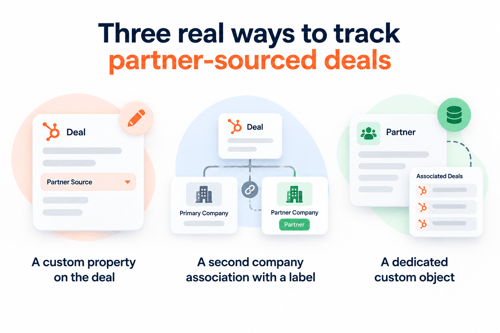
There isn't one canonical HubSpot feature called "partner tracking." Teams generally land on one of three patterns, and which one fits depends mostly on how many partners you're dealing with and how much reporting you need out of it.
A custom property on the deal
The simplest option: add a dropdown or multi-checkbox property called something like "Referral Partner" or "Sourced By," and make your reps fill it in at deal creation. This works fine for a small number of partners and a sales team that's disciplined about data entry.
The catch is that it's a static list you're maintaining by hand, it has no real connection to the partner's actual record in your CRM, and it falls apart the moment you want to report on partner performance across deals, companies, or time. It's a start, not a system.
A second company association with a label
Instead of (or alongside) a custom property, you associate the partner's company record to the deal directly, using a custom association label like "Reseller" or "Referral Partner," separate from the primary company (the actual customer).
This is a meaningfully better setup because now the partner is a real record, not a text value, and you can pull all deals associated with that partner company, build lists, and trigger workflows off the association itself.
A dedicated custom object
For teams running a formal deal registration process (multiple partners, potential channel conflict, commission tracking, a real qualification step before you accept a registered deal), a custom object (often literally called "Deal Registration" or "Partner") gives you a clean, separate record type that isn't tangled up with your contact or company data.
One pattern that comes up a lot in the HubSpot Community: teams don't want the partner's contact record getting fully associated with the prospect's contact record, because doing so pulls in activity history, timeline noise, and in some cases even connects support tickets or emails that have nothing to do with the deal.
A custom object sidesteps that entirely. It's an independent record that just references the deal, the partner, and the registration details, with none of the crossover.
Custom objects generally require a higher-tier subscription (Enterprise, in most current setups), so this is the option worth checking against your actual HubSpot license before you plan around it.
What Are HubSpot Association Labels?
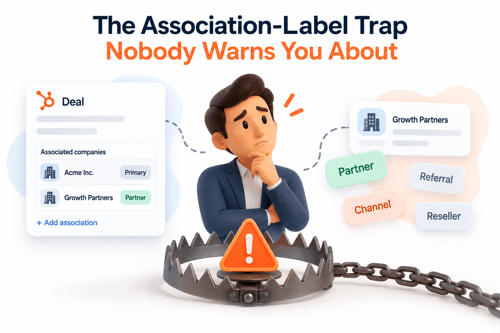
If you go the "associate the partner contact directly to the deal" route instead of using a company-level or custom-object approach, there's a real problem worth knowing about before you build it: HubSpot pulls activity from every associated contact into the deal's timeline.
So if your referral partner also happens to email you regularly for unrelated reasons (support, a different project, whatever), all of that activity shows up mixed into the deal record.
One HubSpot Community thread describes exactly this: a team using a "referral source" association label on the contact-deal relationship found their deal timelines cluttered with unrelated correspondence, particularly painful because they also ran a help desk through the same contact.
The practical fix is to keep the referral relationship at the company level, or in the custom object, rather than directly on the contact-deal association. It's a small architectural choice at setup time that saves a real cleanup headache six months in.
Also worth knowing: association labels are capped at 50 per object pair, and creating them requires Super Admin permissions. Filtering records by association label inside segments is a Professional or Enterprise feature. None of that changes your decision, but it's the kind of detail that trips people up mid-build if nobody checked it first.
How to Measure Partner Performance in HubSpot
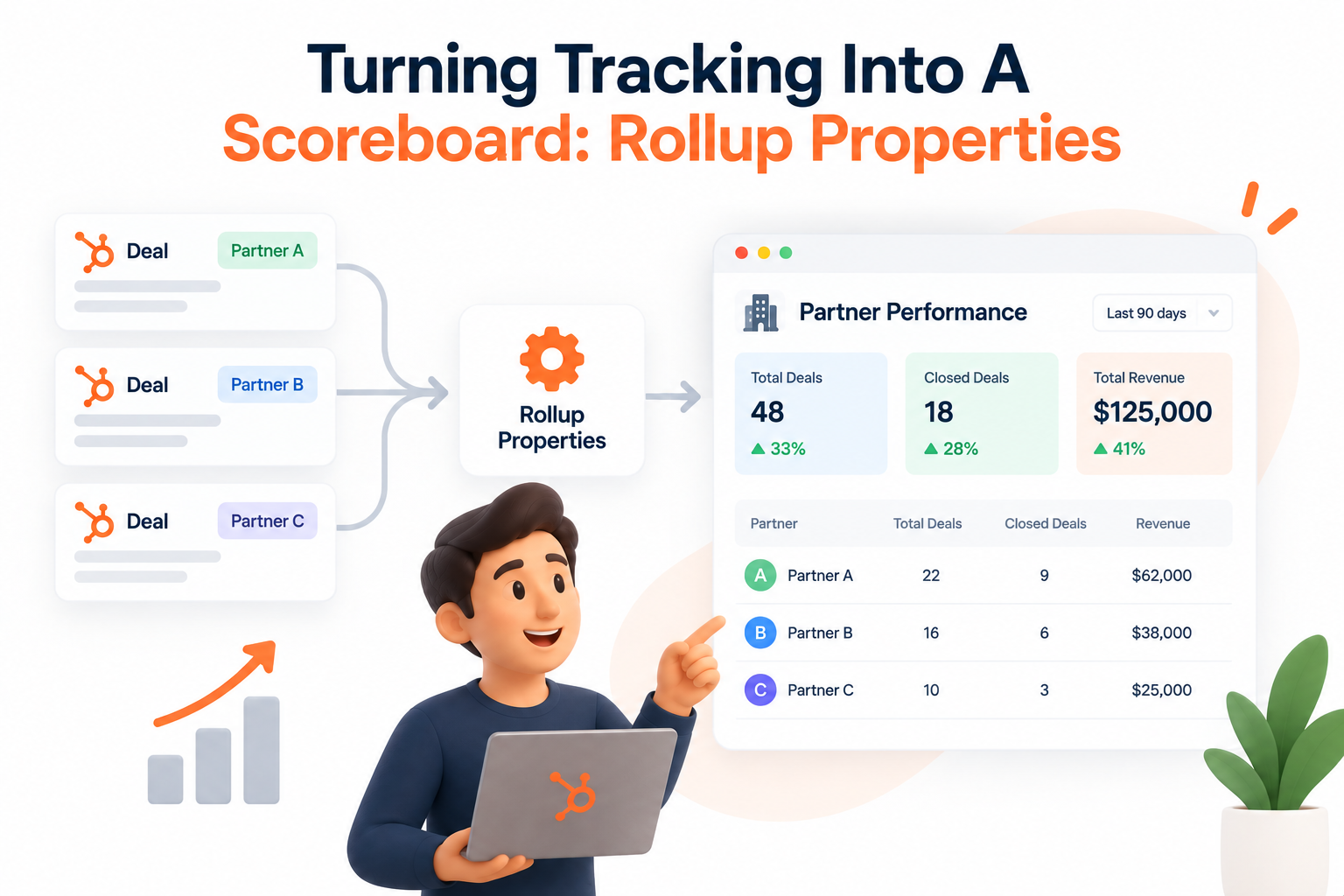
Once the partner relationship actually exists as a real, associated record (company or custom object), you can build calculated properties that sit on the partner's own record and roll up everything tied to them:
- Total deals referred, regardless of stage
- Deals that reached an active or closed-won stage
- Total value of referred deals
- Average deal size from that partner's referrals
- Win rate on their sourced pipeline
This turns a static "who referred what" list into an actual performance view. If you're paying commissions or running any kind of partner tiering (gold/silver/bronze, or whatever your program calls it), this is the layer that makes those decisions defensible instead of anecdotal.
It's also the piece that most DIY setups skip, because it requires HubSpot's calculated property functionality to be configured correctly against the association, which is easy to get subtly wrong the first time.
How to Automate Partner Tracking With Workflows
Manual data entry is where referral tracking programs quietly die. A few workflow patterns worth having in place from day one:
- When a deal's lead source (or a dedicated property) is marked "Referral" or "Partner," require the partner field before the deal can move past the first stage. HubSpot workflows can enforce this with a required-property check.
- When a referred deal closes won, trigger a notification to the referring contact or your partner manager. This is the difference between a partner program that feels alive and one where partners have to ask you what happened to the lead they sent six months ago.
- If you're worried about channel conflict (two partners registering the same lead, or a partner registering a lead your own sales team is already working), a workflow can check whether the contact already has an existing deal or an "Associated deals" count above zero and flag it for review instead of letting a duplicate slide through.
None of this is exotic HubSpot functionality. It's just workflow logic applied to a data model that's been set up correctly in the first place, which is usually the part that takes longer than people expect.
How to Report Partner-Sourced Revenue in HubSpot
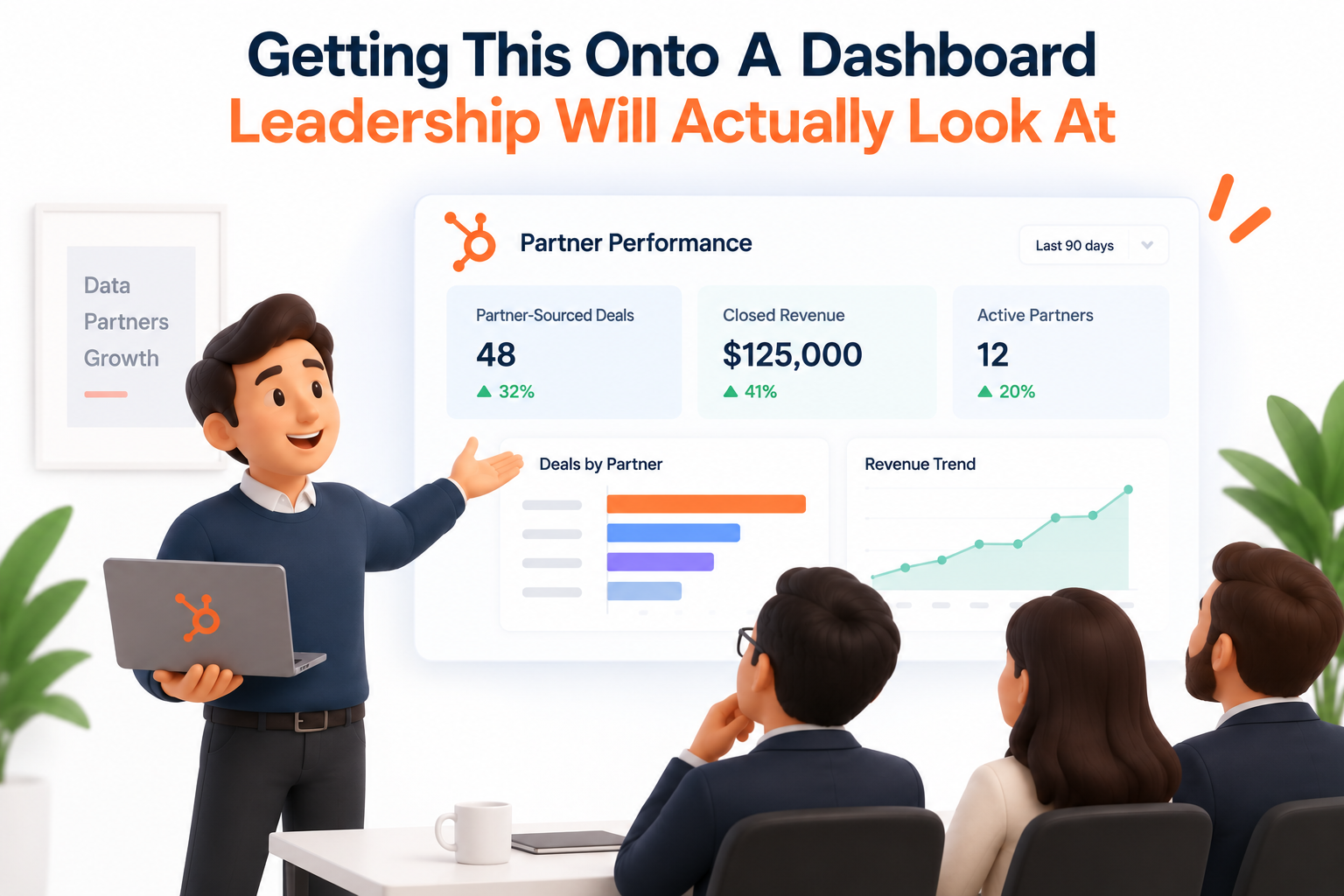
Once the property model and associations exist, reporting is mostly straightforward: HubSpot's custom report builder can filter and group by association labels (Pro/Enterprise), by the custom property values, or by the calculated rollups sitting on the partner record.
A useful dashboard for this usually includes: pipeline value by partner, win rate by partner, average sales cycle length for partner-sourced deals versus your other channels, and a simple leaderboard view for anyone running commission conversations.
That last comparison, partner-sourced deals versus everything else, is often the most useful number in the whole build. It's the one that answers the question leadership actually asks: is this program worth what we're paying to run it?
Common HubSpot Partner Tracking Problems
Partner tracking in HubSpot often works well at first. The problems usually appear as the program grows.
You may end up with inconsistent association labels, duplicate properties, or different team members tracking the same partner in different ways. Over time, that can create multiple sources of truth and make partner reporting unreliable.
The issue is rarely knowing which HubSpot feature to use. It is usually about building the data model correctly from the start and keeping it consistent as the team and partner program grow.
That is where HubXpert can help. We build the right object structure, automate partner tracking and notifications, and create reporting that makes partner ROI easy to measure.
FAQs
Why does my deal's Original Source show the wrong channel even though I know exactly where the lead came from?
Because Original Source and Traffic Source are inherited from the associated contact's earliest recorded activity, not generated fresh for the deal. If the contact already existed in your CRM before this specific deal was created, the deal will carry that older source value, not the channel that actually produced this opportunity.
Can I edit the Original Source value on a contact or deal once it's set?
No. Once HubSpot sets these properties based on a contact's earliest activity, they can't be manually edited afterward. This is exactly why teams build a separate property or association layer for partner and referral tracking instead of trying to force the native source fields to do that job.
Do I need a custom object to track partner deals, or is a company association enough?
It depends on scale and complexity. If you have a handful of partners and don't need formal deal registration or commission logic, a second company association with a label like "Referral Partner" is usually enough. If you're running a real partner program with registration approval, conflict checks, or payout tracking, a custom object gives you a cleaner, more scalable structure, but it typically requires an Enterprise subscription, so check your tier before committing to that path.
Will associating a partner contact directly to the deal cause any problems?
It can. HubSpot pulls activity from every associated contact into the deal timeline, so if the partner contact has unrelated correspondence with your team (support tickets, other projects), that activity shows up mixed into the deal. Using a company-level association or a custom object instead avoids this.
What HubSpot tier do I need for any of this?
Association labels themselves are available broadly, but filtering by association label in segments and reports generally requires Professional or Enterprise. Custom objects are typically an Enterprise feature. Worth confirming against your current subscription before you design the build, since HubSpot's tier boundaries do shift over time.
Wrapping Up
Start by deciding whether partner data belongs in a property, association, or custom object. Then automate the steps your team might forget and build reporting around the metrics that actually matter, such as sourced pipeline, closed revenue, and partner ROI.
HubXpert helps businesses design and implement HubSpot CRM systems that keep partner data organized, workflows reliable, and reporting actionable. Explore our HubSpot CRM for Real Estate solutions. See how we approach industry-specific HubSpot implementations.
For real estate teams, this same approach can create a stronger foundation for managing relationships, leads, and revenue in one connected CRM.
The goal is simple: build the structure correctly once, automate what can be automated, and make your partner data reliable enough to guide your next decision.
Senior RevOps Strategist at Hubxpert

Fazle Rabbi
Table of Contents:

Subscribe to our newsletter

Modern Website Design Examples & What Makes Them Work
Browse modern website design examples and modern looking websites, and see exactly what separates a fast, current site from one that already feels dated.

Interactive Web Design Templates & Examples to Study
See interactive web design templates and the best interactive web design inspiration, then compare interactive web page design examples before you build.

Interactive Elements in Web Design & Where to Stop
Add interactive elements in web design that earn their place, covering micro interactions, interactive maps, interactive timelines and knowing when to stop.

3D Web Design Templates & Examples You Can Reuse
Browse 3D web design templates and examples, plus where to find free downloads, and see how 3D web page design lifts a site without slowing the site down.

3D Web Design Tools & Software Compared for 2026
Compare 3D web design tools and web based 3D design software, and see where 3D models and 3D assets for web design fit your existing front-end build pipeline.

HubSpot Onboarding Cost: What the Fee Really Covers
See what HubSpot onboarding cost covers, how onboarding fees get quoted and how to compare implementation quotes line by line before you commit to a partner.
-
Modern Website Design Examples & What Makes Them Work
hello
-
Interactive Web Design Templates & Examples to Study
hello
-
Interactive Elements in Web Design & Where to Stop
hello
-
3D Web Design Templates & Examples You Can Reuse
hello
-
3D Web Design Tools & Software Compared for 2026
hello
-
HubSpot Onboarding Cost: What the Fee Really Covers
hello