





-2.png)


-2.png)



.png)


.webp)

.png)


.png)















-1.webp)
-1.webp)



.webp)

-1-1.webp)



-2.webp)

-1-1.webp)

-2-1.png)

-1-1.webp)
-1-1.webp)
-1-1.png)






Aesthetic clinics rely on multiple systems to manage leads, consultations, appointments, treatments, and patient communication. When these systems are not properly connected, clinics often struggle with duplicate records, manual data entry, delayed follow-ups, limited reporting, and poor visibility into which marketing efforts generate revenue.
Not all aesthetic clinic software platforms work equally well with HubSpot. Differences in API access, synchronization capabilities, automation support, and reporting flexibility can significantly affect how effectively your clinic manages leads, consultations, patient retention, and revenue attribution.
To help you make the right choice, we've compared five leading aesthetic clinic software platforms and evaluated them based on the factors that matter most for a successful HubSpot integration.
To create this list, we evaluated each software based on HubSpot integration capabilities, API access, automation flexibility, synchronization options, reporting visibility, implementation complexity, scalability and overall suitability for growing aesthetic clinics.
Comparison Table
|
Software |
Native HubSpot Integration |
API Access |
Best For |
Automation Potential |
Primary Weakness |
|
Aesthetic Record |
Yes |
Yes |
Growing aesthetic clinics |
High |
Higher learning curve for new users |
|
PatientNow |
Limited |
Yes |
Marketing-focused practices |
High |
Some integrations require additional configuration |
|
Zenoti |
No |
Yes |
Multi-location clinics and med spas |
High |
More complex implementation process |
|
Nextech |
No |
Yes |
Enterprise plastic surgery and dermatology groups |
High |
Often requires custom integration development |
|
Boulevard |
No |
Limited |
Small clinics and independent providers |
Moderate |
Fewer advanced integration capabilities |
How We Evaluated These Platforms
Choosing aesthetic clinic software is no longer just about scheduling appointments or managing patient records. The real value comes from how effectively the platform connects with your CRM, marketing, reporting, and automation systems.
HubXpert is working on overall HubSpot integration such as, CRM integrations, custom API projects, and automation implementations across multiple industries, and we've consistently seen that integration quality directly impacts operational efficiency, patient retention, and reporting accuracy.
For this evaluation, we focused on the factors that matter most when connecting aesthetic clinic software with HubSpot:
- Native HubSpot integration availability
- API access and developer flexibility
- Webhook and real-time synchronization support
- Contact and patient data synchronization
- Appointment and consultation synchronization
- Custom object compatibility
- Zapier and Make integration support
- Marketing automation capabilities
- Reporting and attribution visibility
- Scalability for growing clinics
- Multi-location support
- Implementation complexity and maintenance requirements
Rather than reviewing general clinic management features, we evaluated each platform based on how well it supports a connected HubSpot ecosystem for patient acquisition, consultation nurturing, lifecycle marketing, and revenue reporting.
Top 5 Aesthetic Clinic Software Platforms
I picked these 5 platform as they serve in most efficient way for any medical & clinical practice.
01.Aesthetic Record
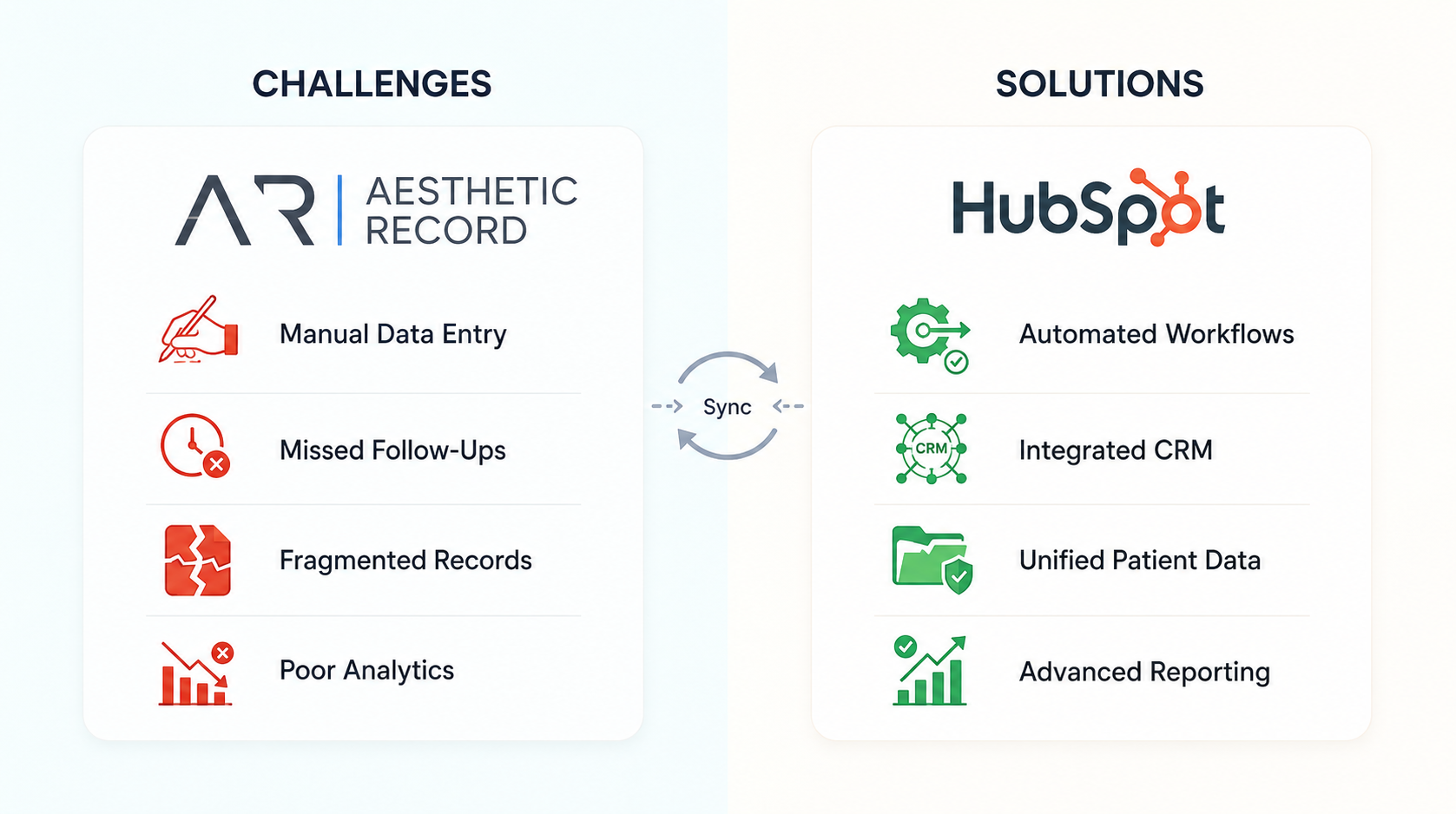
Aesthetic Record is one of the most widely adopted practice management platforms in the medical aesthetics industry. Designed specifically for med spas, cosmetic clinics, and aesthetic practices, the platform combines patient management, appointment scheduling, treatment documentation, consent forms, payment processing, and marketing tools within a single system. Its industry-specific focus and strong integration capabilities have made it a popular choice for clinics looking to build a connected technology stack around HubSpot.
HubSpot Integration Capability
Aesthetic Record offers one of the strongest HubSpot integration experiences among aesthetic clinic software platforms. Its integration framework allows clinics to synchronize patient information, appointment activity, and engagement data between systems, creating a more complete view of the patient lifecycle inside HubSpot.
Key integration capabilities include:
- Native HubSpot integration availability
- API access for custom integrations
- Webhook support for real-time data updates
- Bidirectional contact synchronization
- Patient and appointment synchronization
- Custom data mapping options
- Zapier compatibility for additional automation
- Marketing workflow trigger support
- Lead source and lifecycle tracking capabilities
- Moderate implementation complexity compared to enterprise systems
For clinics investing heavily in consultation-driven marketing, these capabilities create a stronger foundation for automation and reporting than many competing platforms.
Best Use Cases
Aesthetic Record is best suited for organizations that require bidirectional data synchronization, real-time workflow automation, and native HubSpot connectivity. It performs particularly well when patient records, appointment data, and engagement activities need to move automatically between systems with minimal middleware dependency. Teams looking to build advanced automation workflows, lifecycle segmentation, and centralized reporting frameworks will benefit most from its integration architecture.
Key Advantages
- Native HubSpot integration reduces dependency on middleware platforms.
- Supports bidirectional synchronization, allowing updates to flow between systems automatically.
- Provides webhook support for near real-time automation triggers.
- Easier to build lifecycle automation workflows due to direct CRM connectivity.
- Lower integration maintenance overhead compared to custom API implementations.
Limitations
- Native integration may not support every custom business process out of the box.
- Advanced reporting often requires additional property mapping inside HubSpot.
- Complex enterprise data models may still require custom API development.
- Less flexibility than fully custom integrations when highly specialized workflows are needed.
Major Benefits of Integrating Aesthetic Record with HubSpot
The biggest advantage of connecting Aesthetic Record with HubSpot is the ability to create a unified customer journey across marketing, consultations, appointments, and ongoing engagement. Because Aesthetic Record offers strong synchronization capabilities, clinics can automate lead follow-up, trigger workflows based on appointment activity, segment contacts using treatment-related data, and maintain more accurate reporting throughout the lifecycle.
The native integration also reduces dependency on third-party middleware, resulting in fewer points of failure and lower long-term maintenance requirements.
Ideal Clinic Size
Best suited for small-to-mid-sized clinics, growing med spas, and multi-provider practices that require strong automation capabilities without the complexity of a large enterprise platform.
02.PatientNow
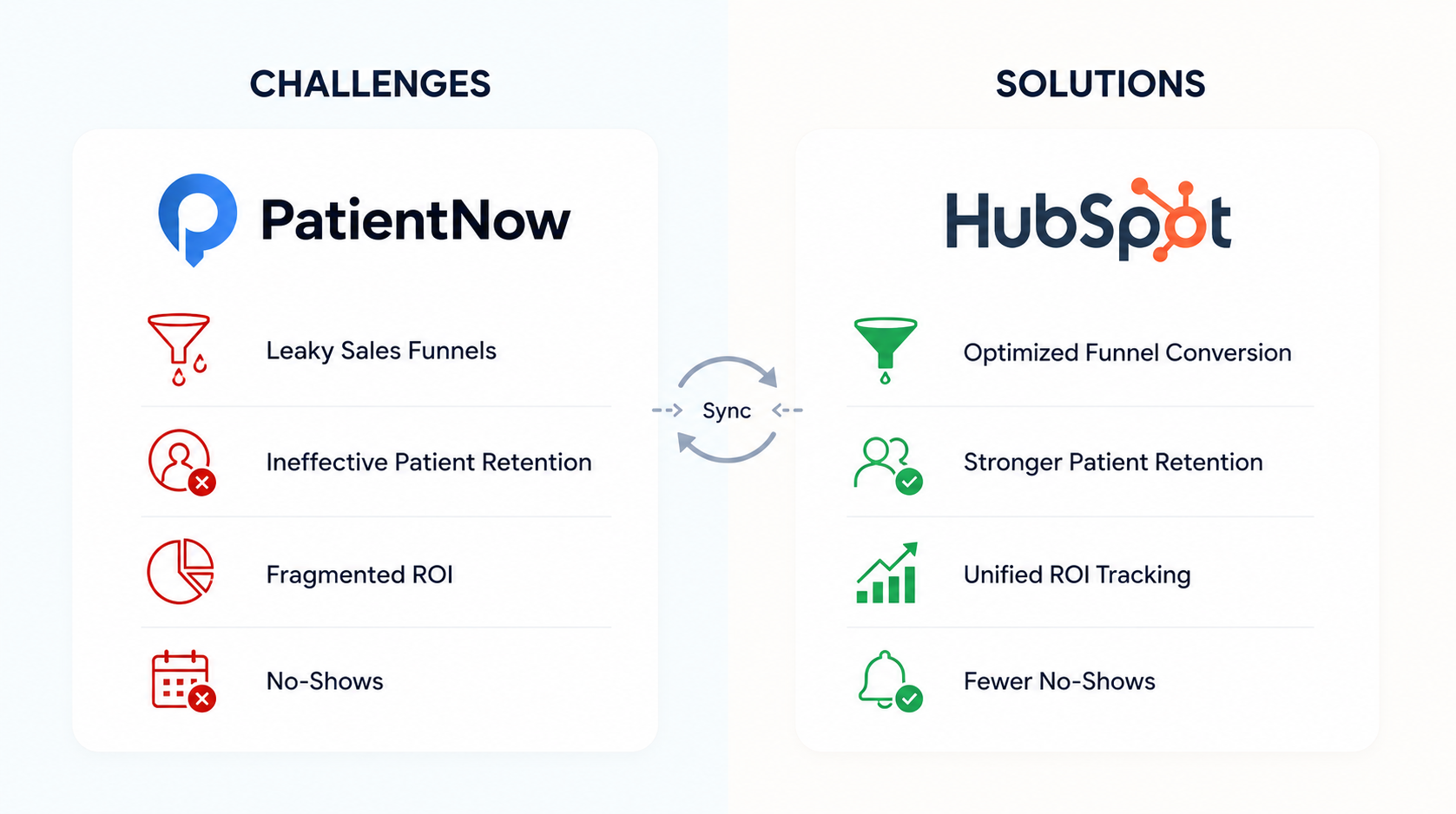
PatientNow is a practice management and patient engagement platform built specifically for medical spas, cosmetic surgery practices, and aesthetic clinics. The platform combines scheduling, EMR functionality, patient communications, reputation management, and marketing tools, making it a popular option for clinics that want both operational and marketing capabilities in a single environment.
HubSpot Integration Capability
PatientNow offers flexible integration options for clinics that want to extend their CRM and marketing capabilities through HubSpot. While integration approaches may vary depending on implementation requirements, the platform provides sufficient connectivity for most lead management, appointment tracking, and patient engagement workflows.
Key integration capabilities include:
- API access for custom integration development
- Contact synchronization support
- Appointment and consultation data sharing
- Webhook capabilities through custom implementations
- Zapier and middleware compatibility
- Marketing automation trigger support
- Custom field mapping opportunities
- Lead source tracking capabilities
- Workflow integration flexibility
- Moderate implementation complexity
Clinics looking to connect marketing activities with patient engagement often find PatientNow capable of supporting a broad range of HubSpot automation use cases.
Best Use Cases
PatientNow is best suited for environments that require flexible API connectivity, custom field mapping, and integration between multiple marketing and operational systems. It performs well when organizations need to synchronize contact records, appointment activity, and engagement data across platforms while maintaining workflow flexibility through APIs and middleware solutions.
Key Advantages
- Flexible API environment supports custom integration development.
- Strong compatibility with middleware platforms such as Zapier and Make.
- Allows extensive custom field mapping between systems.
- Easier to connect with multiple third-party applications simultaneously.
- Suitable for organizations that require flexible workflow customization.
Limitations
- No true native HubSpot integration experience.
- Data synchronization quality depends heavily on implementation design.
- Middleware-based workflows can introduce latency between systems.
- Multiple integration layers increase troubleshooting complexity.
- Ongoing maintenance requirements can grow as workflows expand.
Major Benefits of Integrating PatientNow with HubSpot
Integrating PatientNow with HubSpot helps centralize patient engagement, consultation tracking, and marketing activity within a single CRM environment. Organizations can synchronize contact and appointment data, automate follow-up processes, and create more detailed segmentation strategies based on patient interactions.
The platform's API flexibility also allows businesses to extend integrations into other operational systems, making HubSpot a more comprehensive source of truth for customer and marketing data.
Ideal Clinic Size
Best suited for small and mid-sized clinics looking for a balance between operational functionality, marketing tools, and integration flexibility.
03. Zenoti
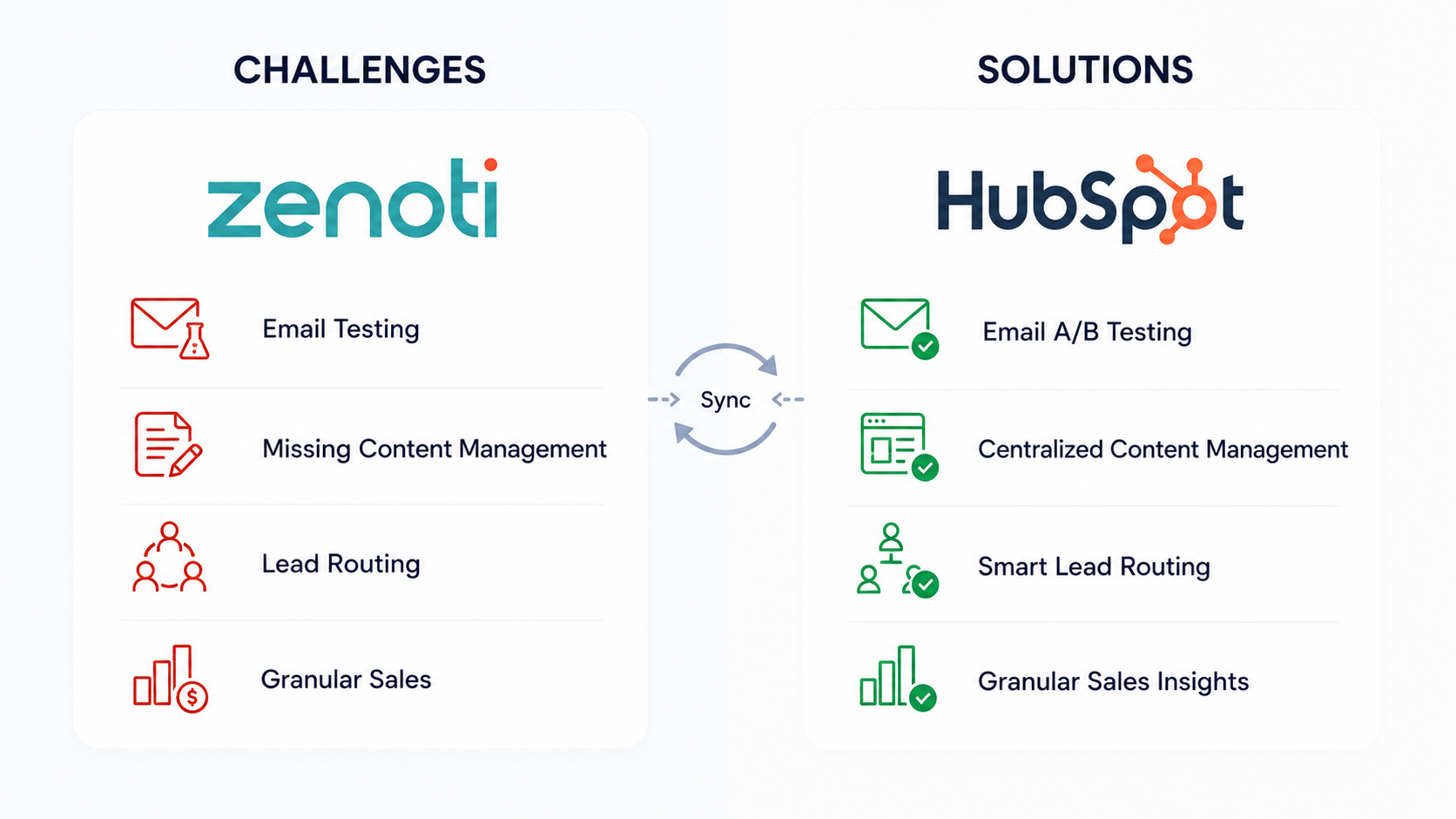
Zenoti is a cloud-based management platform designed for med spas, wellness centers, aesthetic clinics, and multi-location service businesses. The platform combines appointment scheduling, POS, staff management, memberships, inventory management, marketing tools, and reporting into a centralized system. Its ability to manage operations across multiple locations has made it a popular choice for growing aesthetic brands.
HubSpot Integration Capability
Zenoti does not offer a native HubSpot integration, but its API infrastructure provides significant flexibility for custom integrations. Many clinics connect Zenoti and HubSpot through APIs, middleware platforms, or custom-built integrations to synchronize patient, appointment, and business data across systems.
Key integration capabilities include:
- Comprehensive API access
- Custom integration support
- Appointment synchronization capabilities
- Contact synchronization support
- Webhook availability
- Middleware compatibility through Zapier, Make, and custom platforms
- Marketing automation trigger opportunities
- Multi-location data synchronization
- Custom reporting integrations
- Moderate to high implementation complexity
For larger organizations, Zenoti's API flexibility often provides more long-term customization options than many smaller clinic management platforms.
Best Use Cases
Zenoti is best suited for centralized data management across multiple business units, locations, or operational teams. Its technical strengths lie in large-scale data aggregation, custom API integrations, and consolidated reporting environments. Organizations requiring cross-location synchronization, centralized dashboards, and enterprise-level reporting structures will benefit most from its architecture.
Key Advantages
- Built to handle large volumes of operational and customer data across multiple locations.
- Strong centralized reporting architecture for consolidated business visibility.
- Extensive API capabilities support complex integration scenarios.
- Supports cross-location customer synchronization and reporting.
- Well-suited for enterprise data warehouse and BI reporting initiatives.
Limitations
- No native HubSpot integration available.
- Integration projects typically require technical resources.
- API implementation complexity is higher than most SMB-focused platforms.
- Multi-location data structures can increase field mapping complexity.
- Reporting integrations often require significant planning and architecture design.
Major Benefits of Integrating Zenoti with HubSpot
The primary benefit of integrating Zenoti with HubSpot is centralized visibility across multiple locations and operational teams. Organizations can consolidate customer data, appointment activity, and engagement history into a single reporting environment, making it easier to build standardized automation workflows and performance dashboards.
For businesses managing multiple locations, this integration can significantly improve reporting consistency and cross-location customer lifecycle tracking.
Ideal Clinic Size
Best suited for mid-sized to enterprise organizations, particularly businesses managing multiple locations, larger teams, and higher operational complexity.
04. Nextech
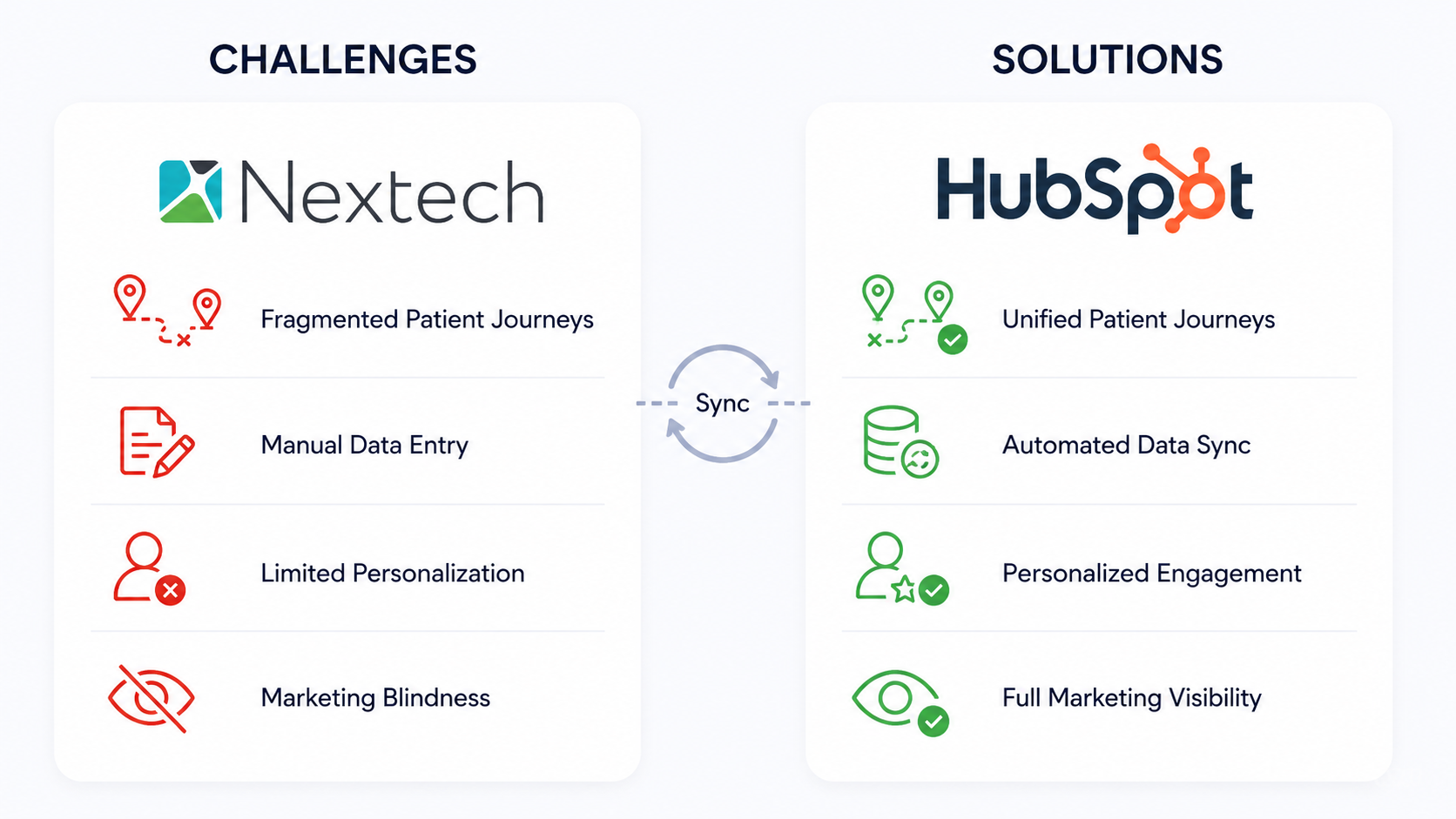
Nextech is one of the most established practice management platforms serving plastic surgery, dermatology, ophthalmology, and specialty medical practices. Known for its enterprise-level capabilities, the platform offers EHR, practice management, patient engagement, scheduling, billing, and reporting tools designed for organizations managing large patient volumes and complex clinical workflows.
HubSpot Integration Capability
Nextech does not provide a native HubSpot integration, but its API framework allows clinics to build highly customized integrations tailored to their operational and reporting requirements. Many enterprise organizations choose custom API integrations to synchronize patient, consultation, procedure, and revenue data between Nextech and HubSpot.
Key integration capabilities include:
- API access for custom integrations
- Patient and contact synchronization
- Appointment and consultation data synchronization
- Procedure and treatment data accessibility
- Revenue reporting integration opportunities
- Custom field mapping support
- Webhook and event-based integration capabilities
- Middleware compatibility
- Enterprise reporting integration options
- Higher implementation complexity
For larger organizations, custom integrations often provide greater flexibility than pre-built connectors, particularly when advanced reporting and attribution are required.
Best Use Cases
Nextech is best suited for complex integration environments that require deep access to operational, appointment, financial, and customer data. It performs particularly well when organizations need custom API development, advanced reporting integrations, revenue attribution frameworks, and highly customized synchronization logic between HubSpot and other business systems.
Key Advantages
- Provides access to deeper operational and financial data than most competing platforms.
- Supports highly customized API integration frameworks.
- Enables advanced revenue attribution and business intelligence reporting.
- Suitable for organizations requiring complex data transformation logic.
- Strong foundation for enterprise-grade CRM and reporting ecosystems.
Limitations
- One of the most technically complex platforms to integrate with HubSpot.
- Custom development is often required even for standard use cases.
- Longer implementation timelines compared to other platforms on this list.
- Higher integration and maintenance costs.
- Requires experienced technical resources for ongoing support and optimization.
Major Benefits of Integrating Nextech with HubSpot
Integrating Nextech with HubSpot enables organizations to combine operational, financial, and customer engagement data within a unified reporting framework. This creates opportunities for advanced attribution reporting, deeper performance analysis, and more sophisticated automation workflows.
Businesses that invest in custom integration development often gain access to richer datasets, allowing HubSpot to support executive-level reporting and long-term revenue visibility.
Ideal Clinic Size
Best suited for enterprise clinics, large specialty practices, and multi-provider organizations that require advanced reporting, customization, and complex operational workflows.
05. Boulevard
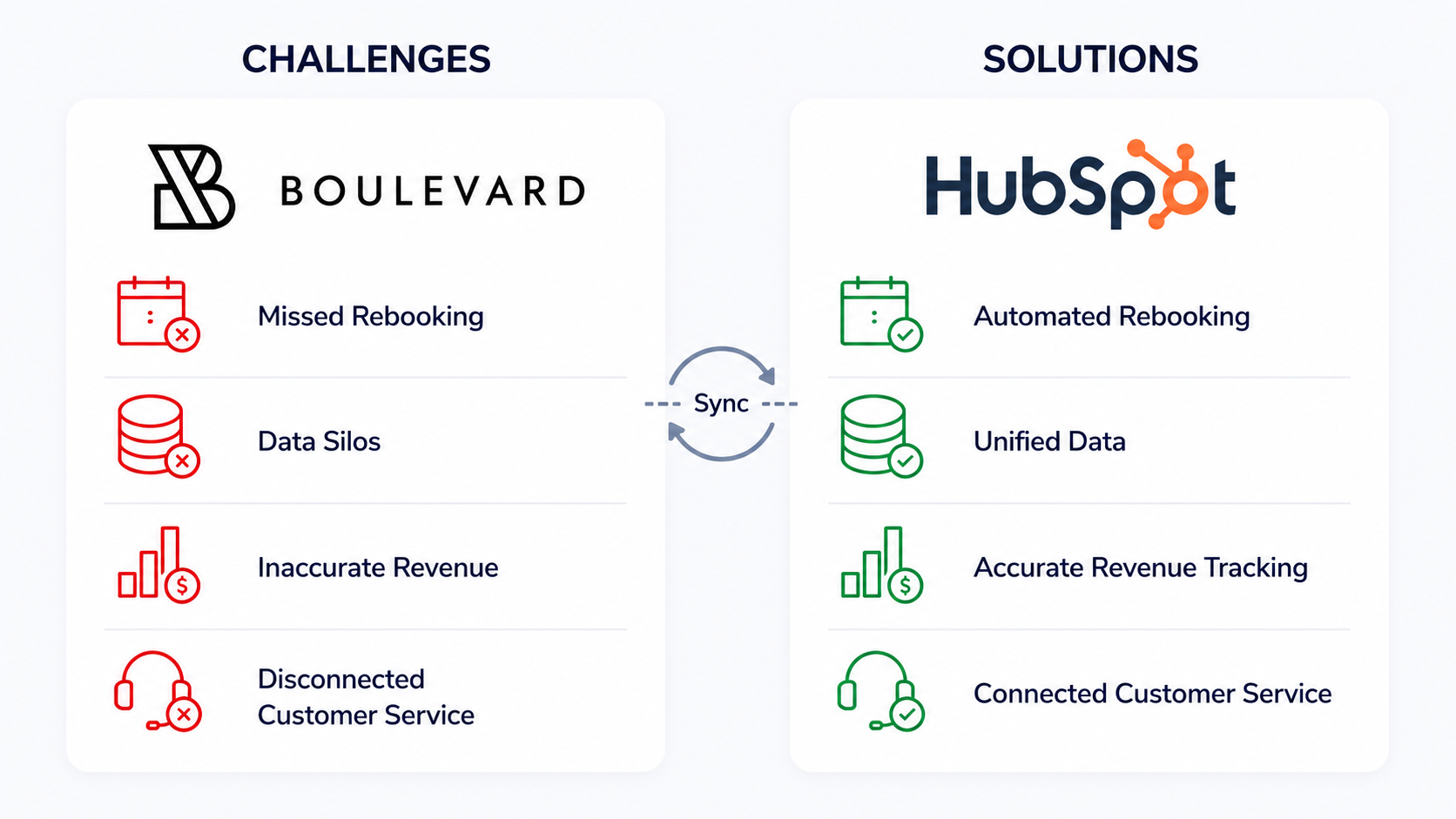
Boulevard is a client experience platform designed for self-care businesses, including med spas, aesthetic clinics, and beauty practices. The platform combines online booking, appointment management, client communication, payments, memberships, and reporting within a modern, user-friendly interface. Its simplicity and ease of use have made it particularly popular among smaller clinics and independent providers.
HubSpot Integration Capability
Boulevard does not currently offer a native HubSpot integration, but clinics can connect the platform to HubSpot using middleware solutions such as Zapier or custom integration approaches. While its integration capabilities are not as extensive as some enterprise platforms, Boulevard supports many of the core workflows required for lead management and patient communication.
Key integration capabilities include:
- API access availability
- Contact synchronization through middleware
- Appointment data sharing capabilities
- Zapier compatibility
- Custom workflow integration opportunities
- Marketing automation support through connected systems
- Basic reporting synchronization options
- Third-party integration flexibility
- Moderate implementation requirements
- Lower technical complexity than enterprise platforms
For clinics focused on streamlining patient acquisition and follow-up workflows, Boulevard provides enough integration flexibility to support many common HubSpot use cases.
Best Use Cases
Boulevard is best suited for organizations seeking straightforward integrations, lightweight automation workflows, and simplified data synchronization processes. It works well for teams that prioritize ease of implementation, streamlined appointment synchronization, and basic CRM connectivity without the complexity associated with enterprise-level integration projects.
Key Advantages
- Faster implementation compared to enterprise platforms.
- Simpler data model reduces integration complexity.
- Lower technical barrier for teams with limited IT resources.
- Supports common CRM synchronization and appointment workflows.
- Easier onboarding and administration for operational teams.
Limitations
- Limited integration depth compared to Aesthetic Record, Zenoti, or Nextech.
- Fewer customization options for advanced workflow requirements.
- Less suitable for complex reporting and attribution frameworks.
- API capabilities are more limited than enterprise-focused platforms.
- Organizations may outgrow integration capabilities as operational complexity increases.
Major Benefits of Integrating Boulevard with HubSpot
The primary benefit of connecting Boulevard with HubSpot is operational simplicity. Organizations can synchronize customer and appointment data, automate routine communications, and reduce manual data entry without introducing significant technical complexity.
The integration supports common CRM workflows while maintaining a relatively straightforward implementation process, making it easier for smaller teams to improve visibility and automation without requiring extensive technical resources.
Ideal Clinic Size
Best suited for solo practitioners, boutique clinics, and small teams seeking a straightforward platform with lower implementation and maintenance requirements.
Example HubSpot Workflows for Aesthetic Clinics
Aesthetic clinic software becomes significantly more valuable when connected to HubSpot workflows. Instead of manually managing follow-ups, appointment reminders, and retention campaigns, clinics can automate key stages of the patient journey while keeping marketing, sales, and operational teams aligned.
At HubXpert, we've seen automation reduce administrative workload, improve response times, and create more consistent patient experiences across the entire lifecycle.
Lead-to-Consultation Workflow
A prospective patient submits a consultation form through your website, landing page, or advertising campaign. HubSpot automatically creates a contact record, assigns the lead to the appropriate team member, sends an initial follow-up email, and schedules consultation reminders. Once the consultation is booked inside the clinic management platform, the patient's status can be updated automatically in HubSpot, ensuring both systems remain aligned throughout the acquisition process.
No-Show Recovery Workflow
Missed appointments represent lost revenue and missed treatment opportunities. When appointment status changes to "No Show" inside the clinic software, HubSpot can automatically trigger a recovery sequence that includes reminder emails, SMS messages, rebooking offers, and follow-up tasks for staff members.
This helps clinics recover appointments that might otherwise be lost while reducing manual outreach efforts.
Patient Reactivation Workflow
Many aesthetic treatments require ongoing maintenance, repeat procedures, or seasonal follow-up visits. By synchronizing treatment history and appointment activity with HubSpot, clinics can automatically identify inactive patients and enroll them into reactivation campaigns.
These workflows can promote follow-up consultations, maintenance treatments, membership renewals, seasonal offers, or loyalty programs, helping clinics increase patient retention and lifetime value.
Common HubSpot Integration Challenges for Aesthetic Clinics
Connecting aesthetic clinic software with HubSpot can unlock significant operational and marketing benefits, but integrations are rarely plug-and-play. HubXpert already has worked on CRM integrations, data synchronization projects, and custom automation implementations, and many clinics encounter similar challenges during deployment. Understanding these issues early can help avoid reporting inaccuracies, broken workflows, and poor user adoption.
- Duplicate contacts: When both HubSpot and the clinic software create contact records independently, the same patient can appear multiple times, resulting in fragmented communication history and inaccurate reporting.
- Field mapping problems: Patient information often uses different naming conventions across systems. Without proper mapping, important data may sync incorrectly or fail to sync altogether.
- Delayed sync: Integrations that rely on middleware platforms may not update data in real time, causing delays in appointment updates, lead routing, and follow-up automation.
- Middleware dependency: Third-party integration tools can introduce additional maintenance requirements whenever either platform changes its API or releases major updates.
- Attribution gaps: If treatment revenue is not passed back into HubSpot, clinics may struggle to measure which marketing campaigns are generating actual revenue rather than just consultations.
- HIPAA concerns: Healthcare organizations must carefully evaluate compliance requirements before transferring patient information between connected systems.
- Disconnected reporting: Partial integrations often force teams to pull reports from multiple platforms, creating inconsistencies and making performance analysis more difficult.
Which Software Is Best for Your Clinic?
Choosing the right platform depends on your clinic's size, growth plans, reporting requirements, and HubSpot integration goals. While all five platforms support aesthetic clinic operations, each excels in different areas.
Best for Small Clinics
Boulevard is often the strongest choice for solo practitioners, boutique med spas, and smaller aesthetic clinics. Its intuitive interface, streamlined booking experience, and lower implementation complexity make it easier for smaller teams to adopt and manage. Clinics can connect Boulevard with HubSpot through middleware solutions to support lead management, appointment reminders, and patient follow-up workflows without significant technical overhead.
Best for Enterprise Clinics
Nextech stands out for enterprise plastic surgery groups, dermatology practices, and large multi-provider organizations. Its extensive clinical functionality and API flexibility allow clinics to build custom HubSpot integrations that support advanced reporting, consultation tracking, and revenue attribution across complex patient journeys.
Best for Automation
Aesthetic Record offers the strongest overall foundation for automation-focused clinics like TRT Australia. Its integration capabilities, patient synchronization options, and workflow flexibility allow clinics to automate consultation nurturing, appointment follow-ups, patient retention campaigns, and lifecycle marketing with greater accuracy.
Best for Multi-Location Practices
Zenoti is the clear choice for multi-location aesthetic brands and med spa groups. Its centralized operational structure allows organizations to manage appointments, memberships, staff performance, and reporting across multiple locations while maintaining a unified HubSpot ecosystem.
Best for Marketing Teams
PatientNow and Aesthetic Record are particularly well-suited for marketing-driven organizations. Both platforms provide the data needed to support audience segmentation, consultation nurturing, patient reactivation campaigns, and performance reporting, helping marketing teams better connect campaigns to business outcomes.
FAQs
Do I need to migrate historical patient data into HubSpot?
Not always. Many clinics only synchronize active patient records, appointments, and future interactions while keeping historical treatment records inside their clinic management software. The right approach depends on your reporting, automation, and compliance requirements.
Which data fields should I prioritize when integrating clinic software with HubSpot?
Most organizations start with contact information, appointment status, consultation outcomes, lead source data, and lifecycle stages. Prioritizing these fields first helps deliver reporting and automation value without creating unnecessary integration complexity.
Can I switch clinic software later without rebuilding my entire HubSpot setup?
In many cases, yes. A properly designed HubSpot architecture should remain largely independent from the clinic software itself. This makes future software migrations significantly easier and reduces long-term operational risk.
How much customization is typically required for a HubSpot integration?
The answer varies by platform. Native integrations may require minimal customization, while API-based integrations often involve custom field mapping, workflow design, reporting configuration, and synchronization logic based on business requirements.
What should I evaluate before selecting clinic software for HubSpot integration?
Beyond features and pricing, evaluate API availability, synchronization capabilities, reporting flexibility, automation support, implementation complexity, and long-term scalability. These factors often determine the success of the integration more than the software's day-to-day functionality.
Can multiple clinic locations share a single HubSpot portal?
Yes. Many organizations operate multiple locations from a single HubSpot instance while maintaining separate reporting, pipelines, teams, and automation workflows. The feasibility depends on the clinic software's data structure and integration architecture.
Expert Perspective on CRM Integration for Aesthetic Clinics
We've worked on CRM integrations, custom API projects, marketing automation implementations, and reporting frameworks across a variety of industries. One lesson consistently stands out: the software itself is only one part of the equation. The real business value comes from how effectively patient, appointment, consultation, and revenue data move between systems.
Many clinics initially focus on features such as scheduling, charting, or online booking. While those capabilities are important, long-term growth often depends on having accurate data inside HubSpot to support lead nurturing, patient retention, reporting, and marketing attribution.
We've seen organizations invest heavily in marketing but struggle to identify which campaigns actually generate consultations and revenue because their systems were not properly connected. Check out our work for Leva Medical.
Our recommendation is to evaluate aesthetic clinic software not only on operational features, but also on integration flexibility, data accessibility, reporting capabilities, and scalability.
A platform that supports a well-connected HubSpot ecosystem will typically deliver more value over time than a platform with stronger standalone features but limited integration options.
Final Verdict Table
Let's see the final verdict with a clear view to it will be easy for you to pick what's best for you.
|
Clinic Type |
Recommended Platform |
Integration Type |
|
Solo Practitioner |
Boulevard |
Zapier or Custom Integration |
|
Small Aesthetic Clinic |
PatientNow |
API, Middleware, or Custom Integration |
|
Growing Med Spa |
Aesthetic Record |
Native Integration + API |
|
Multi-Location Practice |
Zenoti |
API and Custom Integration |
|
Enterprise Plastic Surgery Group |
Nextech |
Custom API Integration |
|
Marketing-Driven Clinic |
Aesthetic Record or PatientNow |
Native or Custom Integration |
|
Reporting-Focused Organization |
Nextech or Zenoti |
Custom API Integration |
|
Automation-Focused Clinic |
Aesthetic Record |
Native Integration + Automation Workflows |
Wrapping Up
Choosing the right software is important, but the real value comes from how well it connects with HubSpot. A poorly designed integration can lead to duplicate records, reporting gaps and broken automation workflows.
HubXpert always helped businesses build custom HubSpot integrations, automate workflows, and create centralized reporting systems across multiple platforms. Our case studies demonstrate how the right integration strategy can improve visibility, efficiency, and long-term scalability.
Explore our case studies or speak with our team to discuss the best HubSpot integration approach for your clinic.Founder & CEO @ Hubxpert. My goal is to make every company using HubSpot succeed in their marketing organisation and automation.

Ratul Rahman
Table of Contents:

Subscribe to our newsletter
HubSpot Agency Partner Program Reseller White Label Routes
See how the HubSpot agency partner program, reseller and white label routes differ, then set up a white-labeled partner portal that clients actually use.
Do You Need a Healthcare-Specific CRM, or HubSpot?
Some practices outgrow HubSpot. Most don't. Here is the real threshold test, and where a healthcare-specific CRM actually wins.
Referral Tracking Software or Your CRM? A Healthcare Guide
HubSpot has no native referral object. Here is how referral tracking actually gets built inside a CRM, and when you need dedicated software instead.
HubSpot at Enterprise Scale: Fix Pipeline Velocity First
Slow pipeline velocity often gets blamed on HubSpot outgrowing enterprise needs. Here's how to diagnose the real cause before a costly Salesforce migration.
Syncing Invoices Between HubSpot & Your Accounting Software
A healthcare CRM tracks inquiries as records, moves them through a visible pipeline, and automates the follow-up. Here is how.
CRM for Healthcare: How It Actually Works Day to Day
A healthcare CRM tracks inquiries as records, moves them through a visible pipeline, and automates the follow-up. Here is how.
-
HubSpot Agency Partner Program Reseller White Label Routes
hello
-
Do You Need a Healthcare-Specific CRM, or HubSpot?
hello
-
Referral Tracking Software or Your CRM? A Healthcare Guide
hello
-
HubSpot at Enterprise Scale: Fix Pipeline Velocity First
hello
-
Syncing Invoices Between HubSpot & Your Accounting Software
hello
-
CRM for Healthcare: How It Actually Works Day to Day
hello