





-2.png)


-2.png)



.png)


.webp)

.png)










.png)







-1.webp)
-1.webp)



.webp)

-1-1.webp)



-2.webp)

-1-1.webp)

-2-1.png)

-1-1.webp)
-1-1.webp)
-1-1.png)







Choosing a website template involves more than finding a design that looks good. Your layout needs to guide visitors, work smoothly on mobile devices, and help people find information without confusion. The right choice depends on your content, business goals, and the experience you want to create.
Let's explore 20 modern web design templates and layout patterns, from card grids and split-screen heroes to ready-made HTML templates and HubSpot themes. You’ll also learn how to evaluate a modern website layout and decide when a stock template works or a custom design makes more sense.
What Makes a Modern Website Layout Work?
A modern website layout puts the main action where a visitor expects it, stays readable at small widths, and keeps its patterns familiar. Any modern web layout can be checked against four things. They are my framing, built on sources linked in the list below.
-
Hierarchy: one offer, one main action, and sections in the order a visitor's questions arrive.
-
Flexibility: the layout works at 320 pixels wide without two-way scrolling, apart from content that needs it, such as tables and maps.
-
Familiarity: menus, buttons and forms look and act the way visitors expect.
-
Weight: the first screen loads fast, so heavy media comes after the content that matters.
When Does a Custom Layout Beat a Stock Template?
Modern web design templates suit pages that follow a standard pattern. Build a custom layout when the layout is part of the product. The table is my judgment, not a study.
|
Situation |
Better choice |
|
A brochure site or blog with standard sections |
Template |
|
A tight budget and a fast launch |
Template |
|
A brand that must look unlike its category |
Custom layout |
|
A 3D or heavily interactive scene |
Custom layout, with a 2D fallback |
|
Many page types managed by editors |
Template or theme, then extend with modules |
Our 3D interactive UI/UX design team designs custom layouts and checks speed and WCAG 2.2 AA accessibility during design.
20 Best Modern Web Design Templates & Layout Patterns
I picked these 20 for a clear job and a source you can check. Items 1 to 10 are layout patterns, and each cites a site described by Eleken. (Source: "50 Best Website Design Examples")
Items 11 to 20 are templates: eight free HTML templates from Speckyboy's roundup, updated in June 2026, and two HubSpot themes. (Source: "The 50+ Best Free Responsive HTML Web Templates for 2026") I did not test any of them. "Best" here means best fit for one job.
1. Single-Column Story
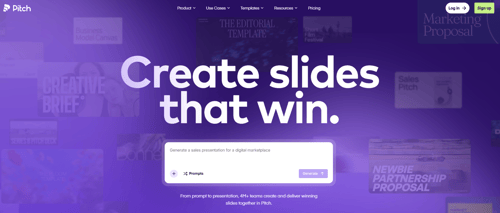
Pitch's homepage uses scroll as a narrative tool, per Eleken. Each section unfolds one idea at a time. It suits a product with a clear story. Add anchors so visitors can jump ahead.
2. Split-Screen Hero
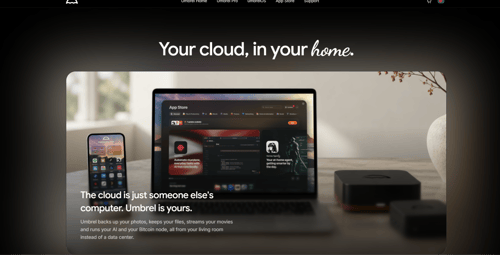
Umbrel's page, per Eleken, pairs an announcement with a direct preview of its file system. Use it to put a message and its proof side by side. On phones, stack the two halves.
3. Card Grid
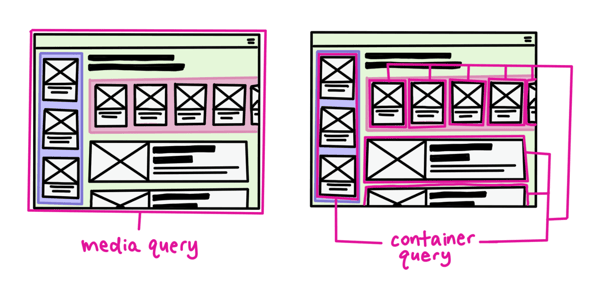
SaveDay shows a Pinterest-like grid for saved bookmarks, per Eleken. A card grid suits items of the same kind. Google's web.dev team reports that size container queries are stable in all modern browsers, so each card can adapt to the space it gets. (Source: "Container queries land in stable browsers")
4. Bento Grid
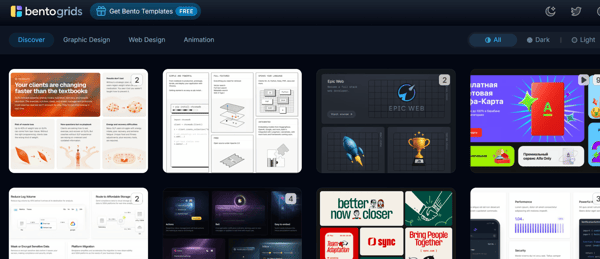
A September 2026 roundup from an Elementor add-on maker calls bento a default pattern and says it works best at six to nine tiles. (Source: "Web Design Trends 2026") That company sells such effects, so read it as one view. My caution: if every tile has equal weight, visitors cannot tell where to start.
5. Broken Grid
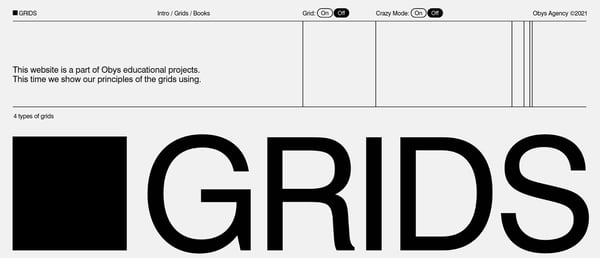
GRIDS, a site from Obys Agency, deliberately breaks its own grid with oversized, overlapping type, according to Eleken. Use the idea for editorial or art-led brands. Keep the reading order logical, because the page must still work at 320 pixels.
6. Sidebar Layout
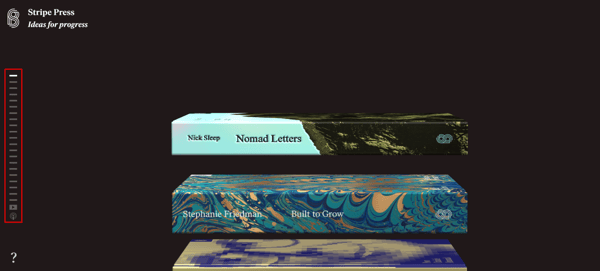
Stripe Press uses a left-aligned, timeline-style menu with progress indicators, per Eleken. A sidebar suits catalogs and long documents. On a phone, fold it into a top menu.
7. Sticky Header With Anchored Sections
This one suits long pages. The W3C's menus tutorial says menus should show the current page, and it lists information about the user's location among its criteria. (Source: "Menus Tutorial") Highlight the current section as visitors scroll, and keep the header slim on phones.
8. Horizontal Scroll Band
Artificilia slides a ceramic gallery sideways, and a click magnifies a piece, per Justinmind. (Source: "30+ interactive website designs you'll want to steal") Use a band like this for a gallery only. WCAG's reflow rule asks that pages avoid two-way scrolling except for content that needs it. (Source: "Understanding SC 1.4.10: Reflow")
9. Full-Bleed Media Hero
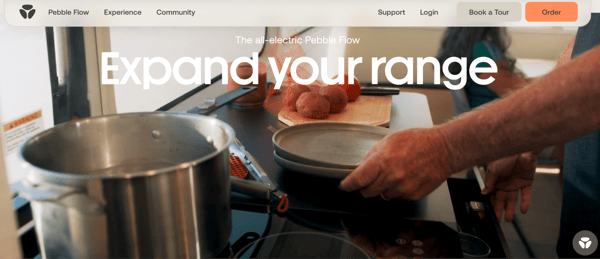
Pebble Life opens with a full-screen trailer video and a "Build" button at the top right, per Eleken. It sets a premium tone. A full-screen video is heavy, so test load time on a phone before you commit.
10. Product-Preview Hero
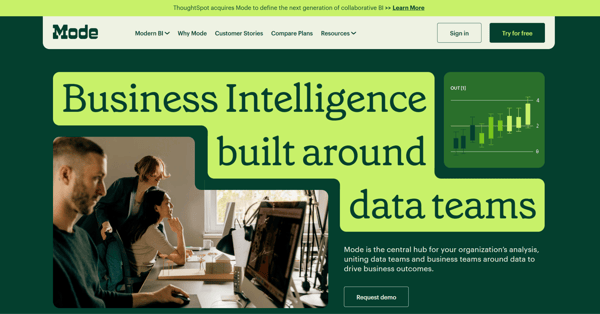
Mode pairs photography, charts and a bright green "Try for free" button, per Eleken. Fluent shows an AI-written summary to prove what its tool does. Use a real or clearly labeled sample view, and keep it to a few numbers.
11. Phantom
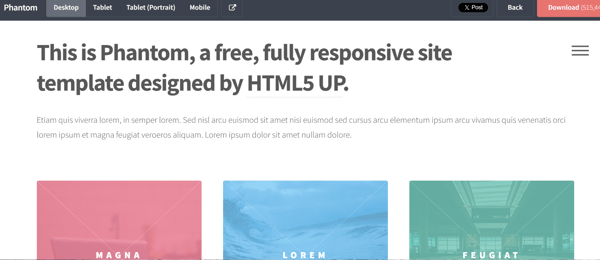
Speckyboy says Phantom's colorful boxes help visitors move between sections. It is a tile layout. It suits a site that needs many entry points. It is free to download.
12. Editorial
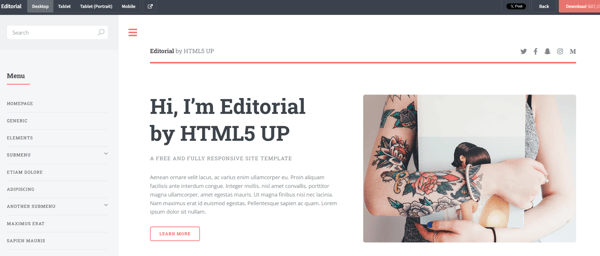
Speckyboy describes Editorial as having menu sidebars and a search function, for sites with many types of content. Pick it when search matters as much as the front page.
13. Massively
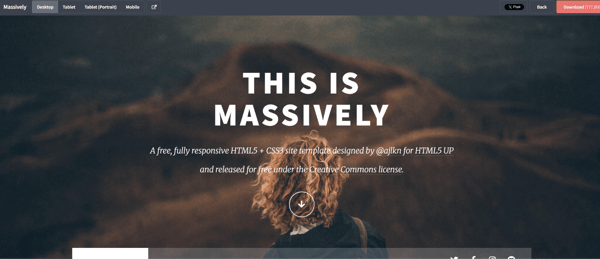
Massively is a lookbook design that combines a portfolio and a blog, per Speckyboy. It fits visual brands that also publish. Check that its image-heavy pages stay fast.
14. OAK
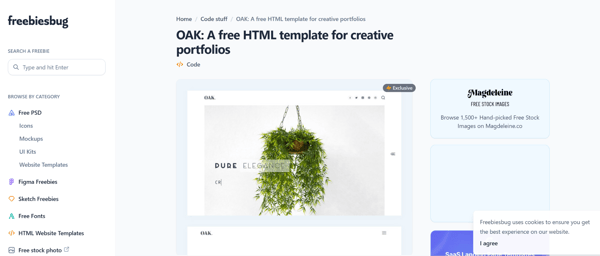
OAK echoes printed magazine layouts, with space for images and subtle text at the sides, according to Speckyboy. It is a good starting point for an editorial look.
15. Dimension
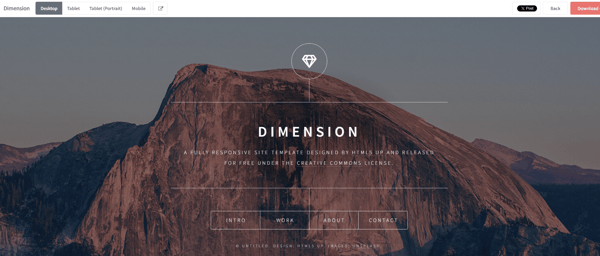
Dimension is a one-page template with elegant buttons and menus that make content easy to navigate, per Speckyboy. Use it for a small site with one message.
16. Ethereal
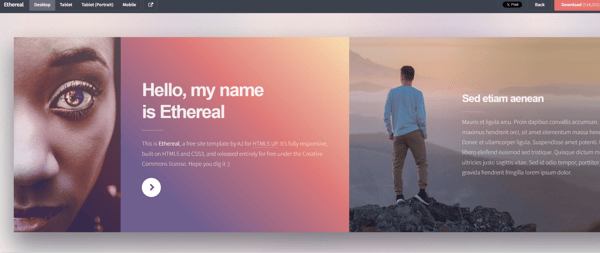
Ethereal is a one-page vertical template with a 3D gradient background, per Speckyboy. It suits a brand with plenty of imagery. Test text contrast over the gradient.
17. Future Imperfect
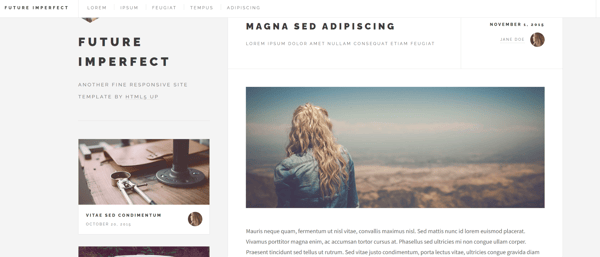
Speckyboy says Future Imperfect presents content in clearly defined sections, with control over text previews and thumbnails. It suits a content-led site with many posts.
18. Medio
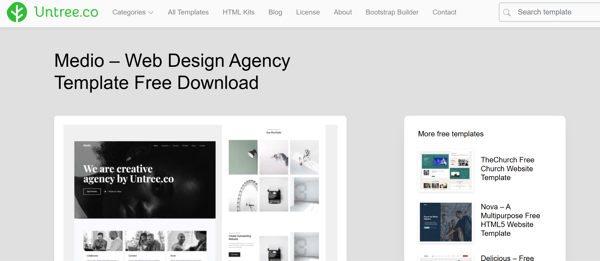
Medio has a minimalist look and includes animations, per Speckyboy. It targets design agencies. Give visitors a way to reduce the motion.
19. Agencia Plus (HubSpot Theme)
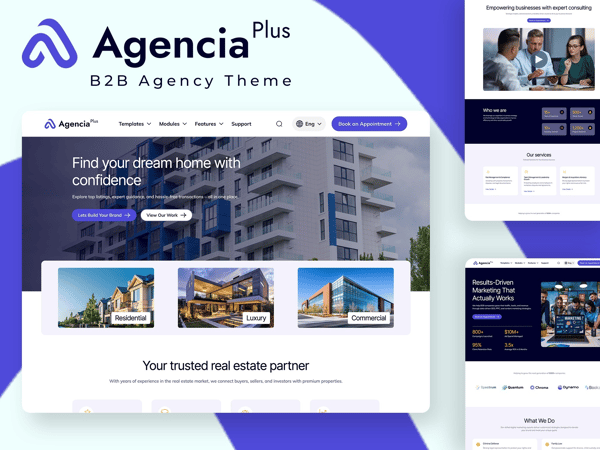
The base Agencia theme from HubXpert targets B2B firms, law firms, service businesses and real estate. Agencia Plus adds exclusive modules, premium templates and advanced customization. Choose it when a service business needs many page types.
20. PureForm Pro (HubSpot Theme)

PureForm Pro is a HubXpert theme for clinics, hospitals and medical centers. Its listing mentions service pages, care team profiles, health articles and online appointments. (Source: "PureForm Pro") Ask your own counsel about privacy before adding appointment forms.
How Do You Build Modern Website Layouts on HubSpot?
Split the layout into layers. HubSpot's developer docs describe themes, templates and modules as layers, and say editors work inside style and layout guardrails. (Source: "HubSpot CMS overview") Put the menu, type and spacing in the theme.
Put each page layout in a template. Put each repeating block, such as a hero, card grid or accordion, in one of our reusable HubSpot modules.
How Do You Test a Layout Before Launch?
These 5 ways will help you test a layout:
-
Narrow the window to 320 pixels and look for sideways scrolling.
-
Zoom to 400% and check that text still reads.
-
Tab through the menu with the keyboard.
-
Read the first screen out loud. Does it say what you offer?
-
Check the first screen on a slow connection.
FAQs
What Is the Difference Between a Template and a Layout Pattern?
A template is a ready-made set of pages and styles. A layout pattern is a repeatable arrangement of content, such as a sidebar or a card grid. One template can use several patterns.
Are Modern Website Layouts Always Minimal?
No. Minimal and modern overlap, but plenty of modern website layouts are dense or experimental. What they share is a clear first screen and a layout that works on a phone.
Is a Bento Grid Right for Every Site?
No. It suits sets of related items. If one message matters most, a single-column story gives visitors a clearer path. That is my view.
Are Free HTML Templates Safe to Use?
Check the license, the date of the last update and the accessibility before you commit. Free templates can go without updates, which becomes a maintenance problem later.
How Many Layout Patterns Should One Page Use?
I found no research-backed number. A working rule is one main pattern per page, plus small supporting ones. Mixed patterns that show the same data twice can confuse visitors.
Do Templates Hurt SEO?
A template does not hurt SEO by itself. Speed, structure and content matter, so test the template's mobile speed and check its headings before you use it.
Can I Use a Template on HubSpot?
Yes. HubSpot themes come with templates and modules, and you can extend them with your own modules. To see module patterns working, open the demos in the HubXpert module showcase.
When Should I Hire a Designer Instead?
Hire one when your layout must differ from your category, includes 3D or heavy interaction, or must meet strict accessibility goals. A designer can also adapt a template instead of replacing it.
Final Thought
Pick one page and name its modern web layout pattern. Check it against the four traits at the top: hierarchy, flexibility, familiarity and weight. Then decide whether one of the modern web design templates can carry it or the layout deserves a custom build.
HubXpert designs and builds modern website layouts on HubSpot with these checks in the process.
Founder & CEO @ Hubxpert. My goal is to make every company using HubSpot succeed in their marketing organisation and automation.

Ratul Rahman
Table of Contents:

Subscribe to our newsletter
Modern Homepage Design for Layouts, Dashboards & Forms
Rework a modern homepage design with intent, covering modern web dashboard design, modern web menu design and the modern web form design choices that convert.
Modern Web Design Templates & Layout Patterns
Compare modern web design templates and layout patterns, see modern website layout ideas you can reuse, and know when a custom layout beats a stock template.

Human Computer Interaction Web Design Principles
Learn how human computer interaction web design decisions shape usability, covering interaction design frameworks, interface patterns and building rich web UI.

Modern Web App Design & UI Patterns That Scale
See how modern web app design differs from a marketing site, covering modern web application design and modern web app UI design for dense data dashboards.

Modern Responsive Web Design Techniques for 2027
Apply modern responsive web design techniques in 2026. Review modern web design best practices and why responsive design still decides your conversions.

Modern Website Design Examples & What Makes Them Work
Browse modern website design examples and modern looking websites, and see exactly what separates a fast, current site from one that already feels dated.
-
Modern Homepage Design for Layouts, Dashboards & Forms
hello
-
Modern Web Design Templates & Layout Patterns
hello
-
Human Computer Interaction Web Design Principles
hello
-
Modern Web App Design & UI Patterns That Scale
hello
-
Modern Responsive Web Design Techniques for 2027
hello
-
Modern Website Design Examples & What Makes Them Work
hello