





-2.png)


-2.png)



.png)


.webp)

.png)










.png)







-1.webp)
-1.webp)



.webp)

-1-1.webp)



-2.webp)

-1-1.webp)

-2-1.png)

-1-1.webp)
-1-1.webp)
-1-1.png)







A repeat client books a spring trip to Portugal through your agency. The deal closes, the trip happens, everyone's happy. Then in October the same client calls wanting Morocco for the holidays. Do you reopen the old deal?
Start a new one and lose the trip history sitting on the original? Six months later the pipeline has forty open deals named things like “Sarah M. – Trip 2 – Deposit Paid,” and nobody on the team can tell, at a glance, which of those forty bookings actually depart in the next thirty days.
That's the real question behind this piece. Not what a custom object is in the abstract, but which structure holds up once a client books more than once, once a trip keeps a life of its own after the sale closes, and once operations needs a view the sales pipeline was never built to give them.
How HubSpot Actually Organizes Your Data
Before comparing the two approaches, it helps to get precise about what each term actually means, since “object” gets used loosely in most conversations about this.
Every HubSpot portal ships with a set of standard objects, Contacts, Companies, Deals, and Tickets among them. A Deal is a record built specifically to represent a sales opportunity: an amount, a close date, a stage, and eventually a win or loss outcome.
A custom object lets you define an entirely new record type of your own (Trip, Booking, whatever fits your process), with its own properties, its own record page, and its own pipeline, separate from Deals. According to HubSpot's own documentation, custom objects are an Enterprise-only capability across every Hub, Marketing, Sales, Service, Content, and Data included. See HubSpot's data model builder guide.
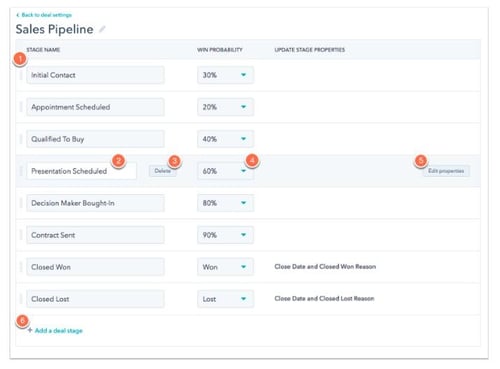
Properties are the fields on a record. Associations are the links between records, a Deal tied to a Contact, or a Trip tied to a Deal. Pipelines are the staged process a record moves through, and pipelines now work on custom objects much the same way they work on Deals, so a Trip record can move through stages like Confirmed, Documents Sent, Traveling, and Completed.
Why a Single Deal Stops Working Once Bookings Repeat
For plenty of travel and booking businesses, Deals alone hold up for years. The trouble tends to start with one of a few shifts, not all at once, so it's worth being honest about which one actually applies before changing anything.
The first is repeat business. A single Deal is meant to close once. Reuse the same Deal for a client's second, third, and fourth trip, and you either overwrite the history sitting in the property fields from the earlier bookings, or you end up with a deal that never really closes because you keep reopening it for the next trip.
The second is a mismatch in timing. A Deal typically closes when the sale is won, often around deposit. But a trip's real lifecycle, document collection, final payment, pre-departure communication, the trip itself, post-trip follow-up, keeps running for weeks or months after that. Cramming that lifecycle into deal stages either forces deals to stay open long after the sale is functionally done, which throws off forecast reporting, or loses visibility into fulfillment the moment the deal closes.
The third is group complexity. A single booking with twelve travelers, each needing their own document status, room assignment, and dietary notes, doesn't fit cleanly into one deal record no matter how many properties get added to it.
This is a real enough problem that people pay to solve it. In a HubSpot community thread on custom object pipelines, one business described signing up for Sales Hub Enterprise specifically to get a pipeline view for what they called “jobs,” trip-like units of work that needed to move through an operational process the same way a deal moves through a sales process. That's the shift this article is really about.
Deals vs. Custom Objects: The Real Difference for Trip Tracking
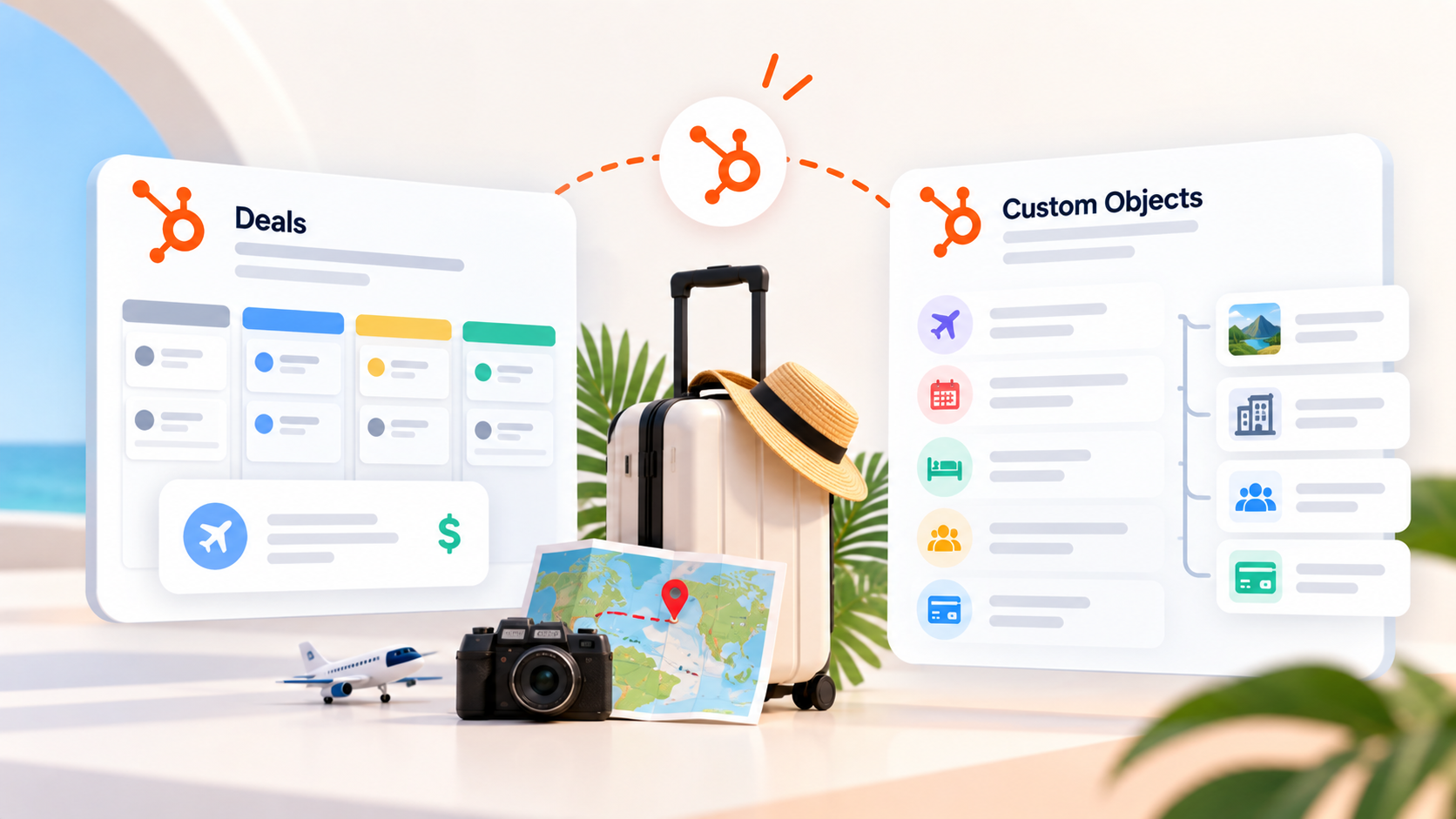
Here's the actual comparison, without the vendor-brochure framing.
What Deals Are Built For
Deals are native to every HubSpot tier, including the free CRM. Line items, pulled from a product library, let you itemize a trip's components right on the deal record, the flight, the hotel, the transfers, a tour add-on, and those line items roll up automatically into the deal amount. See HubSpot's guide to line items on deals.
Deal stages feed HubSpot's built-in forecast and revenue reporting, so if your closed-won number needs to match real booked revenue without extra setup, staying inside Deals keeps that reporting straightforward. And every rep already knows how a deal works, so there's no retraining involved.
What Custom Objects Add
A custom object gives the trip its own record, decoupled from the sales process, so it can keep moving through operational stages, documents sent, final payment, traveling, completed, well after the associated Deal is marked Closed Won. It gives you a home for trip-specific properties, departure date, return date, destination, supplier, group size, document status, without cluttering the deal record with fields a sales rep never needs to look at.
A single Contact or Company can carry multiple Trip records across the life of the relationship, so trip history stays intact and reportable instead of getting buried inside old closed deals. And it makes questions like “how many departures do we have in the next sixty days” answerable directly, instead of requiring an export and a manual filter.
The catch is real: this is Enterprise-only, confirmed directly in HubSpot's own documentation. One detail worth verifying against your own portal before budgeting is whether that entitlement applies account-wide off a single Enterprise hub, or only within the specific hub you upgrade, we've seen it described as account-wide but want to confirm that directly rather than repeat it secondhand.
One more practical note: you can't rename a custom object once you create it, so get the name right the first time, Trip, Booking, or Reservation, whichever matches how your team actually talks about the work.
Where Each One Actually Breaks Down
Deals break down through property sprawl. Try to keep one deal per client across multiple trips and you end up with dozens of properties tracking data from trips that already happened, sitting alongside the fields for the trip that's actually open. Forecast numbers get confusing when deals sit open past the point the sale is functionally finished. And there's no clean way to pull “which trips are we delivering this quarter” without exporting and filtering by hand.
Custom objects break down on cost and ownership, mostly. If the object is the only reason you're paying for Enterprise, it's worth checking current numbers on HubXpert's HubSpot pricing page before committing, since list pricing moves. And once you build it, someone on the team has to own that schema going forward, deciding what properties get added, keeping associations clean. For a two or three person agency running thirty trips a year, that can be more structured than the business needs yet, and Deals with a second pipeline, covered below, may get you most of the same clarity for a fraction of the cost.
|
Deals (Standard) |
Orders (Commerce Hub) |
Custom Object (e.g. Trip) |
|
|---|---|---|---|
|
Tier required |
Any tier, including free CRM |
No Enterprise needed, but requires HubSpot Payments, Stripe, or a synced e-commerce integration |
Enterprise only, on any one Hub |
|
Where trip data lives relative to the sale |
Inside the same record as the sale itself |
Created automatically once payment is collected |
Fully separate record, its own lifecycle after the deal closes |
|
Reporting strength |
Strong for revenue and forecast, weaker for ongoing trip status |
Strong for payment and order history |
Strong for trip-specific status, occupancy, and supplier reporting |
|
Best fit |
Single-purchase agencies, simple booking flow |
Businesses already collecting payment through HubSpot |
Repeat-client or group-heavy operators with real trip volume |
The Native Orders Object: A Middle Ground Worth Checking First
Before reaching for Enterprise, it's worth checking whether a feature you already have covers the gap, because it's easy to miss.
HubSpot's Commerce Hub includes a native Orders object, and a Subscriptions object for recurring billing, both separate from the Enterprise-gated custom objects builder. Orders store confirmed purchases or requests for products and services, and they can sync in automatically from connected e-commerce platforms or get created when a customer pays through HubSpot Payments or a connected Stripe account. See HubSpot's guide to creating and managing orders. For a travel business that already collects deposits and final payments through a HubSpot payment link or checkout, this can cover a real slice of what a custom object would otherwise be built to do, at no extra tier cost.
The limit is real too. If bookings run through a separate travel booking engine, a GDS, a reservation platform, or you invoice manually and collect payment by wire transfer, nothing creates an Order record automatically. In that case, it's back to choosing between Deals and a purpose-built custom object.
Matching the Structure to Your Booking Model
The right answer depends more on the shape of the business than its size. A few patterns cover most of what we see when we scope this kind of project.
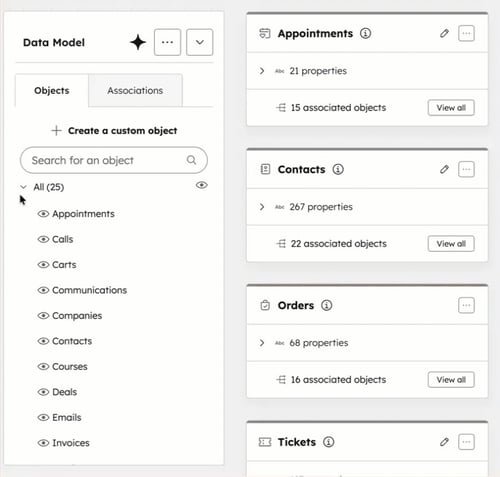
A single-purchase agency, where most clients book once and rarely come back, does fine staying inside Deals. Add line items for the cost breakdown and stop there. There's no real payoff in building more structure than the business uses.
A boutique tour operator with a genuine repeat and referral base, running anywhere from a few dozen to a few hundred departures a year, is where a Trip custom object starts to earn its cost, particularly if the business is already on an Enterprise hub for another reason, more seats, sandboxes, advanced permissions. If Enterprise isn't already on the table, a second pipeline on Deals, covered in the next section, is worth trying first.
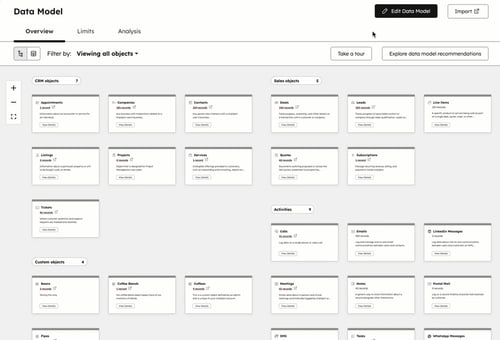
A DMC or corporate travel management company coordinating multi-supplier, multi-traveler group bookings tends to earn back the cost of custom objects fastest, because a single sale is often a dozen travelers, each needing independent status tracking. That naturally suggests two connected objects, a Trip and a Traveler, rather than forcing a dozen people's worth of document status into one deal record.
An online travel agency running high transaction volume, where payment already flows through HubSpot at checkout, should check the Orders object before building anything custom. It may already cover most of the operational tracking without a new tier. For a broader look at how HubSpot fits the rest of a travel business, see HubXpert's HubSpot for travel agencies overview.
Setting This Up Without Wrecking Your Sales Reporting
Whichever path fits, a few decisions made up front save real cleanup later.
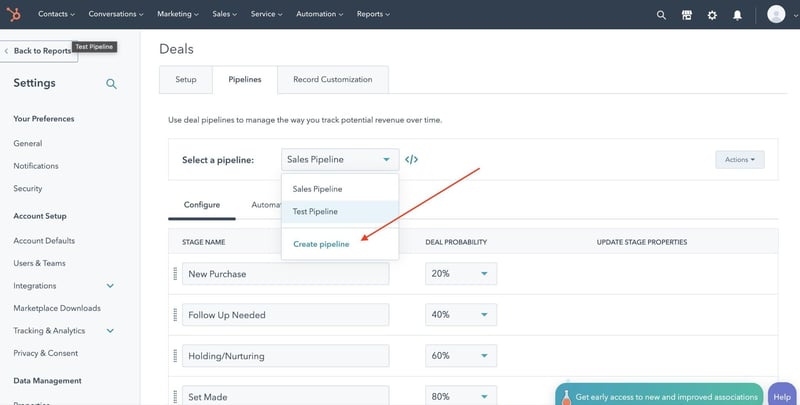
If staying inside Deals with a second pipeline, a Starter subscription is enough to create additional pipelines, this doesn't require Enterprise. Keep revenue and forecast reports scoped to the sales pipeline only. A report that blends sales-stage deals with post-sale fulfillment-stage deals will distort win rate and forecast numbers, and that mistake is easy to make by accident once both pipelines live on the same object.
If building a Trip custom object, decide the association pattern before building: does one Deal always map to exactly one Trip, or can a single sale produce more than one, a multi-city package, for instance. Get this wrong and correcting it later means migrating live trip data, not adjusting a setting.
Use association labels, “primary traveler,” “repeat traveler,” when linking Trip records back to Contacts, since a plain association carries no context about the person's role on that booking.
And whichever path gets used, remember a custom object can't be renamed once it exists in the portal, so settle on Trip, Booking, or Reservation, whatever matches how the team already talks about the work, before building it.
FAQs
Do I need HubSpot Enterprise to track bookings separately from deals?
Not necessarily. True custom objects do require Enterprise, but real separation is possible without it. A second pipeline on Deals works from a Starter subscription up, and the native Orders object is available if payment already runs through HubSpot Payments or Stripe. Enterprise becomes the right call once trip data needs to be fully decoupled from the sales process, with its own properties and its own reporting.
What is the difference between the Orders object and a custom object?
The Orders object is a pre-built record type that ships with Commerce Hub, and it doesn't require Enterprise. It only populates automatically when payment runs through HubSpot Payments, a connected Stripe account, or a synced e-commerce integration. A custom object is one you design and name yourself, available only on Enterprise, and it works for any process, paid or not.
Should each trip be its own deal, or should I keep one deal per client?
In most cases, each trip should be its own deal, or its own Trip record if a custom object is in use. Reusing one deal across several trips over the years tends to bury earlier trip history and distort revenue reporting, since a deal is meant to close once and stay closed.
Can I build a custom object myself, or do I need a developer?
If you're on Enterprise, Super Admins can create and name a custom object directly in Settings under the data model, no code required for the basic setup. Technical help is still worth bringing in for association logic, workflow automation, and reporting once the object exists, but creating the record type itself is a point-and-click task on the right tier.
Will adding a custom object break my existing deal reports?
No, not if the migration is planned properly. Existing closed deals and revenue history stay exactly as they are, since a new object type is being added rather than the old one deleted. The real decision is picking a cutover point, and whether historical trip data should get imported onto the new object with the original deal association preserved.
Final Thought
The honest starting point for most travel and booking businesses is Deals, with line items doing the itemization work people often assume needs a custom object. Add a second pipeline if the post-sale process needs its own stages.
See how far that actually gets the team before paying for Enterprise. A custom object earns its cost once trips have a life of their own after the deal closes, not before. And once it's built, the business is committing to owning that schema for as long as it runs on HubSpot. Check out our latest blog on automating travel business.
Founder & CEO @ Hubxpert. My goal is to make every company using HubSpot succeed in their marketing organisation and automation.

Ratul Rahman
Table of Contents:

Subscribe to our newsletter

3D Web Design Templates & Examples You Can Reuse
Browse 3D web design templates and examples, plus where to find free downloads, and see how 3D web page design lifts a site without slowing the site down.

3D Web Design Tools & Software Compared for 2026
Compare 3D web design tools and web based 3D design software, and see where 3D models and 3D assets for web design fit your existing front-end build pipeline.

HubSpot Onboarding Cost: What the Fee Really Covers
See what HubSpot onboarding cost covers, how onboarding fees get quoted and how to compare implementation quotes line by line before you commit to a partner.

HubSpot Enterprise Onboarding (What Changes by Tier)
See how HubSpot enterprise onboarding differs from Professional and Starter, covering advanced onboarding scope, admin training and what each tier includes.

Best HubSpot CRM Implementation Consulting Agencies for B2B
Compare 6 HubSpot partners for B2B with pros, cons, and pricing. Learn how to judge companies offering HubSpot implementation services and spot red flags.

How to Build a HubSpot Implementation Plan That Holds Up
Follow a HubSpot implementation plan covering scoping, data cleanup and go-live. Includes an implementation checklist and a realistic 60-day timeline.
-
3D Web Design Templates & Examples You Can Reuse
hello
-
3D Web Design Tools & Software Compared for 2026
hello
-
HubSpot Onboarding Cost: What the Fee Really Covers
hello
-
HubSpot Enterprise Onboarding (What Changes by Tier)
hello
-
Best HubSpot CRM Implementation Consulting Agencies for B2B
hello
-
How to Build a HubSpot Implementation Plan That Holds Up
hello