





-2.png)


-2.png)



.png)


.webp)

.png)










.png)







-1.webp)
-1.webp)



.webp)

-1-1.webp)



-2.webp)

-1-1.webp)

-2-1.png)

-1-1.webp)
-1-1.webp)
-1-1.png)







Partners rarely forget to send an invoice. They almost always forget to ask a happy client for a review or a referral. The moment passes, tax season starts, and the ask never happens. Firms that fix this do it with a system, not a reminder on a sticky note.
HubSpot can automate most of this work, but not all of it, and not the way most generic marketing advice describes. Review requests run through a native tool. Referral tracking does not exist natively at all.
And for licensed CPA firms, a few of the tactics that work fine for a landscaping company carry real regulatory exposure. This post covers what to build, what to avoid, and which rule applies to which type of firm.
Why Manual Review & Referral Asks Fall Through the Cracks
The problem is not motivation. Most partners know reviews and referrals drive new business. The problem is timing. The best moment to ask is right after a deliverable lands, a filed return, a closed books month, a resolved notice, and that moment is exactly when the team moves on to the next client.
Without a trigger tied to an actual milestone in the client's record, the ask becomes a quarterly email blast sent to everyone at once, regardless of how the relationship is going. Response rates on blasts like this run low because they ignore context. A client who just had a rough onboarding gets the same request as one who just saved five figures on a return.
A workflow tied to a specific completed milestone fixes the timing problem on its own, before any template or incentive gets involved.
What HubSpot Actually Automates (What It Doesn't)
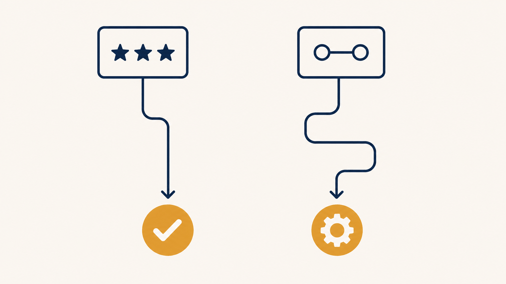
HubSpot's Service Hub includes native customer satisfaction, customer effort, and customer loyalty surveys, plus automatic reminder emails for non-responders, and the resulting rating and sentiment data lands directly on the contact record where workflows can act on it (Source: "Customer feedback | Frequently Asked Questions"). That covers internal feedback collection well. It does not, on its own, push a client to leave a public review on Google.
For that last step, most firms connect a third-party tool. Trustpilot's HubSpot app triggers a review invitation off a closed deal or closed ticket event, and reviews collected this way can feed into Google's Store Ratings program.
Referrals are a different story. HubSpot has no built-in referral program feature. The one HubSpot-certified referral app on the market handles tracking and reward payout, and the do-it-yourself alternative is a custom object plus a unique field per client, which requires Sales Hub, Service Hub, or Data Hub Enterprise (Source: Create custom object records).
Both approaches only pay off once is already settled for your firm. Either way, referrals take real setup work that review requests do not.
Setting Up the Review Request Workflow
Let me show you the workflow setup and how it works:
Choosing Your Trigger
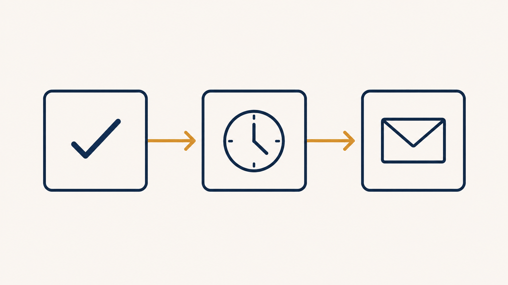
The cleanest trigger is a deal stage change to closed won for a completed engagement, or a service ticket status change to closed for ongoing bookkeeping work, the same milestone data that matters when deciding in the first place. Firms running project-based work through a custom object can trigger off a custom "engagement complete" property instead, set manually by the staff member who finishes the job.
Building The Workflow With a Delay & One Reminder
Add a short delay, one to three business days, before the first request goes out. Sending it the same hour a return is filed reads as automated and impersonal. Include a single reminder five to seven days later for non-responders, then stop.
HubSpot's own NPS reminder logic follows this same one-reminder pattern for a reason: a second or third nudge measurably hurts sentiment instead of raising response rates.
Connecting To Google Business Profile or Trustpilot
Link directly to your Google Business Profile review link inside the email, or route through Trustpilot if you want the invitation, response tracking, and reminder logic handled by the app instead of a custom workflow build. Either path lands the ask in the client's inbox at the right moment.
What You Cannot Do: Review Gating & Incentives

This is the part most automation guides skip, and it is not optional context. The FTC's Trade Regulation Rule on the Use of Consumer Reviews and Testimonials, effective since October 2024, prohibits businesses from steering only satisfied customers toward public review sites while diverting unhappy ones to a private form.
And separately prohibits paying or otherwise compensating anyone for a positive review, with civil penalties reaching tens of thousands of dollars per knowing violation (Source: "FTC Announces Final Rule Banning Fake Reviews and Testimonials").
Google's own review partner requirements independently ban any financial incentive tied to leaving a review, including gift cards, discounts, or account credit (Source: "Store Rating Partner Requirements").
Practically, this means your workflow should send the same request to every client who completes an engagement, satisfied or not, and it should never offer a reward for a five-star rating specifically.
A generic "we'd appreciate your feedback" ask, sent consistently, is the legally sound version of this automation and it is also the version that produces more credible, higher-volume review profiles over time.
Building a Referral Request System Without a Native Tool
Custom Object Or Third-Party App
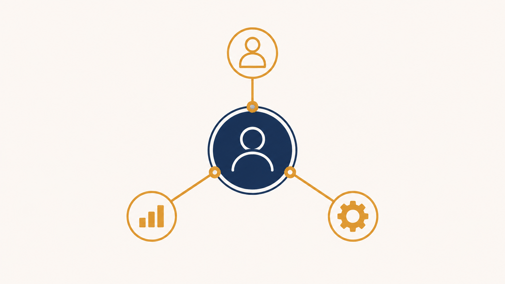
A dedicated referral app handles unique link generation, attribution, and reward payout without development work, which matters if your firm wants to launch quickly.
Building it yourself inside HubSpot with a custom object gives more control over how referral data ties to your existing deal and company records, at the cost of setup time and an Enterprise-tier requirement.
Timing The Ask To Real Moments, Not A Calendar
Only about 35 percent of satisfied clients refer a business without being asked directly, even though roughly 8 in 10 say they would be willing to if asked, and B2B referrals convert at roughly twice the rate of website or social leads. The gap between willingness and action is a timing problem, not a persuasion problem.
Trigger the referral ask off the same milestone as the review request, a completed engagement or a closed ticket, but keep the two emails separate and spaced a few days apart. Asking for both in the same message dilutes each ask.
Referral Compensation Rules for CPA Firms
If your firm has a CPA on staff and performs attest work, referral compensation is restricted, not just a best-practice question. Several state boards, mirroring AICPA guidance, prohibit accepting any referral fee for attest clients entirely.
And require any referral fee paid or accepted for non-attest clients to be disclosed in writing, in advance, stating the amount or basis for the fee (Source: "Commissions, performance fees and referral fees"). Testimonial content used in marketing must also be based on verifiable facts rather than general praise.
This does not mean CPA firms cannot run a referral program. It means a cash-per-referral structure needs a written disclosure step built into the workflow itself, not bolted on after a client complains, and the program needs to explicitly exclude anyone currently receiving attest services.
Bookkeeping-only firms without a CPA license and without attest engagements are not bound by AICPA rules or state board advertising restrictions. The FTC and Google rules above still apply to every firm regardless of license.
Sample Workflow Timeline
|
Trigger |
Delay |
Channel |
Follow-up |
|
Deal closed won or ticket closed |
1-3 business days |
Email, review link |
One reminder at day 5-7, then stop |
|
Same trigger, separate workflow |
5-7 days after review ask |
Email, referral link or form |
One reminder at day 12-14, then stop |
|
NPS survey response (Promoter) |
Immediately on response |
Internal task to partner for personal referral ask |
None, this is a manual follow-up cue |
FAQs
How soon after tax season should we send review requests?
Trigger off the individual return's completion, not a single firm-wide date after the season ends. A client whose return closed in February should not wait until May for the ask.
Can our firm offer a discount for referrals?
Yes, but the discount must go to the referring client for bringing in a new client, not in exchange for a review, and CPA firms must disclose any referral fee in writing before the client accepts.
Do these rules vary significantly by state?
Yes. Several states adopt AICPA language directly, others add stricter written-disclosure requirements. Confirm your specific state board's advertising and referral fee rules before finalizing wording.
What happens if an automated request reaches an unhappy client?
That is expected and acceptable under FTC rules, since gating them out is what's prohibited. Route the internal NPS or CSAT response to a service alert so a partner can follow up privately, separate from the public review ask.
Does any of this apply if we're a bookkeeping firm with no CPA on staff?
The AICPA and state board sections do not apply to you. The FTC's ban on incentivized and gated reviews, and Google's own review incentive policy, apply to every business regardless of license.
Senior RevOps Strategist at Hubxpert

Fazle Rabbi
Table of Contents:

Subscribe to our newsletter

Modern Web App Design & UI Patterns That Scale
See how modern web app design differs from a marketing site, covering modern web application design and modern web app UI design for dense data dashboards.

Modern Responsive Web Design Techniques for 2027
Apply modern responsive web design techniques in 2026. Review modern web design best practices and why responsive design still decides your conversions.

Modern Website Design Examples & What Makes Them Work
Browse modern website design examples and modern looking websites, and see exactly what separates a fast, current site from one that already feels dated.

Interactive Web Design Templates & Examples to Study
See interactive web design templates and the best interactive web design inspiration, then compare interactive web page design examples before you build.

Interactive Elements in Web Design & Where to Stop
Add interactive elements in web design that earn their place, covering micro interactions, interactive maps, interactive timelines and knowing when to stop.

3D Web Design Templates & Examples You Can Reuse
Browse 3D web design templates and examples, plus where to find free downloads, and see how 3D web page design lifts a site without slowing the site down.
-
Modern Web App Design & UI Patterns That Scale
hello
-
Modern Responsive Web Design Techniques for 2027
hello
-
Modern Website Design Examples & What Makes Them Work
hello
-
Interactive Web Design Templates & Examples to Study
hello
-
Interactive Elements in Web Design & Where to Stop
hello
-
3D Web Design Templates & Examples You Can Reuse
hello