





-2.png)


-2.png)



.png)


.webp)

.png)










.png)







-1.webp)
-1.webp)



.webp)

-1-1.webp)



-2.webp)

-1-1.webp)

-2-1.png)

-1-1.webp)
-1-1.webp)
-1-1.png)






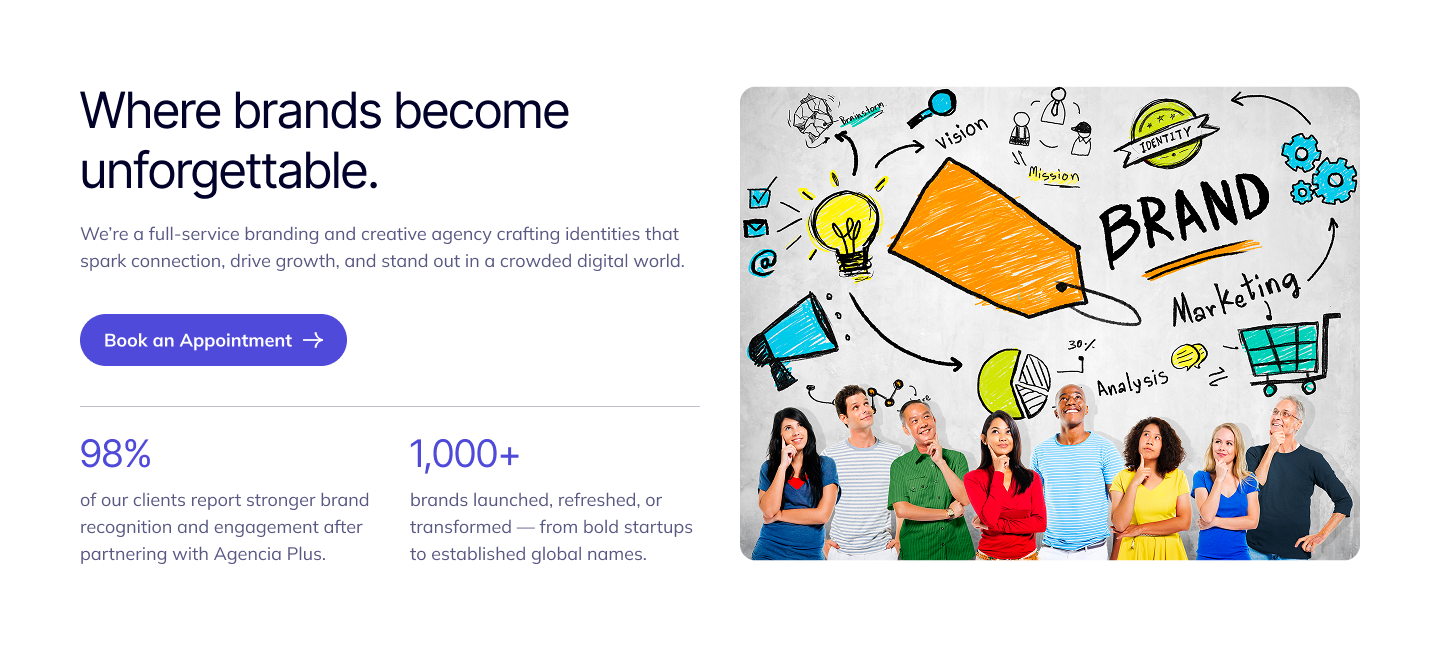
This template is designed to help visitors easily book time with your team. It includes a clean, professional layout featuring meeting details, team introductions, and a built-in scheduling form. Use this page to streamline appointment bookings, improve client communication, and convert interested visitors into meaningful connections.
1
Setup
After downloading our theme. In your hubspot account set Agencia Plus as your active theme. You can clone the theme as a child theme. So that you can customize the themes and modules.
2
Theme Customization
Go to your account settings > Content > Themes & Modules > Themes.
You will get Agencia Plus here and also a button available to edit the theme.
Here you will get the Global theme settings. Like Brand colors, Background colors, Typography, Spacing, Forms and Others.
Brand colors
In Brand colors there is two colors option for primary and secondary color
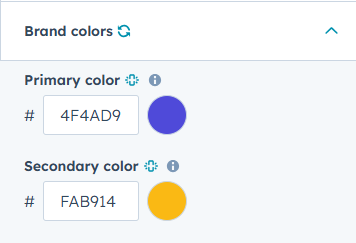
Initially we used #4F4AD9 for primary colors and #FAB914 for secondary colors.
Background colors
We use six different colors for different background colors.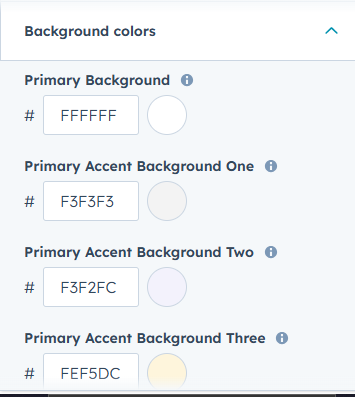
Color codes that we used initially are:
Primary Background ( #FFFFFF)
Primary Accent Background One ( #F3F3F3)
Primary Accent Background Two( #F3F2FC)
Primary Accent Background Three( #FEF5DC)
Secondary Background ( #01012A)
Secondary Accent Background ( #585883)
Typography
Agencia gives you full control of your theme typography. Text colors, Primary Font, Secondary Font, Body, Button and Others.
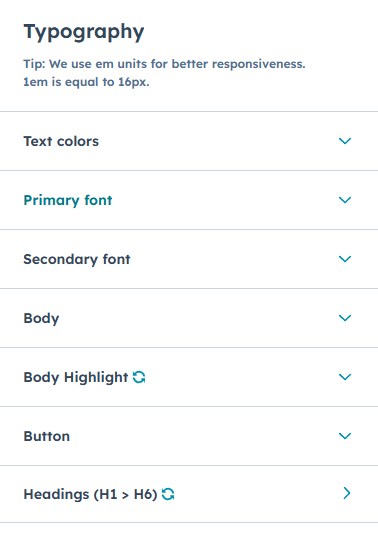
Text Colors :
In text colors you will get three text color options.
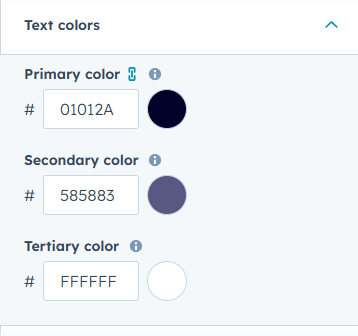
Colors we used :
- Primary Color (#01012A)
- Secondary Color (#585883)
- Tertiary Color (#FFFFFF)
Primary Font :
Here you can control your theme primary font. We used Inter tight as the primary font. Mainly this primary font used is mainly in Title & Header of this theme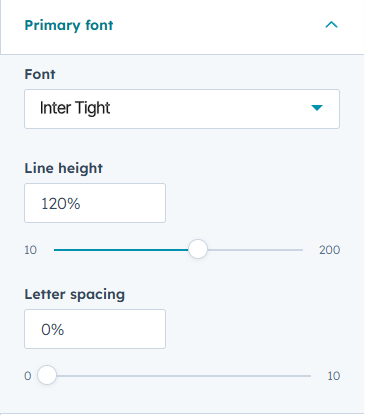
Secondary Font :
You can customize your theme's secondary font from here. We used Mulish as our secondary font. This font is mainly used in this theme body text like paragraphs, articles and others.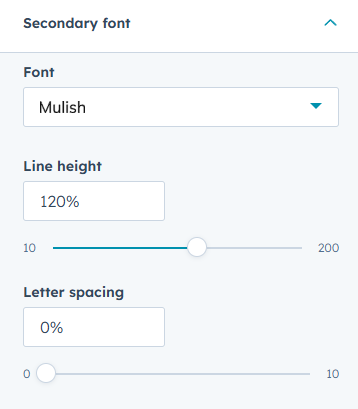
Body :
We used our secondary font as the body text of the theme. You can also control the body text size from this option.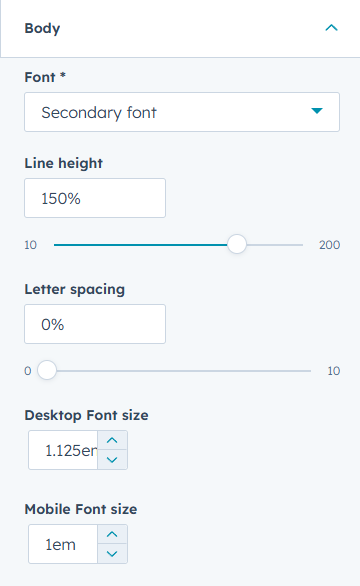
Body Highlight :
This is mainly the highlighted text of the body. In this control. You can adjust the font, font size and others. 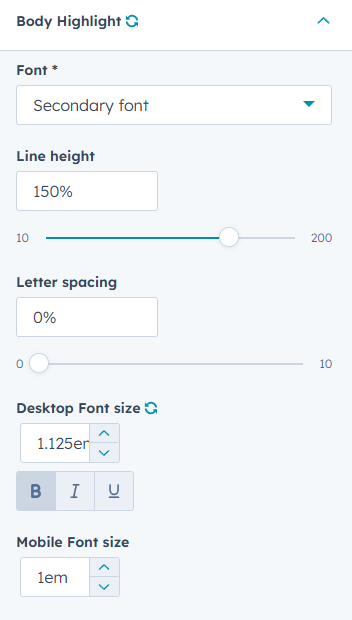
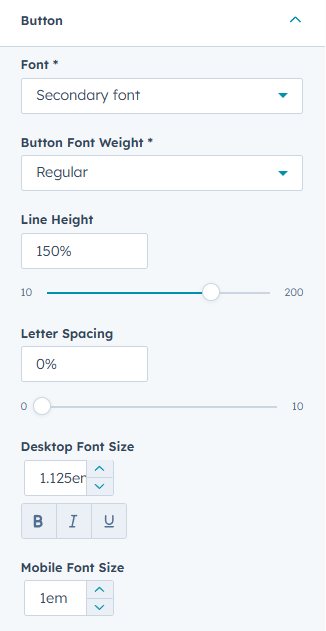
Button :
Here you will get the same customization as the previous one.
Heading :
You can control the header of your theme. You can have a Desktop and Mobile version both.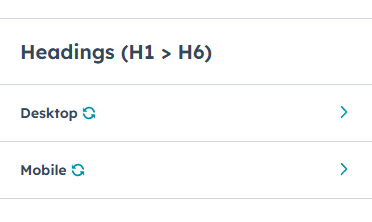
Control each in detail H1, H2, H3, H4, H5, H6 all of them. Font, Font Size and others.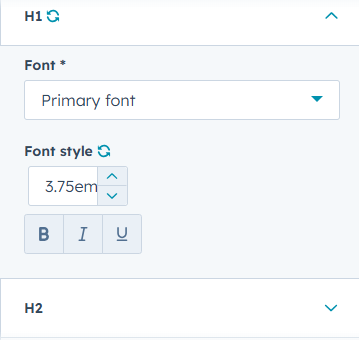
Bordered Text :
Border text as text like tags / badge . like this

You can control this text in your theme. Padding, Corner Radius and others.
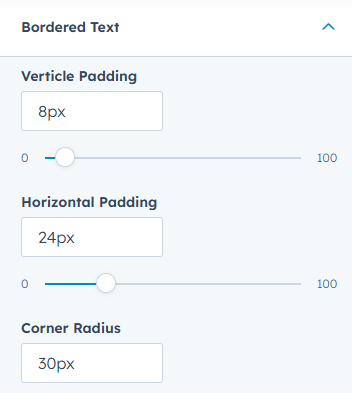
You can control this text in your theme. Padding, Corner Radius and others.
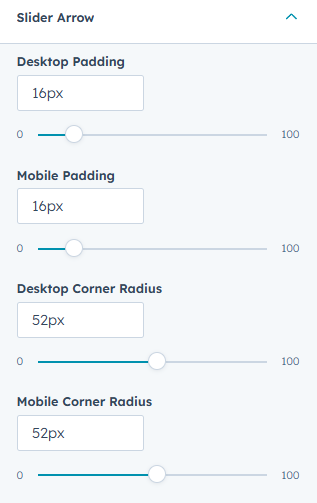
Slider Arrow
In this theme there are multiple sliders. You can control those button settings globally. So change in one place will impact the theme.
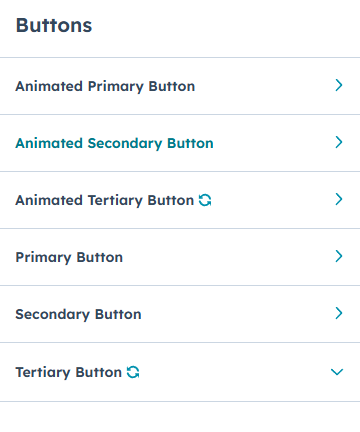
Buttons
Agencia Plus has 6 different buttons. Three are animated buttons and others are regular buttons. You can customize each button in detail like Colors, Padding, Corner Radius, Hover effect and others.
General View
In general view you can adjust the border and corner radius of your theme. 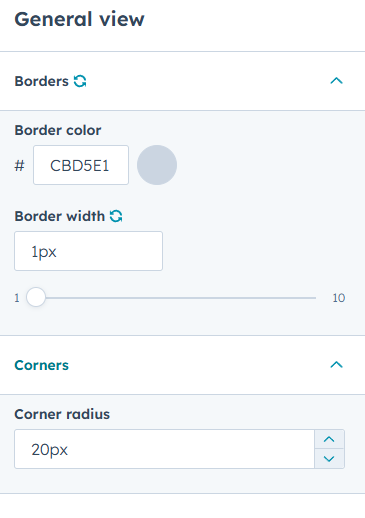
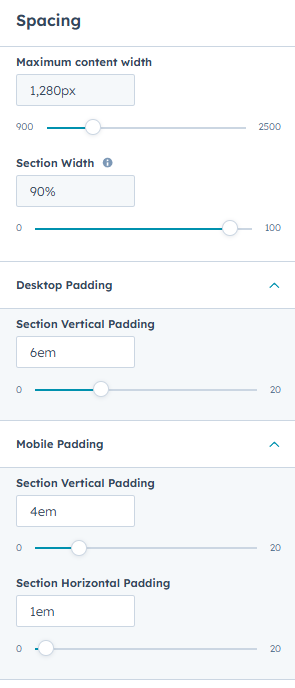
Spacing
Adjust all spacing and content width from the center of the theme. Adjust your desktop padding and also mobile padding.
Forms
Agencia plus gives you forms design control in a center place. Control your forms background, Fields and others. Also you can customize each in detail.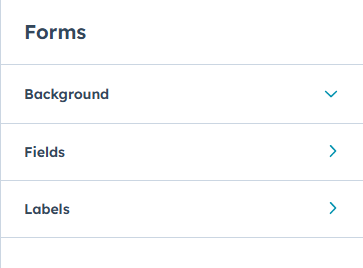
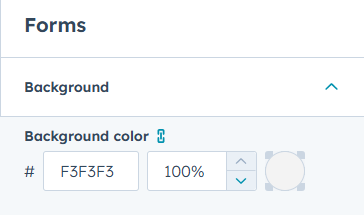
Background color :
You can adjust the background color of your theme forms here. Initially we used #F3F3F3 this color for forms background color
Fields :
You can adjust the fields of your forms in Agencia Plus. Adjust your forms fields Font, Background and others.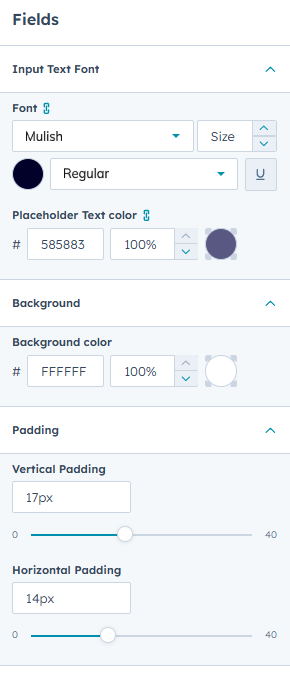
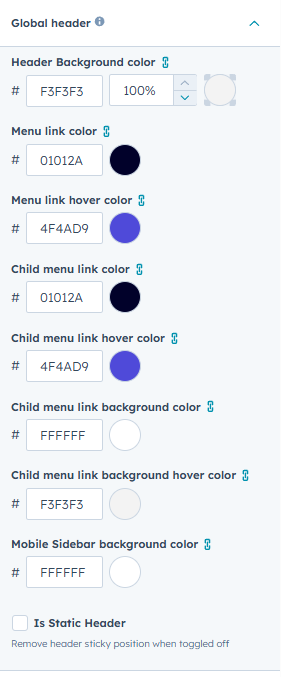
Global Header:
You can custom your global header in just a minute. Adjust Background color, Menu Link, Menu Link Hover, Child Menu link and hover. Also there is another mobile menu background color.
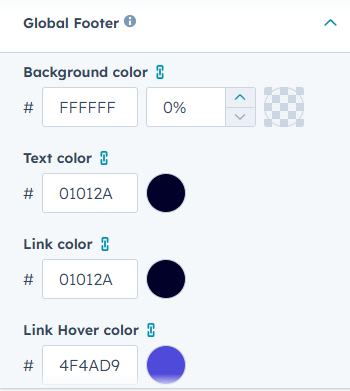
Global Footer:
Also you can custom your global footer in just a minute. Adjust Background color, Text color, Link color and others.
3
Templates
Agencia Plus has various 21 ready to use templates. Create your site page / landing page with just one click. And also update the controls and styles whenever you want.
Here is the all templates details:
Start from Scratch :
This template is a truly blank canvas, featuring only your global header and footer. Use the drag-and-drop builder to craft a fully custom site page or landing page by dropping in any module you choose. This is the ultimate starting point for unique designs.
Detached landing page :
Create a distraction-free, high-conversion landing page with this template. It is designed without the global header and footer, completely isolating it from the rest of your site pages. Ideal for dedicated campaigns where you want to eliminate navigation and focus the visitor's attention.
Branding Agency Home Page :
A modern, visually-driven home page tailored specifically for branding and creative agencies. It features interactive and engaging modules designed to showcase your portfolio, highlight your creative process, and make a memorable first impression on visitors.
Web Development Agency:
This home page is perfect for tech companies, web development firms, and SaaS businesses. The design incorporates relevant modules and sections that emphasize technical expertise, case studies, client results, and a clean, high-tech aesthetic that aligns with a professional tech brand.
Digital Marketing Agency:
A high-impact home page dedicated to digital marketing, SEO, and advertising agencies. It includes attractive sections focused on driving leads, showcasing key services, and using compelling calls-to-action to convert visitors.
Law Firm:
A professional and authoritative home page built to instill trust and confidence in prospective clients. This template uses a clean, conservative design and structured content areas perfect for highlighting legal practice areas & attorney bios. It is designed to meet the high standards of the legal industry.
Consulting Firm:
This template is an elegant and expert-focused home page for management, financial, or strategic consulting services. It is structured to articulate your firm's value proposition, showcase thought leadership through resources and insights, detail specialized service offerings, and establish your team's deep industry expertise.
Real State:
A highly-functional page designed for real estate agencies and agents. The layout is optimized to capture leads and encourage property exploration.
Services:
A clean, comprehensive template dedicated to clearly outlining and detailing all your company's service offerings. Use structured, easy-to-read sections to categorize services, explain deliverables, and present tiered pricing options, making it simple for customers to understand your full value.
Case Study Details:
A dedicated template for providing an in-depth, narrative breakdown of a successful project or client outcome. It features structured sections for problem, solution, results helping you demonstrate expertise and build credibility.
About:
This template provides the perfect structure to tell your company's story and connect with visitors on a deeper level. It includes dedicated sections for your mission, vision, history, and values. Use this page to humanize your brand and establish credibility with a global audience.
Schedule meeting:
Our Team:
Showcase the talent and expertise behind your brand. This template offers an attractive layout for professional team member profiles, including high-quality photos, job titles, bios, and social links. Building trust starts by introducing the people who make your business great.
Book a Meeting:
Designed for conversion, this page provides a focused environment for scheduling time with your team. It integrates with HubSpot Meetings and offers a clear call-to-action to move prospects directly into a meeting booking funnel.
Careers:
Attract top talent with a professional and engaging careers page. This template is structured to present your company culture, list open job positions, and clearly outline the application process. It helps prospective employees see why they should join your team.
Contact us:
This template makes it simple for visitors to reach out to your team. It features a user-friendly contact form, location details, and multiple ways to get in touch—such as phone, email, or social links. Use this page to encourage inquiries, build trust, and make communication effortless for your audience.
Events:
A template page for promoting and detailing your company's upcoming and past events, webinars, or conferences. It informed your audience about your activities.
Portfolio :
This template is perfect for showcasing your work and highlighting your expertise. It features a clean, visually engaging layout with sections for project images, descriptions, and client testimonials. Use this page to demonstrate your capabilities, build credibility, and inspire confidence in potential clients through your past successes.
Pricing :
Clearly and transparently present your services or products with this structured pricing template. It uses clean comparison tables, feature breakdowns, and clear subscription options. This design is focused on helping users quickly choose the right package for them.
FAQ :
Improve customer support and reduce inquiry volume with a comprehensive Frequently Asked Questions page. This template uses collapsible, categorized sections to organize common questions and provide instant answers, improving user satisfaction and saving your team time.
Thank You :
This page appears after a form submission (e.g., download, contact, or purchase) and is used to confirm the action was successful. It provides next steps, delivery details, or a strong secondary call-to-action to keep the visitor engaged.
4
Modules
Agencia Plus equips you with a robust library of more than 40+ interactive, reusable modules. These are the building blocks you need to create diverse pages across any category—from high-conversion landing pages to detailed service pages. This extensive collection allows you to assemble unique designs quickly, reducing development time and maximizing your creative flexibility.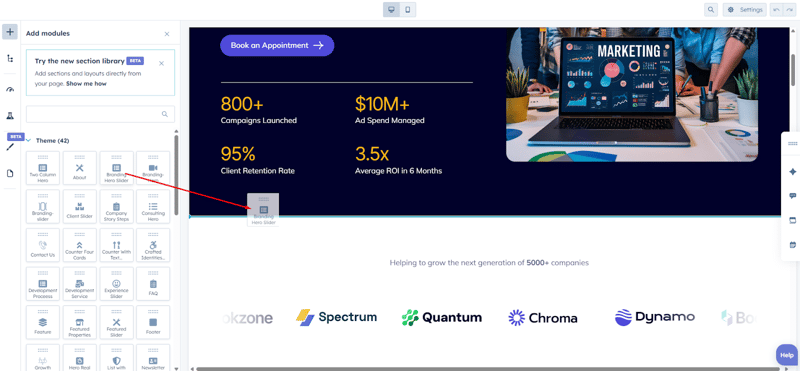
5
Sections
Agencia Plus provides over 10+ ready-to-use sections—pre-designed content blocks like "Hero Areas," "FAQ," or "Featured Slider" These high-quality sections are built for maximum impact. Simply select the section you need and drop it anywhere on your page, dramatically accelerating your page design and layout process.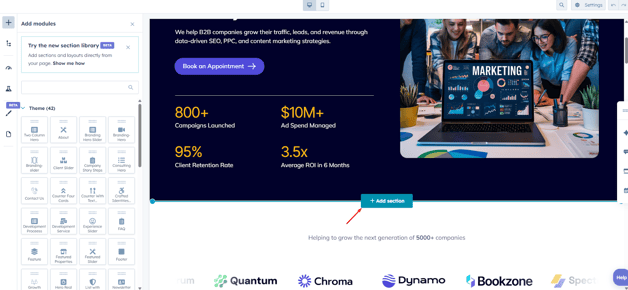
6
System Templates
Agencia Plus ensures a cohesive brand experience across all critical HubSpot system pages. We provide pre-designed templates for:
- Error Pages (404 and 500)
- Email Subscription Management (Preferences, Unsubscribe, and Confirmation)
- Membership Functionality (Login and Registration)
- Search Result (with loader)
These templates allow you to apply your theme's branding and styling to every corner of your HubSpot portal, instilling trust and maintaining consistency even during technical or administrative steps.
How to use our system templates:
Integrating the custom system templates from Agencia Plus is a simple process within your HubSpot settings. Follow these steps to ensure brand consistency across all of your essential system pages:
Navigate to Settings:
In your HubSpot account, click the Settings icon (⚙️) in the top navigation bar.
Find System Pages:
In the left sidebar menu, navigate to Content > Pages.
Go to the System Pages Tab:
At the top of the main content area, select the System Pages tab.
Set Your Templates:
Use the dropdown menu next to each system page type (e.g., 404 Error Page, Subscription Preferences Page, Membership Login Page) and select the corresponding template from the Agencia Plus theme.
Save Changes:
Click the Save button at the bottom of the page to apply your new branded system templates.
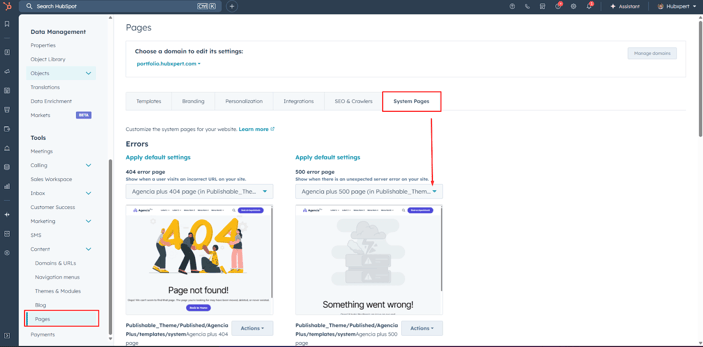
If you need to use membership templates also you will find to update this in private content page settings.
If you need to use membership templates also you will find to update this in private content page settings.
7
Support
For any assistance, kindly contact us at hello@hubxpert.com. Our dedicated team is waiting to provide professional and fast support, ensuring your needs are addressed with the best care and expertise.
About US
As a distinguished HubSpot Platinum Partner Agency, HubXpert excels in CRM design, workflow optimization, comprehensive reports, and the development of effective websites, landing pages, and templates. Our commitment to delivering premium solutions and support has earned accolades from satisfied clients. Discover the breadth of our HubSpot services at hello@hubxpert.com and connect with us for a professional consultation at your convenience.
As a Hubspot Automation Developer at Hubxpert, I specialize in API integration, seamlessly connecting HubSpot with third-party applications. My role encompasses understanding client needs, crafting custom code solutions, and ensuring the smooth operation of our automation workflows. I actively address any HubSpot integration challenges and stay updated with the platform's latest advancements. My dedication ensures clients harness the full potential of HubSpot.

Tanzinul Kabir
Table of Contents:

Subscribe to our newsletter
Easy to use janitorial software to simplify and grow your commercial cleaning business with confidence.
By subscribing you agree to with our privacy policy and provide consent to receive updates from our company.
Related
Blogs

3D Web Design Templates & Examples You Can Reuse
Browse 3D web design templates and examples, plus where to find free downloads, and see how 3D web page design lifts a site without slowing the site down.

3D Web Design Tools and Software Compared for 2026
Compare 3D web design tools and web based 3D design software, and see where 3D models and 3D assets for web design fit your existing front-end build pipeline.

HubSpot Onboarding Cost: What the Fee Really Covers
See what HubSpot onboarding cost covers, how onboarding fees get quoted and how to compare implementation quotes line by line before you commit to a partner.

HubSpot Enterprise Onboarding (What Changes by Tier)
See how HubSpot enterprise onboarding differs from Professional and Starter, covering advanced onboarding scope, admin training and what each tier includes.

Best HubSpot CRM Implementation Consulting Agencies for B2B
Compare 6 HubSpot partners for B2B with pros, cons, and pricing. Learn how to judge companies offering HubSpot implementation services and spot red flags.

How to Build a HubSpot Implementation Plan That Holds Up
Follow a HubSpot implementation plan covering scoping, data cleanup and go-live. Includes an implementation checklist and a realistic 60-day timeline.
Related
Blogs
-
3D Web Design Templates & Examples You Can Reuse
hello
-
3D Web Design Tools and Software Compared for 2026
hello
-
HubSpot Onboarding Cost: What the Fee Really Covers
hello
-
HubSpot Enterprise Onboarding (What Changes by Tier)
hello
-
Best HubSpot CRM Implementation Consulting Agencies for B2B
hello
-
How to Build a HubSpot Implementation Plan That Holds Up
hello