-2.png)


-2.png)



.png)


.webp)

.png)


.png)















-1.webp)
-1.webp)



.webp)

-1-1.webp)



-2.webp)

-1-1.webp)

-2-1.png)

-1-1.webp)
-1-1.webp)
-1-1.png)






Pureform
- Documentation
PureForm is a premium, modern theme meticulously crafted for cosmetic surgeons, med spas, and dermatology clinics. Designed to elevate your brand and convert visitors into confident patients, it provides a high-end digital storefront that showcases your expertise and drives bookings.

1. Setup
Once your HubSpot account is set up, you can acquire Fitmax theme through HubSpot’s marketplace. This will automatically install the theme in the HubSpot instance or portal you are logged into.
After downloading our theme. In your hubspot account set Fitmax as your active theme. You can clone the theme as a child theme so that you can customize the themes and modules.
2. Theme Customization
Theme Settings allow you to apply widespread design changes to your entire website from one central place.
How to Access Global Theme Settings
To get started with customizing Fitmax, follow these steps:
- In your HubSpot account, click the Settings icon (gear) in the main navigation bar.
- In the left sidebar menu, navigate to Content > Themes & Modules > Themes.
- Hover over the Fitmax theme and click Edit theme.
- You will now see the Global Theme Settings panel on the left side of your screen.
Understanding the Theme Settings
The Fitmax theme settings are broken down into seven main groups to make customizing your site a breeze:
- Brand Colors: Set the primary and secondary colors that define your brand identity. These selections will act as the default palette across your site.
- Background Colors: Establish the default background colors used for various sections and page wrappers to ensure a cohesive look.
- Typography: Complete control over your text. Here you can set specific font overrides for headings and body copy, including font families, colors, responsive sizes, and line heights.
- Buttons: Complete settings for your calls-to-action. Customize your button colors, fonts, border radiuses, and hover-state styling.
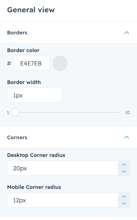
- General view: Key surface settings and default visual behaviors that dictate the overall layout and structural appearance of your website.
- Spacing: Global controls for the default margins and padding used across your website's sections and containers to maintain consistent breathing room.
- Forms: Global color and styling settings for all form inputs, labels, and submit buttons.
3. Typography
Pureform gives you full control of your theme typography. Primary Font, Secondary Font, Text colors, Body, Button and Others.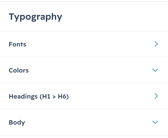
3.1. Fonts
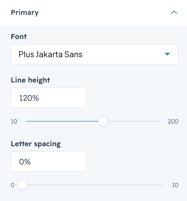
Primary Font :
Here you can control your theme's primary font. We used Plus Jakarta Sans as the primary font. Mainly, this primary font is used in Title & Header of this theme
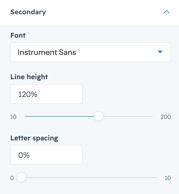
Secondary Font :
You can customize your theme's secondary font from here. We used Instrumental Sans as our secondary font. This font is mainly used in this theme body text like paragraphs, articles and others.
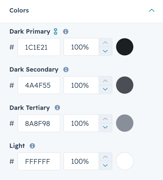
3.2. Colors
In Colors you will get four text color options.
3.3. Headings
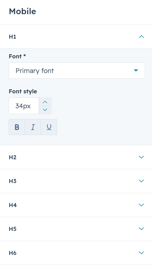
In the Headings you can set different options for the heading types.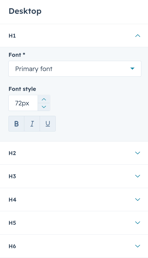
3.4. Body
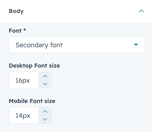
We used our secondary font as the body text of the theme. You can also control the body text size from this option.
.
4. Buttons
Purefotm features two core button styles that support extensive customization.By utilizing the built-in style controls, you can adjust typography, background gradients, and corner rounding to achieve a bespoke design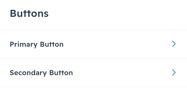
Each button has the following controls: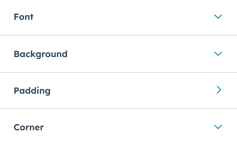
You can customize each button in detail like Colors, Padding, Corner Radius, Hover effect and others.
5. General View
In general view you can adjust the border and corner radius of your theme.
6. Spacing
Adjust all spacing and content width from the center of the theme. Adjust your desktop padding and also mobile padding.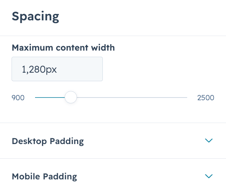
7. Forms
PureformPro gives you forms design control in a center place. Control your forms background, Fields and others. Also you can customize each in detail.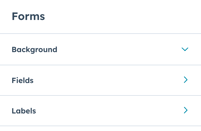
7.1. Background color :
You can adjust the background color of your theme forms here. Initially we used #FFF5F9 this color for forms background color.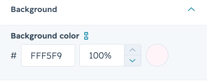
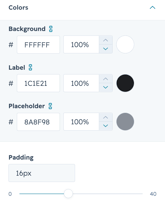
7.2. Fields :
You can adjust the fields of your forms in Pureform Pro. Adjust your forms fields Font, Background and others.
.
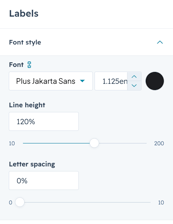
7.3. Labels :
You can specifically customize the labels of the form.
.