-2.png)


-2.png)



.png)


.webp)

.png)










.png)







-1.webp)
-1.webp)



.webp)

-1-1.webp)



-2.webp)

-1-1.webp)

-2-1.png)

-1-1.webp)
-1-1.webp)
-1-1.png)






FAQ
Grid Accordion
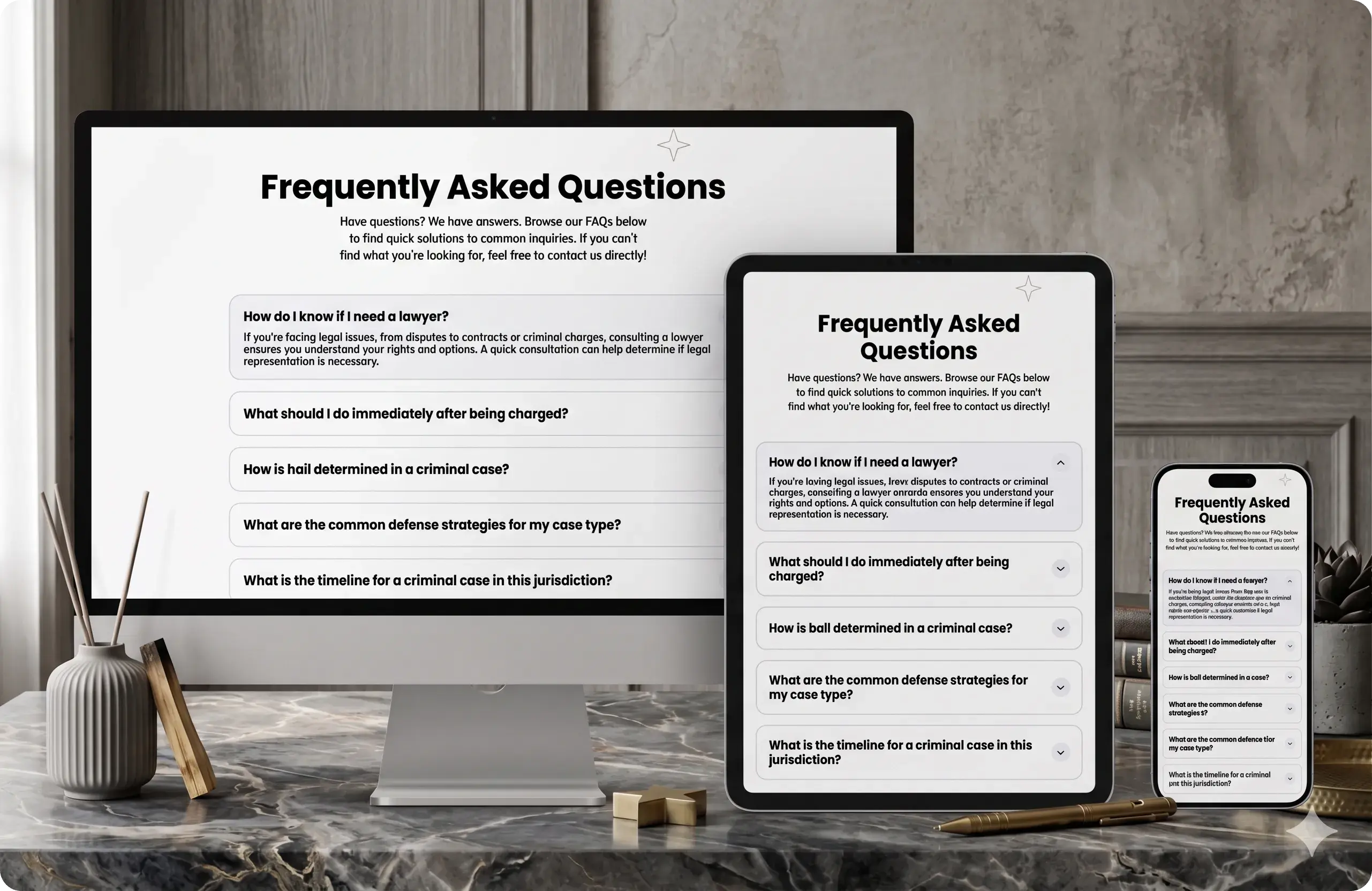
FAQ Grid Accordion: A Simple, elegant, Customizable, and User-Friendly Module
Installation Guide
If you don't already know, HubXpert has a lot of published and developing modules in the marketplace. One of them is the "FAQ Grid Accordion" , which you can find here
This page will guide you through the installation process. So, let's begin:

Get to The Module Marketplace
If you haven't already, visit this link to get the module. You can read all features this module has, which is a lot!
.svg)
Select The Account
If you have multiple accounts, select the account where you want to install the module.
%20(1).svg)
Configure The Module
After selecting the account, you will be taken to the module configuration page. Follow the instructions to configure the module according to your needs.
%201.svg)
Add The Module to Your Page
Once the module is installed and configured, you can add it to your page. Go to the page where you want to add the module, and click the "+" icon to add a new module. Select our module from the list of available module.
User Guide
Now that you have installed the guide, let's see how you can use it and change it to your own style:
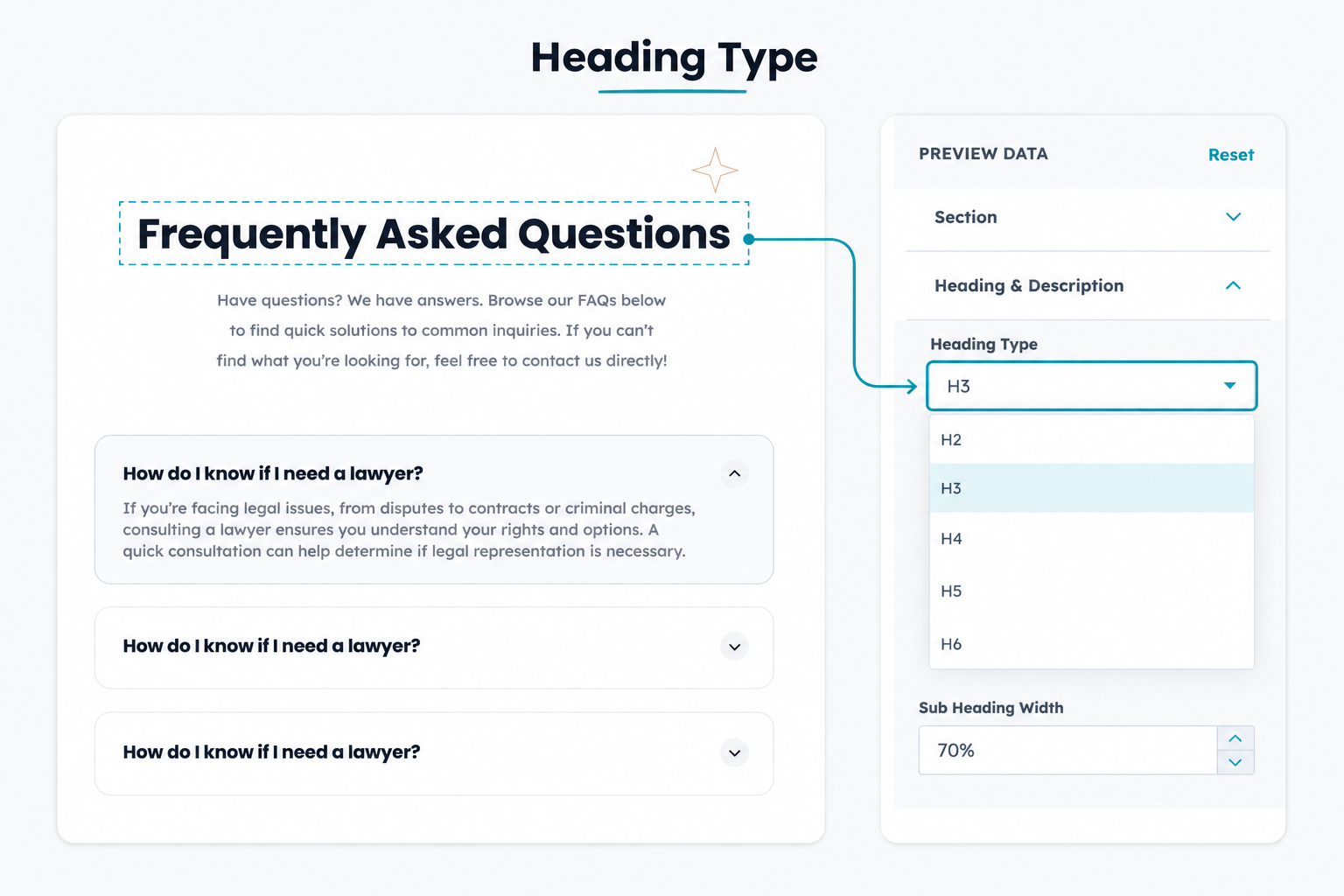
Customizable Heading
Editable section heading/description; Selectable tags (H1-H6); Adjustable description width.
Flexible Layout
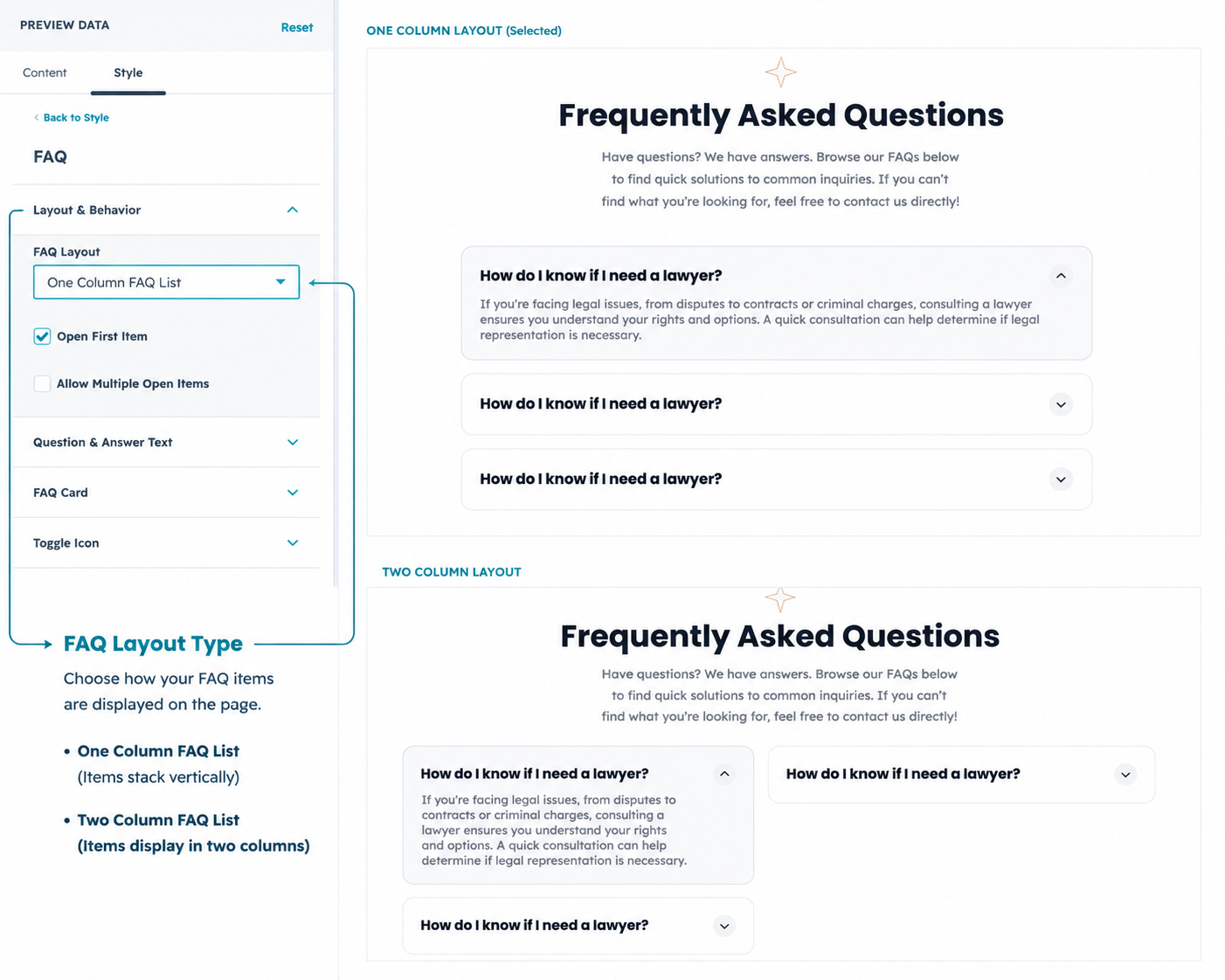
Switch between a classic one-column FAQ list and a two-column grid layout.
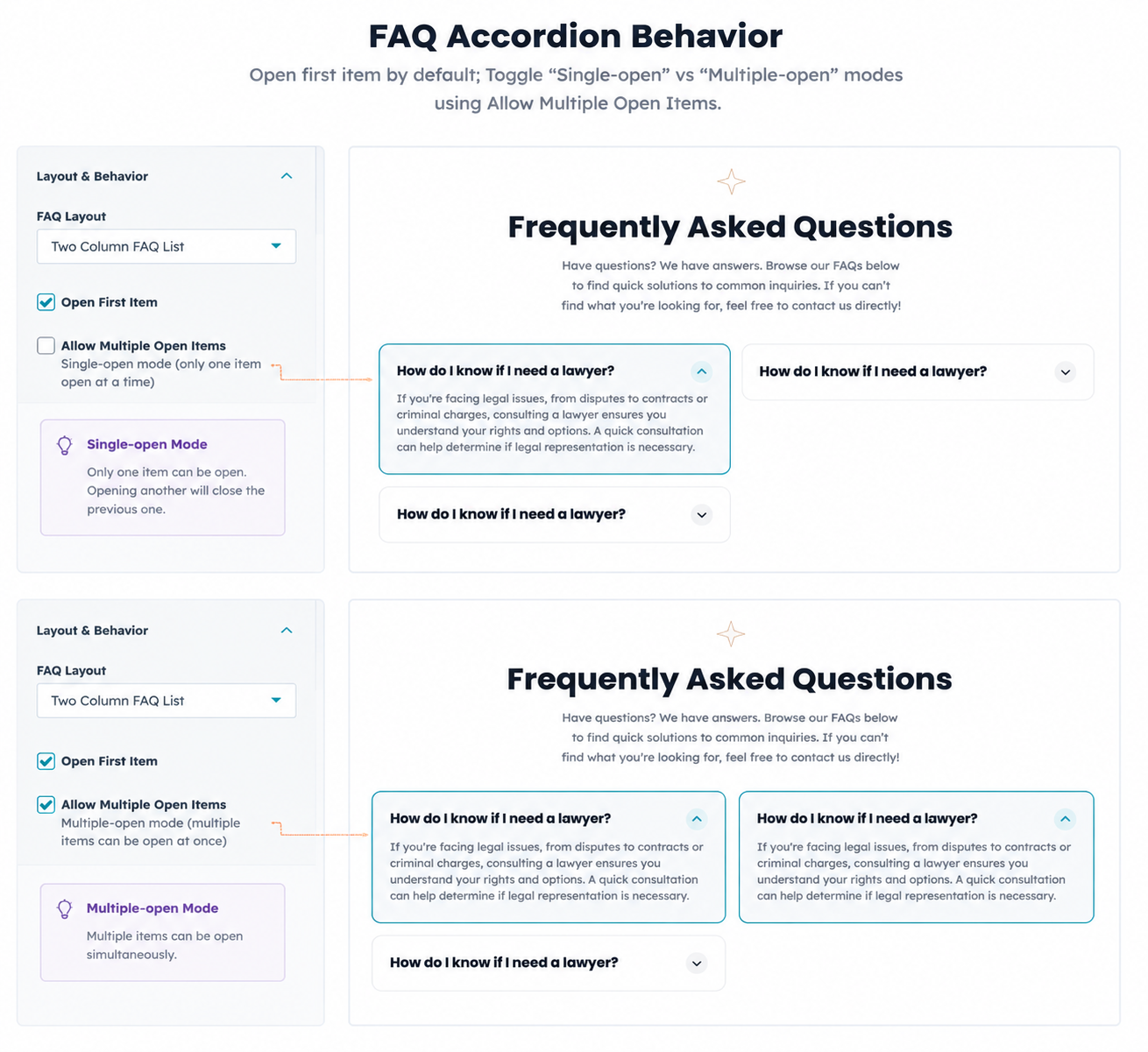
Accordion Behavior
Open first item by default; Toggle "Single-open" vs "Multiple-open" modes.
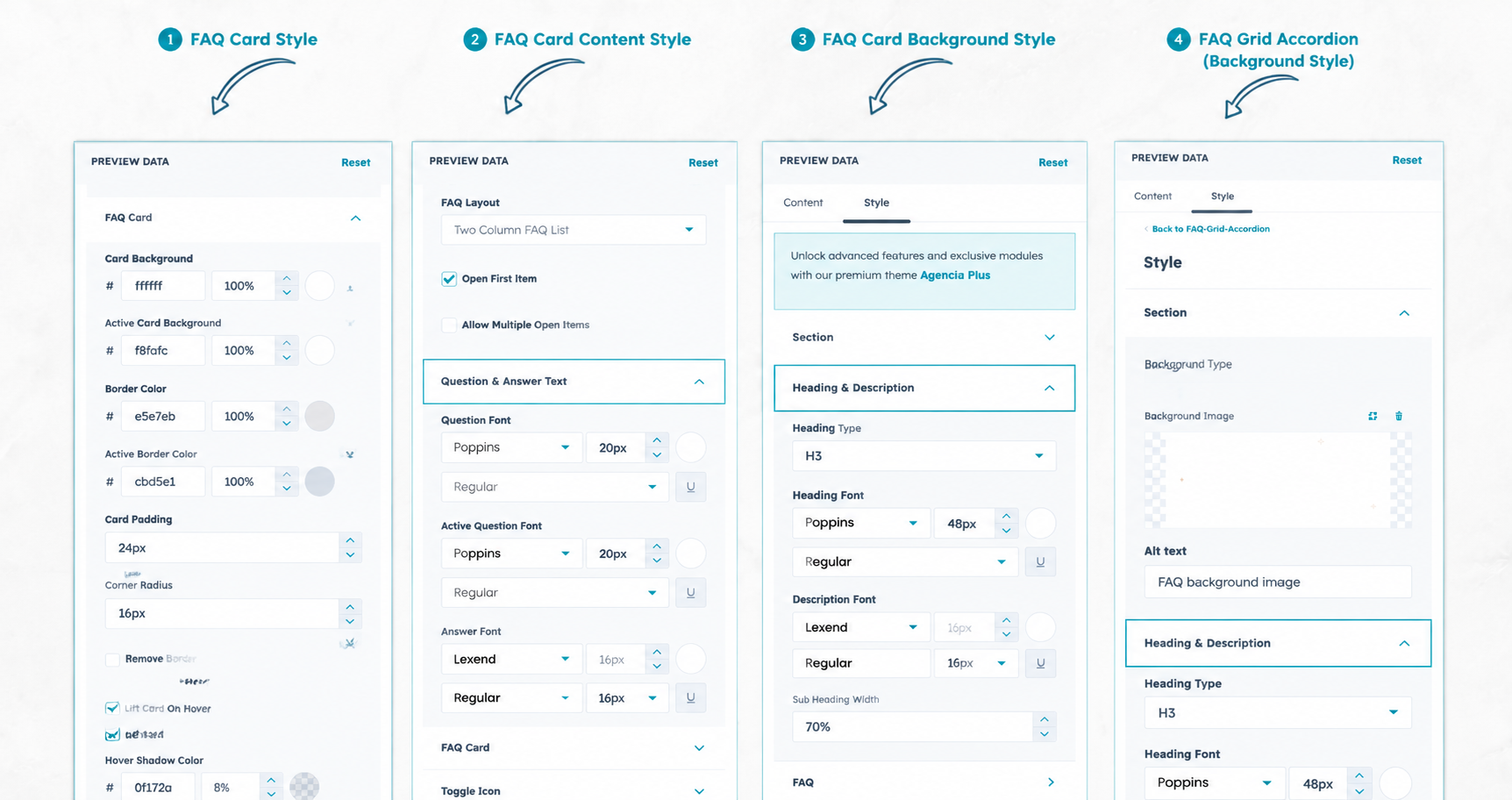
Advanced Styling
Solid/Image/Gradient backgrounds; Card borders, shadows, hover lift, and corner radius settings.
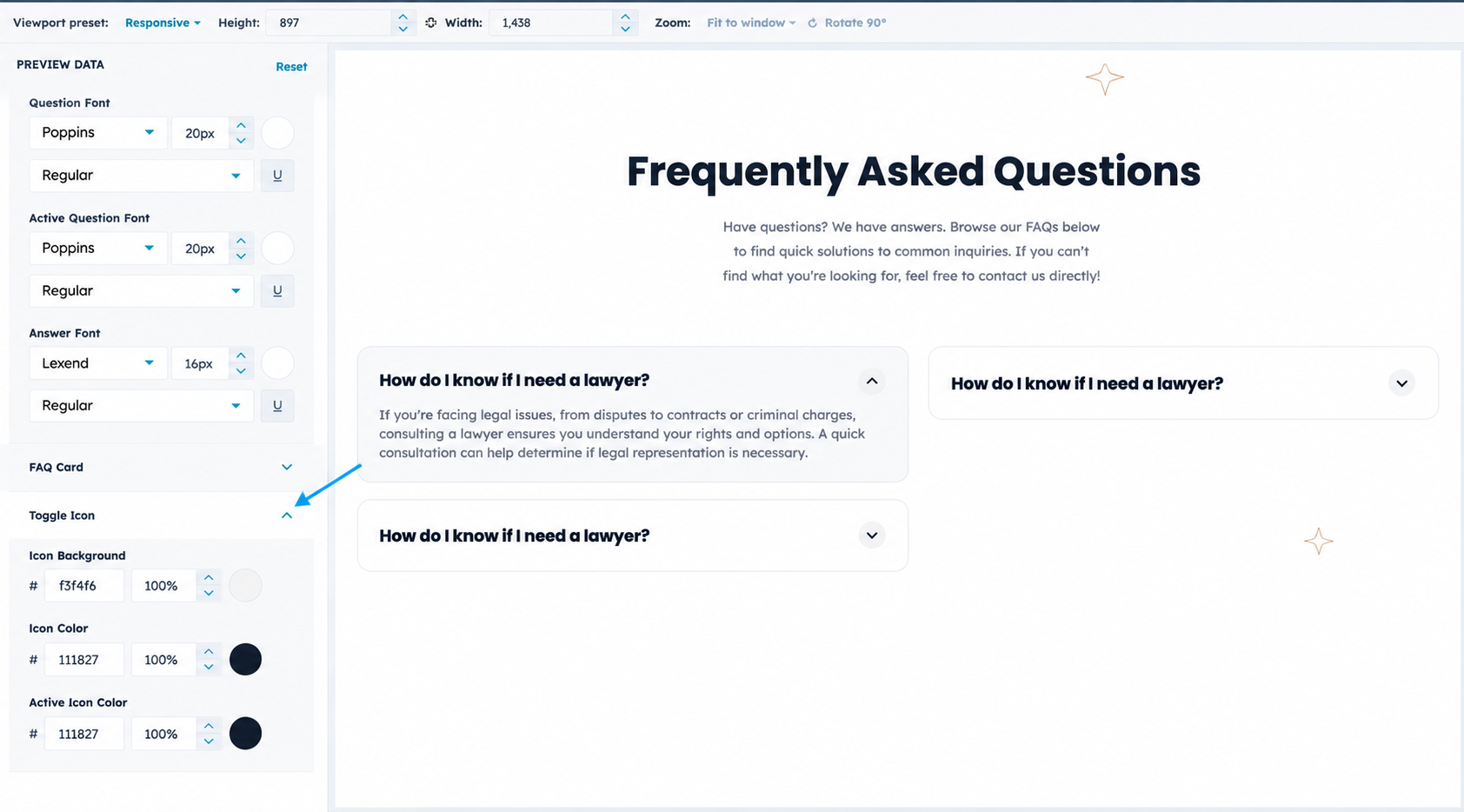
Icon Controls
Custom background and icon colors; Built-in animated rotation on expand/collapse.