HubSpot for Tour Operators: Departures, Rooming and Payments

A departure date is a deadline with forty moving parts, and the parts live in spreadsheets, inboxes, and a supplier's memory. HubSpot holds the booking, the rooming list, the balance due, and the supplier confirmation together, so the week before departure is a checklist rather than a rescue.

travel agent showing a couple a globe and a brochure

Teams that leveled up their growth with HubXpert

Company logo (3)
Company logo (2)-1
Company logo (1)-1
Company logo-1
Icon Group 1-1
Company logo (4)-1
Company logo (3)
Company logo (2)-1
Company logo (1)-1
Company logo-1
Icon Group 1-1
Company logo (4)-1
The Reason

Why Tour Operators Need More Than a Booking Engine

A booking engine takes a payment and issues a voucher. It was never built to fill a departure, chase a balance, or rebuild a rooming list when one passenger changes their mind. A departure is a deadline with a fixed cost attached. Unsold seats do not carry forward to next season.

A Departure Has a Hard Date

Seats unsold on the day the coach leaves are revenue that cannot be recovered, whatever the next season brings.

Rooming Lists Change Constantly

One cancellation reshuffles six rooms, and the change reaches the hotel three days late. A rooming change travels slower than the hotel expects.

Balances Are Chased by Hand

Deposits arrive, final payments do not, and the chase is a spreadsheet with a date column nobody trusts.

Supplier Confirmation Is Informal

A coach, a guide, and a hotel confirm by email, and one unconfirmed supplier is a departure that starts badly.

Repeat Guests Are the Cheapest Sale

A past passenger is the warmest lead an operator has, and most never hear from you again after the trip.

Attribution Ignores the Referral

A booking that arrived through a past guest gets credited to whichever ad ran last week. A balance that arrives late is cash you borrow from yourself.

Benefits

Key Benefits of HubSpot for Tour Operators

HubSpot for Tour Operators covers five areas where a departure either fills on schedule or leaves with empty seats.

Fill Every Departure

Track seats against the date that will not move.

  • Seats against date

    Sold, held, and available.

  • Countdown alert

    Weeks left, seats open.

  • Waitlist capture

    For the next departure.

  • Report fill rate

    By departure and channel.

Built for traveller data.

A careful setup with role-based access, and passport details.

  • 129% More inbound leads
  • 36% More deals closed
  • 37% Faster ticket resolution
Case Studies

Our Featured Works

A curated selection of HubSpot implementations and digital marketing campaigns that moved the needle for our clients.

HOSPITALITY

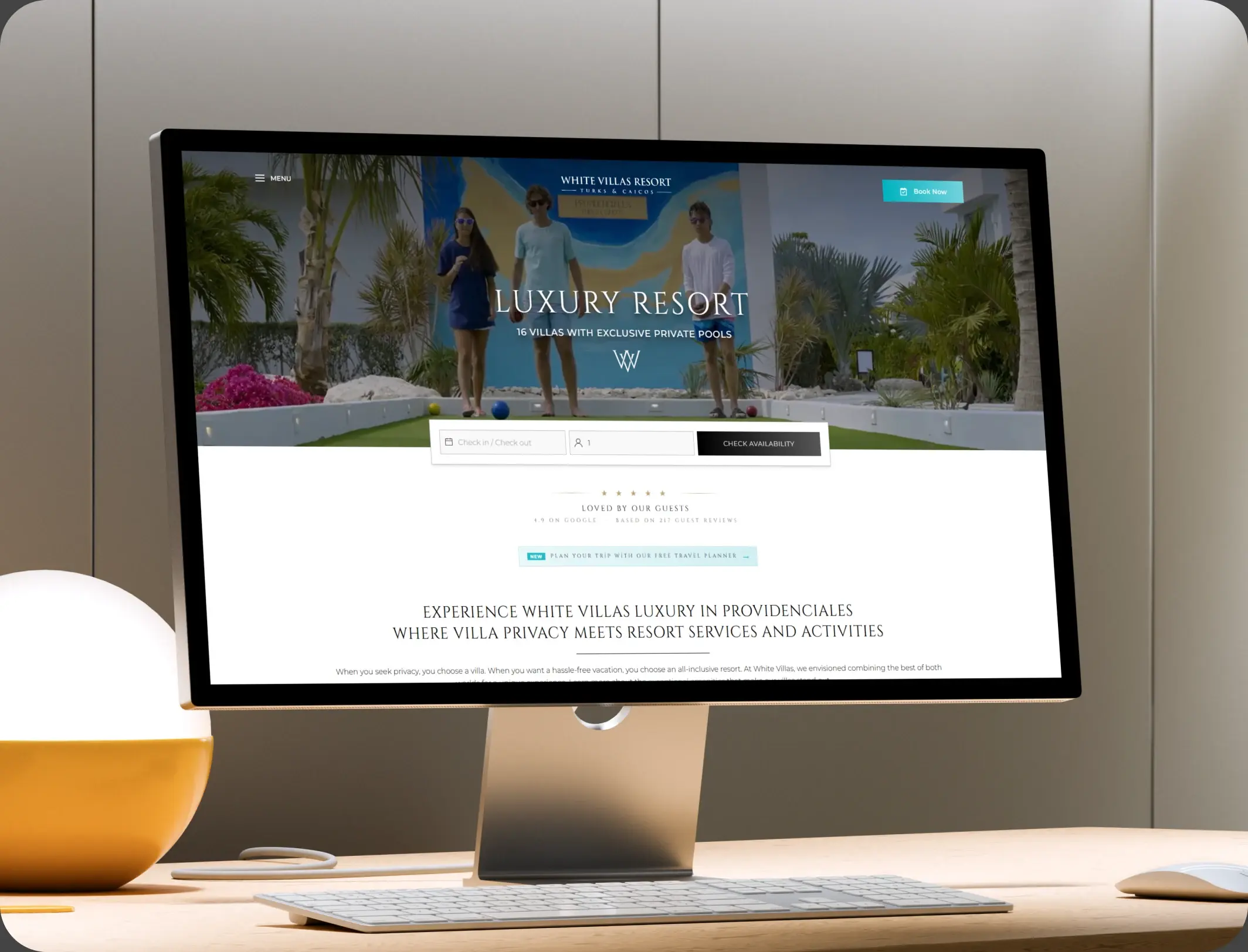
HubSpot End-to-End Guest Experience Automation

HubSpot End-to-End Guest Experience Automation for a Resort Villa - White Villas.

White Villas
White Villas – HubSpot End-to-End Guest Experience Automation

E-COMMERCE

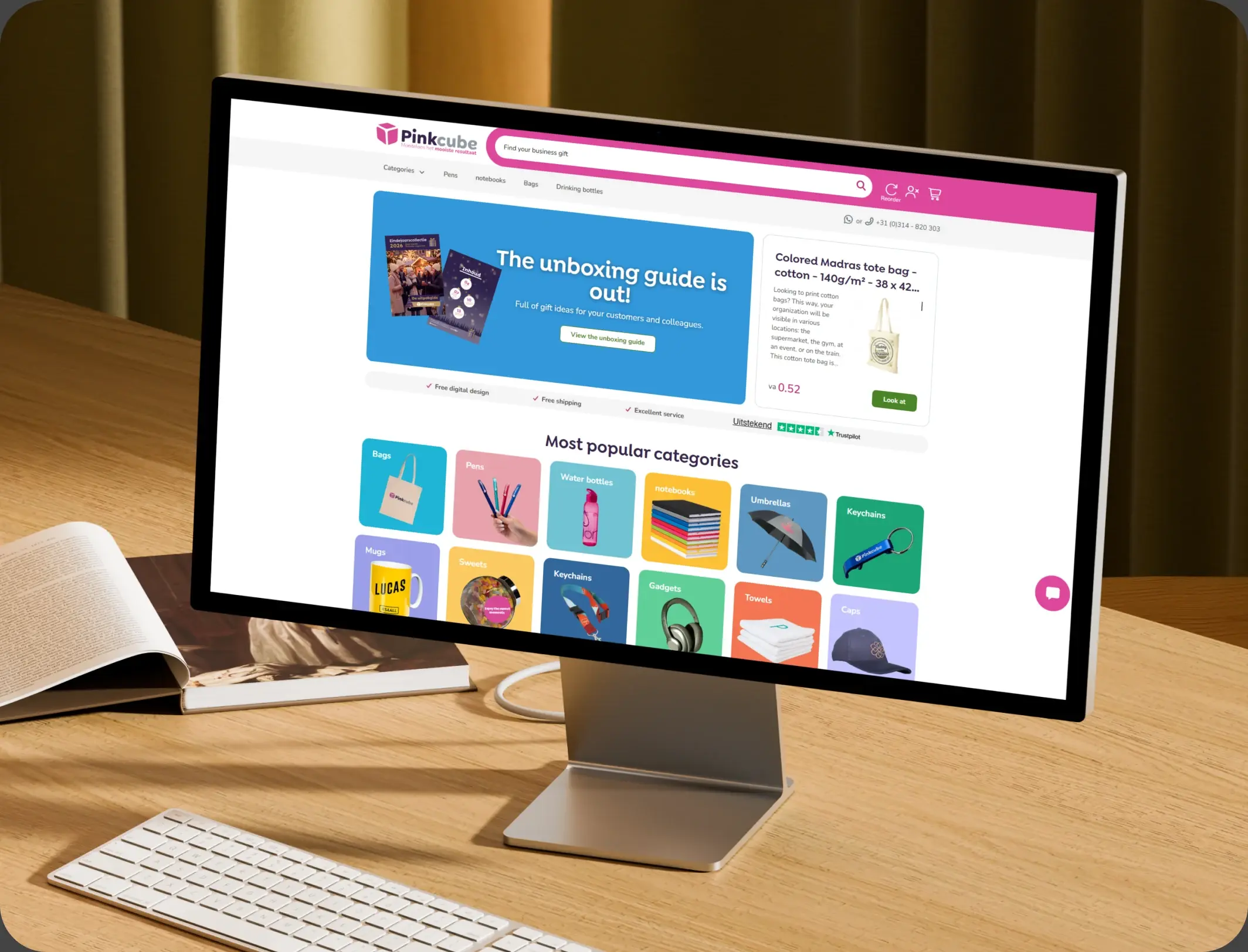
HubSpot Trengo to Service Hub Migration

HubSpot Trengo to Service Hub Migration for an E-commerce Provider - Pinkcube.

Pinkcube
Pinkcube – HubSpot Trengo to Service Hub Migration

TRAVEL & VISA

HubSpot Onboarding and Integration

HubSpot Onboarding and Integration for a State-Owned Visa Company - Express Vietnam.

Express Vietnam
Express Vietnam – HubSpot Onboarding and Integration
HubSpot Usage

How Tour Operators Use HubSpot From Enquiry to Departure

Step 1

Capture the Enquiry

Destination, dates, and party size are recorded, with the departure that fits attached. Most bookings arrive from a returning guest or a referral.

Step 2

Hold and Confirm

A provisional hold is tracked with an expiry, so a seat is not lost to an unanswered email.

Step 3

Prepare the Departure

Rooming, suppliers, and balances sit on one record, with a checklist that closes before the date. The week before departure decides the review.

Step 4

Bring Them Back

After the trip, a referral request and the next departure go out to a warm guest. The seat is held before the deposit clears, and often before the guest decides.

Workflow & Triggers

Example Tour Operator Workflows We Can Automate in HubSpot

These are the workflows we build most often when we set up HubSpot for Tour Operators, tuned to a business whose product is a fixed date. A soft departure raises a campaign task at six weeks.

tour desk consultant taking a booking over the phone
  1. Departure Countdown

    Seats remaining and weeks to go are visible, with a warning at six weeks if the departure is soft.

  2. Balance Reminder

    Reminders go out at thirty, fourteen, and three days before the balance falls due. Balance reminders go out at thirty, fourteen, and three days.

  3. Rooming Change

    A change updates the record and raises a task to send the revised list to the supplier. A rooming change raises a supplier update.

  4. Supplier Confirmation

    An unconfirmed supplier seven days before departure raises an escalation. An unconfirmed supplier escalates at seven days.

  5. Hold Expiry

    A provisional booking without a deposit inside forty-eight hours releases the seat. A hold without a deposit releases after forty-eight hours.

  6. Post-Trip Referral

    Fourteen days after return, a referral request and a short feedback ask go out. A post-trip referral goes out after fourteen days.

  7. Next Departure Offer

    Past guests receive a matched departure before it is advertised publicly. Past guests see the next date before the public does.

Why HubXpert

Why Choose HubXpert for HubSpot Tour Operator Builds?

Tour operators come to us because the operation runs on tribal knowledge and the platform holds a payment, not a plan, and the week before departure exposes the gap every time.

HubSpot Platinum Partner

Certified platform expertise, with a track record across travel workflows and tour operations.

Custom Departure Workflows

Built around your dates, rooming process, and supplier confirmations. No generic templates.

Advanced Automation

Multi-step workflows and conditional logic built for payment and confirmation deadlines.

CRM Migration and Data Structuring

Clean imports from spreadsheets or a booking system, with guest history intact.

Integration and API Development

An in-house team connecting HubSpot to your booking engine and accounting tools.

Reporting and Optimization

Fill rate, balances overdue, and repeat bookings tracked from launch.

Compliance

Data-Careful Setup Inside HubSpot for Tour Operators

A tour operator holds passport details, medical notes, dietary requirements, and payment data, which is a lot of sensitive information attached to a fixed date. The work is separation: documents stay in the booking platform, and the CRM carries the departure and the preference. Passport data stays in the booking platform.

  • Document Separation
  • Health Data Handling
  • Role-Based Access
  • Retention Rules
Secure data lock
HubSpot Hubs

HubSpot Hubs Recommended for Tour Operators

Not every operator needs every hub, and most start with Sales before adding Marketing.

  • Marketing Hub

    Your demand engine, aimed at the destinations that fill fastest and the ones that do not. Most operators start with Sales, then add Marketing for demand.

  • Sales Hub

    Built for bookings and departures, where the seat, the balance, and the guest share one record. One record links the seat, the balance, and the supplier.

  • Service Hub

    Where guest questions, pre-departure changes, and complaints sit on the booking. Departure sequences run from the same record as the booking. Guest questions sit on the booking, not in an inbox.

  • Content Hub

    Powers the destination guides that earn the enquiry before paid media has to. Here is how each one lines up with a business that sells a date rather than a product on a shelf.

  • Operations Hub

    Connects the booking engine and accounting, which is the only way balances stay accurate. Destination guides get edited without a developer. The booking engine stays the source, and the CRM points at it.

Our Process

Our Process for Implementing HubSpot for Tour Operators

Step 1.

Discovery and Departure Analysis

We map your season, your departure calendar, and where bookings currently leak between enquiry and deposit. It also sets the reporting the owner will read each month.
Discovery and Departure Analysis illustration
Step 2.

CRM Architecture and Pipeline Planning

Departure records, booking stages, and rooming fields mapped to how the operation actually runs. Stages mirror how an enquiry becomes a departed guest.
CRM Architecture and Pipeline Planning illustration
Step 3.

Automation and Integration Setup

Workflows built, booking engine and accounting integrations connected, and dashboards created. Every automation is tested before launch. Consent rules are configured before the first send.
Automation and Integration Setup illustration
Step 4.

Team Training and Adoption

Hands-on training for reservations and operations on the countdown and the confirmation checks.
Team Training and Adoption illustration
Step 5.

Reporting and Optimization

Once live, we monitor fill rate and balance collection, and refine the sequence each season.
Reporting and Optimization illustration
FAQ

Questions You Might Have

Does HubSpot work for tour operators?

Yes. It runs the commercial and operational side of the business: enquiries, seat holds, balances, rooming lists, supplier confirmations, and repeat bookings, while your booking engine keeps taking payments.

How does HubSpot help fill a departure?

Seats sold are tracked against the departure date, with a warning at six weeks if the numbers are soft, and a waitlist captures demand for the next date. That turns an empty coach into a problem you saw coming rather than one you discover on the day.

Can HubSpot collect balances on time?

Reminders go out at thirty, fourteen, and three days before each balance falls due, and an overdue payment raises a task rather than sitting in a spreadsheet. The cash position for the month is visible by booking, which is usually the number an owner asks about.

How do rooming lists stay accurate?

Room allocations sit on the booking with a change log, and any change raises a task to send the revised list to the supplier. The exceptions report shows unallocated or mismatched rooms, so the six-room reshuffle reaches the hotel in hours rather than days.

Can HubSpot track supplier confirmations?

Coaches, guides, and hotels are recorded per departure with a confirmation status, and anything unconfirmed seven days out is escalated. One missing supplier is the difference between a smooth start and an apology at the airport.

How do you bring past guests back?

Past guests are segmented by destination and date, receive a matched departure before it is advertised, and a referral request goes out fourteen days after return. Repeat rate is reported, which is the cheapest growth number an operator has.

Where do passports and medical notes live?

In the booking platform. The CRM carries the departure, the preference, and the conversation, and access follows the role so sensitive documents stay with the people who need them.

How long does an implementation take?

Most run four to six weeks, timed so it is live before the next season opens.

Book Consultation

Ready to Run a Departure on a Checklist?

Fourteen seats are open for a departure in three weeks, eleven balances are past due, and the rooming list changed twice on Friday. We build around your season, your suppliers, and your team. No generic setup, and no departure left to memory. The next season is measured against your own fill data.

Takes 30 minutes
Delivered by certified HubSpot experts

Ratul-Rahman