HubSpot for Online Travel Agencies: Search to a Booked Trip

Most searches on an OTA never become bookings, and most bookings never come back. OTAs pay for acquisition, then stop at the transaction. HubSpot recovers the search that did not convert, brings the customer back for the next trip, and shows which channels actually produce revenue rather than traffic.

traveler packing a suitcase while booking on a laptop

Teams that leveled up their growth with HubXpert

Company logo (3)
Company logo (2)-1
Company logo (1)-1
Company logo-1
Icon Group 1-1
Company logo (4)-1
Company logo (3)
Company logo (2)-1
Company logo (1)-1
Company logo-1
Icon Group 1-1
Company logo (4)-1
The Reason

Why Online Travel Agencies Need More Than a Booking Engine

A booking engine processes the transaction. It was never built to recover the search that did not convert, or to bring a customer back for the next trip, which is where the margin actually sits.

Abandonment Is the Biggest Leak

Most searches end without a booking. Once the customer leaves the page, the booking engine has no way to follow up at all.

Repeat Bookers Drive Margin

One-time bookers cost the most to acquire and return the least. Booking engines do not nurture customers between trips.

Acquisition Costs Keep Rising

Metasearch and paid social bid against everyone. Without knowing which channel produces repeat revenue, the same spend keeps being repeated.

Cancellations Wreck the Margin

A cancelled booking refunds the customer and keeps the acquisition cost. Without early signals, the cancellation arrives with no replacement.

Service Requests Arrive in Bulk

Changes, refunds, and complaints come through several channels at once, and every one of them touches a booking that already cost money to win.

Attribution Is Missing

Metasearch, affiliates, and paid social all claim the same booking. Without attribution, budget follows habit.

Benefits

Key Benefits of HubSpot for Online Travel Agencies

HubSpot for Online Travel Agencies covers five areas where an OTA can protect booked margin.

Recover Abandoned Bookings

Turn abandoned searches and carts back into confirmed reservations. The second trip is where the margin actually sits.

  • Capture the search

    Property, dates, and party size.

  • Follow up quickly

    A reminder while the trip is still being planned.

  • Offer a reason

    A price or flexibility prompt.

  • Track recovery rate

    See which follow-up actually books.

Built for high-volume travel.

A privacy-conscious setup with role-based access.

  • 129% More inbound leads
  • 36% More deals closed
  • 37% Faster ticket resolution
Case Studies

Our Featured Works

A curated selection of HubSpot implementations and digital marketing campaigns that moved the needle for our clients.

HOSPITALITY

HubSpot End-to-End Guest Experience Automation

HubSpot End-to-End Guest Experience Automation for a Resort Villa - White Villas.

White Villas
White Villas – HubSpot End-to-End Guest Experience Automation

E-COMMERCE

HubSpot Trengo to Service Hub Migration

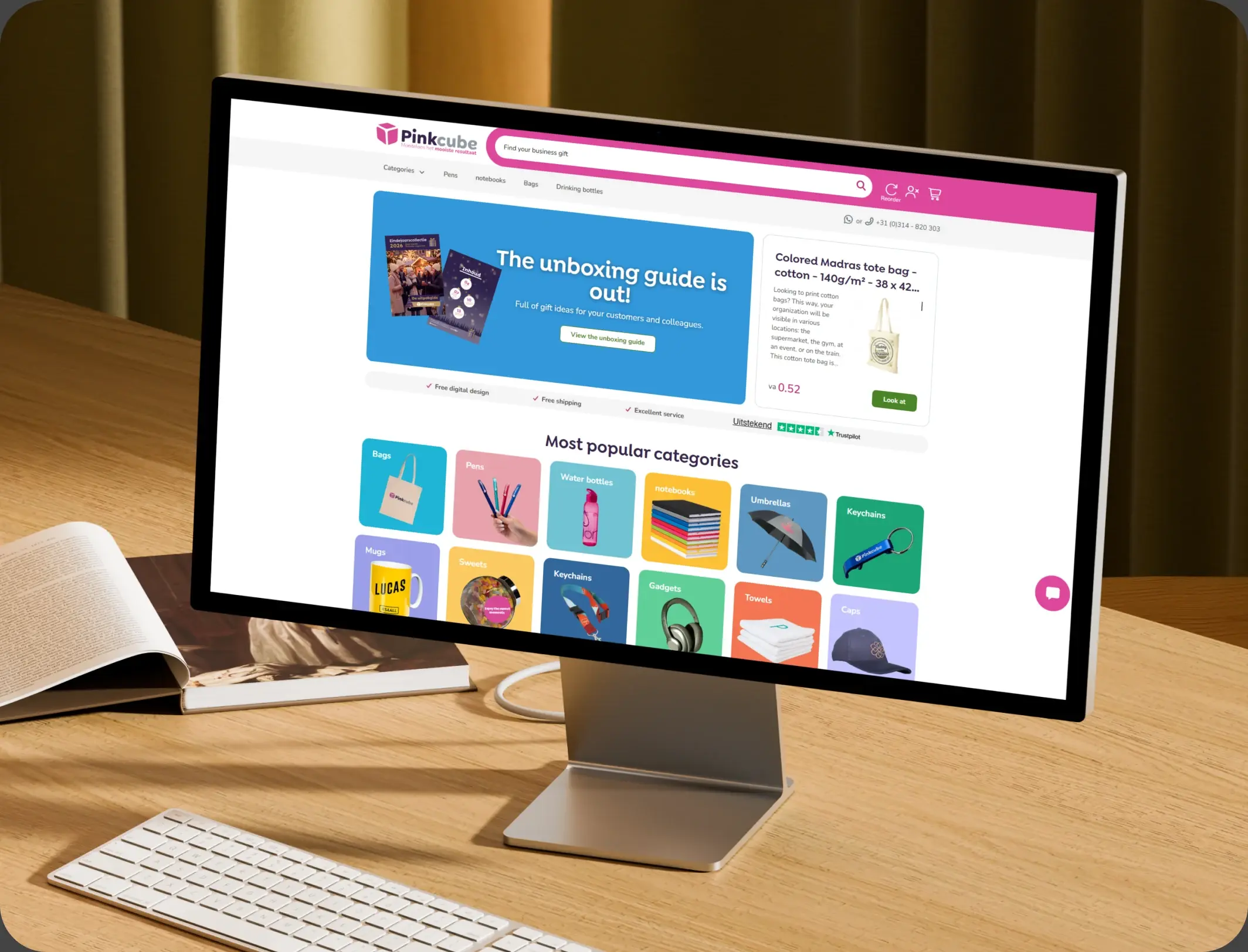
HubSpot Trengo to Service Hub Migration for an E-commerce Provider - Pinkcube.

Pinkcube
Pinkcube – HubSpot Trengo to Service Hub Migration

TRAVEL & VISA

HubSpot Onboarding and Integration

HubSpot Onboarding and Integration for a State-Owned Visa Company - Express Vietnam.

Express Vietnam
Express Vietnam – HubSpot Onboarding and Integration
HubSpot Usage

How OTAs Use HubSpot Across the Booking Funnel

Step 1

Attract Searches

Metasearch, paid social, and organic bring demand in, with the source recorded on the search rather than only on the booking.

Step 2

Recover the Abandoned

A search that stops short creates a follow-up sequence while the dates are still open. The gap between search and booking is hours, not weeks.

Step 3

Keep the Booking Alive

Confirmation reminders and flexible change options reduce the cancellation that would otherwise arrive a week before travel. A booking that goes quiet usually cancels.

Step 4

Bring the Customer Back

Post-stay follow-up and destination content keep the next trip on the OTA rather than on metasearch.

Workflow & Triggers

Example OTA Workflows We Can Automate in HubSpot

These are the workflows we build most often when we set up HubSpot for Online Travel Agencies, tuned to a funnel that loses most of its traffic. The recovery sequence starts the moment a search stops.

laptop showing bookable vacation rentals beside a payment card
  1. Abandoned Search Recovery

    A reminder at one hour, a second at twenty-four, and a price or flexibility prompt at seventy-two, then stop. Anyone who books exits the recovery flow.

  2. Booking Confirmation Sequence

    Confirmation, pre-arrival detail, and a change option, each timed to the travel date. The reminder names the property and the dates.

  3. Cancellation Risk Alert

    A task when a booking shows low engagement inside fourteen days of travel. A quiet booking raises a task inside fourteen days.

  4. Cancelled Booking Refill

    Released dates offered to customers who searched the same destination and dates. Released dates go to the customers who searched them.

  5. Post-Stay Nurture

    A thank-you after checkout, with destination content and a member rate for the next trip. Acknowledgements go out within minutes, not hours.

  6. Service Request Routing

    Changes, refunds, and complaints route to the owning team, with an acknowledgement sent within minutes.

  7. Lapsed Booker Outreach

    A prompt when a repeat customer has not booked for eighteen months.

Why HubXpert

Why Choose HubXpert for HubSpot OTA Builds?

OTAs come to us because the margin is thin, the volume is huge, and the customer who books once and never returns is the most expensive one on the books.

HubSpot Platinum Partner

Certified platform expertise, with a track record across travel agency workflows and high-volume consumer funnels.

Custom OTA Workflows

Built around your search data, cancellation signals, and service queues. No generic templates.

Advanced Automation

Multi-step workflows and conditional logic built for recovery timing.

CRM Migration and Data Structuring

Clean imports from your booking database or spreadsheets, with customer history intact.

Integration and API Development

An in-house team connecting HubSpot to your booking engine, payment, and analytics stack.

Reporting and Optimization

Recovery rate, repeat bookings, and channel revenue tracked from launch.

Compliance

Privacy-Conscious Setup Inside HubSpot for Online Travel Agencies

An OTA holds customer identity, travel history, and payment detail at volume. The work is separation: card data stays with the payment provider, booking records stay in the engine, and the CRM carries the customer, the search, and the consent record, with access limited by role.

  • Payment Data Separation
  • Role-Based Access
  • Consent and Marketing Preferences
  • Encrypted Connections
Secure data lock
HubSpot Hubs

HubSpot Hubs Recommended for Online Travel Agencies

Not every OTA needs every hub, and most start with Marketing and Service before adding Sales. Here is how each one lines up with a high-volume consumer funnel.

  • Marketing Hub

    Your acquisition engine: recovery campaigns, destination content, and repeat nurture for a customer who books twice a year. Recovery campaigns run from the same customer record as the booking.

  • Sales Hub

    Built for group and corporate enquiries that need a human reply, and for the service queue when volume spikes. Each enquiry carries an owner and a response window.

  • Service Hub

    Where changes, refunds, and complaints get tracked against the booking. Service sees the booking history before replying. Most OTAs start with Marketing and Service, then add Sales for group enquiries.

  • Content Hub

    Powers the website and destination content with built-in SEO, so pages stay findable. Destination pages get edited without a release.

  • Operations Hub

    Connects booking engine, payment, and analytics systems, which is the only way search data reaches the CRM at all. Search and booking data stay matched between systems.

Our Process

Our Process for Implementing HubSpot for Online Travel Agencies

Step 1.

Discovery and Funnel Analysis

We assess your systems, search data, cancellation signals, and growth goals. This discovery shapes every decision that follows. It also sets the reporting the team will read each week.
Discovery and Funnel Analysis illustration
Step 2.

CRM Architecture and Pipeline Planning

Custom properties, recovery stages, and customer tiers mapped to how the OTA actually runs, before any build begins. Stages mirror how a search actually becomes a completed stay.
CRM Architecture and Pipeline Planning illustration
Step 3.

Automation and Integration Setup

Workflows built, booking engine and payment integrations connected, sequences configured, and dashboards created. Every automation is tested before launch.
Automation and Integration Setup illustration
Step 4.

Team Training and Adoption

Hands-on training for marketing, service, and analytics, each on the tools their role needs.
Team Training and Adoption illustration
Step 5.

Reporting and Optimization

Once live, we monitor recovery and refine workflows, dashboards, and strategy as volume changes.
Reporting and Optimization illustration
FAQ

Questions You Might Have

Does HubSpot work for online travel agencies?

Yes. It runs the demand side of the funnel: search capture, abandoned booking recovery, cancellation prevention, repeat nurture, and channel reporting, while the booking engine keeps inventory. Most OTAs see the difference within the first month. The CRM carries the customer, not the card.

Can HubSpot recover abandoned searches?

A reminder goes out at one hour, a second at twenty-four, and a price or flexibility prompt at seventy-two, then the sequence stops, which keeps the list usable. Recovery rate is tracked, so the improvement is measurable. Every workflow is tested before it reaches a customer.

Can HubSpot reduce cancellations?

A task raises when a booking shows low engagement inside fourteen days of travel, and a change is offered before a cancellation is processed. The sequence is matched to the destination and the lead time. Recovery sequences stop after three messages.

Can HubSpot refill cancelled capacity?

Released dates go to customers who searched the same destination and dates, which is far cheaper than buying the traffic again. Nothing is assumed native until the connector is confirmed. Cancellation signals run on engagement, not on guesswork.

How do you handle payment data?

Card detail stays with the payment provider, and the CRM carries the customer and the booking reference, not the card. Card data never enters the CRM.

Can HubSpot integrate with our booking engine?

Often through an API or middleware. Search, booking, and cancellation events are the useful part, and the sync direction is scoped first. That is how cost per booking becomes visible.

Does it work for OTAs selling several destinations?

Yes. Destinations, source markets, and supplier types are properties, so recovery and repeat rate can be compared directly. We map which fields may hold payment detail before launch.

How long does an implementation take?

Most run six to ten weeks, depending on integrations and how much customer history needs migrating. Bookings stay in the engine.

Book Consultation

Ready to Recover More Bookings With HubSpot?

A thousand searches ended without a booking today, and the booking engine has already forgotten them. We build around your funnel, your booking engine, and the margin you are protecting. No generic setup, and no search left abandoned.

Takes 30 minutes
Delivered by certified HubSpot experts

Ratul-Rahman