



































HubSpot for CPA Firms: Every Engagement Tracked to Deadline

Almost a year of work fits inside one hard deadline, and one missing 1099 can hold up a return that was ready in March. HubSpot tracks document collection through tax season, follows every extension to close, and fills the quiet months with advisory work instead of downtime, using the client list the firm already has.

accountants reviewing charts on a tablet and printed reports

Teams that leveled up their growth with HubXpert

Company logo (3)
Company logo (2)-1
Company logo (1)-1
Company logo-1
Icon Group 1-1
Company logo (4)-1
Company logo (3)
Company logo (2)-1
Company logo (1)-1
Company logo-1
Icon Group 1-1
Company logo (4)-1
The Reason

Why CPA Firms Need More Than a Generic CRM

A generic CRM tracks deals year-round. It has no concept of a season where almost everything is due in the same fortnight, and where one late document can move a filing date.

One Deadline Drives the Year

Tax season concentrates most client work into a few weeks, and capacity has to be planned around a single unmovable date rather than a pipeline.

Extensions Need Their Own Tracking

Clients who file an extension do not disappear. They move to a second deadline, and most systems lose them completely in between.

Document Collection Decides the Date

W-2s, 1099s, and statements arrive late from the client, not from the firm, and every missing item pushes the return back a day.

The Off-Season Is Underused

Advisory work is where the margin sits, and it rarely gets sold because nobody is looking at the client list in June.

Audit and Advisory Buy Differently

An audit is a scheduled, recurring relationship. Advisory is a conversation. Treating both the same loses one of them, usually the advisory conversation that would have paid for the whole year.

Attribution Is Missing

Referrals, search, and partner introductions all claim the same client, so the firm never learns which channel to invest in.

Benefits

Key Benefits of HubSpot for CPA Firms

HubSpot for CPA Firms covers five areas where a practice can protect its filing dates and sell the other nine months.

Capture Qualified Client Enquiries

Turn referrals and inbound enquiries into an organized pipeline. The season is short.

  • Capture every enquiry

    Forms, referrals, and introductions together.

  • Segment by service need

    Tax, advisory, audit.

  • Nurture before season

    Stay present before the crunch begins.

  • Track lead sources

    See which partners send clients who stay.

Built for financial data.

A privacy-conscious setup with role-based access, and tax documents.

  • 36% More deals closed
  • 37% Faster ticket resolution
Case Studies

Our Featured Works

A curated selection of HubSpot implementations and digital marketing campaigns that moved the needle for our clients.

Accounting

We Optimized HighLevel for 6 Figure Accounting Hack, Driving 20% More Conversions

HighLevel Onboarding, Custom Quotes System, Email & Pipeline Automation

6 Figure Accounting Hack
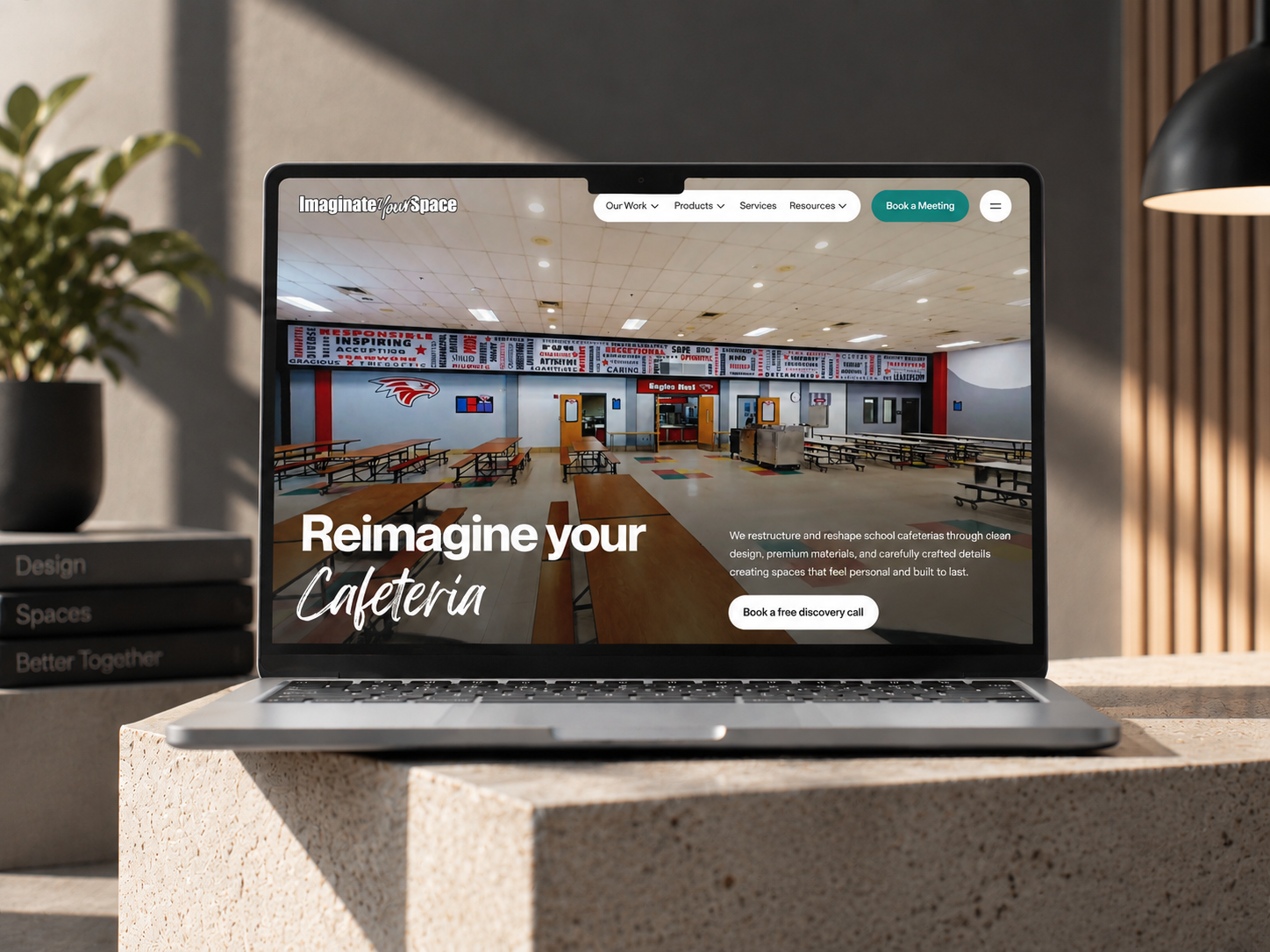
6 Figure Accounting Hack – We Optimized HighLevel for 6 Figure Accounting Hack, Driving 20% More Conversions

Professional Service

Cold Email Setup and Custom IPAAS Integration for an Acquisition Firm, Main Street Legacy Partners

Main Street Legacy Partners: An acquisition firm specializing in acquiring and growing established businesses. They focus on preserving the legacy of successful companies while providing opportunities for continued growth and expansion. Main Street Legacy Partners is committed to building long-term partnerships and driving sustainable value.

Finance Solutions
Main Street Legacy Partners (RevOps)-min

Professional Service

Cornerstone: Microsoft Dynamics 365 to HubSpot CRM Migration

Migrate vast CRM data from Microsoft Dynamics 365 to HubSpot, ensuring a seamless transition without data loss or workflow disruption.

Main Street Legacy Partners
Main Street Legacy Partners – Cornerstone: Microsoft Dynamics 365 to HubSpot CRM Migration
HubSpot Usage

How CPA Firms Use HubSpot Across the Year

Step 1

Attract Clients

Referrals, search, and partner introductions bring work in, with the source recorded at first touch. Most new clients arrive through an attorney or an advisor.

Step 2

Collect and File

Document requests, return status, and missing items run from the client record through the season. Document collection is where the calendar slips.

Step 3

Close the Extensions

Extended returns move to their own track, with their own dates and owner, until they are filed. Extensions move work, they do not remove it.

Step 4

Sell the Off-Season

Advisory campaigns and reviews fill the quiet months from the same client list. The weeks after the deadline are the ones nobody plans for.

Workflow & Triggers

Example CPA Workflows We Can Automate in HubSpot

These are the workflows we build most often when we set up HubSpot for CPA Firms, tuned to a year that fits into one deadline. The preparer sees the task the moment it lands.

accountant pointing a stylus at charts on a clipboard
  1. Document Request Sequence

    Requests for W-2s, 1099s, and statements at filing, day five, and day ten, with a task for anything missing at day fourteen. A filed return exits the document sequence.

  2. Return Status Tracking

    Each return has a stage, an owner, and a date, with a task when it sits too long. Missing items escalate before the filing date moves.

  3. Extension Track

    An extension moves the client to a second sequence with its own deadline and reminders. Every extended return has an owner and a second date.

  4. Filing Week Alert

    A daily list to the partner in charge of every return not yet filed inside seven days of the deadline. The partner list goes out daily inside the final week.

  5. Off-Season Advisory Campaign

    A June sequence to clients with the profile for advisory work, with a booking link rather than a newsletter. Advisory campaigns run in June, not in April.

  6. Referral Partner Update

    A quarterly note to the attorneys and advisors who send work. Quiet clients raise a task before the next season.

  7. Retention Check

    A task when a client has not engaged for two seasons.

Why HubXpert

Why Choose HubXpert for HubSpot CPA Builds?

CPA firms come to us because the whole year lands in one week, and the difference between a smooth season and a chaotic one is decided months earlier.

HubSpot Platinum Partner

Certified platform expertise, with a track record across accounting firm workflows and deadline-driven practices.

Custom CPA Workflows

Built around your season, extension process, and service lines. No generic templates.

Advanced Automation

Multi-step workflows and conditional logic built for filing dates.

CRM Migration and Data Structuring

Clean imports from spreadsheets or practice software, with client history intact.

Integration and API Development

An in-house team connecting HubSpot to your tax software, portals, and billing.

Reporting and Optimization

Filing rate, document turnaround, and advisory revenue tracked from launch.

Compliance

Privacy-Conscious Setup Inside HubSpot for CPA Firms

A CPA firm holds tax returns, identifiers, and financial statements for every client. The work is separation: returns stay in the tax software, documents stay in the client portal, and the CRM carries the client, the status, and the communication record rather than the filing itself.


  • Tax Data Separation
  • Role-Based Access
  • Document Retention Rules
  • Encrypted Connections
Secure data lock
HubSpot Hubs

HubSpot Hubs Recommended for CPA Firms

Not every practice needs every hub, and most start with Sales and Marketing before adding Service. Here is how each one lines up with a deadline-driven firm.

  • Marketing Hub

    Your acquisition engine: referral content, deadline campaigns, and advisory nurture for the months after April. Referral campaigns run from the same client record as the return.

  • Sales Hub

    Built for the enquiry pipeline and the service-line conversation, where audit and advisory buy very differently. Each enquiry carries an owner and a response window.

  • Service Hub

    Where document requests, client questions, and filing updates get tracked. Service sees the document history before replying. Most firms start with Sales and Marketing, then add Service before the season.

  • Content Hub

    Powers the website and deadline content with built-in SEO, so service pages stay findable. Deadline and service pages get edited without a developer.

  • Operations Hub

    Connects tax software, portals, and billing, which is the only way return status stays accurate in season. Client data stays matched across partners and offices.

Our Process

Our Process for Implementing HubSpot for CPA Firms

Step 1.

Discovery and Season Analysis

We assess your systems, filing calendar, extension process, and growth goals. This discovery shapes every decision that follows.
Discovery and Season Analysis illustration
Step 2.

CRM Architecture and Pipeline Planning

Custom properties, return stages, and extension tracks mapped to how the firm actually runs, before any build begins. Stages mirror how an enquiry actually becomes a filed return.
CRM Architecture and Pipeline Planning illustration
Step 3.

Automation and Integration Setup

Workflows built, tax software and portal integrations connected, sequences configured, and dashboards created. Every automation is tested before launch.
Automation and Integration Setup illustration
Step 4.

Team Training and Adoption

Hands-on training for partners, preparers, and marketing, each on the tools their role needs.
Team Training and Adoption illustration
Step 5.

Reporting and Optimization

Once live, we monitor filing rate and refine workflows, dashboards, and strategy as the season approaches.
Reporting and Optimization illustration
FAQ

Questions You Might Have

Does HubSpot work for CPA firms?

Yes. It runs the client side of the practice: referrals, enquiries, document collection, return status, extension tracking, and advisory campaigns, while the tax software keeps the return. Most firms see the difference within the first filing season. The CRM carries the status, not the filing.

Can HubSpot reduce missing documents?

Requests go out at filing, day five, and day ten, and anything missing at day fourteen raises a task, which is where most filing delays begin. On-time filing is tracked, so the improvement is measurable. Every workflow is tested before it reaches a client.

Can HubSpot track extensions?

An extension moves the client onto a second track with its own deadline and owner, so extended returns do not disappear into a spreadsheet. The sequence is matched to the service line and the deadline. Extension tracking runs on its own second deadline.

Can HubSpot help sell advisory work?

A June sequence goes to clients with the right profile, with a booking link rather than a newsletter, which is how the off-season gets filled. Nothing is assumed native until the connector is confirmed. Advisory outreach waits until the season actually ends.

How do you handle tax documents?

Returns stay in the tax software, documents stay in the client portal, and the CRM carries the status and the conversation. Returns never sit in the CRM.

Can HubSpot integrate with our tax software?

Often through an API or middleware. Client, stage, and billing data cross over, and the sync direction is scoped first. That is how cost per retained client becomes visible.

Does it work for firms with several service lines?

Yes. Service lines, partners, and seasons are properties, so advisory and audit pipelines stay separate and comparable. We map which fields may hold tax data before launch.

How long does an implementation take?

Most run four to eight weeks, which matters most if you start in the months before the season. Documents stay in the client portal.

Book Consultation

Ready to Take the Chaos Out of Filing Season?

A client is still missing a 1099 with two weeks to go, and three extended returns have no owner. We build around your season, your service lines, and your team. No generic setup, and no return left unwatched in the final week.

Takes 30 minutes
Delivered by certified HubSpot experts

Ratul-Rahman