





-2.png)


-2.png)



.png)


.webp)

.png)










.png)







-1.webp)
-1.webp)



.webp)

-1-1.webp)



-2.webp)

-1-1.webp)

-2-1.png)

-1-1.webp)
-1-1.webp)
-1-1.png)






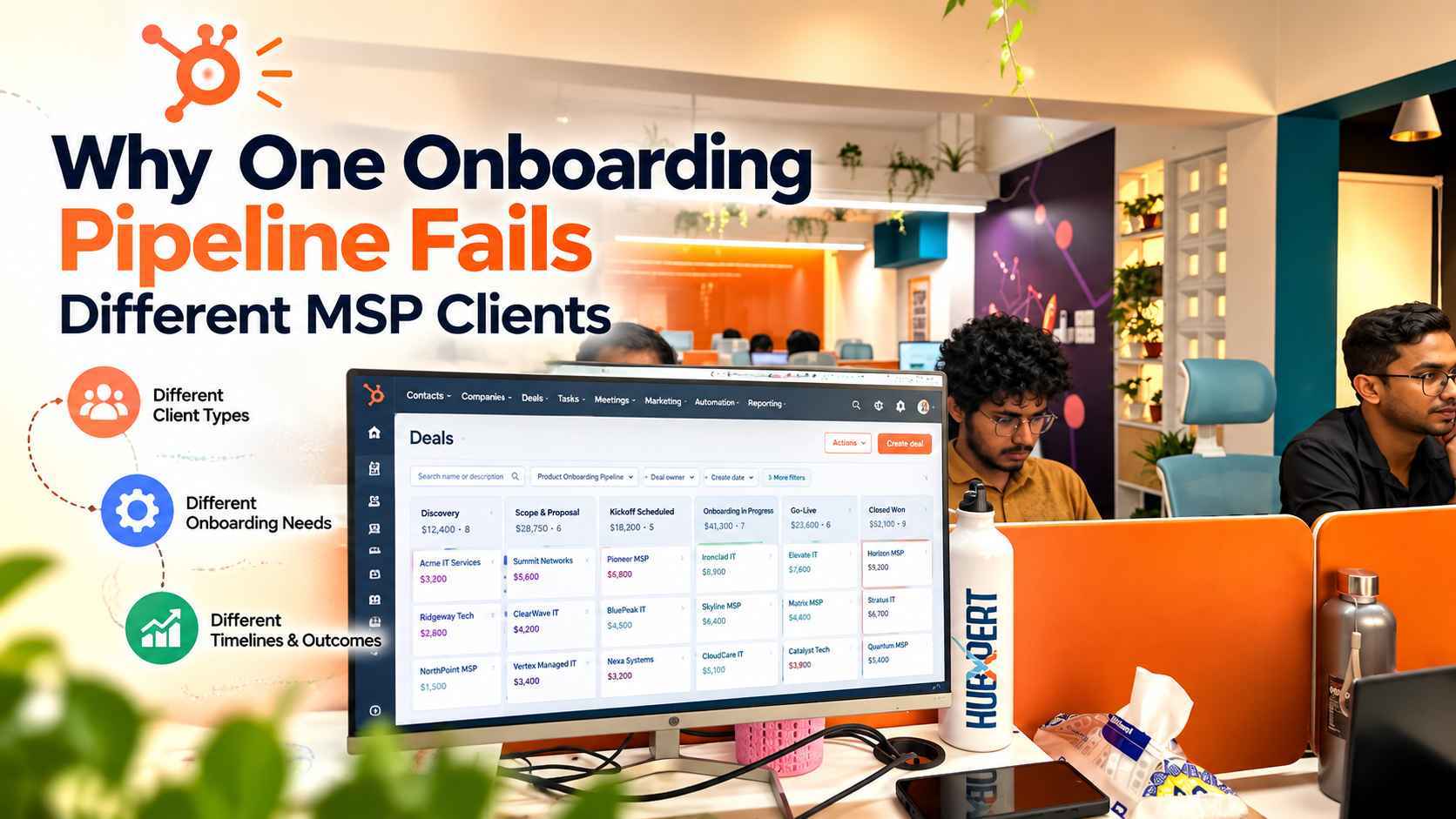
Most MSPs build one onboarding pipeline early on: a fixed list of stages every new client moves through in order. This works fine for the first handful of clients, since they tend to look alike. It stops working once client variety grows.
HubSpot gives MSPs a clean, visual way to track work moving through stages, whether that's a deal or a ticket.
A straightforward takeover client blows through five stages in a week. A client with heavy compliance needs gets stuck on one stage for a month. Both look identical in your pipeline reports, which makes the numbers useless.
Here is why that happens, and how to fix it with HubSpot's branching tools instead of just adding more stages.
Why a Single Pipeline Feels Like the Right Start

One pipeline is the natural first move. It is quick to build, easy to explain to a new hire, and simple to report on. With a handful of clients a year, most of them look similar enough that one sequence covers them fine.
The trouble shows up later. As the client list grows, so does the variety. Service tiers differ. Compliance needs differ. Some clients arrive with a clean handoff from a previous MSP. Others arrive with years of undocumented mess. The pipeline that worked well at ten clients starts producing confusing numbers at fifty.
Where the Pipeline Actually Breaks
Let's see where the pipeline works and how it works.
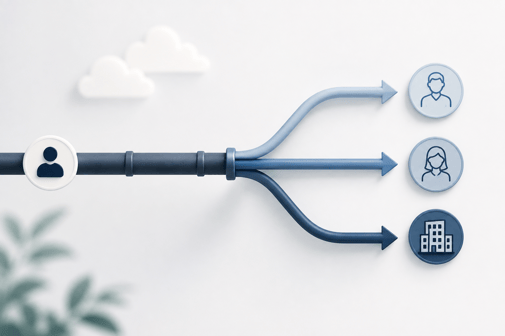
Different Clients Need Different Steps
A pipeline built for one type of client rarely fits another. A straightforward takeover client, one moving from a working setup with clean documentation, might only need three real steps. Confirm access.
Deploy your tools. Go live. A client with heavy compliance requirements needs more: a security review, remediation work, and formal sign-off before anything else can start.
Stakeholders differ too. An owner wants a simple progress update. A network admin wants to verify exactly what access was granted and when. In most B2B onboarding, one sequence simply cannot serve every kind of stakeholder well.
This is not a small risk. One healthcare provider switched MSPs without a tailored onboarding process. The new provider missed several security configurations required for compliance.
The gap surfaced during an audit and cost the practice thousands in emergency remediation, along with potential HIPAA penalties. A generic pipeline is not just inconvenient for a client like that. It is a real risk.
What Forcing Everyone Through It Actually Costs
When every client moves through the same fixed stages, two things go wrong. Simple clients sail through stages that do not apply to them. A tech marks a step complete without really doing it, just to keep the pipeline moving. Complex clients get stuck instead, because the stage built for a simple case has no real step for handling extra security work.
Across B2B onboarding generally, two causes explain most stalls: unclear guidance and slow response times. Each accounts for roughly 40% of them. A pipeline with no path for a client's actual situation produces exactly that kind of stall.
There is a quieter cost too. Once different client types move through the same stages in different ways, your time-in-stage numbers stop meaning anything. A stage showing an average of six days might really be two days for simple clients and three weeks for complex ones. You cannot see that blend from the pipeline report alone.
The Fix is Branches, Not More Stages
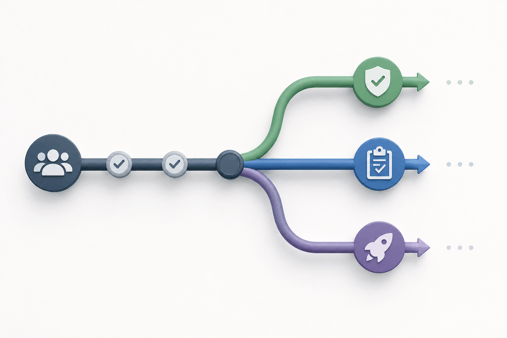
The common instinct is to add more stages to cover every edge case. This backfires. New hires face a pipeline with fifteen stages when most clients only ever touch six of them. Reports get harder to read, not easier.
A better fix keeps the stage list short. Each client then branches onto the path that matches their situation. HubSpot's own guidance points the same direction. It recommends limiting onboarding tracks to two or three default paths. That keeps the process manageable without forcing every account into one template (Source: "10 B2B customer onboarding best practices to accelerate time-to-value").
Building Branches Inside HubSpot
Let me show you how to build and execute in proper way:

Branch on the Property That Actually Predicts Complexity
Branching only works if it is based on something you actually know about the client, and know early. This is where the required fields from your sales-to-service handoff pay off twice.
A compliance flag, a migration-required checkbox, or a service tier field is often already captured when the deal closes.
That same field is exactly what should decide which onboarding path a client takes. Pick one property that reliably predicts complexity rather than several loosely related ones.
How If/Then Branching Works
- Open your onboarding workflow and add an if/then branch after the ticket is created.
- Set the branch condition on the property you chose, for example whether the compliance flag is set to yes.
- HubSpot builds Yes and No paths automatically. Any ticket that does not clearly match either path follows a None Met path, which is worth watching closely (Source: "Use branches in workflows").
- Add the specific stages, tasks, or notifications each path actually needs.
- If a later step is the same across paths, reconnect the branches at a rejoin point. That avoids repeating the same step in every branch.
- Keep branching simple. A single if/then step can now hold multiple conditions, so you rarely need many branches. Every workflow also has a hard ceiling of 20 branches total. Past about five active branches, split into a second workflow instead of nesting further.
This kind of ticket automation requires Service Hub Professional or Enterprise, since ticket property actions inside workflows sit behind that tier.
Or Split Into Separate Pipelines Instead
Branching works well when clients share the same milestones with only a few steps differing. It works less well when two client types need genuinely different milestones from start to finish. In that case, a separate pipeline is the cleaner tool.
Service Hub Professional supports up to 15 ticket pipelines. Each one can carry its own custom ticket template, with fields specific to that process (Source: How to better use tickets).
A dedicated migration-onboarding pipeline, built entirely differently from a standard takeover pipeline, is often easier to manage than one pipeline trying to branch its way through both.
Choosing Branches vs Separate Pipelines
|
Choose this |
When |
|
Branch within one pipeline |
Clients share most milestones, and only a few steps differ between them |
|
Separate pipeline |
The milestones themselves are genuinely different from one client type to the next |
Reporting is a real factor in this choice too. A dedicated pipeline gives clean, timestamped movement data for that specific process. It does this without disrupting how another pipeline reports on its own clients.
What to Watch After You Branch It
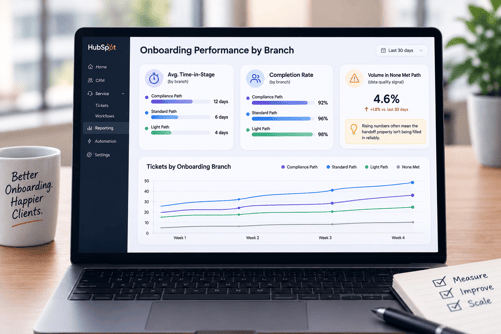
Three signals tell you whether the setup is actually working. Time-in-stage, broken out by branch rather than blended across all clients, shows whether each path is moving at a reasonable pace. Completion rate per branch shows whether one path is quietly stalling more than the others.
Volume landing in the None Met path is worth checking too. A rising number there usually points to one thing: the property driving your branch logic is not being filled in reliably at handoff. That is a data problem to fix at the source, not a reason to add more branches.
FAQs
What is a linear onboarding pipeline and why does it break down?
It is a single fixed sequence of stages that every new client moves through in the same order. It breaks down once client complexity varies enough that no single sequence fits everyone well.
How do I know if my MSP needs branching onboarding instead of one pipeline?
Watch for client types that regularly skip stages, get stuck on stages that were not built for them, or produce pipeline reports that stop making sense. Any of those is a sign one sequence is being stretched too far.
What is if/then branching in HubSpot workflows?
It is a workflow feature that checks a record against a condition. It then sends that record down a Yes path, a No path, or a None Met path if nothing matches.
Should I use branches or separate ticket pipelines for different onboarding types?
Use branches when clients share most milestones with only a few differing steps. Use a separate pipeline when the milestones themselves are fundamentally different between client types.
How many ticket pipelines can I create in HubSpot?
Service Hub Professional supports up to 15 ticket pipelines. That is enough room to give genuinely different onboarding types their own dedicated process.
What property should I branch onboarding on?
Whatever field reliably predicts complexity and is already captured at handoff, such as a compliance flag, a migration-required checkbox, or a service tier. One clear property works better than several loosely related ones.
As a Hubspot Automation Developer at Hubxpert, I specialize in API integration, seamlessly connecting HubSpot with third-party applications. My role encompasses understanding client needs, crafting custom code solutions, and ensuring the smooth operation of our automation workflows. I actively address any HubSpot integration challenges and stay updated with the platform's latest advancements. My dedication ensures clients harness the full potential of HubSpot.

Tanzinul Kabir
Table of Contents:

Subscribe to our newsletter

Modern Website Design Examples & What Makes Them Work
Browse modern website design examples and modern looking websites, and see exactly what separates a fast, current site from one that already feels dated.

Interactive Web Design Templates & Examples to Study
See interactive web design templates and the best interactive web design inspiration, then compare interactive web page design examples before you build.

Interactive Elements in Web Design & Where to Stop
Add interactive elements in web design that earn their place, covering micro interactions, interactive maps, interactive timelines and knowing when to stop.

3D Web Design Templates & Examples You Can Reuse
Browse 3D web design templates and examples, plus where to find free downloads, and see how 3D web page design lifts a site without slowing the site down.

3D Web Design Tools & Software Compared for 2026
Compare 3D web design tools and web based 3D design software, and see where 3D models and 3D assets for web design fit your existing front-end build pipeline.

HubSpot Onboarding Cost: What the Fee Really Covers
See what HubSpot onboarding cost covers, how onboarding fees get quoted and how to compare implementation quotes line by line before you commit to a partner.
-
Modern Website Design Examples & What Makes Them Work
hello
-
Interactive Web Design Templates & Examples to Study
hello
-
Interactive Elements in Web Design & Where to Stop
hello
-
3D Web Design Templates & Examples You Can Reuse
hello
-
3D Web Design Tools & Software Compared for 2026
hello
-
HubSpot Onboarding Cost: What the Fee Really Covers
hello