





-2.png)


-2.png)



.png)


.webp)

.png)










.png)







-1.webp)
-1.webp)



.webp)

-1-1.webp)



-2.webp)

-1-1.webp)

-2-1.png)

-1-1.webp)
-1-1.webp)
-1-1.png)






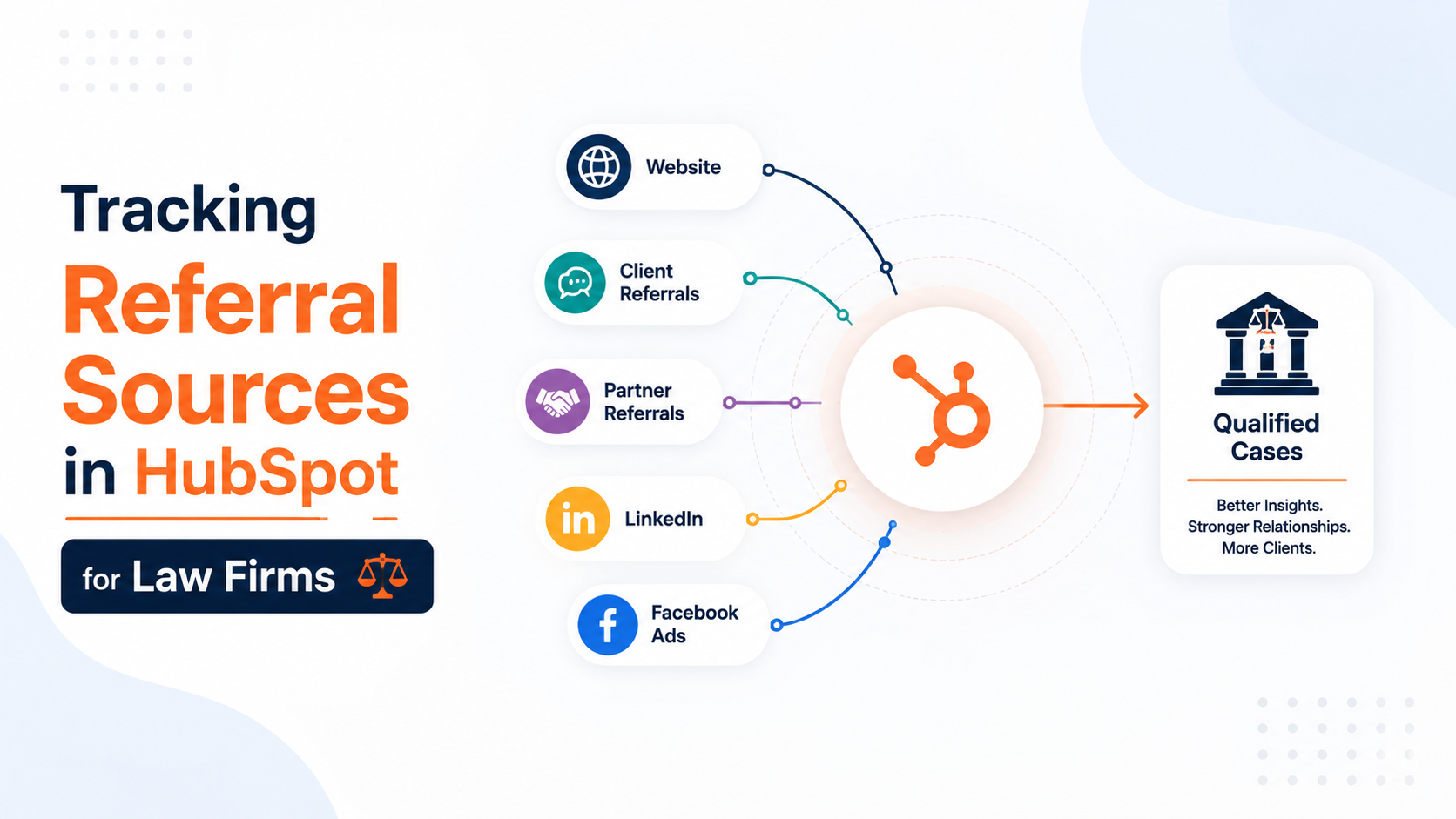
A personal injury firm depends on referrals from other attorneys and past clients. A family law practice depends on therapists, financial advisors, and prior clients sending new matters.
An immigration practice depends on community organizations and word of mouth within specific communities.
Every one of these firms searches HubSpot for a way to track this, and finds a property already named Referrals sitting on every contact record. It looks like the answer. It tracks website link traffic instead.
The actual fix for personal referral tracking now exists inside HubSpot, but most guidance online still describes an older version of the platform that could not do this at all.
This post covers what changed, how to build it, and what to do without the right subscription tier.
Why "Referrals" in HubSpot Isn't What You Think It Means
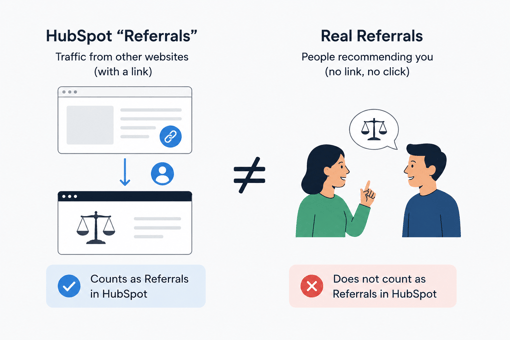
HubSpot assigns every contact an Original Source value the moment they first interact with a firm's website. One possible value is Referrals, and the name suggests exactly what a law firm is trying to track. It is a different concept entirely, and the confusion sends most searchers down the wrong path before they build anything.
Traffic categorized under Referrals comes from external sites that link to your website, meaning a visitor who clicked a link on another site and landed on the firm's site. A past client mentioning the firm to a coworker produces no link and no click, so it generates no Referrals entry. The property also cannot be repurposed to mean something else.
One firm attempting to log networking and personal referral leads was told directly that this property is provided by HubSpot and can't be edited. The word overlap is coincidental, not a shortcut.
The Real Gap: HubSpot Couldn't Link One Contact to Another
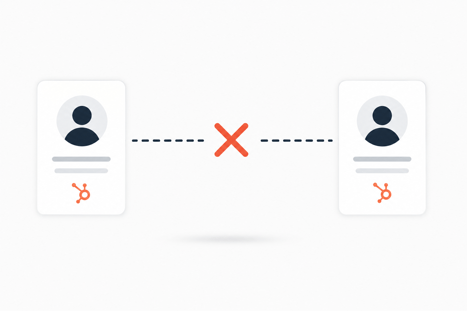
The actual limitation sits deeper than a single mislabeled property. Referral tracking, done properly, requires connecting two contact records to each other: the person who referred the matter, and the client who was referred. For most of HubSpot's history, this connection simply could not be made.
Why this mattered for referral-driven firms specifically
Most CRMs are built around one company referring a lead to another company. Law firms run on a different pattern entirely. A specific person, often a past client, another attorney, or a professional in an adjacent field, refers a specific new client directly.
Without a way to link two contact records, firms were left creating free-text fields holding a name as plain text, disconnected from any actual record and nearly impossible to report on with any accuracy across a full referral network.
What changed
HubSpot introduced Same Object Associations, allowing two contact records to carry a real, structured relationship rather than a text guess. Same object associations can be leveraged across reporting, list segmentation, and workflow tools, and labels are only available to Pro-plus customers.
This is a genuine structural fix, not another workaround, though it has not replaced the outdated advice still ranking at the top of most searches.
The Native Fix, If You're on Professional or Enterprise

Firms holding a Professional or Enterprise subscription have the correct path available now, and it should replace any free-text workaround already in place.
Setting up a referrer association label
Under contact object settings, create a paired association label, one side reading Referred By, the other reading Referred. Applying this label connects the referring contact's record directly to the new client's record.
Assigning a contact this label makes it appear on both records at once, since the relationship travels in both directions automatically.
Why this reports cleanly where free-text properties don't
A labeled association is a real relationship the reporting tools understand natively. A firm can build a list of every referral source across its network, count referrals per person or organization, and trigger a workflow the moment a referred matter closes, all without depending on an intake coordinator spelling the same name the same way every time.
The Workaround, If You're on Starter or Free
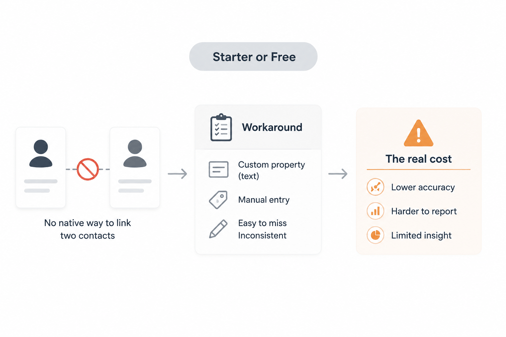
Firms without Professional access still need a working system, and the established community approach remains functional, with a real cost to accuracy.
Custom "Referred By" property setup
Create a single-line text or dropdown property on the contact record labeled Referred By. This does not connect to an actual contact record the way a labeled association does, so consistency depends entirely on intake staff entering the same name the same way at every submission.
Passing it from contact to deal with a workflow
Add a matching property at the deal level, then build a workflow that copies the Referred By value from the contact to any deal created for that contact. This keeps referral information visible wherever the team is actually working day to day, even without a genuine relational link behind it.
Reporting on Referral Sources Once It's Set Up
A working referral system only earns its cost if someone actually reviews it. Build a report counting closed matters by referral source, whether that source is a labeled association or a text property value, and set a recurring review on the calendar rather than leaving it to chance.
Review this report quarterly at minimum. For a personal injury or family law practice with a wide referral network, this is the report that shows a partner which relationships are worth continued investment in time, lunches, and thank-you notes, and which referral sources have gone quiet without anyone noticing.
A Setup Checklist for Either Path
-
Confirm the firm's HubSpot tier before selecting a method. Professional and Enterprise support the labeled association. Starter and free accounts require the property workaround.
-
If eligible, build the paired Referred By and Referred association label under contact object settings.
-
If not eligible, create matching contact and deal level Referred By properties and connect them through a workflow.
-
Standardize how names are entered if using the text-property method, since inconsistent entry breaks reporting accuracy.
-
Build a quarterly report counting closed matters by referral source, regardless of which method was used.
-
Revisit this setup if the firm's subscription tier changes, since migrating to the labeled association is worth the effort once available.
FAQs
Does HubSpot track who referred a client?
Not automatically. The built-in Referrals property tracks website link traffic, not personal referrals. Genuine referrer tracking requires either a Same Object Association label on Professional and above, or a manual custom property setup on lower tiers.
What is the difference between HubSpot's Referrals source and a personal referral?
HubSpot's Referrals value logs visitors who clicked a link from another website. A personal referral is a person directly recommending the firm, which that property does not capture at all.
Do I need HubSpot Professional to track referral relationships?
Only for the native, reportable association method. A workaround using custom properties and workflows functions on lower tiers, though it depends more heavily on consistent manual data entry across the intake team.
Can HubSpot pay or flag referral fees automatically?
No. HubSpot has no billing or fee calculation function. Referral fee tracking still belongs in the firm's practice management or billing software, and remains subject to the applicable state bar's referral fee rules regardless of which system tracks the relationship.
Does this replace tracking referral sources in Clio?
No. This tracks referral relationships on the marketing and intake side inside HubSpot. Matter-level referral notes recorded in Clio remain a separate record and are not synchronized automatically by this setup.
Founder & CEO @ Hubxpert. My goal is to make every company using HubSpot succeed in their marketing organisation and automation.

Ratul Rahman
Table of Contents:

Subscribe to our newsletter

Modern Website Design Examples & What Makes Them Work
Browse modern website design examples and modern looking websites, and see exactly what separates a fast, current site from one that already feels dated.

Interactive Web Design Templates & Examples to Study
See interactive web design templates and the best interactive web design inspiration, then compare interactive web page design examples before you build.

Interactive Elements in Web Design & Where to Stop
Add interactive elements in web design that earn their place, covering micro interactions, interactive maps, interactive timelines and knowing when to stop.

3D Web Design Templates & Examples You Can Reuse
Browse 3D web design templates and examples, plus where to find free downloads, and see how 3D web page design lifts a site without slowing the site down.

3D Web Design Tools & Software Compared for 2026
Compare 3D web design tools and web based 3D design software, and see where 3D models and 3D assets for web design fit your existing front-end build pipeline.

HubSpot Onboarding Cost: What the Fee Really Covers
See what HubSpot onboarding cost covers, how onboarding fees get quoted and how to compare implementation quotes line by line before you commit to a partner.
-
Modern Website Design Examples & What Makes Them Work
hello
-
Interactive Web Design Templates & Examples to Study
hello
-
Interactive Elements in Web Design & Where to Stop
hello
-
3D Web Design Templates & Examples You Can Reuse
hello
-
3D Web Design Tools & Software Compared for 2026
hello
-
HubSpot Onboarding Cost: What the Fee Really Covers
hello