





-2.png)


-2.png)



.png)


.webp)

.png)










.png)







-1.webp)
-1.webp)



.webp)

-1-1.webp)



-2.webp)

-1-1.webp)

-2-1.png)

-1-1.webp)
-1-1.webp)
-1-1.png)






%20(1).webp)
Small professional service firms, consulting agencies, legal practices, accounting firms, and independent consultants, deliver specialized expertise but often face challenges like limited resources, time-intensive client management, and fierce competition. HubSpot for service businesses provides a comprehensive small firm CRM stack, enabling firms to automate tasks, generate leads, and build client relationships efficiently. This guide explores how HubSpot’s tools serve as the best tools for consultants, offering actionable insights for small firms aiming to thrive in 2025.
The Need for a Robust CRM Stack
Small professional service firms operate in a high-touch environment where client relationships are paramount. Manual processes, such as tracking client interactions in spreadsheets or sending individual follow-up emails, consume valuable time and risk errors. A 2024 study suggests that automation through HubSpot for service businesses can save small firms 10+ hours weekly on administrative tasks (HubSpot). By adopting a small firm CRM stack, firms can simplify operations, focus on delivering value, and scale without hiring additional staff. The challenge lies in finding a solution that balances affordability, ease of use, and functionality, qualities HubSpot excels at delivering.
Benefits of HubSpot for Small Firms
-
Centralized Data: Store client details, communications, and deals in one platform.
-
Automation: Automate repetitive tasks like email nurturing or invoicing.
-
Scalability: Start with free tools and upgrade as the firm grows.
-
Cost-Effectiveness: Free CRM and affordable plans fit tight budgets.
Understanding the HubSpot Stack
|
Hub |
Description |
Key Features |
Best for Consultants |
|---|---|---|---|
|
CRM Hub |
Manages contacts and deals |
Contact management, pipeline tracking, basic reporting |
Tracking client interactions without cost |
|
Marketing Hub |
Automates marketing campaigns |
Email marketing, landing pages, SEO tools |
Generating leads through content |
|
Sales Hub |
Streamlines sales processes |
Deal pipelines, email sequences, quotes |
Closing deals efficiently |
|
Service Hub |
Enhances client support |
Ticketing, feedback surveys, knowledge base |
Retaining clients with great service |
|
CMS Hub |
Builds professional websites |
Drag-and-drop editor, SEO optimization |
Creating a branded online presence |
These tools work together, allowing data to flow between marketing, sales, and service functions. For example, a lead captured through a Marketing Hub form can automatically enter the CRM, triggering a Sales Hub email sequence. This integration reduces manual work and ensures a cohesive client experience, making HubSpot one of the best tools for consultants.
HubSpot for Service Businesses
Professional service firms differ from product-based businesses due to their longer sales cycles, high-touch client interactions, and need to establish trust. HubSpot for service businesses addresses these needs with tailored features:
- Client Management: The CRM Hub centralizes client data, tracking interactions, project details, and deal stages. For consultants, this ensures personalized service delivery, as all relevant information is accessible in one place.
- Lead Generation: The Marketing Hub supports inbound strategies like blogging, whitepapers, and webinars. A 2024 report found that 68% of B2B buyers start their journey with online research (BrightEdge), making content creation critical for attracting clients.
- Proposal Management: The Sales Hub streamlines proposal creation and tracking, allowing consultants to send branded quotes directly from the platform, speeding up deal closures.
- Client Support: The Service Hub manages inquiries and feedback, ensuring clients receive prompt, high-quality support, which is vital for retention in service-based industries.
- Online Presence: The CMS Hub enables firms to build professional websites that showcase expertise, with built-in SEO tools to boost visibility.
Automation is a key advantage. For instance, a consultant can set up a workflow to send a follow-up email after a client meeting, saving time while maintaining engagement. A 2023 case study showed a consulting firm increased conversions by 20% using HubSpot’s email sequences (HubSpot).
Building a Small Firm CRM Stack
|
CRM |
Strengths |
Weaknesses |
Best for Small Firms? |
|---|---|---|---|
|
HubSpot |
Free plan, all-in-one, scalable |
Higher-tier plans costly |
Yes, due to affordability and integration |
|
Salesforce |
Robust features, customizable |
Expensive, complex setup |
No, too complex for small firms |
|
Zoho CRM |
Affordable, feature-rich |
Steeper learning curve |
Yes, but less integrated than HubSpot |
A small firm CRM stack combines tools to manage client relationships effectively. For small firms, the stack must be affordable, user-friendly, and scalable. HubSpot’s free CRM is an ideal starting point, offering:
-
Contact Management: Store unlimited contacts (up to 1,000,000) with details like industry or project status.
-
Deal Tracking: Visualize sales pipelines to prioritize high-value opportunities.
-
Task Automation: Automate reminders for follow-ups or meetings.
Unlike other CRMs, HubSpot’s all-in-one platform eliminates the need for multiple vendors, reducing costs and complexity. For example, integrating marketing, sales, and service tools in one system avoids the data silos common with disparate tools like Salesforce or Mailchimp. Additionally, HubSpot’s 1,700+ integrations allow firms to connect with existing tools, enhancing the small firm CRM stack.
Best Tools for Consultants in HubSpot
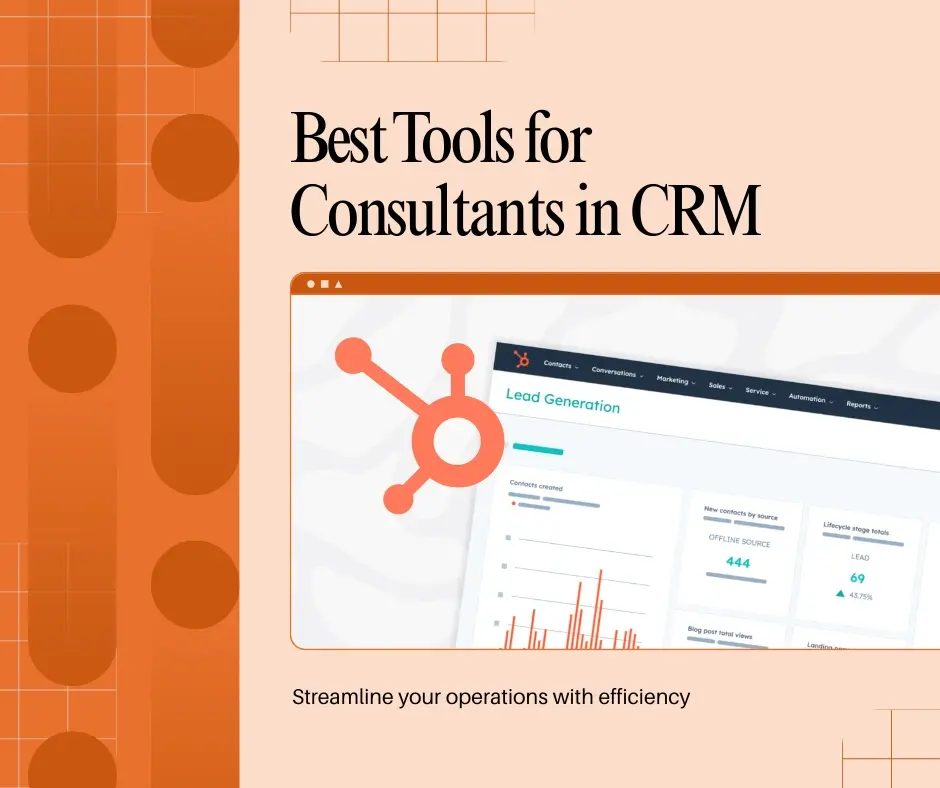
HubSpot’s tools are among the best tools for consultants, offering custom solutions for common challenges:
-
Marketing Hub:
-
Content Creation: Create blogs or white papers to establish thought leadership. For example, a financial consultant might publish a guide on tax strategies, attracting leads.
-
Email Campaigns: Automate personalized emails to nurture prospects, with dynamic content based on client interests.
-
SEO Optimization: Improve website visibility with keyword tools, crucial as 70% of B2B searches start on Google (Google, 2024).
-
-
Sales Hub:
-
Deal Pipelines: Track consulting projects from proposal to contract, ensuring no opportunity is missed.
-
Email Sequences: Automate follow-ups after initial consultations, saving time while maintaining engagement.
-
Meetings Tool: Schedule client meetings with calendar integration, simplifying communication.
-
-
Service Hub:
-
Ticketing System: Manage client inquiries efficiently, categorising and assigning tickets to team members.
-
Feedback Surveys: Collect post-project feedback to improve services and build loyalty.
-
Knowledge Base: Create a client-accessible resource hub, reducing repetitive inquiries.
-
-
CMS Hub:
-
Website Design: Build a professional site showcasing services and testimonials, critical for first impressions.
-
Analytics: Track visitor behavior to refine marketing strategies, such as targeting high-traffic pages.
-
HubSpot’s AI tools, like Breeze AI, enhance these features by automating content creation and lead scoring, potentially increasing engagement by 30% (HubSpot).
Implementing HubSpot for Small Firms
Implementing HubSpot for service businesses is straightforward with these steps:
- Start with Free CRM: Sign up at HubSpot.com and set up contact management and deal pipelines.
- Customize Properties: Add fields like “Client Industry” or “Project Type” to tailor the CRM to your needs.
- Add Marketing Tools: Use Marketing Hub Starter ($20/month) for email campaigns and lead capture forms.
- Integrate Tools: Connect with best tools for consultants like Zoom, QuickBooks, or LinkedIn Sales Navigator (1,700+ integrations).
- Automate Workflows: Set up sequences for client onboarding or follow-ups to save time.
- Train Team: Use HubSpot Academy’s free courses for quick onboarding.
- Monitor Performance: Track metrics like lead conversion rates using HubSpot’s dashboards.
This approach ensures rapid adoption without overwhelming small teams.
Where to Get Help Building the Stack
Most small businesses can set up the basics themselves. HubSpot's own onboarding covers the platform tour, and the free Academy courses are enough to build a first pipeline, a form and a follow-up email without outside help.
The work that goes wrong is the layer underneath: which properties carry your reporting, how the lifecycle stages map to your actual sales process, and what happens to the data when a deal moves backwards. That is where an implementation partner earns its fee, because a portal built on the wrong structure gets rebuilt later at double the cost.
If you want the platform configured once and correctly, start with a HubSpot onboarding engagement. If your problem is campaigns rather than structure, marketing automation setup is the narrower job.
Integrations for Enhanced Functionality
|
Tool |
Purpose |
Benefit for Consultants |
|
Video conferencing |
Schedule and track client meetings |
|
|
Accounting |
Automate invoicing and payments |
|
|
Lead prospecting |
Find high-value clients |
|
|
Workflow automation |
Connect to 5,000+ apps |
These integrations simplify workflows, making HubSpot one of the best tools for consultants.
Challenges and Solutions
|
Challenge |
Description |
Solution |
|
Setup Complexity |
Initial configuration can be time-intensive |
Use HubSpot’s onboarding services or consultants |
|
Cost |
Start with Starter plans and scale gradually |
|
|
Learning Curve |
Teams may need training |
Leverage HubSpot Academy’s free resources |
|
Data Migration |
Moving existing data can be challenging |
Use HubSpot’s import tools or professional services |
These solutions ensure firms maximize HubSpot’s benefits without undue strain.
Frequently Asked Questions
How long does it take to set up HubSpot for a small firm?
The basics take a week: contacts, a pipeline, a form and one follow-up workflow. A structure you can report on takes three to six weeks, because the slow part is deciding which properties and stages your business actually needs before anything gets built.
Do small professional service firms need Marketing Hub or Sales Hub?
Start with the free CRM and Sales Hub Starter if your problem is follow-up and pipeline discipline. Add Marketing Hub when you are running campaigns that need forms, landing pages and email automation. Buying both at once is how small firms end up paying for features nobody has time to configure.
Which tools does HubSpot integrate with for a consulting firm?
The common stack is a calendar, an accounting tool, a video conferencing tool and a prospecting tool. HubSpot connects to all four directly or through an automation platform, and each connection removes a manual step that would otherwise be retyped.
Conclusion
Founder & CEO @ Hubxpert. My goal is to make every company using HubSpot succeed in their marketing organisation and automation.

Ratul Rahman
Table of Contents:

Subscribe to our newsletter

Modern Web App Design & UI Patterns That Scale
See how modern web app design differs from a marketing site, covering modern web application design and modern web app UI design for dense data dashboards.

Modern Responsive Web Design Techniques for 2027
Apply modern responsive web design techniques in 2026. Review modern web design best practices and why responsive design still decides your conversions.

Modern Website Design Examples & What Makes Them Work
Browse modern website design examples and modern looking websites, and see exactly what separates a fast, current site from one that already feels dated.

Interactive Web Design Templates & Examples to Study
See interactive web design templates and the best interactive web design inspiration, then compare interactive web page design examples before you build.

Interactive Elements in Web Design & Where to Stop
Add interactive elements in web design that earn their place, covering micro interactions, interactive maps, interactive timelines and knowing when to stop.

3D Web Design Templates & Examples You Can Reuse
Browse 3D web design templates and examples, plus where to find free downloads, and see how 3D web page design lifts a site without slowing the site down.
-
Modern Web App Design & UI Patterns That Scale
hello
-
Modern Responsive Web Design Techniques for 2027
hello
-
Modern Website Design Examples & What Makes Them Work
hello
-
Interactive Web Design Templates & Examples to Study
hello
-
Interactive Elements in Web Design & Where to Stop
hello
-
3D Web Design Templates & Examples You Can Reuse
hello