





-2.png)


-2.png)



.png)


.webp)

.png)










.png)







-1.webp)
-1.webp)



.webp)

-1-1.webp)



-2.webp)

-1-1.webp)

-2-1.png)

-1-1.webp)
-1-1.webp)
-1-1.png)






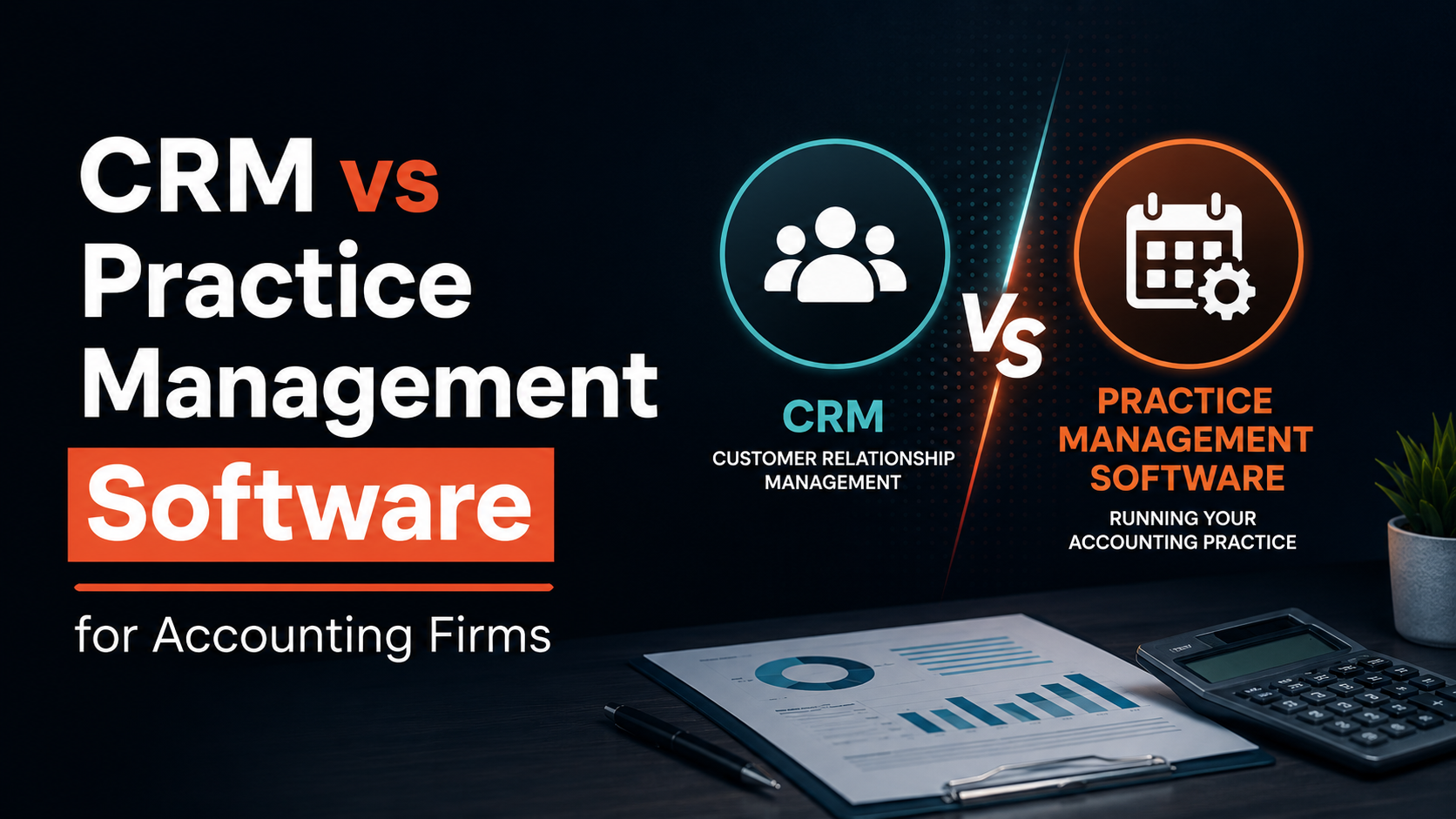
HubSpot has become one of the most flexible CRM platforms available, precisely because it does not assume every business runs on generic sales pipelines. Accounting firms are proving that point.
Firms that spent years running Karbon, Canopy, or TaxDome for engagements and deadlines are now asking a harder question: does adding a CRM on top of that solve a real problem, or create a second system nobody has time to maintain. It is a fair question.
Practice management software already tracks clients. But tracking a client and tracking a relationship are not the same job, and the gap between them is costing firms referrals they never see coming.
The Short Answer
Most accounting firms do not need to abandon their practice management software or replace it with a full CRM. What they need is a way to close one specific gap. Practice management tools like Karbon, Canopy, and TaxDome are built to run engagements: deadlines, task assignment, document collection, billing.
On other hand, a CRM is built to run relationships: referral sources, pipeline stages, and communication history across every touchpoint. If your team already knows where new clients come from. Tracks every advisory upsell opportunity, and flags dormant clients before they leave, your current setup is doing its job. If none of that happens without someone remembering, that is the gap worth closing.
What Practice Management Software Actually Tracks (And What It Does Not)

Before comparing tools, it helps to separate two setups that both get called practice management software. A real platform like Karbon, Canopy, TaxDome, or Financial Cents manages workflow, deadlines, document handling, and often billing in one system built for accounting work (Source: "CRM vs Practice Management Software: Key Difference").
QuickBooks plus a shared spreadsheet is not that, even though many firms describe it that way. If your firm falls into the second group, the honest answer is that you likely need both practice management structure and relationship tracking, not just one or the other.
|
What it tracks |
Practice management software |
CRM |
|
Task and deadline tracking |
Yes, built for this |
Not designed for this |
|
Document collection and e-signatures |
Yes |
Rarely |
|
Billing and time tracking |
Often included |
Not included |
|
Referral source tracking |
Rarely tracked |
Built for this |
|
Sales pipeline and proposal stages |
Minimal |
Built for this |
|
Communication history across touchpoints |
Partial, tied to a task |
Full relationship timeline |
|
Cross-sell and advisory opportunity tracking |
Rarely visible |
Built for this |
Where The Built-In CRM Inside Your Practice Management Tool Runs Thin

Some practice management platforms have added CRM features directly into the product. Karbon markets a built-in client relationship management module alongside its workflow tools. Firms that need only basic contact history often find it sufficient. Independent review scoring tells a more specific story.
One review platform rates Karbon 4.2 out of 5 on client CRM and relationship context, and notes reviewers specifically flag its CRM depth as lighter than dedicated CRM platforms, with contact-type and contact caps constraining larger client books (Source: "Karbon: Product Maturity: Roadmap and Momentum").
That is not a failure on Karbon's part. Karbon was built to run engagements first, so a workflow tool that also tracks relationships will always be shallower on the relationship side than a tool built for relationships alone. The real question is not whether the built-in version is bad. It is whether it goes deep enough for how your firm is trying to grow right now.
Signs Your Firm Has Outgrown it
- No one can say, without checking, where your last five new clients came from
- Advisory upsell happens only when a partner happens to remember a client mentioned it
- Referral partners send a lead and never hear back about what happened to it
- A client goes quiet for two months before anyone on the team notices
- Marketing outreach and partner outreach run from separate, disconnected lists
Running Both Without Duplicate Data Entry
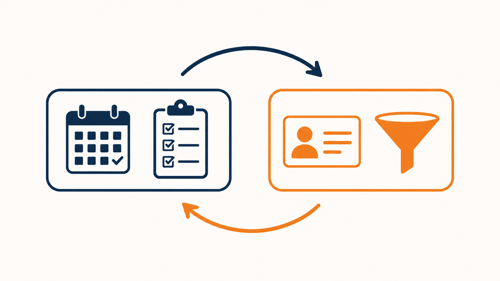
The real objection behind "do I need one if I already have practice management software" is rarely about features. It is about maintenance. Nobody wants to log the same client twice in two systems, and nobody wants two disagreeing records of the same fact.
The fix is not choosing one tool over the other. It is deciding, field by field, which system owns which piece of data, then syncing the rest. Deadlines, task status, and billing stay owned by your practice management platform. Referral source, pipeline stage, and communication history stay owned by your CRM.
A two-way sync between the two keeps both updated automatically, so a partner working inside either tool sees the same client record without re-entering anything.
HubSpot connects to QuickBooks and other accounting tools through its integration marketplace, which lets firms sync client and billing data instead of copying it between systems by hand (Source: "Comprehensive Guide: CRM for Accountants"). The setup work happens once.
After that, a change made in one system reflects in the other without anyone opening two tabs to keep them aligned. This is the piece most vendor comparisons skip, since it is easier to sell "replace your current tool" than "connect your current tool to something else." For a firm already invested in a practice management platform its team knows how to use, connecting is usually the cheaper and less disruptive path.
What This Looks Like With HubSpot
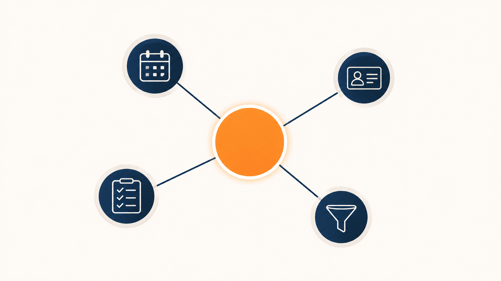
One useful reference point is Hill Barth and King, a Top 100 CPA firm that rebuilt its CRM architecture on HubSpot Sales Hub Enterprise, Marketing Hub, Data Hub, and custom objects to unify 20,000 client relationships under one system. Client data now updates nightly without manual re-entry (Source: "How a Top 100 CPA Firm Unified Its CRM to Scale 20,000 Client Relationships").
That scale is well beyond most firms reading this, but the pattern holds at any size. Practice management software keeps running the work, HubSpot keeps running the relationship, and a sync keeps both current.
This approach of connecting a sales and marketing system to the software already running engagement work is the same territory we cover in more depth in HubSpot for Accounting Firms. Most firms start smaller than a firm-wide rebuild, syncing contacts and deal stages first, then expanding once the basics are working.
FAQs
Can Karbon or Canopy replace a CRM entirely?
For firms with simple, low-volume referral activity, the built-in CRM features may be enough. For firms actively growing through referrals and advisory upsell, most find the relationship tracking too shallow once active client relationships climb past a few dozen.
What is the real difference between CRM and practice management software?
Practice management software tracks the work being done for a client. A CRM tracks the relationship around that work, including where the client came from and what they might need next.
Will running both create duplicate data entry?
Not if the two systems connect through a two-way sync with clear field ownership. Without that setup, duplicate entry is the most common complaint firms report.
What size accounting firm actually needs a separate CRM?
There is no fixed headcount cutoff. The signal is behavioral. Once no one on the team can say where new clients are coming from without checking, the firm has outgrown informal tracking regardless of size.
Does HubSpot integrate with practice management platforms like Karbon or TaxDome?
HubSpot integrates with QuickBooks and other accounting tools directly through its marketplace. Native integration depth with specific practice management platforms varies, so confirming the exact integration path is worth doing before committing.
Founder & CEO @ Hubxpert. My goal is to make every company using HubSpot succeed in their marketing organisation and automation.

Ratul Rahman
Table of Contents:

Subscribe to our newsletter

Modern Website Design Examples & What Makes Them Work
Browse modern website design examples and modern looking websites, and see exactly what separates a fast, current site from one that already feels dated.

Interactive Web Design Templates & Examples to Study
See interactive web design templates and the best interactive web design inspiration, then compare interactive web page design examples before you build.

Interactive Elements in Web Design & Where to Stop
Add interactive elements in web design that earn their place, covering micro interactions, interactive maps, interactive timelines and knowing when to stop.

3D Web Design Templates & Examples You Can Reuse
Browse 3D web design templates and examples, plus where to find free downloads, and see how 3D web page design lifts a site without slowing the site down.

3D Web Design Tools & Software Compared for 2026
Compare 3D web design tools and web based 3D design software, and see where 3D models and 3D assets for web design fit your existing front-end build pipeline.

HubSpot Onboarding Cost: What the Fee Really Covers
See what HubSpot onboarding cost covers, how onboarding fees get quoted and how to compare implementation quotes line by line before you commit to a partner.
-
Modern Website Design Examples & What Makes Them Work
hello
-
Interactive Web Design Templates & Examples to Study
hello
-
Interactive Elements in Web Design & Where to Stop
hello
-
3D Web Design Templates & Examples You Can Reuse
hello
-
3D Web Design Tools & Software Compared for 2026
hello
-
HubSpot Onboarding Cost: What the Fee Really Covers
hello