





-2.png)


-2.png)



.png)


.webp)

.png)










.png)







-1.webp)
-1.webp)



.webp)

-1-1.webp)



-2.webp)

-1-1.webp)

-2-1.png)

-1-1.webp)
-1-1.webp)
-1-1.png)






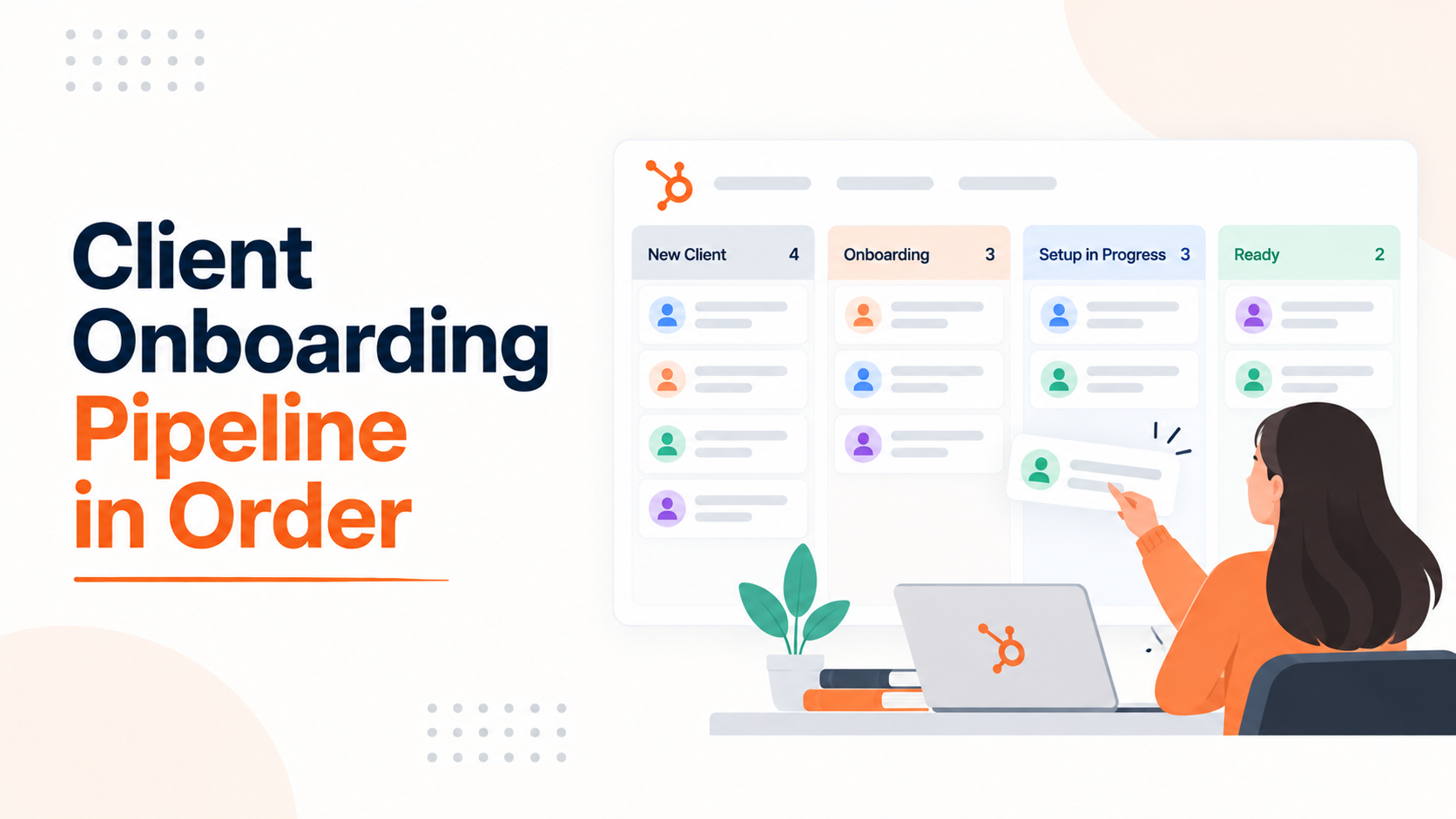
Most agency onboarding pipelines start clean and drift within a month. A record jumps from Kickoff Scheduled straight to Go Live. A client finishes step four before step two. By the time someone checks the pipeline for a real answer, half the stages describe where a client used to be, not where they are now.
This happens for two separate reasons, not one. Staff move records loosely under deadline pressure. Clients complete onboarding tasks in whatever order suits them, not the order the pipeline assumes.
HubSpot has real tools for the first problem and almost none for the second. Knowing which is which, and what each tool actually enforces, is what keeps a pipeline honest past week three.
Why Agency Onboarding Pipelines Drift Out of Order
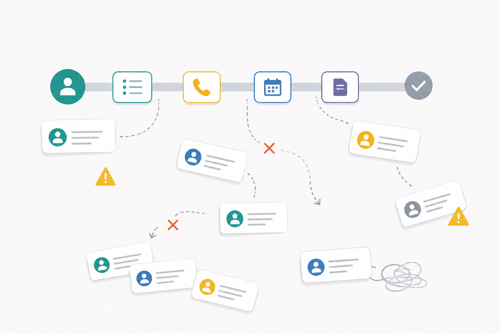
An agency running five or six onboardings at once feels this faster than a single company onboarding its own internal teams. Account managers under deadline pressure drag a ticket from Kickoff straight to Setup Complete because the call went well and they do not want to click through two stages that feel like formalities. That single shortcut breaks time-in-stage reporting for that record permanently.
The second cause gets less attention in most onboarding advice. Clients do not experience your pipeline stages. They experience a list of things you asked them to do, and they do them in whatever order is convenient.
One HubSpot Service Hub user described this exactly: clients did not always complete onboarding steps in order, and some never finished every step, which made it impossible to trust where any given client actually stood (Source: Need Advice on Building an Effective Onboarding Pipeline in ServiceHub). A pipeline built only to stop staff from skipping stages does nothing about that.
Pick the Right Object First: Deal, Ticket or Both
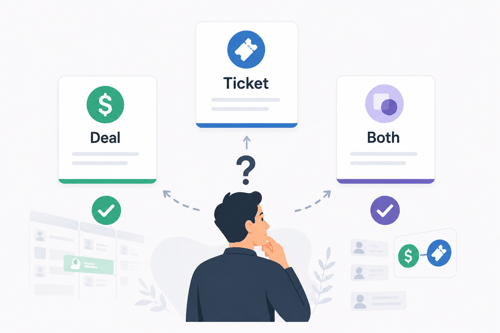
Before touching stage names, decide what record type carries the onboarding process. Mixing onboarding into the sales pipeline makes reporting and ownership harder to read, since a deal that closed and a deal still being delivered look identical in the same view (Source: How to Power Up Customer Onboarding with Tickets in HubSpot Service Hub). Onboarding needs its own pipeline no matter which object you pick.
|
Object |
Best for |
Why it fits order tracking |
|
Deal pipeline |
Agencies without Service Hub, or those tracking onboarding as still-open revenue |
Familiar to sales, but lacks a built-in open/closed status per stage |
|
Ticket pipeline |
Agencies with Service Hub running post-sale delivery |
Every stage carries an Open or Closed status, which cleanly separates active onboarding from finished or failed onboarding |
|
Deal plus ticket handoff |
Most agencies in practice |
Deal closes, a workflow creates an onboarding ticket associated with the deal, company, and contact, and the ticket becomes the system of record for delivery |
For most digital agencies, the third row is the right answer. It keeps the sales pipeline clean for forecasting and gives onboarding its own reportable process with real Open and Closed states.
What HubSpot Can Actually Enforce & What It Can't
This is where most onboarding advice oversells the platform. HubSpot has two features built to stop records from moving out of sequence, and both have a shared gap worth knowing before you build around them.
Pipeline Rules
Pipeline rules let you restrict four behaviors on a deal, ticket, or custom object pipeline: which stage new records can be created in, whether stages can be skipped, whether records can move backward, and who can edit records at a given stage (Source: Set up rules for object pipelines).
This requires Sales Hub or Service Hub Professional or Enterprise, plus Super Admin permissions to configure it. Custom object pipelines need Enterprise specifically.
Two exceptions matter. Records can still jump directly to a Closed or Closed Lost stage even with skip restrictions on, since HubSpot treats that as an exit rather than a skip (Source: Set up rules for object pipelines).
And turning rules on disables bulk editing of stage or pipeline for records inside that pipeline, which is a real cost worth weighing against the reporting accuracy you gain.
Conditional Stage Properties
This feature requires specific fields to be filled in before a record can advance to the next stage, which forces staff to document real progress instead of clicking forward.
It requires a Professional subscription or higher across every Hub. Starter accounts and the free CRM do not get it (Source: Conditional logic properties).
The Gap Both Features Share
Neither feature reliably stops a workflow from doing the same thing a rushed staff member does.
HubSpot's own documentation on pipeline rules states the restriction applies to manual edits and to API calls "when a user ID is being passed," which leaves room for a workflow action to move a record past a stage without tripping the rule (Source: Set up rules for object pipelines).
Conditional property logic has the identical blind spot stated even more plainly: it "won't apply when editing records with other HubSpot tools, such as workflows" (Source: Set up conditional logic for enumeration properties).
That means a workflow set to move a ticket to Go Live under the wrong condition can bypass both order-enforcement tools you just paid for.
If you automate stage changes, audit every workflow action that touches the pipeline stage property, not just the manual editing permissions.
Designing Stages That Represent Real Milestones
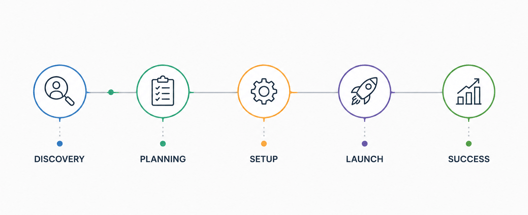
Stage names should describe something that happened, not a phase of time. "Setup" is vague. "Access Credentials Received" is verifiable. Build the stage list in this order:
- List every concrete milestone a client must pass through, in the sequence work actually happens.
- Cut anything that is a task rather than a milestone. Tasks live inside a stage, not as their own stage.
- Mark each stage Open or Closed if using tickets, so active work is never confused with finished work.
- Add one holding stage, such as Ready for Onboarding, between Closed Won and the first real onboarding stage, so nothing starts before invoicing or scheduling is confirmed.
- Name a Failed or Paused stage separately from Complete, so churned onboardings do not quietly inflate your completion rate.
The Client-Side Order Problem
This is the half most onboarding guides skip. A client who submits brand assets before scheduling the kickoff call has not violated your process, they have just done things in a sequence you did not anticipate.
Trying to force clients into a rigid internal stage sequence usually fails, since they are not looking at your pipeline.
The workable fix is separating internal stage tracking from client-facing task tracking. Let the client complete tasks in whatever order works for them, and set stage advancement rules based on which tasks are actually done, not the order they were done in.
A conditional property requiring proof of brand assets before advancing to Design Review still works correctly even if the client submitted assets before finishing account setup.
What to Do Once a Pipeline Has Already Gone Sideways
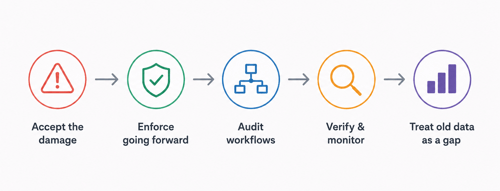
If deals or tickets have already skipped stages, there is no way to backfill historical stage-entry data after the fact.
Multiple confirmed threads on HubSpot's own community forum state this directly, including from HubSpot staff responding to the exact scenario (Source: Sales pipeline reports are wrong due to deals skipping stages).
Moving affected records into a fresh pipeline does not fix this either, since it loses the record of when they entered each stage in the first place.
The realistic move is accepting the damage to historical reporting, turning on pipeline rules and conditional stage properties going forward, and auditing workflows for the bypass gap above before trusting the new setup.
Treat the old data as a known gap in your dashboards rather than something to quietly patch over.
FAQs
Can HubSpot stop deals or tickets from skipping stages?
Yes, through pipeline rules on Sales Hub or Service Hub Professional or Enterprise, configured by a Super Admin, though records can still jump directly to a Closed stage even with the rule on.
Does turning on pipeline rules also stop workflows from skipping stages?
Not reliably. Pipeline rules are enforced on manual edits and API calls that pass a user ID, which leaves workflow-driven stage changes as a separate gap to check.
What HubSpot plan do I need for pipeline rules?
Sales Hub or Service Hub Professional or Enterprise for standard object pipelines, and Enterprise specifically for custom object pipelines.
Should an agency use a deal pipeline or a ticket pipeline for client onboarding?
A ticket pipeline associated with the closed deal, since tickets carry an Open or Closed status per stage that separates active onboarding from finished onboarding cleanly.
Can I fix historical onboarding data after deals have already skipped stages?
No. Stage-entry history cannot be backfilled, and moving records to a new pipeline loses that history rather than restoring it.
Final Thought
A good onboarding pipeline is not something you build once and walk away from. Pipeline rules and conditional stage properties handle the staff side of this problem well, but they leave workflows as an open door. If any workflow in your portal touches a deal or ticket stage property, that is the first place to check, because it can undo both tools you just paid for.
The pipeline also needs a second pass every few months. A new service line, a new onboarding step, or clients starting to complete tasks in a different order will all push stages out of date again, even with rules switched on.
If your onboarding pipeline has already drifted too far to fix with a quick edit, or you inherited a HubSpot setup someone else built and want a second set of eyes on it, that is the kind of audit our HubSpot onboarding team handles on a regular basis.
Founder & CEO @ Hubxpert. My goal is to make every company using HubSpot succeed in their marketing organisation and automation.

Ratul Rahman
Table of Contents:

Subscribe to our newsletter

Modern Website Design Examples & What Makes Them Work
Browse modern website design examples and modern looking websites, and see exactly what separates a fast, current site from one that already feels dated.

Interactive Web Design Templates & Examples to Study
See interactive web design templates and the best interactive web design inspiration, then compare interactive web page design examples before you build.

Interactive Elements in Web Design & Where to Stop
Add interactive elements in web design that earn their place, covering micro interactions, interactive maps, interactive timelines and knowing when to stop.

3D Web Design Templates & Examples You Can Reuse
Browse 3D web design templates and examples, plus where to find free downloads, and see how 3D web page design lifts a site without slowing the site down.

3D Web Design Tools & Software Compared for 2026
Compare 3D web design tools and web based 3D design software, and see where 3D models and 3D assets for web design fit your existing front-end build pipeline.

HubSpot Onboarding Cost: What the Fee Really Covers
See what HubSpot onboarding cost covers, how onboarding fees get quoted and how to compare implementation quotes line by line before you commit to a partner.
-
Modern Website Design Examples & What Makes Them Work
hello
-
Interactive Web Design Templates & Examples to Study
hello
-
Interactive Elements in Web Design & Where to Stop
hello
-
3D Web Design Templates & Examples You Can Reuse
hello
-
3D Web Design Tools & Software Compared for 2026
hello
-
HubSpot Onboarding Cost: What the Fee Really Covers
hello