





-2.png)


-2.png)



.png)


.webp)

.png)










.png)







-1.webp)
-1.webp)



.webp)

-1-1.webp)



-2.webp)

-1-1.webp)

-2-1.png)

-1-1.webp)
-1-1.webp)
-1-1.png)







A board update is two weeks out, and the client wants to know what marketing has actually done. The HubSpot account existed long before this engagement started, campaigns were tagged inconsistently by whoever ran things before, and half the deals in the pipeline were already open on day one.
Attribution reporting was never going to be a clean exercise here. That is the real starting condition for most fractional CMOs, and it changes the question.
It is not which attribution model explains marketing best in theory. It is what can actually be defended given the tier the client already pays for and the history already sitting in the account. That is what this post answers.
Why Attribution Breaks on Inherited Data, Not Bad Setup
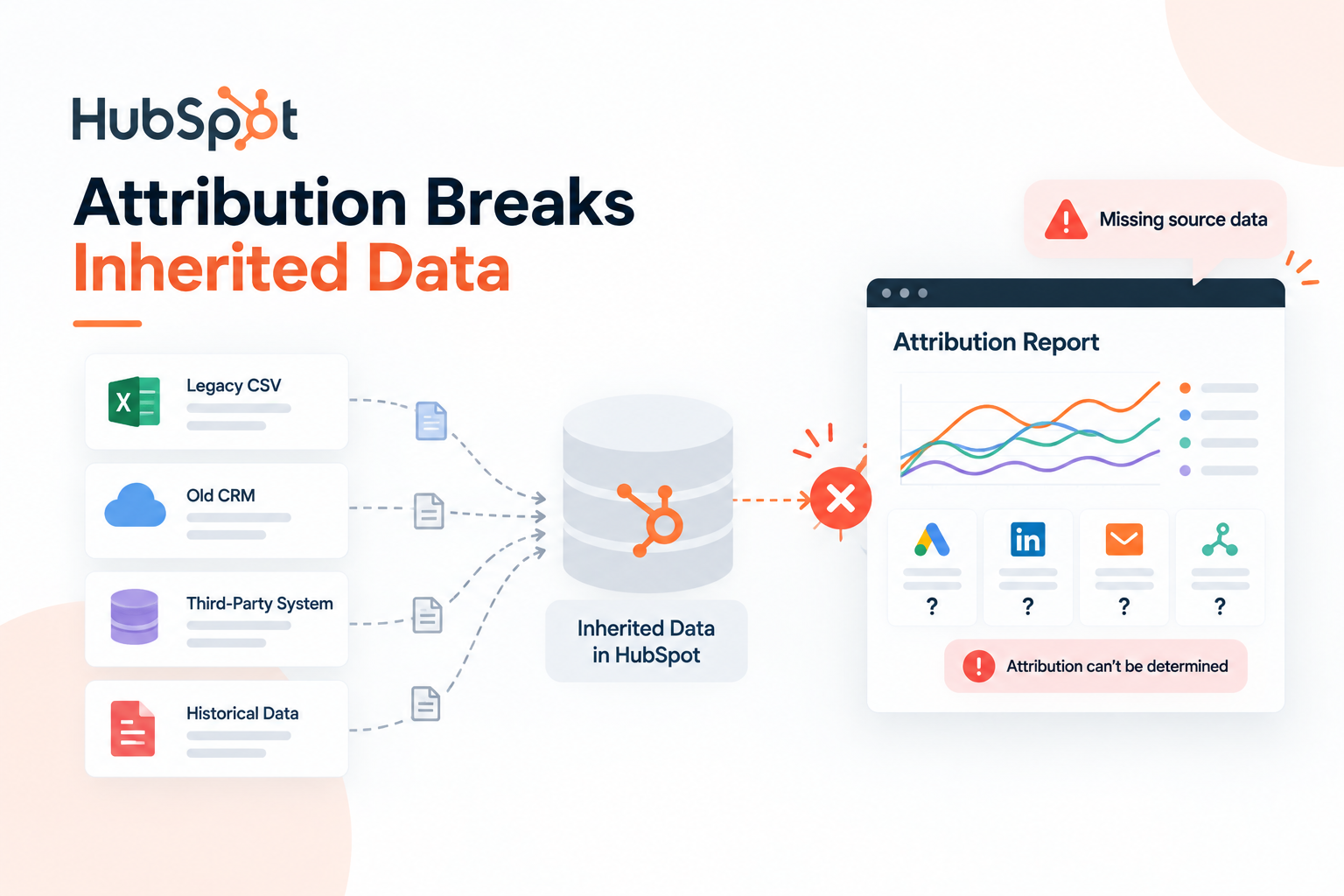
Attribution reports pull from whatever HubSpot has recorded about a contact's journey. If a prior agency or in-house hire never tagged campaigns consistently, or if the tracking code sat misconfigured for months, that history is simply missing. No report setting recovers it after the fact.
Deals already open before the CMO's arrival make this worse. Attribution reports that look back past the engagement start date will credit or blame touchpoints nobody on the current team controlled.
A report that quietly includes six months of pre-engagement pipeline history is not measuring the new CMO's impact, it is measuring whatever happened before them.
This is a data-history problem, not a configuration problem. Fixing it starts with knowing exactly what is missing and setting expectations before the first report goes out, not after a board asks why a number looks strange.
What Your Client's Tier Actually Unlocks
Revenue Attribution reporting and custom attribution model selection are both available starting at Marketing Hub Professional. Data-driven attribution, which builds a model from the account's own conversion data instead of a fixed rule, requires Marketing Hub Enterprise. (Source: HubSpot Marketing Attribution)
Most fractional CMO clients sit at the Professional tier. That means real attribution reporting is available, just not the data-driven model that adjusts itself automatically. The fixed models, first-touch, last-touch, linear, and time-decay among them, are what most engagements are actually working with, and each one interprets messy history differently.
Confirm the client's exact tier before promising a report type. Nothing kills credibility faster than describing a data-driven attribution view to a board, then discovering the account cannot generate one.
Which Models to Trust on Messy History

First-touch attribution only needs one thing to be accurate: the first tracked interaction. It credits 100 percent of a deal to whatever channel brought the contact into the database first.
On inherited data, this is often the most forgivable model, since it does not depend on every touchpoint between awareness and close being tagged correctly.
Last-touch does the opposite, crediting the final interaction before close. On an account with gaps in historical tagging.
This model can quietly erase the CMO's own early-stage work if a sales rep's manual note or an untracked call happens to be the final logged touch.
Multi-touch and time-decay models spread credit across the whole journey, which sounds more accurate but actually compounds every gap in the data instead of averaging past them.
A journey with three untagged touchpoints does not get partial credit split correctly, it gets a distorted picture built on incomplete information.
The simple rule: on an account you did not build the tracking for, start with first-touch or last-touch, whichever matches the specific question being asked, and hold off on multi-touch models until enough clean, tagged history has accumulated under the current engagement.
What HubSpot Genuinely Cannot See

Cross-device journeys are a real blind spot. Someone who clicks an ad on their phone, researches on a tablet, and converts on a laptop looks like three separate anonymous visitors to HubSpot until a form submission ties them together. (Source: Marketing Attribution HubSpot: Complete Guide)
Offline conversions, referrals passed by word of mouth, and anything that happened before tracking was properly installed are also invisible by default. None of this is a flaw to hide.
Naming it directly in a report, stated once and moved past, builds more trust than a polished number that quietly overstates what the platform actually captured.
Getting to that point usually means more than adjusting a report setting. It often means correcting how campaigns are tagged, how lifecycle stages are defined, and how the tracking code is deployed in the first place.
Which is the kind of technical groundwork HubXpert helps fractional CMOs put in place so attribution reporting has something solid to stand on before it ever reaches a board.
First 90 Days Checklist
-
Audit existing campaign tagging before trusting any attribution report that includes pre-engagement history.
-
Set the engagement start date as the reporting baseline, and confirm the report is not silently pulling data from before it.
-
Confirm exactly which attribution features are live on the client's tier before promising a specific report type.
-
Pick one model that fits the question being asked, and state its limitation out loud in the first report rather than switching models later to flatter a number.
-
Flag what cannot be measured yet, cross-device journeys, offline conversions, pre-tracking history, instead of letting a clean-looking chart imply full coverage.
FAQs
What tier of HubSpot is needed for revenue attribution reporting?
Marketing Hub Professional unlocks Revenue Attribution reporting and custom model selection. Data-driven attribution requires Marketing Hub Enterprise.
Which attribution model is most reliable when you inherited a messy HubSpot account?
First-touch or last-touch, since both depend on fewer tracked data points than multi-touch or time-decay models, which compound gaps in historical tagging.
Can HubSpot attribution reports be trusted for a board or investor update?
Yes, if the reporting window is set to the current engagement and the model's specific limitation is stated alongside the numbers, rather than presented as a complete picture.
What does HubSpot's attribution reporting fail to capture?
Cross-device journeys before a form submission ties them together, offline conversions, and any activity that happened before tracking was correctly installed.
How long does it take to get attribution reporting to a trustworthy state on a new client?
It varies by how clean the existing tagging is, but a focused audit and baseline reset in the first 90 days is usually enough to report with confidence.
Founder & CEO @ Hubxpert. My goal is to make every company using HubSpot succeed in their marketing organisation and automation.

Ratul Rahman
Table of Contents:

Subscribe to our newsletter

Modern Website Design Examples & What Makes Them Work
Browse modern website design examples and modern looking websites, and see exactly what separates a fast, current site from one that already feels dated.

Interactive Web Design Templates & Examples to Study
See interactive web design templates and the best interactive web design inspiration, then compare interactive web page design examples before you build.

Interactive Elements in Web Design & Where to Stop
Add interactive elements in web design that earn their place, covering micro interactions, interactive maps, interactive timelines and knowing when to stop.

3D Web Design Templates & Examples You Can Reuse
Browse 3D web design templates and examples, plus where to find free downloads, and see how 3D web page design lifts a site without slowing the site down.

3D Web Design Tools & Software Compared for 2026
Compare 3D web design tools and web based 3D design software, and see where 3D models and 3D assets for web design fit your existing front-end build pipeline.

HubSpot Onboarding Cost: What the Fee Really Covers
See what HubSpot onboarding cost covers, how onboarding fees get quoted and how to compare implementation quotes line by line before you commit to a partner.
-
Modern Website Design Examples & What Makes Them Work
hello
-
Interactive Web Design Templates & Examples to Study
hello
-
Interactive Elements in Web Design & Where to Stop
hello
-
3D Web Design Templates & Examples You Can Reuse
hello
-
3D Web Design Tools & Software Compared for 2026
hello
-
HubSpot Onboarding Cost: What the Fee Really Covers
hello